
Introduction
This manual provides essential information for the installation, operation, and maintenance of your ikasus Android 13 10.1-inch Car Stereo Radio. This unit is designed for Honda Accord 8th Generation models from 2008 to 2013, offering advanced features such as Wireless CarPlay, Android Auto, GPS Navigation, WiFi connectivity, Bluetooth, FM/RDS radio, and sound equalization. Please read this manual thoroughly before use to ensure proper functionality and safety.

Overview of the car stereo's main features, including 10.1-inch touch screen, MirrorLink, audio output, Hi-Fi sound, FM RDS, Bluetooth, GPS, WiFi, CarPlay, and Android Auto.
What's in the Box
Verify that all components listed below are included in your package:
- 1* Screen
- 1* Frame
- 1* Bezel
- 1* Wifi/BT Antenna
- Reverse Camera Input
- 2* USB Cable
- 1* Power plug
- 1* Can Bus
- 1* Audio Video Ports
- 1* GPS Cable
- 1* Screwdriver
- 1* User Manual

Detailed view of the car stereo unit and all accompanying cables and accessories.
Setup and Installation
Vehicle Compatibility
This car stereo radio is compatible with Honda Accord 8th Generation (2008-2013). Please check the year, dimensions, and shape of your vehicle's center console before purchasing to ensure a perfect fit.
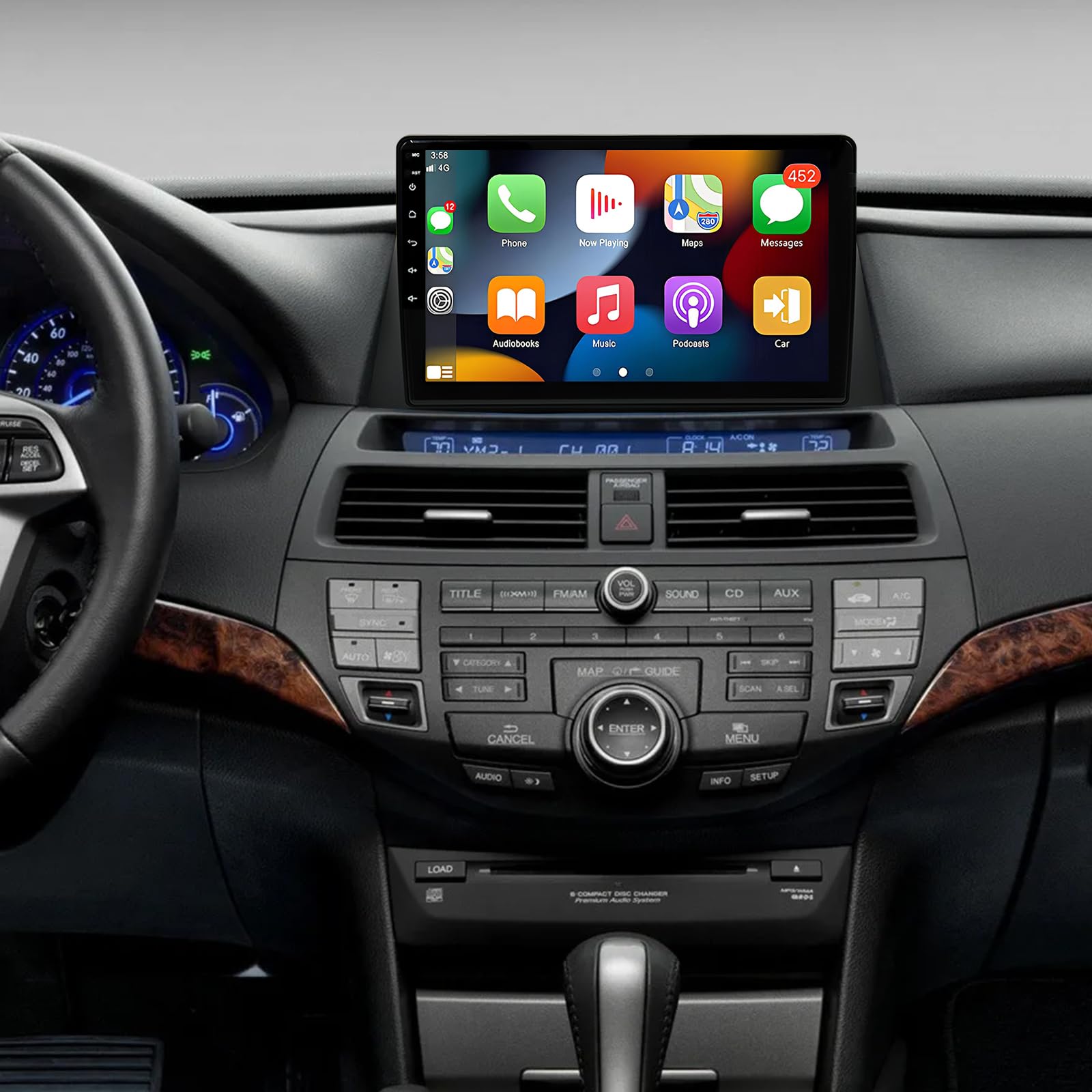
Visual comparison of the Honda Accord 8th Gen dashboard before and after the car stereo installation.
Wiring and Connections
Refer to the included installation guide for detailed wiring diagrams specific to your vehicle model. Ensure all cables are securely connected to prevent malfunctions.
Video demonstrating the installation process of the car stereo for Honda Accord 8th Generation (2008-2012).
Video illustrating the car radio connection process, including wiring and component hook-up.
Operating Instructions
Wireless CarPlay & Android Auto
Connect your iOS or Android device wirelessly via Bluetooth to access navigation, calls, messages, and music directly on the stereo screen. Use voice commands (Siri or Assistant) for hands-free operation.

Demonstration of Wireless CarPlay and Android Auto functionality on the 10.1-inch display.
Video tutorial on how to connect and use Android Auto with the car stereo.
GPS Navigation & WiFi Connectivity
The unit includes built-in offline maps for North America. Connect to WiFi via a hotspot to use online maps and download various applications.

GPS navigation interface with options for online and offline maps.

WiFi connection feature, enabling access to online apps and services.
Bluetooth Hands-Free Calling & Music
Utilize the built-in Bluetooth module for hands-free calls and wireless music streaming. The integrated microphone ensures clear communication.

Bluetooth hands-free calling interface for safe communication while driving.
Steering Wheel Controls
The stereo supports existing steering wheel controls, allowing you to manage multimedia, calls, and navigation without taking your hands off the wheel.

Steering wheel control learning interface for customizing button functions.
Video guide on programming steering wheel control keys for personalized functionality.
Video demonstrating the setup of steering wheel controls for a car stereo.
Screen Calibration
If the touch screen responsiveness is not optimal, perform a screen calibration.
Video guide on how to calibrate the touch screen for improved accuracy.
UI Theme Customization
Personalize your stereo's interface by changing UI themes.
Video demonstrating how to change the user interface (UI) theme on the car stereo.
Sound Settings (EQ)
Improve sound quality using the built-in equalizer to adjust audio output to your preferences.

Equalizer settings for fine-tuning audio output.
Maintenance
To ensure the longevity and optimal performance of your car stereo, regularly clean the screen with a soft, lint-free cloth. Avoid using harsh chemicals or abrasive materials. Keep the unit free from dust and extreme temperatures.
Troubleshooting
For common issues and solutions, refer to the troubleshooting guide below. If problems persist, contact customer support.
Video guide addressing 90% of common issues and providing essential troubleshooting steps.
Specifications
- Item Weight: 4.4 pounds
- Package Dimensions: 14.76 x 11.54 x 5.51 inches
- Item Model Number: K42X4_HA8H_RZC_101
- Display Size: 10 Inches
- Screen Resolution: 1280x800P
- Operating System: Android 13
- RAM: 2GB
- ROM: 32GB
- CPU: 4 Core
- Sound Processor: 4X45W
- Radio Band: FM
- Connectivity Technology: Bluetooth, Ethernet, USB, Wi-Fi
- Map Type: North America (Built-in offline maps)
- Mounting Type: Dashboard Mount
Warranty and Support
Warranty
This product comes with a 5-year warranty.
Customer Support
If you encounter any problems with the product, please contact our customer service team. We are committed to providing professional guidance within 24 hours.