
1. Product Overview
The Puroma Key Lock Box is a secure and convenient solution for storing keys. Designed for both portable and wall-mounted use, it features a resettable 4-digit combination lock, providing a high level of security for your house keys, spare keys, or access keys for various properties. Its robust construction ensures durability and resistance to tampering.

Image: Puroma Key Storage Lock Box providing safe and reliable storage.
2. Product Features
- Dual Installation Methods: Can be used as a portable lockbox with a removable shackle for door knobs or securely mounted to a wall.
- Robust Security: Constructed from high-quality aluminum alloy and steel, offering rustproof, cut-resistant, and effective resistance against violent damage.
- Resettable 4-Digit Combination: Features an easy-to-set 4-digit code with 10,000 possible combinations for enhanced security.
- Ample Storage Capacity: Designed to hold multiple house keys or other small items securely.
- Weatherproof Design: Suitable for outdoor use, resistant to rust and corrosion.

Image: Visual representation of the 4-digit combination, detachable lock handle, and aluminum alloy body.

Image: The lockbox highlighting its high security with 10,000 possible combinations.

Image: A hammer striking the lockbox, illustrating its robust and damage-resistant construction.
3. Package Contents
Please verify that all items are present in the package:
- 1 x Puroma Key Lock Box (Purple)
- 1 x Removable Lock Shackle
- 4 x Mounting Screws
- 4 x Expansion Plugs
- 1 x User Manual (this document)

Image: The Puroma Key Lock Box, showing the main unit, removable shackle, and rubber plugs.
4. Setup Instructions
4.1 Setting Your Combination Code
The lock box is pre-set with the default code 0-0-0-0. Follow these steps to set your personalized 4-digit combination:
- Open the key box using the default code 0-0-0-0.
- Inside the lockbox, locate the RESET button (usually a small lever or switch). Push the RESET button from position A to position B.
- Set your desired new 4-digit combination by rotating the dials.
- Push the RESET button back from position B to position A to confirm your new code.
- Close the lockbox and scramble the dials to lock it. Test your new code to ensure it works correctly before securing any keys.

Image: Step-by-step guide for resetting the combination code on the lockbox.
4.2 Attaching the Removable Shackle (Portable Use)
The lockbox comes with a removable shackle for hanging on door knobs or other fixtures.
- Open the lockbox. Inside, locate the inner button on the top part of the lockbox. Push this button from right to left.
- While holding the button, pull the shackle upwards to detach it.
- To reattach, align the shackle with the holes and push it down until it clicks into place. Ensure the inner button is released.
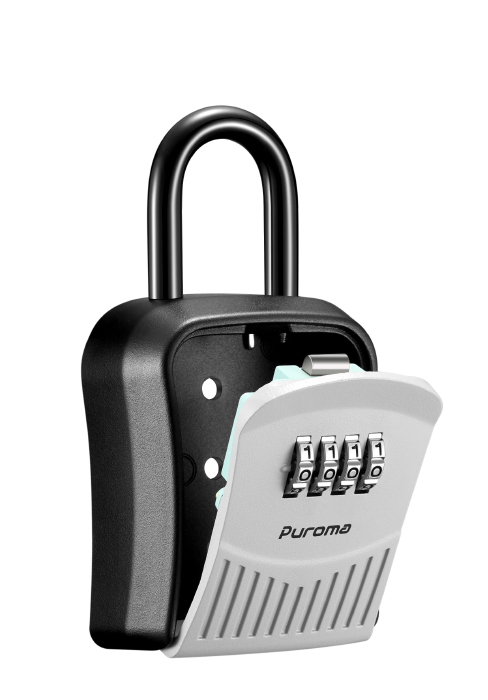
Image: Visual instructions for detaching and reattaching the lockbox shackle.
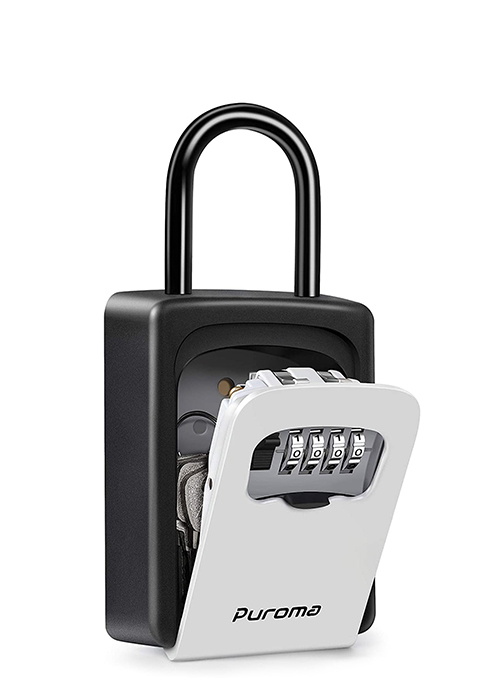
Image: The Puroma Key Lock Box securely hanging on a doorknob using its shackle.
4.3 Wall Mounting (Permanent Installation)
For a permanent installation, you can mount the lockbox to a wall using the provided screws and expansion plugs. Ensure the shackle is removed before mounting.
- Open the lockbox and remove the shackle if it's attached.
- Place the lockbox against the desired wall surface and mark the position of the 4 mounting holes with a pencil.
- Using an impact drill, drill holes at the marked positions. Ensure the drill bit size matches the expansion plugs.
- Insert the expansion plugs into the drilled holes. Use a hammer to gently tap them flush with the wall surface.
- Align the lockbox with the installed expansion plugs and secure it by tightening the screws with a Phillips screwdriver.
- Once mounted, insert the two rubber plugs into the top holes of the lockbox to protect the screws from weather and tampering.
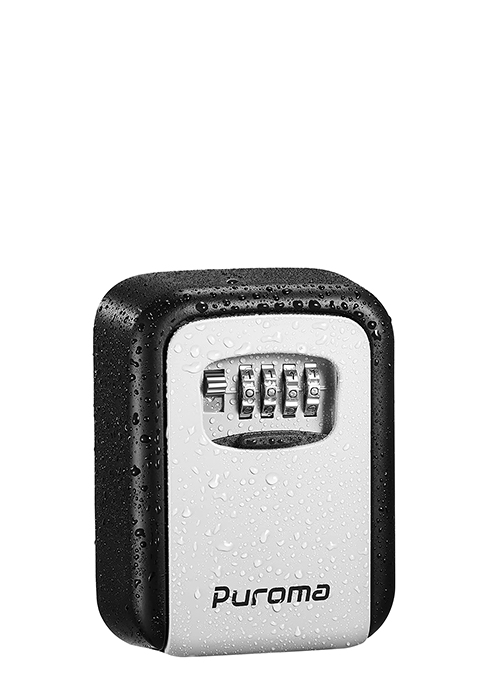
Image: Detailed steps for marking, drilling, inserting plugs, and screwing the lockbox onto a wall.
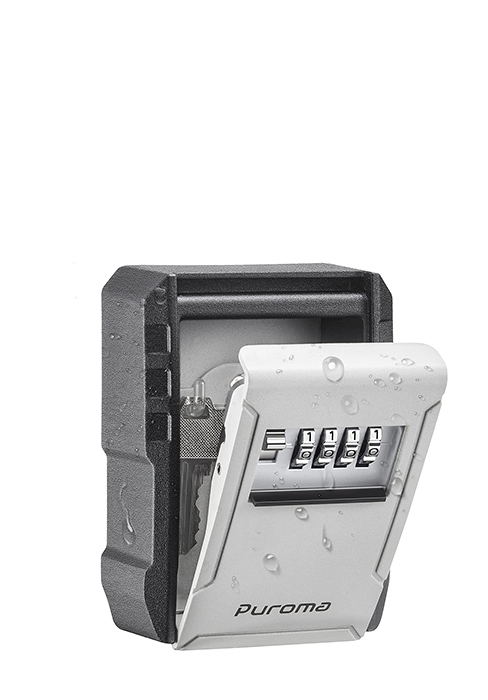
Image: The Puroma Key Lock Box securely mounted on a wall.

Image: Close-up of rubber plugs being inserted into the top holes of the lockbox for protection.
5. Operating Instructions
5.1 Opening the Lock Box
- Rotate the combination dials to your set 4-digit code.
- Pull down the front cover of the lockbox to open it.
- Access the keys or items stored inside.

Image: A finger rotating the combination dials to set the code.

Image: A hand opening the lockbox and retrieving keys, demonstrating safe and convenient access.
5.2 Closing and Locking the Lock Box
- Place the keys or items back inside the lockbox.
- Close the front cover firmly until it clicks shut.
- Scramble the combination dials to a random sequence to secure the lockbox.
6. Maintenance
To ensure the longevity and optimal performance of your Puroma Key Lock Box, follow these maintenance guidelines:
- Cleaning: Wipe the exterior with a soft, damp cloth. Avoid abrasive cleaners or solvents that could damage the finish.
- Lubrication: Periodically apply a small amount of silicone-based lubricant to the combination dials and the shackle mechanism to ensure smooth operation, especially if used outdoors.
- Weather Protection: While the lockbox is weatherproof, prolonged exposure to extreme weather conditions (e.g., direct heavy rain, freezing temperatures) may affect its lifespan. Ensure the rubber plugs are properly inserted if wall-mounted.
- Inspection: Regularly inspect the lockbox for any signs of wear, damage, or corrosion. Address any issues promptly.

Image: The lockbox highlighting its premium material properties: waterproof, rust-proof, and corrosion-resistant, along with included rubber plugs.

Image: Close-up of the lockbox with water droplets, demonstrating its weatherproof design.
7. Troubleshooting
| Problem | Possible Cause | Solution |
|---|---|---|
| Lockbox will not open. | Incorrect combination entered. Dials not aligned. | Ensure all four digits of the combination are precisely aligned with the indicator marks. Double-check your set code. |
| Dials are stiff or hard to turn. | Dirt or debris accumulation. Lack of lubrication. | Clean the dials with a soft cloth. Apply a small amount of silicone-based lubricant to the moving parts of the dials. |
| Shackle is difficult to remove/attach. | Inner button not fully pressed. Debris in mechanism. | Ensure the inner button is fully depressed when attempting to remove or attach the shackle. Clean any visible debris. |
| Lockbox feels loose after wall mounting. | Screws not tightened sufficiently. Incorrect drill bit size used. | Tighten all mounting screws firmly. If the issue persists, consider re-drilling with appropriate expansion plugs or using larger ones if the wall material is soft. |
8. Specifications
- Model: LB239K
- Dimensions (External): 5.75" (D) x 3.07" (W) x 1.54" (H)
- Weight: 10.2 ounces (0.29 Kilograms)
- Lock Type: Mechanical Code Lock (4-digit resettable combination)
- Material: High-quality Aluminum Alloy and Steel
- Color: Purple (for this variant)
- Mounting Options: Wall Mount, Freestanding (with removable shackle)
- UPC: 840064903608

Image: Diagram illustrating the external and internal dimensions of the Puroma Key Lock Box.
9. Warranty and Support
For warranty information, technical support, or any inquiries regarding your Puroma Key Lock Box, please refer to the official Puroma website or contact their customer service directly. Details are typically provided on the product packaging or the manufacturer's official online channels.
You can visit the Puroma Store on Amazon for more information.
