
Atheewon H08
Atheewon H08 Bluetooth Earpiece User Manual
Model: H08
1. Product Overview
The Atheewon H08 Bluetooth Earpiece is a wireless handsfree headset designed for clear communication and extended use. It features advanced Bluetooth 5.4 technology for stable connections, CVC 8.0 and ENC noise reduction for clear calls, and a long-lasting battery. Its ergonomic design ensures comfort for all-day wear, making it ideal for business professionals, truckers, and drivers.

Image 1.1: The Atheewon H08 Bluetooth Earpiece, showcasing its sleek design and purple finish.
2. What's in the Box
Upon unboxing your Atheewon H08 Bluetooth Earpiece, please ensure all the following components are present:
- 1 x Atheewon H08 Bluetooth Earpiece
- 1 x USB Charging Cable
- 1 x Carrying Case
- 3 x Earplugs (Sizes: S, M, L)
- 1 x User Manual

Image 2.1: All components included with the Atheewon H08 Bluetooth Earpiece.
3. Product Diagram and Controls
Familiarize yourself with the various parts and control buttons of your Atheewon H08 Bluetooth Earpiece for optimal use.

Image 3.1: Detailed diagram of the H08 earpiece with labeled controls and components.
Button Functions:
| Button/Action | Function |
|---|---|
| MFB (Multi-Function Button) - Tap x1 | Play/Pause music, Answer/Hang up call |
| MFB - Long Press x2 | Reject Call, Switch Song (Next) |
| MFB - Tap x3 | Activate Voice Assistant |
| Volume Up (+) - Tap x1 | Increase Volume |
| Volume Down (-) - Tap x1 | Decrease Volume, Previous Song |
| Power On - Long Press x2 | Turn the earpiece On |
| Power Off - Long Press x5 | Turn the earpiece Off |
4. Setup and First Use
4.1 Charging the Earpiece
Before first use, fully charge your Atheewon H08 earpiece. A full charge takes approximately 2 hours.
- Connect the provided USB charging cable to the Type-C charging port on the earpiece.
- Connect the other end of the cable to a USB power source (e.g., computer USB port, wall adapter).
- The power indicator light will show charging status and turn off when fully charged.

Image 4.1: The H08 earpiece offers long battery life with quick charging.
4.2 Pairing with Your Device
The H08 earpiece utilizes advanced Bluetooth 5.4 technology for fast and stable connections. It automatically reconnects to previously paired devices.
- Ensure the earpiece is charged and turned off.
- Long press the MFB button for approximately 2 seconds until the status indicator lamp flashes blue and red, indicating pairing mode.
- On your smartphone, tablet, or computer, enable Bluetooth and search for available devices.
- Select "H08" from the list of found devices.
- Once connected, the status indicator lamp will flash blue slowly.

Image 4.2: Pairing the H08 earpiece with a mobile device via Bluetooth 5.4.
4.3 Wearing the Earpiece
The H08 earpiece is designed for comfortable and secure all-day wear, accommodating both left and right ears.
- Choose the appropriate earplug size (S, M, L) for a snug fit.
- Insert the ear tip into your ear canal.
- Position the ear hook behind your ear.
- Adjust the placement for maximum comfort and stability.

Image 4.3: Instructions for comfortably wearing the H08 earpiece on either ear.
5. Operating Instructions
The Atheewon H08 Bluetooth Earpiece offers intuitive controls for managing calls and music. Refer to the "Product Diagram and Controls" section for button locations.
5.1 Call Management
- Answer/End Call: Tap the MFB button once.
- Reject Call: Long press the MFB button for 2 seconds.
- Redial Last Number: Double-tap the MFB button (if supported by your device).
5.2 Music Playback
- Play/Pause: Tap the MFB button once.
- Next Song: Long press the MFB button for 2 seconds.
- Previous Song: Tap the Volume Down (-) button once.
5.3 Volume Control
- Increase Volume: Tap the Volume Up (+) button once.
- Decrease Volume: Tap the Volume Down (-) button once.
5.4 Voice Assistant
- Activate Voice Assistant: Triple-tap the MFB button. This will activate your device's voice assistant (e.g., Siri, Google Assistant).
5.5 Noise Cancellation (CVC 8.0 & ENC)
The Atheewon H08 features CVC 8.0 and ENC (Environmental Noise Cancellation) technology to minimize background noise and enhance voice clarity during calls. This technology works automatically to filter out distractions, ensuring clear conversations even in noisy environments.
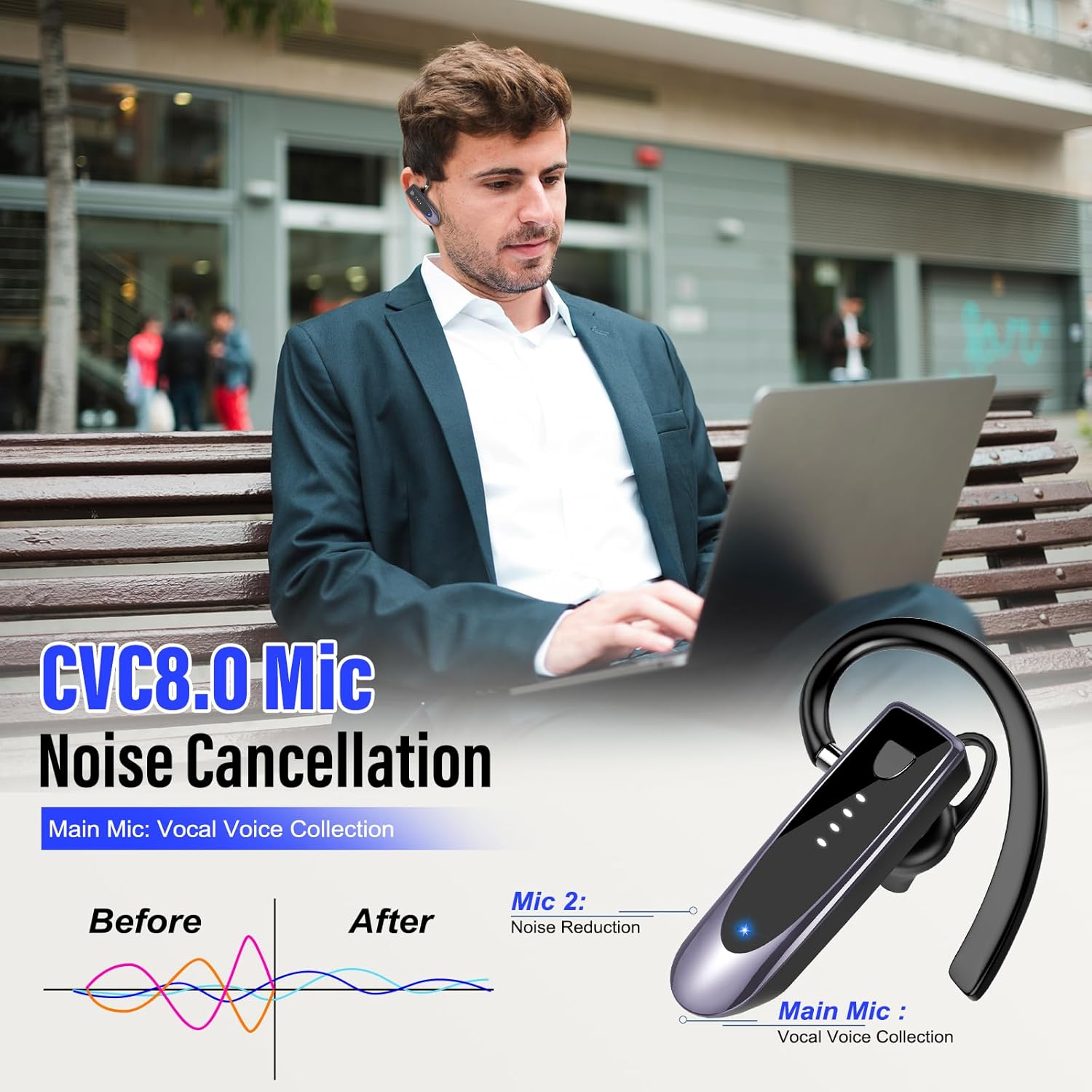
Image 5.1: CVC 8.0 Mic Noise Cancellation for clear calls.
5.6 Wide Compatibility
The H08 Bluetooth Earpiece is designed for broad compatibility with most Bluetooth-enabled devices, including:
- Smartphones (iOS, Android)
- Tablets
- Computers (Laptops, Desktops)
- MP3/MP4 Players (with Bluetooth)

Image 5.2: The H08 earpiece offers wide compatibility with various devices.
6. Maintenance and Care
Proper maintenance ensures the longevity and optimal performance of your Atheewon H08 Bluetooth Earpiece.
- Cleaning: Gently wipe the earpiece with a soft, dry, lint-free cloth. Do not use harsh chemicals or abrasive materials.
- Storage: When not in use, store the earpiece in the provided carrying case to protect it from dust, moisture, and physical damage.
- Temperature: Avoid exposing the earpiece to extreme temperatures (hot or cold) or direct sunlight for prolonged periods.
- Water Exposure: The earpiece is not waterproof. Avoid contact with water or other liquids.
7. Troubleshooting
If you encounter any issues with your Atheewon H08 Bluetooth Earpiece, please refer to the following common solutions:
| Problem | Possible Solution |
|---|---|
| Earpiece does not turn on. | Ensure the earpiece is fully charged. Connect it to a power source and check the charging indicator. |
| Cannot pair with device. |
|
| No sound or low volume. |
|
| Call quality is poor. |
|
| Earpiece disconnects frequently. |
|
8. Specifications
Detailed technical specifications for the Atheewon H08 Bluetooth Earpiece:
| Feature | Detail |
|---|---|
| Model Name | H08 |
| Connectivity Technology | Wireless (Bluetooth) |
| Bluetooth Version | 5.4 |
| Charging Time | 2 Hours |
| Music Playback Time | Up to 29 Hours |
| Talk Time | Up to 20 Hours |
| Standby Time | Up to 180 Hours |
| Frequency Range | 20 Hz - 20,000 Hz |
| Noise Cancellation | CVC 8.0, ENC |
| Compatible Devices | Smartphones, Tablets, Computers (Laptops, Desktops) |
| Earpiece Shape | Over-ear |
| Item Weight | 0.634 ounces |
| Color | Purple |
9. Safety Information
Please read and follow these safety guidelines to prevent damage to the device or injury to yourself:
- Do not disassemble, repair, or modify the earpiece. This can cause fire, electric shock, or complete damage to the product.
- Keep the earpiece away from extreme temperatures, direct sunlight, and high humidity.
- Do not expose the earpiece to water or other liquids.
- Avoid dropping or subjecting the earpiece to strong impacts.
- Use only the provided or certified charging cables.
- Do not use the earpiece at excessively high volumes for prolonged periods, as this may cause hearing damage.
- Be aware of your surroundings when using the earpiece, especially in situations requiring attention (e.g., driving, walking near traffic).
10. Warranty and Support
Atheewon is committed to providing quality products and customer service.
- Warranty: Your Atheewon H08 Bluetooth Earpiece comes with a 2-year warranty from the date of purchase, covering manufacturing defects.
- Returns & Refunds: We offer a 30-day return and refund policy for eligible purchases. Please refer to your retailer's return policy for specific details.
- Customer Support: For any questions, technical assistance, or warranty claims, please contact Atheewon customer support through the retailer's platform or the official Atheewon website.

Image 10.1: Atheewon's commitment to quality service and customer satisfaction.
Ask a question about this manual
Ask about setup, troubleshooting, compatibility, parts, safety, or missing instructions. Manuals+ will review the question and use this page’s manual context to help answer it.