
1. Product Overview
The dbsono F29MAX is a powerful 100W outdoor Bluetooth speaker designed for robust audio performance in various environments. It features dual 35W subwoofers and dual 10W tweeters for clear highs, pure mids, and deep bass. The speaker is equipped with RGB lights that sync to the beat, an IPX7 waterproof rating, and a built-in power bank function for extended use.

Figure 1: dbsono F29MAX 100W Outdoor Bluetooth Speaker
2. Package Contents
- dbsono F29MAX Portable Bluetooth Speaker
- Power Cable (USB-C)
- AUX Cable
- User Manual (this document)
3. Setup
3.1 Initial Charging
Before first use, fully charge the speaker using the provided USB-C power cable. The built-in battery provides up to 30 hours of playtime on a single charge (tested at 30% volume with lights off).
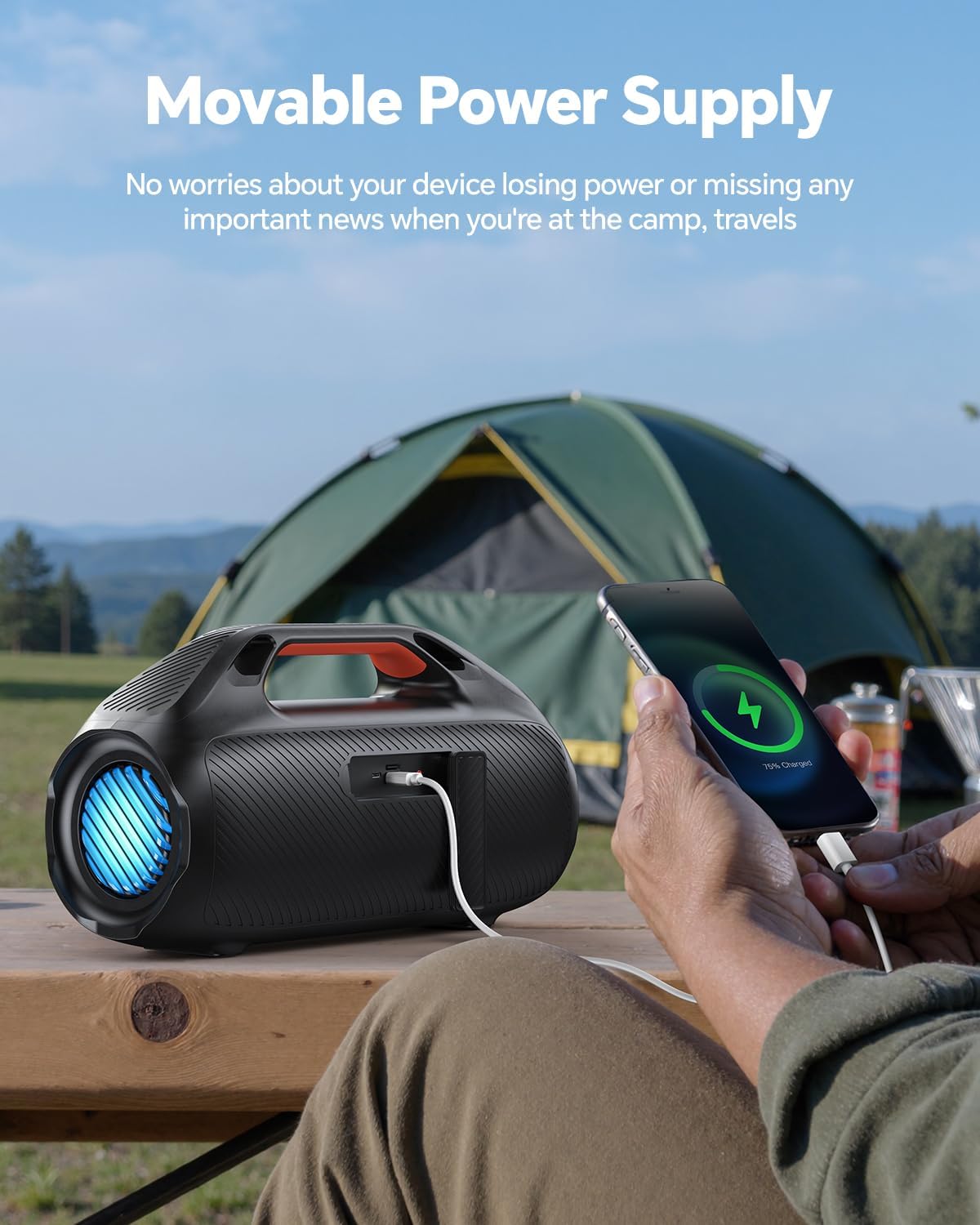
Figure 2: Speaker functioning as a power bank to charge a phone.
3.2 Bluetooth Connection
- Long-press the power button on the speaker to turn it on. The Bluetooth indicator light will blink.
- On your mobile device, navigate to Bluetooth settings and ensure Bluetooth is enabled.
- Select "DB F29MAX" from the list of available devices to pair.
- A prompt sound will confirm successful pairing.
For a visual guide on connecting via Bluetooth, please refer to the video below:
Video 1: How to Connect the Bluetooth Speaker
3.3 True Wireless Stereo (TWS) Pairing
To achieve a stereo sound experience, you can pair two dbsono F29MAX speakers together:
- Ensure both speakers are powered on and not connected to any Bluetooth device.
- Double-press the Play/Pause (►►) button on one speaker. You will hear a tone.
- Double-press the Play/Pause (►►) button on the second speaker. You will hear another tone.
- The speakers will automatically pair with each other. Once paired, one speaker's Bluetooth indicator will be solid blue, and the other's will slowly blink.
- Connect your mobile device to the speaker with the solid blue Bluetooth indicator (this is the primary speaker).
For a visual guide on TWS pairing, please refer to the video below:
Video 2: How to Connect Two Bluetooth Speakers (TWS)
4. Operating Instructions
4.1 Controls
The speaker features intuitive controls located on the top panel:
- Power Button: Long-press to turn on/off.
- Bluetooth Button: Press to enter Bluetooth pairing mode.
- Volume Up (+): Increase volume.
- Volume Down (-): Decrease volume.
- Play/Pause (►►): Play or pause audio. Double-press for TWS pairing.
- Light Button (☀): Cycle through RGB light modes or turn lights off.
- EX-Bass Button: Activate/deactivate enhanced bass mode.
4.2 RGB Lights
The speaker features beat-synced RGB lights on its sides, enhancing your audio experience with a visual display. Use the Light Button (☀) to change light patterns or turn them off. Note that using the lights may reduce battery life.

Figure 3: Dynamic RGB Light Show
4.3 EX-Bass Mode
Activate the EX-Bass mode for enhanced low-end bass performance, providing a more immersive sound experience. Press the EX-Bass button to toggle this feature.

Figure 4: Astounding Bass with EX-Bass Mode
4.4 Power Bank Function
The speaker includes a built-in power bank function, allowing you to charge your mobile devices via the USB-A port. This is particularly useful during outdoor activities like camping or travel.
4.5 Audio Input Options
In addition to Bluetooth 5.3, the speaker supports multiple audio input options:
- USB: For playing audio from a USB drive.
- AUX: Connect devices via the 3.5mm auxiliary input.
- TF-Card: Insert a TF (MicroSD) card for direct audio playback.
5. Maintenance
5.1 Waterproofing (IPX7)
The dbsono F29MAX speaker is IPX7 waterproof, meaning it can withstand immersion in water up to 1 meter for 30 minutes. It is suitable for use near pools, beaches, and during light rain. Ensure all port covers are securely sealed for effective waterproofing.

Figure 5: IPX7 Waterproof Speaker in an outdoor setting.
For demonstrations of the speaker's waterproof capabilities, please watch the videos below:
Video 3: IPX7 Waterproof Beach Speaker
Video 4: Waterproof Speaker for Outdoor Travel Beach Camping
5.2 Cleaning
Wipe the speaker with a soft, damp cloth. Avoid using harsh chemicals or abrasive cleaners, as these can damage the surface and waterproof seals.
5.3 Battery Care
To prolong battery life, avoid fully discharging the speaker frequently. Store the speaker in a cool, dry place when not in use for extended periods. Charge the battery at least once every three months to prevent deep discharge.
6. Troubleshooting
- Speaker not turning on: Ensure the battery is charged. Connect the speaker to a power source using the USB-C cable.
- Bluetooth not connecting:
- Ensure the speaker is in pairing mode (Bluetooth indicator blinking).
- Check that Bluetooth is enabled on your device.
- Move your device closer to the speaker (within 100 feet).
- Forget the device from your phone's Bluetooth settings and try pairing again.
- TWS pairing issues:
- Ensure both speakers are not connected to any other Bluetooth device before attempting TWS pairing.
- Follow the TWS pairing steps carefully (Section 3.3).
- Low Battery Alert: The speaker will emit a low-battery alert when the power level drops below 10%. If the alert sounds, allow 10 minutes of uninterrupted charging (without playback) for the alert to stop.
- Sound distortion: Reduce the volume on both the speaker and your connected device. Ensure the audio source is of good quality.
7. Specifications
| Feature | Detail |
|---|---|
| Model Name | F29MAX |
| Brand | dbsono |
| Speaker Type | Outdoor, Portable, Waterproof, Surround Sound |
| Speaker Maximum Output Power | 100 Watts |
| Connectivity Technology | Bluetooth 5.3, Auxiliary, USB |
| Bluetooth Range | Up to 100 Feet |
| Water Resistance Level | IPX7 (Waterproof) |
| Playtime | Up to 30 Hours |
| Special Features | Bass Boost, Built-In Powerbank, LED Light, Portable |
| Product Dimensions | 15.88"D x 8.79"W x 6.55"H |
| Item Weight | 8.8 Pounds |
| Material | Acrylonitrile Butadiene Styrene (ABS) |
| Power Source | Battery Powered (1 C battery included) |
8. Warranty and Support
8.1 Warranty Information
The dbsono F29MAX speaker comes with a Limited Warranty. Please refer to the warranty card included in your package for specific terms and conditions, or visit the official dbsono website for more details.
8.2 Customer Support
For any questions, technical assistance, or support regarding your dbsono F29MAX speaker, please contact dbsono customer service. Contact information can typically be found on the product packaging, the official dbsono website, or through your retailer.


