
Important Safety Instructions
Please read this manual thoroughly before operating your TABU Evaporative Air Cooler. Keep these instructions for future reference.
- Always place the unit on a stable, level surface to prevent tipping.
- Do not immerse the unit, power cord, or plug in water or other liquids.
- Ensure the power supply matches the voltage specified on the unit's rating label.
- Unplug the unit from the power outlet before filling, cleaning, or performing any maintenance.
- Keep children and pets away from the unit during operation.
- Do not block air inlets or outlets. Maintain at least 20 cm (8 inches) clearance from walls and furniture.
- Do not use the unit in areas with high humidity, such as bathrooms, or near flammable materials.
- Only use clean water in the water tank. Do not add any chemicals or additives other than recommended ice packs.
- If the power cord is damaged, it must be replaced by the manufacturer, its service agent, or similarly qualified persons to avoid a hazard.
Product Overview
The TABU 9.3 Gallon Evaporative Air Cooler is a versatile 3-in-1 appliance designed to provide cooling, fan, and humidification functions. It features a powerful 3500 CFM airflow, 120° oscillation, 3 wind speeds, a 7.5-hour timer, and convenient remote control operation.
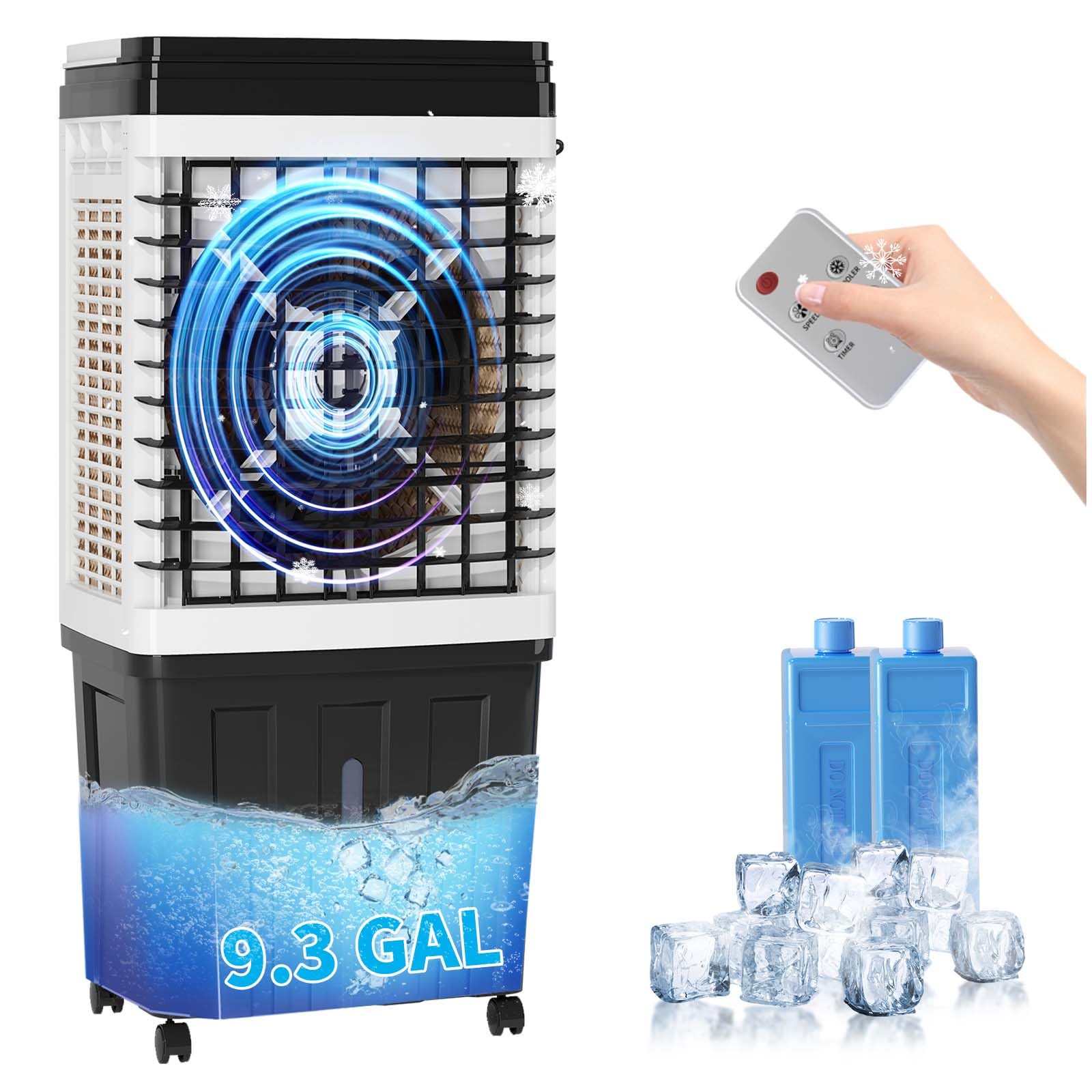
Figure 1: TABU 9.3 Gallon Evaporative Air Cooler with included remote control.
Key Features
- 3-in-1 Functionality: Cooling, Fan, and Humidifier modes.
- High Airflow: 3500 CFM for effective air circulation.
- Wide Oscillation: 120° oscillation for broad coverage.
- Multiple Speeds: 3 adjustable wind speeds.
- Convenient Timer: 7.5-hour programmable timer.
- Remote Control: Full control from a distance.
- Large Water Tank: 9.3 Gallon capacity for extended operation.
- Ice Pack Compatibility: Enhances cooling performance.
- Quiet Operation: Operates below 65dB.

Figure 2: The unit integrates cooling, fan, and humidification functions.
Setup
1. Unpacking
Carefully remove the air cooler from its packaging. Retain the packaging materials for future storage or transport.
2. Wheel Installation
Attach the four caster wheels to the bottom of the unit by inserting them into the designated slots until they click securely into place. Ensure all wheels are firmly attached for easy mobility.

Figure 3: Caster wheels for easy movement.
3. Filling the Water Tank
Pull out the water tank from the bottom rear of the unit. Fill the tank with clean, cool water up to the 'MAX' fill line. Do not overfill. For enhanced cooling, you may add the included ice packs (after freezing) or ice cubes directly into the water tank.

Figure 4: The 9.3 Gallon water tank capacity.
Slide the water tank back into the unit until it is securely in place.
4. Placement
Place the air cooler on a firm, level surface in the desired location. Ensure there is adequate space around the unit for proper airflow, ideally at least 20 cm (8 inches) from walls and furniture. For optimal cooling, position the unit near an open window or door to draw in fresh air.

Figure 5: The cooler is suitable for various indoor environments.
Operating Instructions
1. Power On/Off
Plug the power cord into a standard electrical outlet. Press the POWER button on the control panel or remote control to turn the unit on or off.
2. Mode Selection
Press the MODE button to cycle through the available modes: Fan, Cooling, and Humidifier. The corresponding indicator light will illuminate.
- Fan Mode: Circulates air without water evaporation.
- Cooling Mode: Activates the water pump to circulate water over the cooling pads, providing evaporative cooling.
- Humidifier Mode: Increases moisture in the air.
3. Wind Speed Adjustment
Press the SPEED button to select from 3 wind speeds: Low, Medium, or High. The current speed setting will be indicated on the display.

Figure 6: Features include 3 wind speeds and 3500 CFM airflow.
4. Oscillation Function
Press the SWING button to activate the 120° oscillation feature, which distributes air across a wider area. Press again to stop oscillation.
5. Timer Setting
Press the TIMER button to set the operating time from 0.5 to 7.5 hours in 0.5-hour increments. The unit will automatically turn off once the set time expires.

Figure 7: The unit features quiet operation and a 7.5-hour timer.
6. Remote Control
The included remote control allows you to operate all functions of the air cooler from a distance. Ensure the remote control has batteries installed and is pointed towards the unit's receiver.

Figure 8: Remote control provides convenient access to all functions.
Maintenance
Regular maintenance ensures optimal performance and extends the lifespan of your air cooler. Always unplug the unit before cleaning.
1. Cleaning the Water Tank
Empty and clean the water tank regularly, especially if the unit is used frequently or stored for an extended period. Remove the tank, rinse it with clean water, and wipe it dry. Use a mild detergent if necessary, then rinse thoroughly.
2. Cleaning the Cooling Pads
The cooling pads (also known as honeycomb pads) should be cleaned periodically to prevent mineral buildup and maintain efficiency. Carefully remove the back panel and slide out the cooling pads. Rinse them under running water to remove dust and mineral deposits. Allow them to air dry completely before reinserting.

Figure 9: Cooling pads are essential for evaporative cooling.
3. Exterior Cleaning
Wipe the exterior of the unit with a soft, damp cloth. Do not use abrasive cleaners or solvents, as these may damage the surface.
4. Storage
Before storing, ensure the water tank is empty and clean, and the cooling pads are dry. Store the unit in a cool, dry place, preferably in its original packaging, away from direct sunlight and extreme temperatures.
Troubleshooting
If you encounter issues with your air cooler, refer to the following common problems and solutions:
| Problem | Possible Cause | Solution |
|---|---|---|
| Unit does not power on. | No power supply; Power button not pressed. | Check power cord connection; Ensure outlet is functional; Press the POWER button. |
| Weak or no airflow. | Air inlets/outlets blocked; Fan speed too low. | Clear any obstructions; Increase fan speed. |
| No cooling effect. | Water tank empty; Cooling mode not activated; Cooling pads dirty. | Fill water tank; Select Cooling mode; Clean cooling pads. |
| Unusual noise. | Unit not on a level surface; Foreign object in fan. | Place unit on a level surface; Unplug and check for obstructions (contact support if unable to resolve). |
| Water leakage. | Water tank overfilled; Tank not properly seated. | Do not overfill past MAX line; Ensure water tank is securely in place. |
If the problem persists after attempting these solutions, please contact customer support.
Specifications
| Feature | Specification |
|---|---|
| Brand | TABU |
| Model | 9.3 Gal Evaporative Air Cooler |
| Functions | Cooling, Fan, Humidifier (3-in-1) |
| Airflow (CFM) | 3500 |
| Water Tank Capacity | 9.3 Gallons |
| Number of Speeds | 3 |
| Oscillation | 120° |
| Timer | 7.5 Hours |
| Control Method | Remote Control, Control Panel |
| Noise Level | <65dB |
| UPC | 764143647828 |
| ASIN | B0F53H8238 |
Warranty and Customer Support
Your TABU Evaporative Air Cooler is covered by a manufacturer's warranty against defects in materials and workmanship. Please refer to the warranty card included in your product packaging for specific terms and conditions.
For technical assistance, troubleshooting beyond this manual, or warranty claims, please contact TABU customer support through the retailer's platform or the official TABU website. Have your model number and purchase date ready when contacting support.
