
1. Introduction
The WAVLINK AX3000 WiFi 6 Extender is designed to expand your existing wireless network coverage, eliminate Wi-Fi dead zones, and provide high-speed internet access throughout your home or office. This device supports the latest Wi-Fi 6 (802.11ax) standard, offering dual-band speeds up to 3000Mbps (573Mbps on 2.4GHz and 2402Mbps on 5GHz) and features multiple operating modes including Repeater, Access Point (AP), Router, and Mesh.
This manual provides detailed instructions for setting up, operating, and maintaining your WAVLINK AX3000 WiFi 6 Extender to ensure optimal performance and connectivity.
2. Package Contents
Please verify that all items are present in your package:
- WAVLINK AX3000 WiFi 6 Extender (Model: WL-WN583HX3-A)
- Networking Cable
- Quick Installation Guide

Image: WAVLINK AX3000 WiFi 6 Extender and its included Ethernet cable.
3. Product Features
The WAVLINK AX3000 WiFi 6 Extender offers advanced features for enhanced network performance:
- AX3000 Dual-Band WiFi 6: Delivers combined speeds of up to 3000Mbps (573Mbps on 2.4GHz + 2402Mbps on 5GHz) with 160MHz bandwidth.
- Five High-Gain Antennas: Equipped with 5 external 5dBi antennas for superior signal penetration and extended coverage up to 3000 sq. ft.
- Gigabit Ethernet Port: Provides a 1000Mbps Ethernet port for reliable wired connections to devices like smart TVs, gaming consoles, or PCs.
- Multi-Working Modes: Supports Repeater, Access Point (AP), Router, and Mesh modes to adapt to various networking needs.
- WPS Functionality: Allows for easy and secure setup with compatible routers using the Wi-Fi Protected Setup button.
- Broad Device Compatibility: Connects seamlessly with over 256 devices, including phones, tablets, smart home devices, and streaming devices.
- Robust Security: Supports WPA/WPA2-PSK/WPA3-PSK security protocols to protect your home network.
- Effective Cooling: Features an integrated cooling system to maintain stable performance.
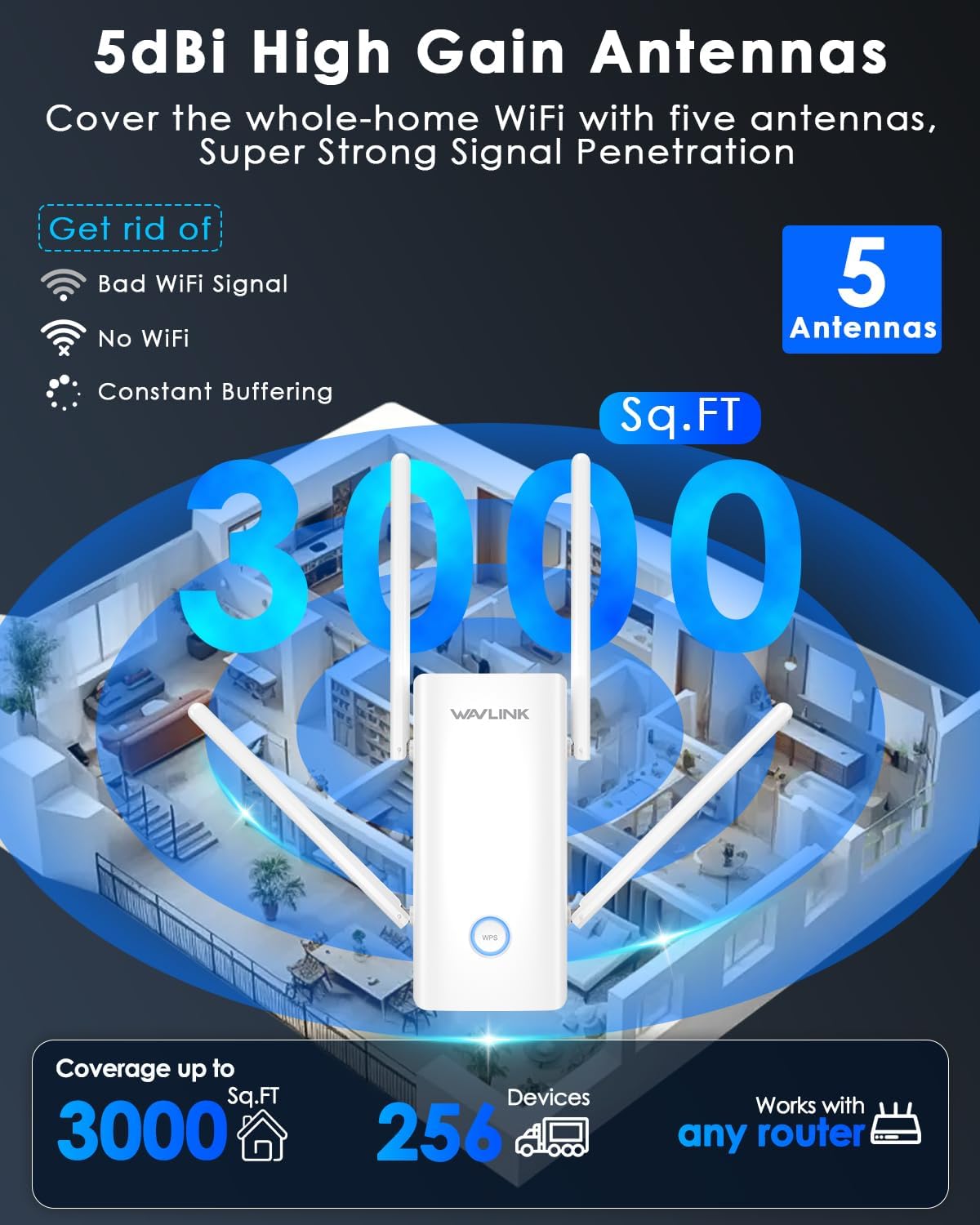
Image: Key features of the WAVLINK AX3000 WiFi 6 Extender, including speed, Ethernet port, and dual-band capabilities.

Image: Illustration of the WAVLINK AX3000 extending Wi-Fi coverage throughout a home.
4. Setup Guide
There are two primary methods to set up your WAVLINK AX3000 WiFi 6 Extender: using the WPS button or via the web interface.
4.1. WPS (Wi-Fi Protected Setup) Method
The WPS method is the quickest way to extend your Wi-Fi network if your main router supports WPS.
- Power On: Plug the WAVLINK AX3000 Extender into an electrical outlet near your main router. Wait for the power LED to stabilize.
- Activate WPS on Router: Press the WPS button on your main router. Refer to your router's manual for the exact location and timing.
- Activate WPS on Extender: Within two minutes, press the WPS button on the WAVLINK AX3000 Extender for approximately 2 seconds. The WPS LED on the extender will start blinking.
- Connect: The extender will automatically connect to your router. Once connected, the signal strength LEDs on the extender will illuminate, indicating a successful connection.
- Relocate: Unplug the extender and move it to a location halfway between your router and the Wi-Fi dead zone. Ensure the signal strength LEDs indicate a good connection.

Image: Visual guide for setting up the extender in Repeater Mode using the WPS function.
4.2. Web Interface Method
The web interface provides more control over the extender's settings and is necessary for AP, Router, or Mesh modes.
- Power On: Plug the WAVLINK AX3000 Extender into an electrical outlet.
- Connect to Extender: On your computer or mobile device, connect to the extender's default Wi-Fi network (SSID: WAVLINK-AX_XXXX, where XXXX are the last four digits of the MAC address). No password is required initially.
- Access Web Interface: Open a web browser and enter
http://waplogin.linkor192.168.10.1in the address bar. - Login: Follow the on-screen instructions to create a new login password for the extender's management interface.
- Select Mode: Choose your desired operating mode (Repeater, AP, Router, or Mesh) and follow the wizard to configure the settings. For Repeater mode, select your existing Wi-Fi network and enter its password.
- Apply Settings: Save the settings and wait for the extender to restart.
- Connect to New Network: Your devices can now connect to the extended Wi-Fi network. If you chose Repeater mode, the extended network might have the same SSID as your main router or a new one (e.g., YourNetwork_EXT).

Image: Screenshots demonstrating the user-friendly web interface for setup and management.
5. Operating Modes
The WAVLINK AX3000 Extender supports four distinct operating modes:
- Repeater Mode: Extends the coverage of an existing wireless network. The extender connects wirelessly to your main router and rebroadcasts the signal.
- Access Point (AP) Mode: Transforms a wired internet connection into a wireless network. Connect the extender to your modem or router via an Ethernet cable, and it will create a new Wi-Fi hotspot.
- Router Mode: Functions as a primary router, providing internet access to multiple devices. Connect the extender to your modem via an Ethernet cable.
- Mesh Mode: Creates a seamless whole-home Wi-Fi system with a single SSID. This mode is ideal for eliminating dead zones and allowing devices to roam freely without manual reconnection. Note: Mesh mode is typically compatible with other WAVLINK mesh devices.

Image: Overview of the four operating modes: AP, Repeater, Router, and Mesh.
6. Maintenance
To ensure the longevity and optimal performance of your WAVLINK AX3000 Extender, consider the following maintenance tips:
- Optimal Placement: Position the extender in an open area, away from obstructions like thick walls, metal objects, and other electronic devices that may cause interference. For Repeater mode, place it roughly halfway between your router and the desired coverage area.
- Firmware Updates: Regularly check the WAVLINK official website for firmware updates. Updating the firmware can improve performance, add new features, and enhance security.
- Cleaning: Keep the device clean and free from dust. Use a soft, dry cloth to wipe the exterior. Ensure ventilation openings are not blocked.
- Power Cycle: If you experience connectivity issues, try power cycling the extender (unplug it from the power outlet, wait 10 seconds, then plug it back in).
- Reset: In case of persistent issues or forgotten login credentials, you can perform a factory reset. With the extender powered on, press and hold the Reset button (usually a small pinhole) for about 8-10 seconds until the LEDs flash. Note that a factory reset will erase all custom settings.
7. Troubleshooting
If you encounter problems with your WAVLINK AX3000 Extender, refer to the following common issues and solutions:
| Problem | Solution |
|---|---|
| No internet access after setup. |
|
| Weak signal or frequent disconnections. |
|
| Cannot access the web management page. |
|
| WPS setup fails. |
|
8. Specifications
| Feature | Detail |
|---|---|
| Model Number | WL-WN583HX3-A |
| Wireless Standard | 802.11a/b/g/n/ac, 802.11ax (WiFi 6) |
| Data Transfer Rate | Up to 3000 Mbps (2.4GHz: 573Mbps, 5GHz: 2402Mbps) |
| Frequency | Dual Band (2.4 GHz & 5 GHz), 160 MHz bandwidth |
| Antennas | 5 x 5dBi High-Gain Antennas |
| Ethernet Port | 1 x Gigabit Ethernet Port |
| Special Features | Access Point Mode, MU-MIMO, WiFi Mesh |
| Security Protocols | WPA/WPA2-PSK/WPA3-PSK |
| Product Dimensions | 1.65 x 2.9 x 6.4 inches |
| Item Weight | 1.08 pounds |
9. Warranty and Support
For warranty information, technical support, and additional resources, please visit the official WAVLINK website or contact their customer service. Keep your purchase receipt for warranty claims.
WAVLINK Official Website: www.wavlink.com