
1. Introduction
Thank you for choosing the Minthouz Quiet Desktop & Wall-Mountable Fan. This manual provides essential information for the safe and efficient operation, maintenance, and troubleshooting of your fan. Please read it thoroughly before use and retain it for future reference.
2. Product Overview and Features
The Minthouz GXZ-F83 fan is designed for versatile use, offering both desktop and wall-mountable options. It features multiple wind speeds, a digital display, and a rechargeable battery for portable convenience.
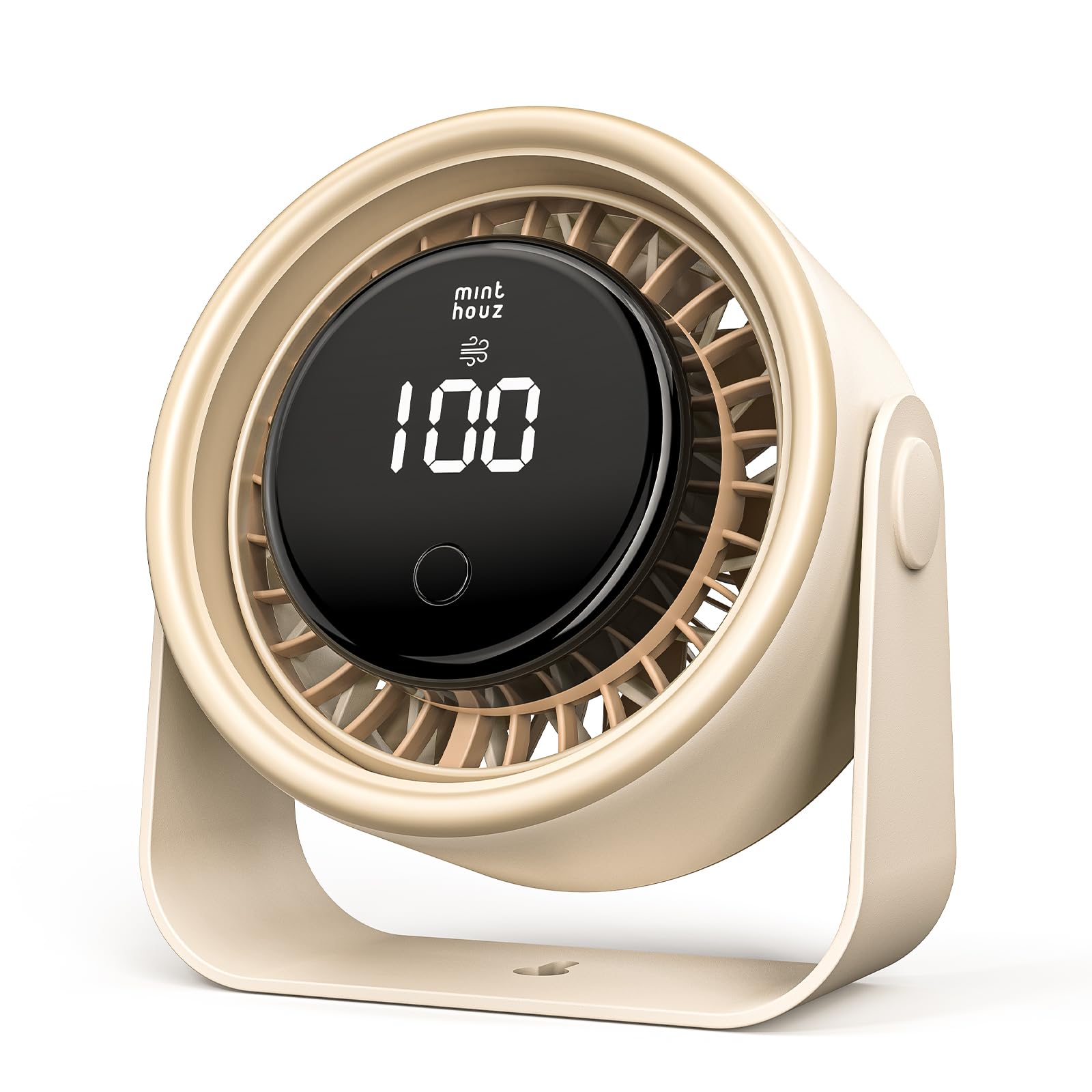
Figure 1: Minthouz GXZ-F83 fan in both desktop and wall-mounted configurations.
Key Features:
- 3000mAh Rechargeable Battery: Provides up to 10 hours of operation on Level 1, 5 hours on Level 2, and 3 hours on Level 3.
- USB-C Fast Charging: Fully charges in approximately 2.5 hours using a USB-C 5V2A power source.
- LED Digital Display: Shows real-time battery level and current wind speed.
- 4 Wind Speed Levels: Includes three constant speeds and a natural wind mode.
- 90° Up/Down Rotation: Manual adjustment for optimal airflow direction.
- Quiet Operation: Engineered for minimal noise output, suitable for various environments.
- Compact & Portable Design: Dimensions of 5.76" D × 2.74" W × 5.66" H make it easy to carry and place.
- 2-in-1 Functionality: Can be used as a desktop fan or mounted on a wall.
3. What's in the Box
- 1 x Minthouz Desktop/Wall-mount Fan (GXZ-F83)
- 1 x USB-C Cable
- 1 x Quick Start Guide
4. Setup
4.1 Desktop Placement
Place the fan on a flat, stable surface. Ensure the base is secure to prevent tipping. The fan head can be manually tilted up or down by 90 degrees to direct airflow.

Figure 2: Manual 90° up and down rotation for directing airflow.
4.2 Wall Mounting
The fan's base includes a keyhole slot for wall mounting. A mounting screw is not included. Securely attach the fan to a wall using an appropriate screw, then adjust the fan head to your desired angle.

Figure 3: The fan can be used on a desktop or mounted on a wall.
5. Charging the Fan
The Minthouz GXZ-F83 fan is equipped with a 3000mAh rechargeable battery. Use the provided USB-C cable for charging.
- Connect the USB-C end of the cable to the fan's charging port (located at the back of the fan head).
- Connect the USB-A end of the cable to a compatible 5V2A USB power source (e.g., USB charger, computer, power bank).
- The LED digital display will show the battery level increasing from 00 to 100 during charging.
- A full charge takes approximately 2.5 hours. The fan can be used while charging.

Figure 4: USB-C fast charging port.
6. Operating Instructions
The fan is controlled by a single button located on the front of the unit.
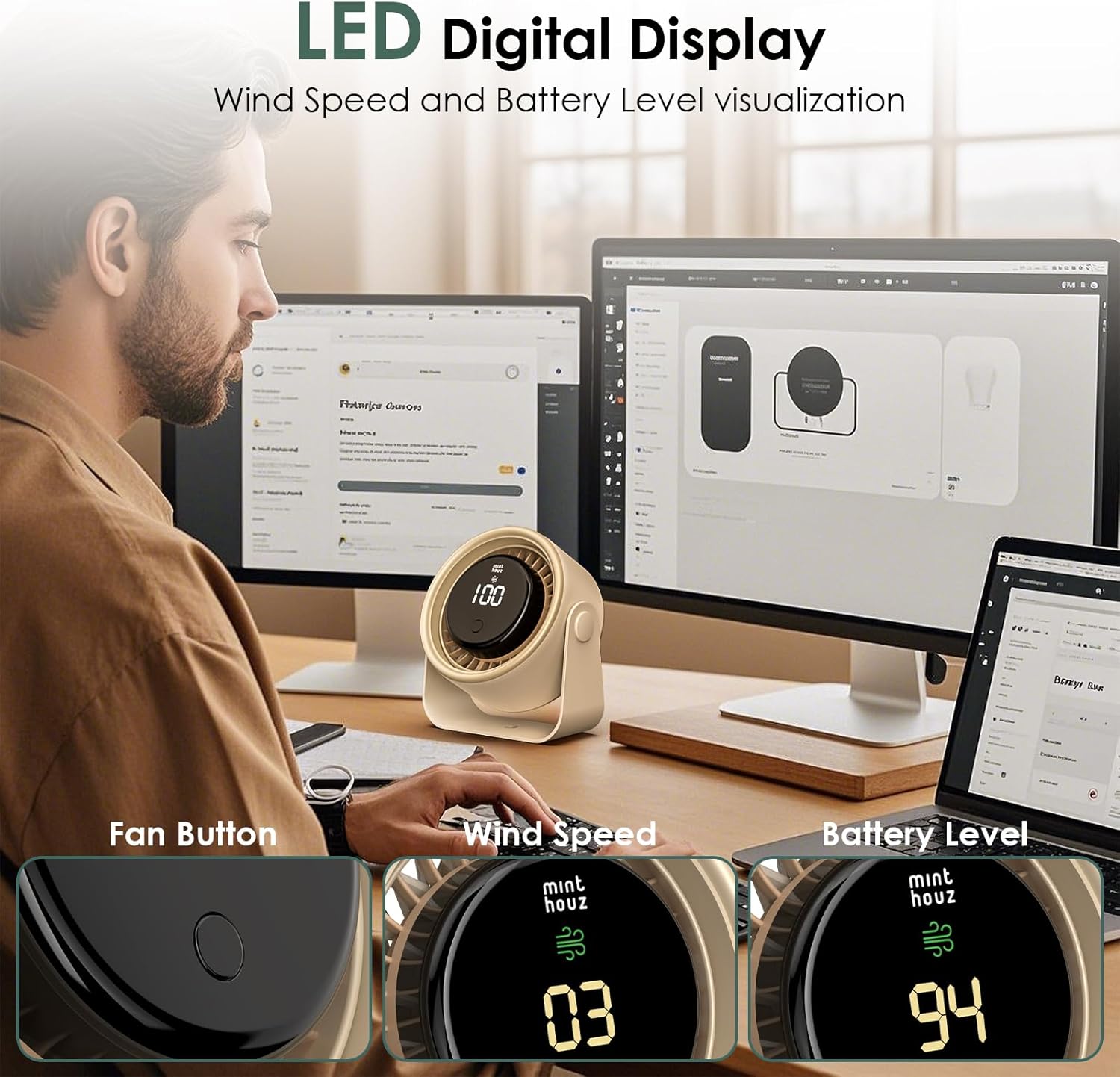
Figure 5: LED Digital Display and control button.
- Power On/Speed 1: Press the button once to turn on the fan at Level 1 (gentle breeze). The display will show "01" and then the current battery percentage.
- Speed 2: Press the button a second time for Level 2 (medium breeze). The display will show "02".
- Speed 3: Press the button a third time for Level 3 (strong breeze). The display will show "03".
- Natural Wind Mode (Speed 4): Press the button a fourth time to activate the natural wind mode. The display will show "04" and the fan speed will vary to simulate a natural breeze.
- Power Off: Press the button a fifth time to turn off the fan.
The LED display will show the current wind speed (01-04) for a few seconds after adjustment, then revert to displaying the battery percentage.

Figure 6: Illustration of 4-level adjustable wind speed and battery life.
7. Maintenance
- Cleaning: Ensure the fan is turned off and unplugged before cleaning. Use a soft, dry cloth to wipe the exterior. Do not use abrasive cleaners or immerse the fan in water.
- Storage: When not in use for extended periods, store the fan in a cool, dry place.
- Battery Care: To prolong battery life, avoid fully discharging the battery frequently. Charge the fan regularly, even if not in constant use.
8. Troubleshooting
| Problem | Possible Cause | Solution |
|---|---|---|
| Fan does not turn on. | Battery is depleted. | Charge the fan using the provided USB-C cable. |
| Fan stops unexpectedly. | Low battery. | The LED display will blink when the battery is at or below 10%. Recharge the fan. |
| Weak airflow. | Fan is on a low speed setting. | Press the control button to cycle through higher speed settings. |
| Fan is noisy. | Obstruction in fan blades or unit. | Turn off and unplug the fan. Carefully check for and remove any obstructions. |
9. Specifications
| Feature | Detail |
|---|---|
| Brand | Minthouz |
| Model Name | GXZ-F83 |
| Material | Acrylonitrile Butadiene Styrene (ABS) |
| Color | Beige |
| Product Dimensions (D x W x H) | 5.76" x 2.74" x 5.66" (14.63cm x 6.95cm x 14.37cm) |
| Item Weight | 0.41 Kilograms |
| Power Source | Battery Powered |
| Battery Capacity | 3000mAh |
| Charging Voltage/Current | 5V==2A |
| Charging Time | Approx. 2.5 hours |
| Working Time (Level 1/2/3) | 10h / 5h / 3h |
| Oscillation | 90° Up/Down Manual Rotation |
| Control Method | Touch Button |
| Connector Type | USB Type C |
| Indoor/Outdoor Usage | Indoor |

Figure 7: Product dimensions.
10. Warranty and Support
Minthouz offers a 1-year warranty for this fan. For any product inquiries, technical support, or warranty claims, please contact Minthouz customer service through the retailer where the product was purchased or visit the official Minthouz website.
For more information, visit the Minthouz Store.