
Introduction
Thank you for choosing the Cozylady RGB Neon LED Rope Light. This manual provides essential information for the safe and efficient use of your product. This flexible, waterproof LED rope light offers versatile lighting options with Bluetooth APP and remote control, music synchronization, and a timer function, suitable for various indoor and outdoor decorative applications.
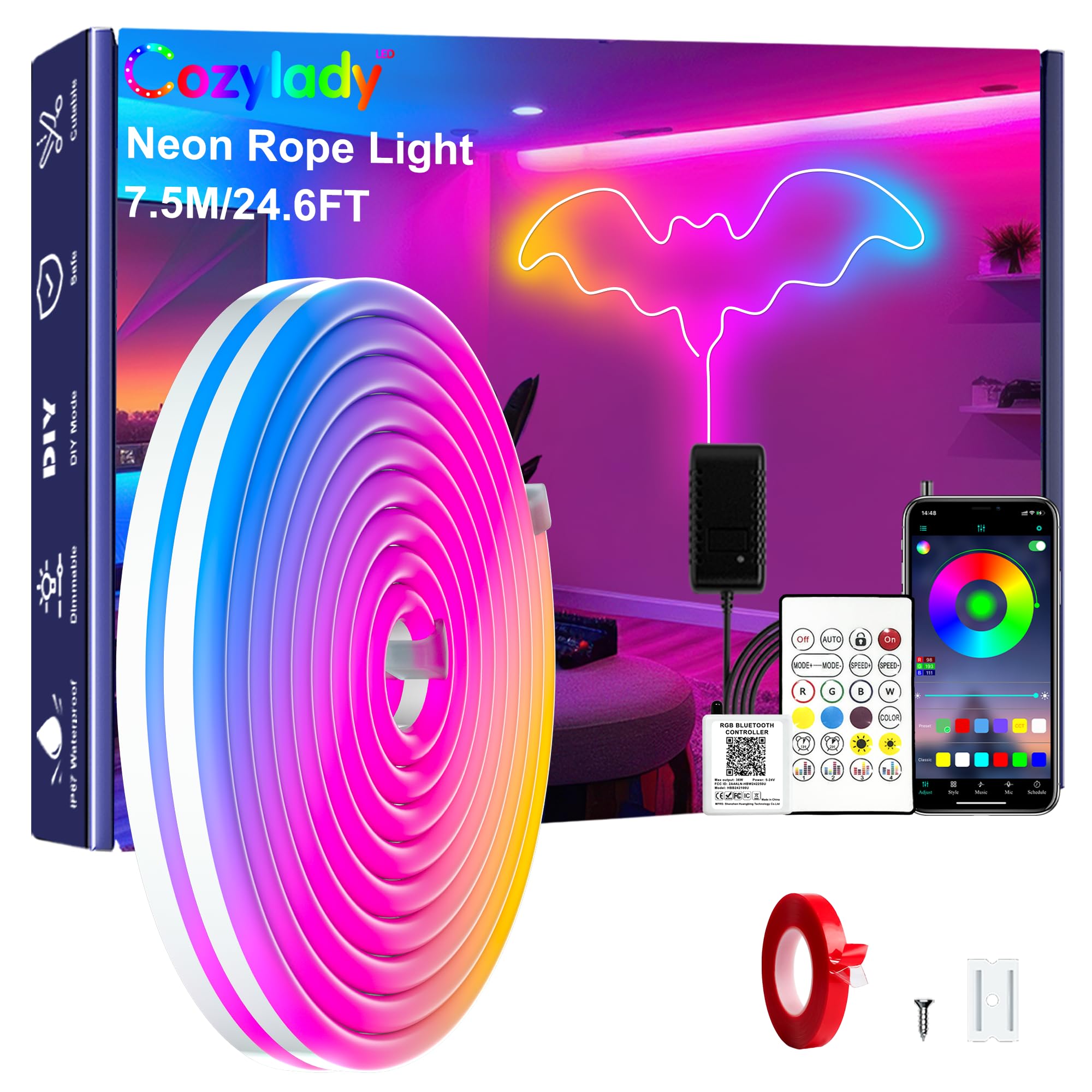
What's in the Box
- Neon Strip Light
- Manual
- Remote Control
- Controller
- Power Supply
Setup
Follow these steps to set up your Cozylady RGB Neon LED Rope Light:
- Plan Your Design: Before installation, determine the desired shape or pattern for your light strip. The flexible silicone material allows for various creative designs.
- Choose Installation Method: You have two primary options for mounting the light strip: adhesive tape or mounting clips with screws.
- Adhesive Tape Installation (if applicable):
- Attach the provided double-sided adhesive tape to the back of the neon light strip.
- Carefully peel off the protective film from the adhesive.
- Press the light strip firmly onto the desired clean, dry surface.
- Mounting Clips and Screws Installation:
- Position the mounting clips along your planned design.
- Secure the clips to the surface using the provided screws.
- Snap the neon light strip into the installed clips.
- Connect Components: Connect the neon light strip to the controller, and then connect the controller to the power supply. Finally, plug the power supply into a standard AC outlet.
- Download the App: For Bluetooth control, download the companion app. You can find the download link by scanning the QR code on the controller or by visiting http://www.easytrack.net.cn/download/?116CHUANZHIGUANG=.


Operating Instructions
Your Cozylady RGB Neon LED Rope Light can be controlled via the Bluetooth APP or the included 44-button remote control.
Bluetooth APP Control
After downloading and installing the app, connect your device via Bluetooth. The app provides comprehensive control over the light strip:
- Color Selection: Choose from a wide spectrum of colors using the color wheel or preset options.
- Brightness Adjustment: Adjust the intensity of the light.
- Effects and Modes: Select various dynamic lighting effects and modes.
- Music Sync: Utilize the built-in microphone to synchronize light effects with music or other audio.
- Timer Function: Set schedules for the light to automatically turn on or off at specific times.
Remote Control
The 44-button remote control offers quick access to common functions:
- Power On/Off: Turn the lights on or off.
- Color Presets: Select static colors.
- Dynamic Modes: Choose from various flashing, fading, or jumping modes.
- Brightness/Speed Adjustment: Control the brightness of static colors or the speed of dynamic modes.


Maintenance
The Cozylady RGB Neon LED Rope Light is designed for durability and ease of maintenance:
- Waterproof Design: With an IP67 ingress protection rating, the light strip is waterproof and suitable for outdoor use, even in rainy conditions.
- Durable Material: Made from durable, weather-resistant, and heatproof silicone, it is designed for long-lasting performance.
- Cleaning: To clean the light strip, gently wipe it with a soft, damp cloth. Do not use harsh chemicals or abrasive cleaners.
- Cutting Instructions: The light strip is DIY cuttable at designated black wire marks. If cutting, ensure to install a protective cover over the cut end to maintain the IP67 waterproof level and prevent electrical leakage.

Troubleshooting
If you encounter issues with your Cozylady RGB Neon LED Rope Light, please refer to the following common solutions:
- Lights Not Turning On:
- Ensure all connections (light strip to controller, controller to power supply, power supply to outlet) are secure.
- Verify the power outlet is functional.
- Check if the remote control battery (1 CR2032) needs replacement.
- Remote Control Not Working:
- Point the remote directly at the controller's IR receiver.
- Replace the CR2032 battery in the remote.
- Bluetooth APP Connection Issues:
- Ensure Bluetooth is enabled on your mobile device.
- Restart the app and try reconnecting.
- Ensure your device is within range of the light strip's controller.
- Inconsistent Lighting or Colors:
- Check for any kinks or damage along the light strip.
- Ensure the power supply is adequate and stable.
- Adhesive Not Sticking:
- Ensure the installation surface is clean, dry, and smooth.
- For long-term or uneven surfaces, consider using the included mounting clips and screws for a more secure installation.
If problems persist after attempting these solutions, please contact customer support.
Specifications
| Feature | Detail |
|---|---|
| Brand | Cozylady |
| Model Number | HX-WL3035-24V |
| Color | Multicolor |
| Indoor/Outdoor Usage | Indoor, Outdoor |
| Special Feature | App Control, Corded, Remote Control, Timer |
| Light Source Type | Neon |
| Power Source | AC |
| Connectivity Protocol | Bluetooth |
| Water Resistance Level | Waterproof (IP67) |
| Number of Batteries | 1 CR2032 batteries required (for remote) |
| Material Type | Polyimide (Silicone) |
| Item Weight | 14.4 ounces |
| Item Length | 7.62 meters (25 ft) |
Warranty
This Cozylady product comes with a manufacturer's warranty of 6 months from the date of purchase. Please retain your proof of purchase for warranty claims. The warranty covers defects in materials and workmanship under normal use. It does not cover damage caused by misuse, accidents, unauthorized modifications, or improper installation.
Support
For further assistance, technical support, or warranty inquiries, please contact Cozylady customer service through the retailer where you purchased the product or visit the official Cozylady store page: