1. Introduction
The MESTEK EMF01R is a versatile 5-in-1 multifunctional meter designed to detect electric fields (EF), magnetic fields (MF), and radio frequency (RF) fields. Additionally, it measures ambient temperature and humidity. This device is equipped with a built-in electromagnetic radiation sensor that processes and displays radiation values on a color LCD screen. It assists users in identifying radiation sources and taking appropriate preventive measures.
2. What's in the Box
Upon unboxing your MESTEK EMF01R, please ensure all components are present:
- 1 x MESTEK EMF01R Meter
- 1 x Carry Bag
- 1 x User Manual
- 3 x AAA Batteries
- 1 x Small Screwdriver (for battery compartment)
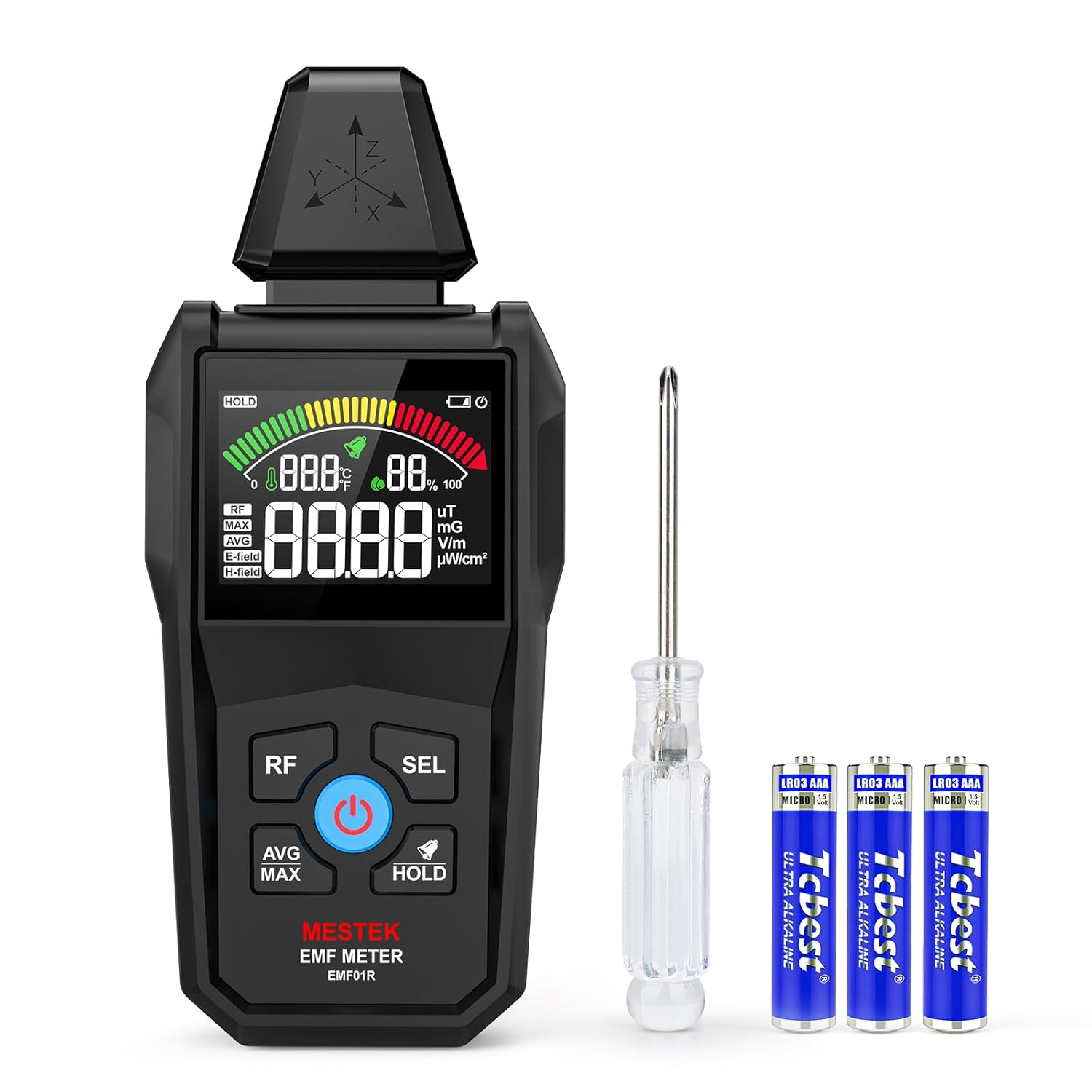
Image: MESTEK EMF01R Meter, carry bag, batteries, and screwdriver.
3. Product Features
The MESTEK EMF01R offers comprehensive measurement capabilities and user-friendly features:
- 5-in-1 Functionality: Measures Electric Field (EF), Magnetic Field (MF), Radio Frequency (RF), Temperature, and Humidity.
- Wide RF Detection Range: Detects 5G signals and RF up to 8GHz.
- High Sensitivity & Alarm: Provides sound and light warnings when radiation levels exceed predefined thresholds (yellow/red zones).
- VA Color LCD Screen: Clear display for viewing readings, with green, yellow, and red color indications for radiation levels.
- Data Functions: Includes Average (AVG), Maximum (MAX) reading, and Data Hold (HOLD).
- Temperature Units: Switchable between Celsius (℃) and Fahrenheit (℉).
- Automatic Shutdown: Powers off after 15 minutes of inactivity to conserve battery.
- Low Battery Warning: Indicator for timely battery replacement.

Image: Display illustrating the 5-in-1 measurement capabilities.

Image: Overview of the meter's key features and display elements.
4. Setup
4.1 Battery Installation
- Locate the battery compartment on the back of the device.
- Use the provided small screwdriver to open the battery cover.
- Insert 3 AAA batteries, ensuring correct polarity (+/-).
- Securely close the battery cover and tighten the screw.
4.2 Powering On/Off
- To power on: Press and hold the Power button (blue button with power symbol) until the screen illuminates.
- To power off: Press and hold the Power button until the screen turns off.

Image: Illustration of the battery compartment and battery installation.
5. Operating Instructions
5.1 Measurement Modes
The device supports three primary measurement modes: RF, Electric Field (E-field), and Magnetic Field (H-field).
- RF (Radio Frequency): Short press the RF button to enter RF measurement mode. This measures high-frequency signals from sources like 5G, cell towers, and Wi-Fi (30MHz to 8GHz).
- E-field (Electric Field): Short press the SEL button to cycle through measurement modes. The screen will display "E-field" for electric field radiation measurement.
- H-field (Magnetic Field): Continue short pressing the SEL button until "H-field" is displayed for magnetic field radiation measurement.

Image: Demonstrating Electric Field (E-field) and Magnetic Field (H-field) testing.

Image: Illustrating precise RF measurement with the device.
5.2 Data Functions (AVG/MAX/HOLD)
- AVG/MAX: Short press the AVG/MAX button to switch between average and maximum readings.
- HOLD: Short press the HOLD button to lock the current data on the screen. Press again to unlock.
5.3 Temperature and Humidity Measurement
The device continuously displays ambient temperature and humidity. To switch temperature units:
- Press and hold the SEL button to toggle between Celsius (℃) and Fahrenheit (℉).
5.4 Alarm Function and Display Interpretation
The MESTEK EMF01R features a simulated analog display with three color zones (Green, Yellow, Red) and an audible alarm to indicate radiation levels:
- Green Zone: Indicates low radiation levels.
- Yellow Zone: Indicates moderate radiation levels. The device will emit a buzzer sound, suggesting protective measures or increased distance from the source.
- Red Zone: Indicates high radiation levels. The buzzer will be more rapid, signaling a need for immediate action.
Refer to the table below for specific thresholds:
| Unit | Low (Green) | Moderate (Yellow) | High (Red) |
|---|---|---|---|
| uW/cm² | 0.0 – 9.9 | 10 – 39.99 | 40 – 9999 |
| V/m | 0 – 9 | 10 – 399 | 400 – 999 |
| mG | 0.0 – 1.1 | 1.2 – 39.9 | 40.0 – 199.9 |
| uT | 0.00 – 0.11 | 0.12 – 3.99 | 4.0 – 19.99 |
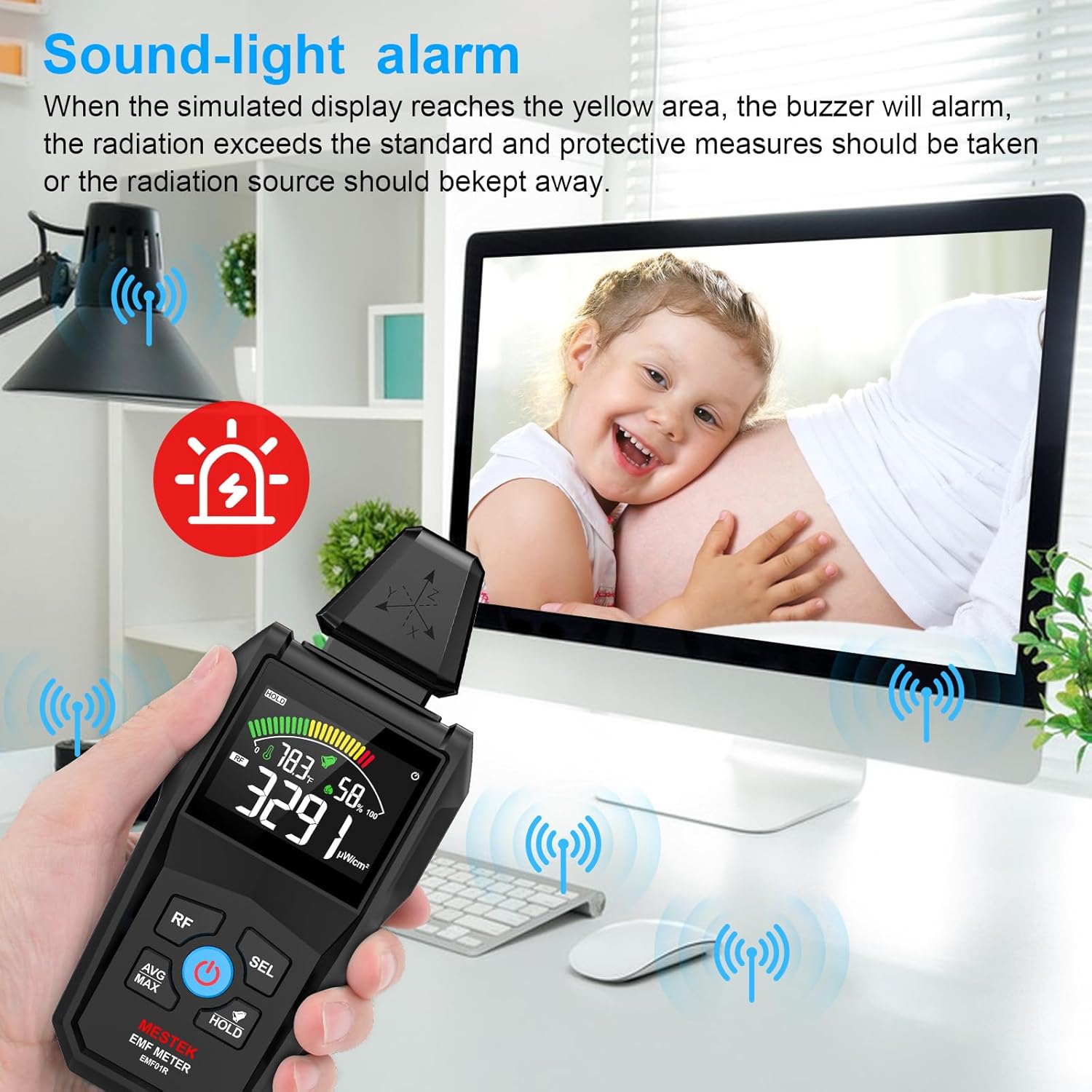
Image: The device displaying a sound-light alarm in a home environment.

Image: Visual representation of the 3-color analog display indicating low, moderate, and high radiation levels.
5.5 Practical Applications
The MESTEK EMF01R can be used for various purposes:
- Home Safety Inspections: Check radiation from household appliances like TVs, microwaves, refrigerators, and Wi-Fi routers.
- Office EMF Monitoring: Assess radiation levels from computers, wiring, and other office equipment.
- Industrial Site Evaluations: Monitor electromagnetic radiation in industrial environments.
- Scientific Research: Useful for basic electromagnetic field studies.

Image: The EMF meter being used to detect radiation from power distribution boxes, power stations, and signal towers.
6. Maintenance
- Cleaning: Wipe the device with a soft, dry cloth. Do not use abrasive cleaners or solvents.
- Storage: Store the device in its carry bag in a cool, dry place when not in use.
- Battery Replacement: Replace batteries promptly when the low battery indicator appears to ensure accurate readings and prevent damage.
7. Troubleshooting
- Device does not power on: Ensure batteries are correctly installed and fully charged. Replace if necessary.
- Inaccurate readings: Ensure the device is not near strong magnetic fields or other interference sources that could affect its sensors. Calibrate if a calibration option is available (refer to the full user manual for advanced features).
- No sound from alarm: Check if the buzzer function is enabled. Refer to the full user manual for instructions on enabling/disabling the alarm.
8. Specifications
| Feature | Detail |
|---|---|
| Product Dimensions | 6.69 x 2.87 x 1.3 inches |
| Weight | 6.4 ounces |
| Manufacturer | MESTEK |
| ASIN | B0DXNYC24Y |
| Date First Available | February 19, 2025 |
9. Warranty and Support
For detailed warranty information and customer support, please refer to the official MESTEK website or contact their customer service directly. Keep your purchase receipt for warranty claims.