
Introduction
This manual provides comprehensive instructions for the safe and efficient operation of your Gevi 10-Cup Drip Coffee Maker with Built-in Burr Grinder. This appliance is designed to deliver fresh, flavorful coffee with customizable settings for grind, strength, and brew time. Please read all instructions carefully before first use and retain for future reference.
Important Safety Instructions
- Read all instructions before operating the appliance.
- Do not touch hot surfaces. Use handles or knobs.
- To protect against fire, electric shock, and injury to persons, do not immerse cord, plugs, or appliance in water or other liquid.
- Close supervision is necessary when any appliance is used by or near children.
- Unplug from outlet when not in use and before cleaning. Allow to cool before putting on or taking off parts, and before cleaning the appliance.
- Do not operate any appliance with a damaged cord or plug or after the appliance malfunctions, or has been damaged in any manner. Return appliance to the nearest authorized service facility for examination, repair, or adjustment.
- The use of accessory attachments not recommended by the appliance manufacturer may result in fire, electric shock, or injury to persons.
- Do not use outdoors.
- Do not let cord hang over edge of table or counter, or touch hot surfaces.
- Do not place on or near a hot gas or electric burner, or in a heated oven.
- Always attach plug to appliance first, then plug cord into the wall outlet. To disconnect, turn any control to "off", then remove plug from wall outlet.
- Do not use appliance for other than intended use.
- Scalding may occur if the lid is removed during the brewing cycle.
- For household use only.
Package Contents
Your Gevi 10-Cup Drip Coffee Maker package includes the following items:
- 1 x Drip Coffee Maker
- 1 x Glass Coffee Pot
- 1 x Scoop
- 1 x Permanent Filter
- 1 x Manual

Image: All included accessories for the Gevi 10-Cup Drip Coffee Maker, including the permanent filter, scoop, and glass carafe.
Setup
1. Initial Placement
Place the coffee maker on a stable, flat, and spacious countertop. Ensure there is adequate clearance around the unit for proper ventilation and access to the water tank and bean hopper.
2. Filling the Water Tank
Open the water tank lid located at the back of the unit. Fill the glass carafe with the desired amount of fresh, cold water (up to 10 cups MAX) and pour it into the water tank. The water level indicator on the side of the machine will show the current volume.

Image: A woman carefully pouring water from the glass carafe into the coffee maker's rear water reservoir. The water level indicator is visible on the side.
3. Adding Coffee Beans or Ground Coffee
Your Gevi coffee maker supports both whole coffee beans and pre-ground coffee.
- For Whole Beans: Open the bean hopper lid on top of the unit. Pour your desired amount of whole coffee beans into the hopper. Close the lid securely.
- For Pre-Ground Coffee: Open the brew basket compartment. Place the permanent filter (or a paper filter) into the brew basket. Use the provided scoop to add your desired amount of pre-ground coffee into the filter. Close the brew basket compartment.
Image: A visual representation of the Gevi coffee maker's capability to brew using either whole coffee beans in the top hopper or pre-ground coffee in the filter basket.

Image: A hand using a scoop to add pre-ground coffee into the reusable filter basket of the coffee maker.
4. Installing the Filter
Ensure the permanent filter is correctly seated in the brew basket. If using pre-ground coffee, add it to this filter. If using whole beans, the grinder will dispense coffee into this filter automatically.
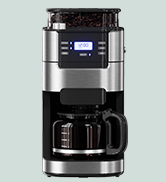
Image: A close-up of the permanent filter, which is part of the included accessories for the coffee maker.
Operating Instructions
1. Control Panel Overview
The front control panel features an LCD display and several buttons for customization:
- PROGRAM: Set the 24-hour programmable timer for delayed brewing.
- GRIND OFF: Disable the built-in grinder if using pre-ground coffee.
- STRENGTH CONTROL: Adjust coffee strength (Mild, Medium, Strong).
- ON/OFF: Start or stop the brewing process.
- CUP 2-10: Select the desired number of cups to brew.
- HOUR/MIN: Adjust time settings for programming.

Image: A close-up view of the Gevi coffee maker's control panel, showing the digital display and various function buttons.
2. Setting Grind Level (for Whole Beans)
If using whole beans, rotate the knob on top of the bean hopper to select your desired grind fineness. There are 8 settings available, from coarse to fine, to suit your preference.

Image: A hand adjusting the grind setting knob on the top of the Gevi coffee maker, with numbers indicating different fineness levels.
3. Adjusting Coffee Strength
Press the STRENGTH CONTROL button to cycle through the available strength options: Mild, Medium, or Strong. The selected strength will be indicated on the display.
Image: A close-up of the Gevi coffee maker's control panel highlighting the strength control buttons and display options for Mild, Medium, and Strong coffee.
4. Selecting Cup Capacity
Press the CUP 2-10 button to select the number of cups you wish to brew, ranging from 2 to 10 cups. This ensures the correct water-to-coffee ratio.

Image: The glass carafe of the Gevi coffee maker, showing clear markings for cup capacities from 2 to 10, indicating its suitability for various serving sizes.
5. Using the Programmable Timer
To set a delayed brew time, press the PROGRAM button. Use the HOUR and MIN buttons to set your desired start time. The coffee maker will automatically grind (if selected) and brew at the programmed time.

Image: A close-up of the Gevi coffee maker's digital display showing a programmed time, indicating its 24-hour programmable timer feature.
6. Starting the Brew
Once all settings are configured, press the ON/OFF button to begin the brewing process. If whole beans are selected, the grinder will activate first, followed by the brewing cycle.
7. Keep Warm Function
The coffee maker automatically maintains the coffee temperature above 167°F (75°C) for up to 2 hours after brewing. You can customize the insulation time to 0/15/35/45/60/75/90/100/120 minutes based on your preference.

Image: A close-up of the warming plate on the Gevi coffee maker, showing its illuminated surface, indicating the adjustable keep-warm function.
Maintenance and Cleaning
Regular cleaning ensures optimal performance and longevity of your coffee maker. The appliance is not dishwasher safe.
- Carafe and Filter: The glass carafe and permanent filter should be washed with warm, soapy water after each use. Rinse thoroughly.
- Brew Basket: The brew basket can be removed for easy cleaning. Wash with warm, soapy water and rinse.
- Bean Hopper and Grinder: The bean hopper and grinder components can be removed for cleaning. Use the provided brush to clear any coffee residue.
- Exterior: Wipe the exterior of the coffee maker with a soft, damp cloth. Do not use abrasive cleaners or scouring pads.
- Descaling: Periodically descale the coffee maker to remove mineral buildup. Follow the instructions for descaling provided in the full manual or use a commercial descaling solution designed for coffee makers.
Troubleshooting
| Problem | Possible Cause | Solution |
|---|---|---|
| Coffee does not brew. | No water in tank; Power not connected; Programmed brew time not reached. | Fill water tank; Ensure power cord is securely plugged in; Check programmed time or start manually. |
| Coffee is too weak/strong. | Incorrect coffee-to-water ratio; Strength setting incorrect; Grind setting incorrect. | Adjust coffee amount or water volume; Select desired strength setting; Adjust grind fineness. |
| Grinder not working. | Bean hopper empty; Grind Off function activated; Grinder clogged. | Fill bean hopper; Ensure GRIND OFF is deactivated; Clean grinder components. |
| Water leaks from unit. | Water tank not properly seated; Overfilled water tank. | Ensure water tank is securely in place; Do not exceed MAX fill line. |
Specifications
| Feature | Detail |
|---|---|
| Brand | Gevi |
| Model Name | Drip Coffee Machine (DCMB0-BK0A1) |
| Coffee Maker Type | Drip Coffee Machine |
| Capacity | 10 Cups |
| Product Dimensions | 12.36"D x 8.38"W x 16.93"H |
| Item Weight | 9.92 pounds |
| Color | Dull Black |
| Special Features | Auto Shut-Off, Integrated Coffee Grinder, Keep Warm, Permanent Filter, Programmable |
| Operation Mode | Fully Automatic |
| Voltage | 120 Volts |
| Coffee Input Type | Ground, Whole Beans |
| Is Dishwasher Safe | No |
| Power Source | AC adapter |
| UPC | 767791887585 |
Warranty and Support
Your Gevi 10-Cup Drip Coffee Maker is covered by a manufacturer's warranty. For detailed warranty information, product support, or service inquiries, please refer to the contact information provided in the included manual or visit the official Gevi website.