
1. Introduction
Thank you for choosing the Uwell Caliburn G3 Lite KOKO Pod Kit. This device is designed for ease of use and portability, offering a satisfying vaping experience. Please read this manual carefully before using the device to ensure proper operation and maintenance.
2. Package Contents
Please check the package contents upon receipt:
- Caliburn G3 LITE KOKO Device ×1
- Caliburn G3 Cartridge 0.6Ω (Side Fill) ×1
- User Manual ×1

Image: The package contents including the device, cartridge, and user manual, alongside various color options for the Caliburn G3 Lite KOKO device.
3. Product Features
The Caliburn G3 Lite KOKO Pod Kit offers several key features:
- Integrated 1200mAh Battery: Provides extended usage, covering up to 4 days on a single charge.
- Leak-Proof Design: Engineered to minimize e-liquid leakage.
- Uwell Caliburn G3 Cartridge Compatibility: Supports G3 cartridges for consistent flavor delivery.
- LED Indicator Light: Displays battery level with color-coded feedback (Green: 60-100%, Blue: 30-60%, Red: 0-30%).
- Auto-Draw Function: Activates automatically upon inhalation, no buttons required.
- Clear-View E-juice Cartridge: Allows easy monitoring of e-liquid levels.
- Soft Strap Hole: For convenient portability with a lanyard or strap.
- USB Type-C Charging: For fast and efficient recharging.
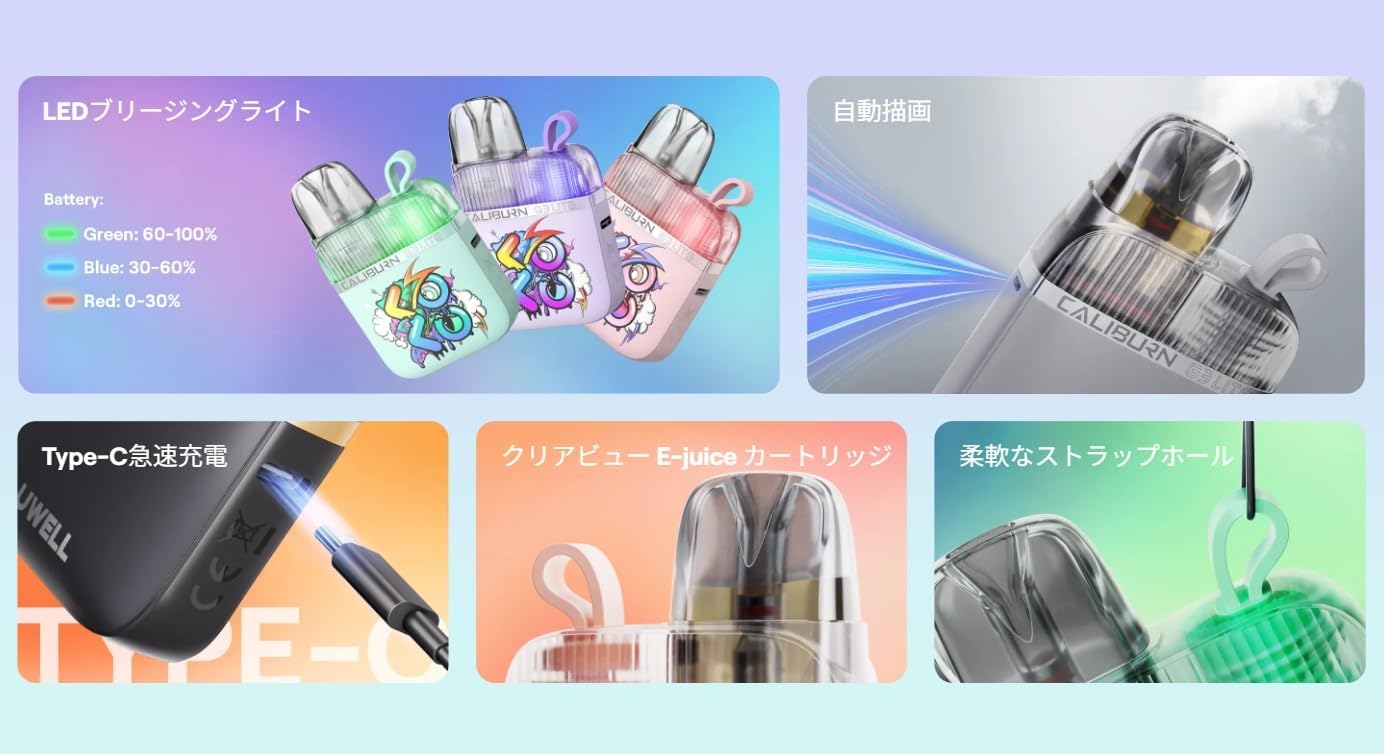
Image: Visual representation of the device's features, including the LED battery indicator, auto-draw mechanism, Type-C charging port, clear e-juice cartridge, and strap hole.
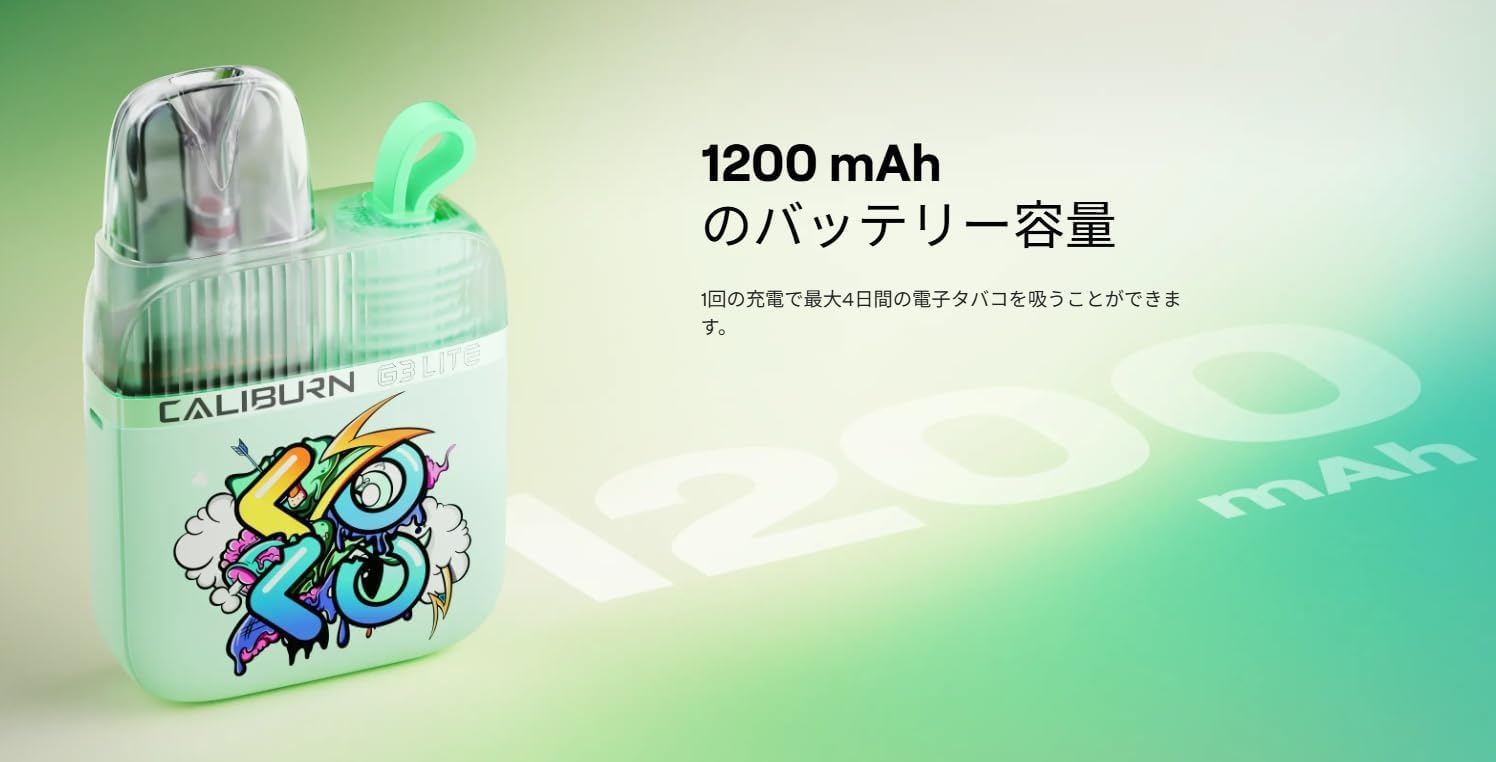
Image: The Caliburn G3 Lite KOKO device with an emphasis on its 1200 mAh battery capacity, indicating long-lasting power.
4. Setup
4.1 Charging the Device
- Connect the USB Type-C cable to the charging port located on the device.
- Connect the other end of the cable to a suitable USB power source (e.g., wall adapter, computer USB port).
- The LED indicator will show the charging status. It will illuminate green when fully charged.
4.2 Filling the Cartridge
- Remove the cartridge from the device.
- Locate the side-fill port on the cartridge.
- Open the silicone plug and carefully fill the cartridge with your preferred e-liquid. Do not overfill.
- Close the silicone plug securely.
- Important: After filling a new cartridge, wait at least 5-10 minutes before vaping to allow the coil to saturate with e-liquid.
4.3 Installing the Cartridge
- Align the filled cartridge with the pod slot on the device.
- Push the cartridge firmly into the device until it clicks into place.
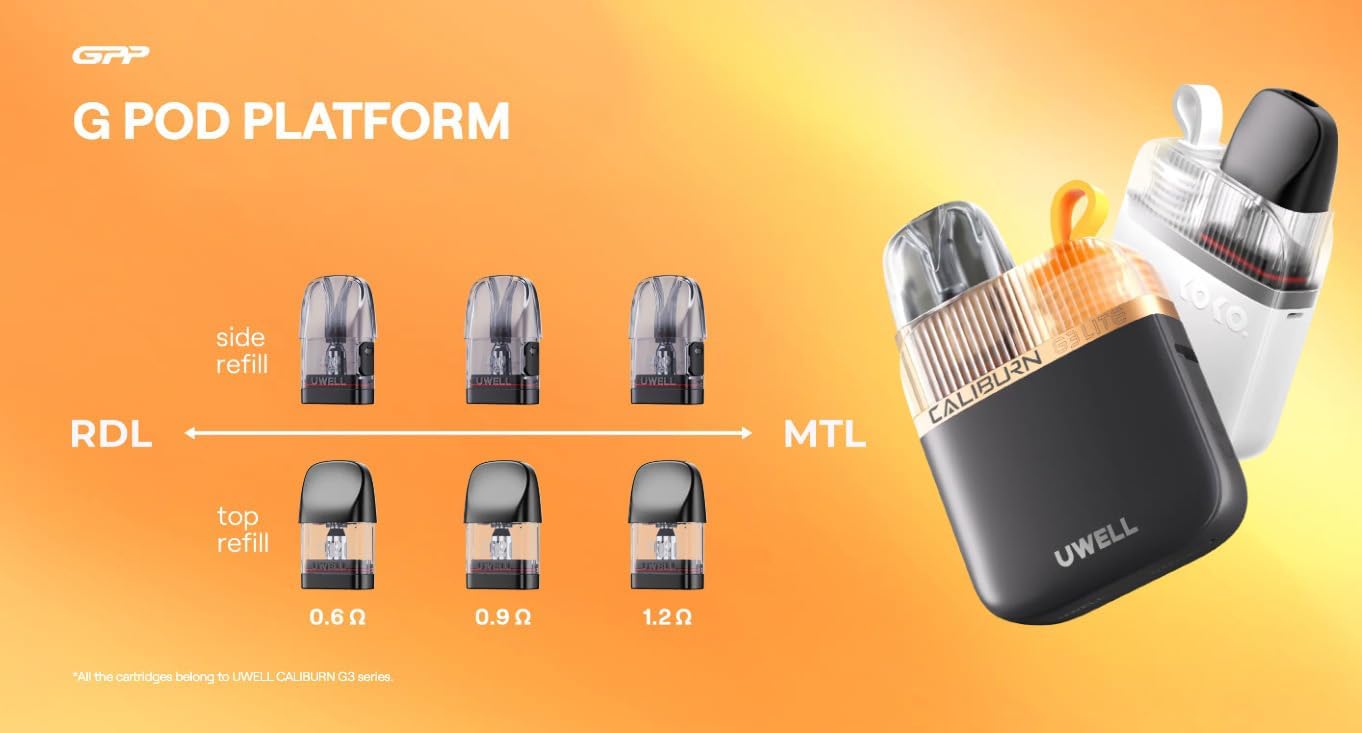
Image: The G Pod Platform illustrating different Caliburn G3 cartridges with varying resistances (0.6Ω, 0.9Ω, 1.2Ω) and refill methods (side and top).
5. Operating Instructions
5.1 Vaping
The Caliburn G3 Lite KOKO features an auto-draw mechanism. Simply inhale from the mouthpiece to activate the device and produce vapor.
5.2 Battery Indicator
The LED indicator light provides real-time battery status:
- Green: 60% - 100% battery
- Blue: 30% - 60% battery
- Red: 0% - 30% battery (recharge soon)
6. Maintenance
6.1 Cleaning the Device
Regularly clean the device, especially the pod connection area, to prevent e-liquid buildup and ensure optimal performance. Use a dry cloth or cotton swab. Do not use harsh chemicals or immerse the device in water.
6.2 Replacing the Cartridge
When you notice a burnt taste, reduced vapor production, or diminished flavor, it's time to replace the cartridge. Simply pull out the old cartridge and insert a new one as described in the "Installing the Cartridge" section.
6.3 Charging Best Practices
To prolong battery life, avoid fully discharging the device frequently. Charge the device using the provided Type-C cable and a compatible power adapter.
7. Troubleshooting
Here are some common issues and their solutions:
| Problem | Possible Cause | Solution |
|---|---|---|
| No vapor production | Low battery, empty cartridge, faulty cartridge, poor connection | Charge the device, refill or replace cartridge, ensure cartridge is properly seated. |
| Burnt taste | Coil is dry or worn out | Ensure cartridge is filled, wait 5-10 minutes after filling new cartridge, replace cartridge. |
| Leaking | Overfilling, worn-out cartridge, improper sealing | Do not overfill, ensure silicone plug is secure, replace cartridge if leaking persists. |
| LED not lighting up | Device off, low battery, device malfunction | Charge the device. If issue persists, contact customer support. |
8. Specifications
Technical specifications for the Uwell Caliburn G3 Lite KOKO Pod Kit:
- Dimensions: 76 mm × 49.6 mm × 17.9 mm
- Weight: 55g
- Materials: PCTG, PC
- E-liquid Capacity: 2.5ml
- Battery Capacity: 1200mAh (internal)
- Maximum Output Power: 25W
- Charging Port: USB Type-C
- Compatible Cartridges: Uwell Caliburn G3 Cartridges (0.6Ω, 0.9Ω, 1.2Ω)

Image: Multiple views of the Caliburn G3 Lite KOKO device, showcasing its design from various angles.
9. Safety Information
Please observe the following safety precautions:
- Keep the device out of reach of children and pets.
- Do not expose the device to extreme temperatures, direct sunlight, or water.
- Use only the recommended charging cable and power adapter.
- Do not use the device if it is damaged or malfunctioning.
- Dispose of the device and cartridges responsibly according to local regulations.
- This product is intended for adult smokers and vapers. It is not recommended for non-smokers, pregnant or breastfeeding women, or individuals with heart conditions, diabetes, or other health issues.
10. Warranty and Support
For warranty information or technical support, please refer to the warranty card included in your package or visit the official Uwell website. If you encounter any issues not covered in this manual, please contact Uwell customer service for assistance.


