
1. Introduction
Thank you for choosing the Bajaj Shield Series Specter 55 Litre Desert Air Cooler. This manual provides essential information for the safe and efficient operation, maintenance, and troubleshooting of your new air cooler. Please read this manual thoroughly before using the appliance and retain it for future reference.
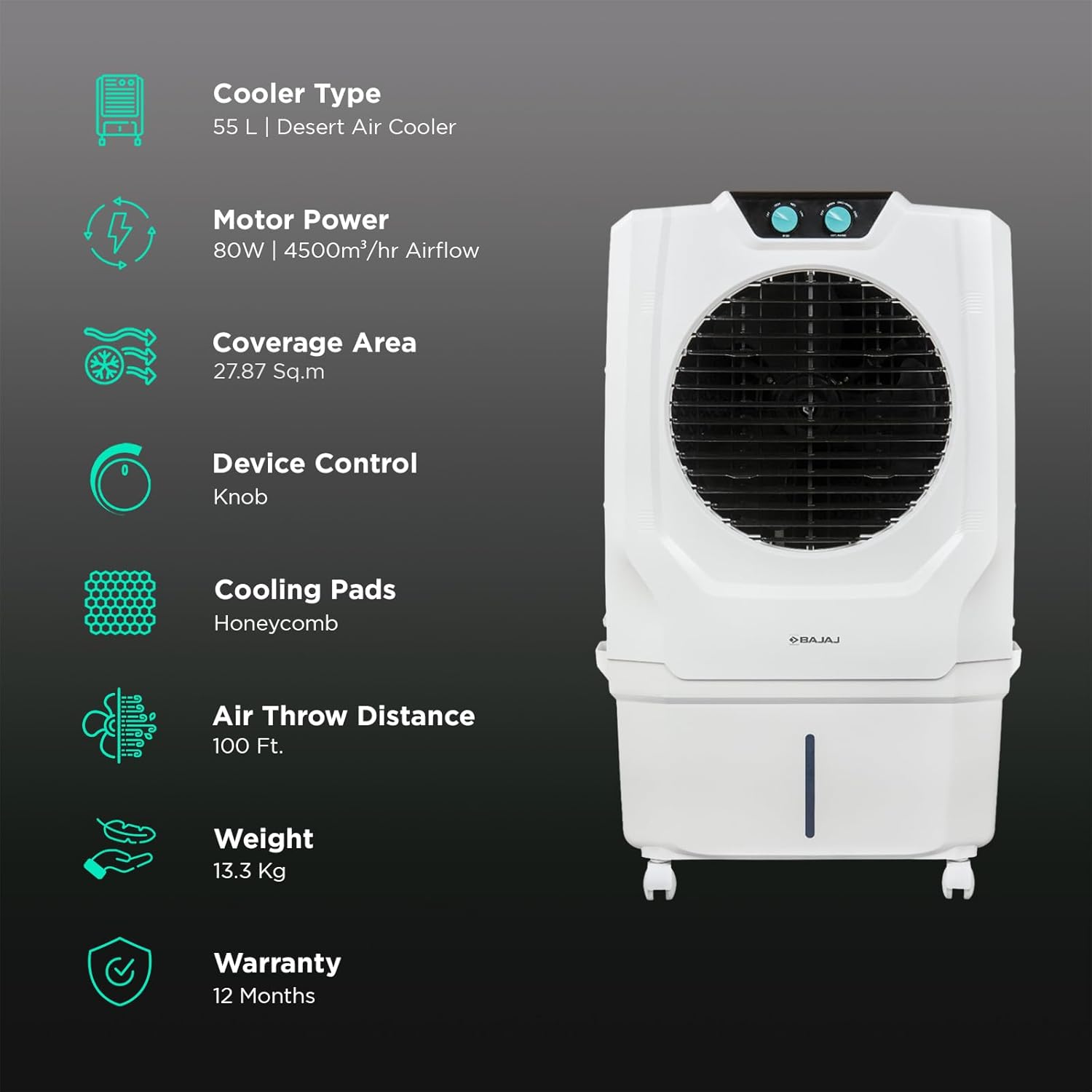
The Bajaj Shield Series Specter 55 Cooler features an Anti-bacterial Hexacool Master for healthy air delivery by preventing bacterial growth on honeycomb pads. It incorporates Turbo Fan Technology for efficient air circulation with a 60-foot powerful air throw. With 3-sided honeycomb pads, it offers maximum cooling and includes three multi-functional cooling modes: Normal, Natural, and Sleep, for enhanced customization and energy efficiency. The air cooler also features 3-speed control to adjust airflow according to your requirements.
2. Safety Instructions
- Always ensure the cooler is placed on a stable, level surface to prevent tipping.
- Do not operate the cooler with a damaged power cord or plug. Contact authorized service personnel for repairs.
- Keep the cooler away from direct sunlight and heat sources.
- Do not immerse the cooler or its electrical components in water.
- Ensure proper ventilation around the cooler for optimal performance and safety.
- Unplug the cooler from the power outlet before filling water, cleaning, or performing any maintenance.
- Keep children and pets away from the cooler during operation.
- Do not block the air inlet or outlet grilles.
3. What's in the Box
Upon unpacking, please verify that all the following components are present:
- Cooler Unit
- Castor Wheels (for assembly)
- User Manual
4. Setup
4.1 Unpacking
Carefully remove the cooler from its packaging. Inspect the unit for any signs of damage during transit. Retain the packaging materials for future storage or transport.
4.2 Attaching Castor Wheels
- Gently tilt the cooler to access the bottom.
- Insert the castor wheels into the designated slots on the base of the cooler. Ensure they are securely fitted.
- Return the cooler to an upright position.
4.3 Filling the Water Tank
- Ensure the cooler is unplugged from the power outlet.
- Locate the water inlet on the cooler.
- Fill the 55-litre water tank with clean water up to the 'MAX' indicator. Do not overfill.
- For enhanced cooling, you may add ice to the ice chamber.
4.4 Placement and Initial Power On
Place the cooler in a suitable location, ensuring adequate space around it for optimal airflow. Plug the power cord into a grounded electrical outlet.

5. Operation
5.1 Power On/Off
Turn the main power knob to the 'ON' position to start the cooler. Turn it to 'OFF' to switch off the unit.
5.2 Speed Control
The cooler features 3-speed control settings. Use the speed control knob to select your desired airflow intensity: Low, Medium, or High.
5.3 Cooling Modes
The Bajaj Specter 55 offers three multi-functional cooling modes:
- Normal Mode: Provides consistent cooling airflow.
- Natural Mode: Simulates natural breeze patterns for a more comfortable experience.
- Sleep Mode: Operates quietly with reduced fan speed for undisturbed rest.
Select the desired mode using the dedicated control knob or buttons, if available on your model.
5.4 Ice Chamber Usage
For an extra boost of cooling, open the ice chamber and place ice cubes inside. This will further chill the water and enhance the cooling effect of the air circulated.
6. Maintenance
Regular maintenance ensures optimal performance and longevity of your air cooler.
6.1 Cleaning Honeycomb Pads
The Anti-bacterial Hexacool Master pads should be cleaned periodically to maintain air quality and cooling efficiency. Unplug the cooler, remove the back panel, and gently rinse the pads with water. Allow them to dry completely before reinserting.
6.2 Water Tank Cleaning
Drain the water tank regularly to prevent algae growth and mineral buildup. Use a soft cloth and mild detergent to clean the interior of the tank. Rinse thoroughly with clean water before refilling.
6.3 DuraMarine Pro Pump Care
The DuraMarine Pro Pump is designed for durability. Ensure the water level in the tank does not drop below the minimum mark during operation to protect the pump from dry running. If the pump appears to be malfunctioning, refer to the troubleshooting section or contact customer support.
7. Troubleshooting
- Cooler not turning on: Check if the power cord is securely plugged into a working outlet. Ensure the main power knob is in the 'ON' position.
- No cooling effect: Verify that the water tank is filled to an adequate level. Check if the pump is operating. Ensure honeycomb pads are clean and wet.
- Weak airflow: Clean the air filter and honeycomb pads. Ensure there are no obstructions to the air inlet or outlet.
- Unpleasant odor: Drain and clean the water tank thoroughly. Clean the honeycomb pads.
If the issue persists after performing these checks, please contact Bajaj customer support.
8. Specifications
| Feature | Specification |
|---|---|
| Brand | Bajaj |
| Model Name | Bajaj Shield Series Specter 55 |
| Model Number | 480139 |
| Reservoir Capacity | 55 Liters |
| Floor Area Coverage | 300 Square Feet |
| Item Weight | 13.3 Kilograms |
| Wattage | 160.00 Watts |
| Number Of Speeds | 3 |
| Voltage | 230 Volts |
| Operation Mode | Manual |
| Item Dimensions (D x W x H) | 38.5D x 71W x 96H Centimeters |
| Material | Plastic |
| Special Features | Dura Marine Pro Pump, Dura Tuff Pro Motor, Anti-bacterial Hexacool Technology, Turbo Fan Technology, Ice Chamber |

9. Warranty and Support
9.1 Warranty Information
Your Bajaj Shield Series Specter 55 Litre Desert Air Cooler comes with the following warranty coverage:
- Motor: 3 Years
- Pump: 3 Years
- Product (overall): 1 Year
Please retain your purchase receipt for warranty claims. The warranty covers manufacturing defects under normal use conditions.
9.2 Customer Support
For any queries, service requests, or technical assistance, please contact Bajaj Electricals Limited Customer Care:
- Customer Care Number: 02241280000