
Introduction
Thank you for choosing the Sudio A3 Pro Noise Cancelling Earbuds. These earbuds are designed to provide an immersive audio experience with active noise cancellation, clear call quality, and a comfortable fit. This manual provides essential information for setting up, operating, maintaining, and troubleshooting your earbuds.
The Sudio A3 Pro features:
- Active Noise Cancellation (ANC): Reduces ambient noise by up to 18dB for focused listening.
- Extended Playtime: Up to 5 hours per charge, with a total of 25 hours using the charging case.
- Clear Calls: Equipped with enhanced microphones for natural voice clarity.
- Multipoint Bluetooth 5.4: Seamlessly connect and switch between two devices simultaneously.
- Durable Design: IPX4 sweat and splash resistant, suitable for various activities.
- Sustainable Materials: Made from 20% recycled plastics.
What's in the Box
Verify that all items are present in your Sudio A3 Pro package:
- Sudio A3 Pro Earbuds and Charging Case
- USB-C Charging Cable
- Eartip Card with 4 Silicone Eartip Sizes (XS, S, M, L)
- Owner's Manual

Image: Sudio A3 Pro packaging and its contents.
Setup
1. Initial Charging
Before first use, fully charge your Sudio A3 Pro earbuds and charging case. Connect the included USB-C cable to the charging case and a power source. The indicator light on the case will show charging status.

Image: Sudio A3 Pro charging case with USB-C cable connected.
2. Pairing with a Device
- Open the charging case. The earbuds will automatically enter pairing mode.
- On your device (smartphone, tablet, laptop), go to Bluetooth settings.
- Select "Sudio A3 Pro" from the list of available devices.
- Once connected, you will hear an audio prompt, and the indicator light on the earbuds will confirm successful pairing.

Image: Sudio A3 Pro earbuds in their open charging case.
3. Optimal Fit
For the best sound quality and active noise cancellation, ensure a proper fit. Experiment with the different silicone eartip sizes provided to find the most comfortable and secure seal for your ears.

Image: A person wearing a Sudio A3 Pro earbud.
Operating Instructions
Power On/Off
- Power On: Open the charging case, or take the earbuds out of the case.
- Power Off: Place the earbuds back into the charging case and close the lid.
Touch Controls
The Sudio A3 Pro earbuds feature intuitive touch controls on the stem of each earbud. Specific functions may vary slightly depending on your device and operating system.
| Action | Function |
|---|---|
| Single Tap (Left/Right) | Play/Pause music, Answer/End call |
| Double Tap (Right) | Next track |
| Double Tap (Left) | Previous track |
| Triple Tap (Left/Right) | Activate Voice Assistant |
| Long Press (Left/Right) | Toggle Active Noise Cancellation (ANC) / Transparency Mode |
Active Noise Cancellation (ANC)
The Sudio A3 Pro features Active Noise Cancellation to reduce ambient sounds. To activate or deactivate ANC, perform a long press on either earbud. This action typically cycles between ANC On, Transparency Mode, and ANC Off.
Multipoint Connection
The earbuds can connect to two devices simultaneously. To use this feature:
- Pair the earbuds with your first device.
- Disconnect the earbuds from the first device's Bluetooth settings.
- Pair the earbuds with your second device.
- Reconnect the earbuds to the first device from its Bluetooth settings.
The earbuds will now be connected to both devices, allowing you to switch audio sources seamlessly.
Video: A brief overview of the Sudio A3 Pro earbuds, showcasing their design and features.
Maintenance
Cleaning
Regularly clean your earbuds and charging case to ensure optimal performance and hygiene. Use a soft, dry, lint-free cloth. For the eartips, you may gently wipe them with a slightly damp cloth and mild soap, then dry thoroughly before reattaching.
Water Resistance
The Sudio A3 Pro earbuds are IPX4 sweat and splash resistant. This means they can withstand splashes of water and sweat, making them suitable for workouts and light rain. They are not designed for submersion in water or exposure to pressurized water jets.
Storage
When not in use, store your earbuds in their charging case to protect them from dust, damage, and to keep them charged.
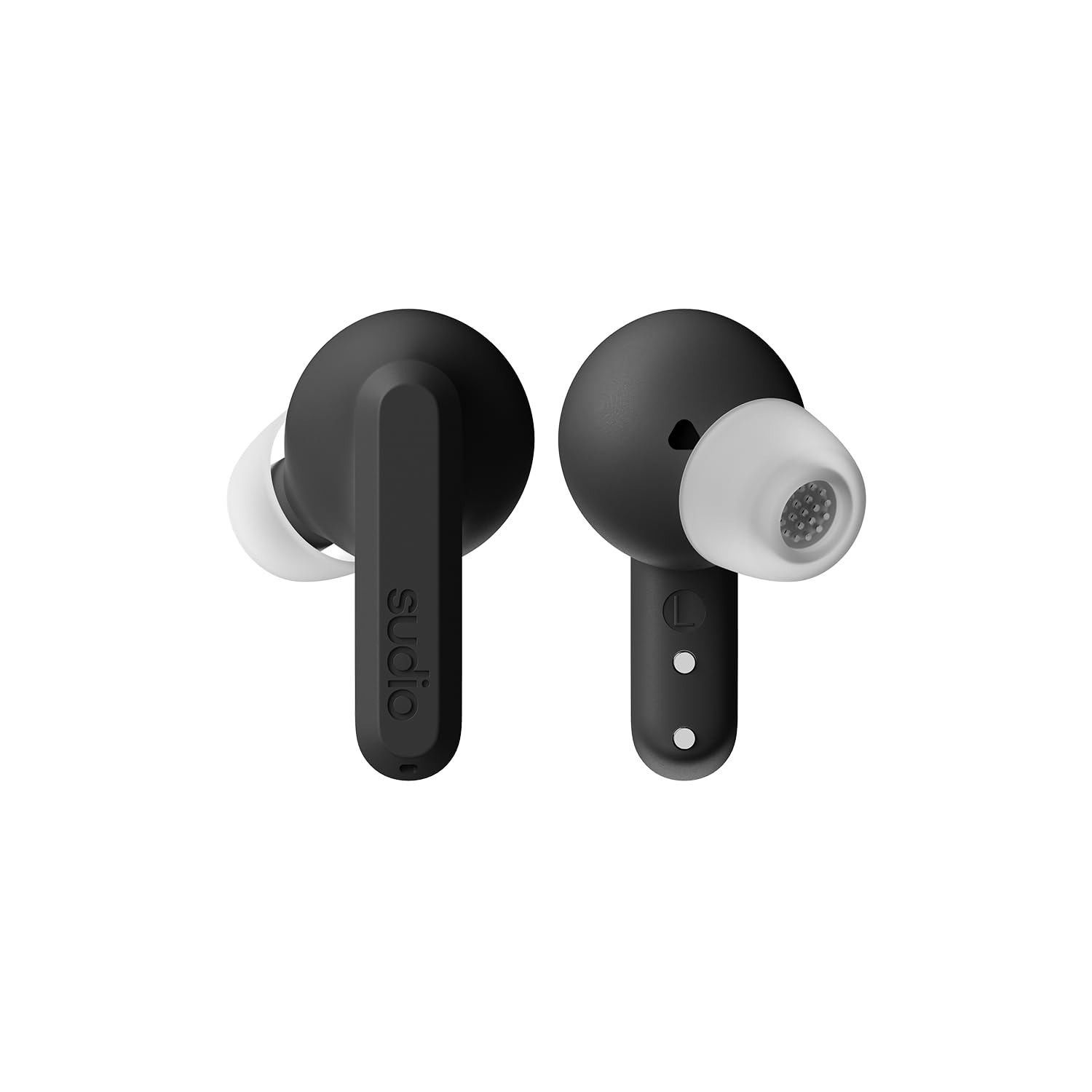
Image: Sudio A3 Pro charging case, closed.
Troubleshooting
If you encounter issues with your Sudio A3 Pro earbuds, try the following solutions:
- No Sound: Ensure earbuds are charged and properly paired. Check device volume and earbud fit.
- Pairing Issues: Make sure Bluetooth is enabled on your device. Try forgetting the device in your Bluetooth settings and re-pairing. Ensure earbuds are in pairing mode.
- ANC Not Working: Confirm ANC is activated via touch control. Ensure a snug fit in your ears.
- Charging Problems: Check the USB-C cable and power source. Ensure earbuds are correctly seated in the charging case.
- Unresponsive Touch Controls: Clean the touch surface of the earbuds. Ensure your fingers are dry.
For further assistance, please refer to the support section.
Specifications
| Feature | Detail |
|---|---|
| Brand | Sudio |
| Model Name | SUDIO A3 Pro |
| Model Number | A3PROBLK |
| Color | Black |
| Ear Placement | In Ear |
| Form Factor | In Ear |
| Impedance | 32 Ohms |
| Connectivity Technology | Wireless |
| Wireless Technology | Bluetooth |
| Bluetooth Version | 5.4 |
| Battery Average Life | 5 Hours (earbuds) |
| Total Playtime (with case) | 25 Hours |
| Noise Control | Active Noise Cancellation |
| Audio Driver Type | Dynamic Driver |
| Frequency Range | 20Hz - 20,000Hz |
| Control Method | Touch |
| Water Resistance Level | IPX4 (Water Resistant) |
| Enclosure Material | Plastic |
| Item Weight | 93.6 Grams |
| Compatible Devices | Telephones, Laptops, Tablets |
Warranty and Support
The Sudio A3 Pro Noise Cancelling Earbuds come with a 1-year manufacturer warranty from the date of purchase. This warranty covers defects in materials and workmanship under normal use.
For warranty claims, technical support, or additional product information, please visit the official Sudio store or contact Sudio customer service directly.
Sudio Official Store: https://www.amazon.com/stores/Sudio/page/1289E5A4-9764-4F59-AD68-C945769F5E3A


