
1. Introduction
Thank you for choosing the King Lucky i121 Clip-on Earbuds. These open-ear wireless headphones are designed to provide a comfortable listening experience with the added versatility of detachable decorative elements. This manual provides instructions for setup, operation, and maintenance to ensure optimal performance.

Image: The King Lucky i121 Clip-on Earbuds, showcasing their unique design with detachable butterfly-shaped decorative elements.
2. Package Contents
Please verify that all items are present in your package:
- Open Ear Earbuds (x2)
- Charging Case (x1)
- User Manual (x1)
- Type-C Charging Cable (x1)
- Detachable Decorative Ear Clips (x1 pair)

Image: Visual representation of the package contents, including earbuds, charging case, manual, cable, and decorative clips.
3. Product Overview
The King Lucky i121 earbuds feature a lightweight, open-ear design with integrated controls and a charging case. The unique clip-on structure allows for comfortable wear without inserting into the ear canal, and includes detachable decorative elements for personalized style.

Image: A person wearing the King Lucky i121 earbuds with the butterfly decorative elements attached, demonstrating their appearance when worn.
4. Setup and First Use
4.1 Charging the Earbuds and Case
Before first use, fully charge the earbuds and the charging case.
- Place the earbuds into the charging case. Ensure they are correctly seated.
- Connect the Type-C charging cable to the charging port on the case and to a USB power source.
- The indicator light on the case will show charging status. A full charge typically takes approximately 2 hours.
- The earbuds provide up to 6 hours of playback on a single charge, with the charging case extending total playtime to approximately 50 hours.
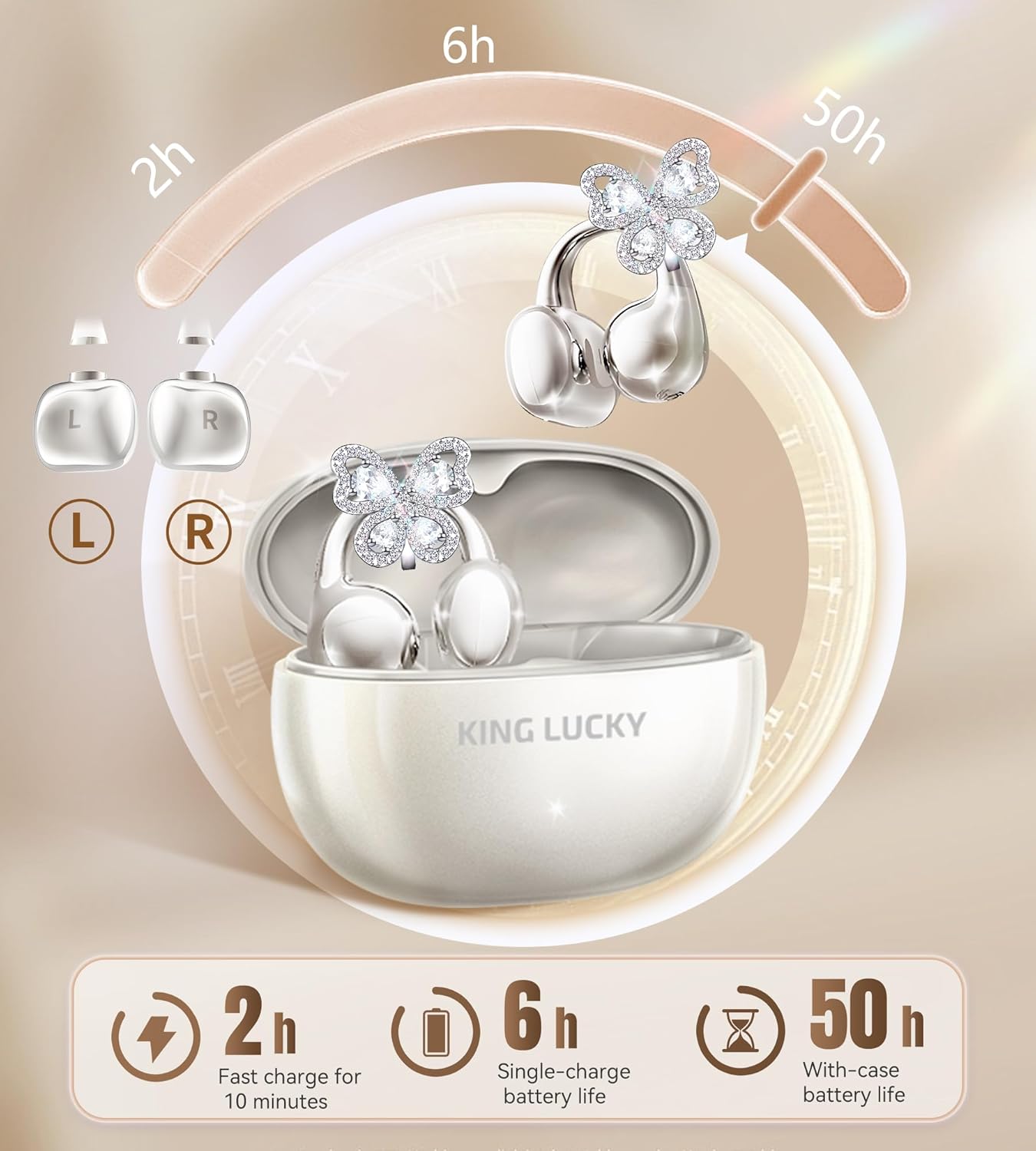
Image: Diagram illustrating the charging case, earbuds, and battery life specifications (6 hours single charge, 50 hours with case).
4.2 Bluetooth Pairing
- Power On: Open the charging case. The earbuds will automatically power on and enter pairing mode.
- Activate Bluetooth: On your device (smartphone, tablet, etc.), enable Bluetooth.
- Select Device: Search for "King Lucky i121" in the list of available Bluetooth devices and select it to connect.
- Confirmation: Once connected, you will hear an audio prompt, and the indicator light on the earbuds will change.
The earbuds will automatically reconnect to the last paired device when removed from the case, if Bluetooth is enabled on the device.
4.3 Wearing the Earbuds
The i121 earbuds are designed for an open-ear, clip-on fit. Ensure correct placement for optimal sound and comfort.
- Identify Left/Right: The earbuds are marked 'L' for left and 'R' for right.
- Positioning: Gently place the earbud onto your ear, ensuring the clip rests securely on the outer ear cartilage. The sound outlet should be positioned near your ear canal without entering it.
- Adjust for Comfort: The ear clips are designed to be flexible. Adjust them slightly to find a secure and comfortable fit.

Image: Step-by-step visual guide on correctly wearing the clip-on earbuds and attaching the decorative elements.
4.4 Attaching/Detaching Decorative Ear Clips
The i121 earbuds come with detachable decorative ear clips, allowing you to customize their appearance.
- To Attach: Align the decorative clip with the designated slot on the earbud's clip-on structure. Gently press until it clicks into place.
- To Detach: Carefully pull the decorative clip away from the earbud's clip-on structure. Avoid excessive force.

Image: Visual instructions demonstrating the process of attaching and detaching the butterfly decorative elements from the earbuds.
5. Operating Instructions
The King Lucky i121 earbuds feature touch controls for various functions.

Image: Diagram illustrating the touch control functions for the King Lucky i121 earbuds.
| Action | Function (Left Earbud) | Function (Right Earbud) |
|---|---|---|
| Tap x1 | Answer Call / Volume Down | Answer Call / Volume Up |
| Tap x2 | End Call / Play/Pause Music | End Call / Play/Pause Music |
| Tap x3 | Activate Voice Assistant (Siri, Google Assistant) | Game Mode |
| Long Press 2" | Reject Call / Previous Track | Reject Call / Next Track |
| Tap x5 | Factory Reset | |
5.1 Power On/Off
- Power On: Open the charging case, and the earbuds will automatically power on.
- Power Off: Place the earbuds back into the charging case and close the lid. They will automatically power off and begin charging.
6. Features and Technology
6.1 Open-Ear Design for Comfort and Awareness
The i121 earbuds utilize an open-ear, clip-on design that rests on the outer ear, avoiding insertion into the ear canal. This design provides pressure-free comfort for extended wear and allows you to remain aware of your surroundings while listening to audio.

Image: Comparison diagram highlighting the comfort and stability of the C-shaped bridge design compared to traditional clip-on, drop earring, and bone conduction designs.
6.2 High-Quality Audio with 12mm Drivers
Equipped with 12mm drivers, these earbuds deliver clear audio with deep bass and crisp highs. The directional audio transmission minimizes sound leakage, providing a more private listening experience while maintaining situational awareness.

Image: Exploded view diagram of the 12mm driver, illustrating its components for immersive sound.

Image: Diagram explaining dual sound wave directional transmission, showing how sound is directed to the ear and leakage is minimized.
6.3 Clear Calls with ENC Noise-Canceling Microphones
The integrated ENC (Environmental Noise Cancellation) microphones work to reduce background noise, ensuring clear voice calls even in noisy environments.
6.4 IPX5 Water Resistance
With an IPX5 water resistance rating, the earbuds are protected against sweat and light rain, making them suitable for workouts and outdoor activities.

Image: Graphic highlighting the IPX5 water resistance feature of the earbuds, showing them protected from water splashes.
7. Maintenance
- Cleaning: Use a soft, dry cloth to clean the earbuds and charging case. Do not use abrasive cleaners or immerse in water.
- Storage: When not in use, store the earbuds in their charging case to protect them and maintain battery life. Store in a cool, dry place.
- Avoid Extreme Temperatures: Do not expose the earbuds to extreme heat or cold, as this can damage the battery and internal components.
8. Troubleshooting
- Earbuds not pairing:
- Ensure earbuds are charged.
- Turn off Bluetooth on your device and turn it back on.
- Perform a factory reset (Tap x5 on either earbud).
- Try pairing with a different device to rule out device-specific issues.
- Only one earbud working:
- Place both earbuds back in the charging case, close the lid, and then open it again.
- Ensure both earbuds are charged.
- Perform a factory reset.
- Low volume or poor sound quality:
- Adjust the volume on both your device and the earbuds.
- Ensure the earbuds are worn correctly and securely on your ears.
- Check for any obstructions on the sound outlets.
- Earbuds not charging:
- Ensure the charging cable is securely connected to both the case and the power source.
- Check if the charging port on the case is clean and free of debris.
- Try a different charging cable or power adapter.
9. Specifications
| Feature | Detail |
|---|---|
| Model Number | i121 |
| Bluetooth Version | 5.4 |
| Water Resistance Rating | IPX5 |
| Single Earbud Playtime | Up to 6 hours |
| Total Playtime (with case) | Up to 50 hours |
| Earbud Weight | 5.2g (per earbud) |
| Driver Size | 12mm |
| Microphone | ENC Noise-Canceling |
| Charging Port | Type-C |
10. Safety Information
- Do not disassemble or modify the product.
- Keep away from water and high humidity, except for the specified IPX5 resistance.
- Avoid prolonged exposure to high volume levels to prevent hearing damage.
- Keep out of reach of children and pets.
- Dispose of the product responsibly according to local regulations.
11. Warranty and Support
King Lucky offers a 100-Day Return Guarantee for this product. For further assistance, please refer to the contact information provided in your purchase documentation or visit the official King Lucky support website.
For warranty claims or technical support, please contact King Lucky customer service with your purchase details.
