1. Product Overview
This manual provides instructions for the Junsun 4GB+64GB Android 13 Car Radio Stereo, designed for Toyota 4Runner models from 2010 to 2019. This head unit offers advanced features including wireless CarPlay and Android Auto, GPS navigation, and a QLED display.
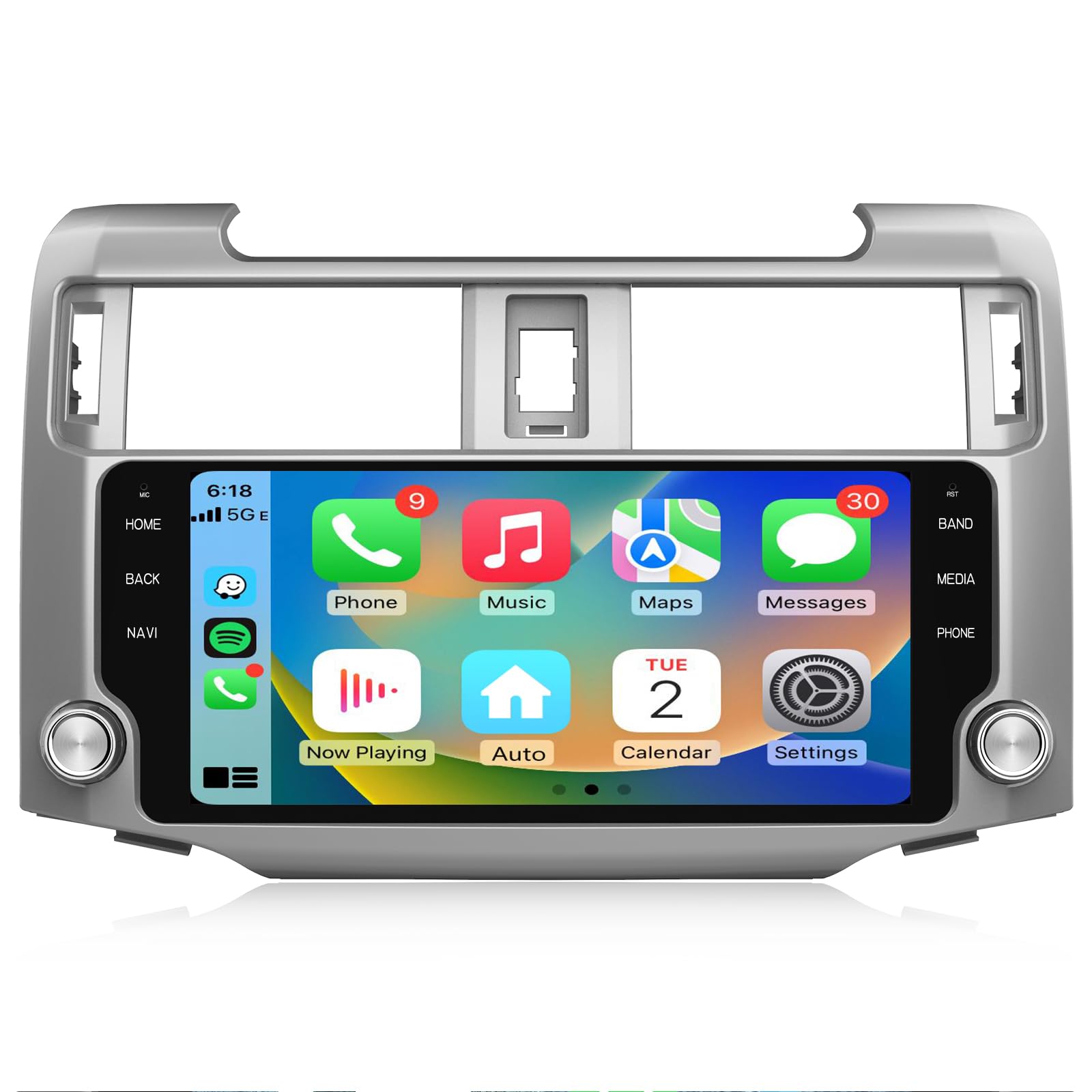
Image: Junsun Android 13 Car Radio Stereo installed in a Toyota 4Runner dashboard, showcasing the large display and integration.
Key Features:
- Operating System: Android 13
- Memory & Storage: 4GB RAM + 64GB ROM
- Processor: 8-core CPU, Cortex TM A55 processor, up to 1.6GHz
- Display: 10.33-inch QLED Screen
- Connectivity: Wireless CarPlay, Wireless Android Auto, Bluetooth 5.0, 5GHz WiFi
- Navigation: Built-in Offline Map of North America, Online GPS Navigation support
- Audio: 36-band EQ DSP Sound System, FM Radio
- Integration: Retains original steering wheel control, supports factory backup camera
2. Setup and Installation
Proper installation is crucial for optimal performance. Due to the complexity of automotive electrical systems, professional installation is recommended. Ensure the vehicle's battery is disconnected before beginning installation.
2.1. Package Contents
Verify all components are present before installation. The standard package includes:

Image: Detailed packing list showing the main unit, power cable, RCA cable, reversing line, GPS module, CanBus, USB cables, 4G module, antenna cable, microphone, screwdriver, and crowbar.
- Junsun Head Unit
- Power Cable Harness
- RCA Cable
- Reversing Line
- GPS Module
- CanBus Decoder
- USB Cables (x2)
- 4G Module
- Antenna Cable
- External Microphone
- Screwdriver
- Crowbar (for trim removal)
2.2. Wiring Diagram
Refer to the wiring diagram for correct connections. Ensure all necessary cables are securely connected to their corresponding ports on the head unit and the vehicle's harness.

Image: Comprehensive wiring diagram illustrating the connection points for various cables including power, USB, rear camera input, radio antenna, GPS antenna, 4G antenna, and RCA cables.
Important: Some vehicle harnesses may have unused connections. Connect only the cables that match your vehicle's existing wiring and the head unit's ports. Incorrect wiring can cause damage to the unit or vehicle.
3. Operating Instructions
This section details the primary functions and operations of your Junsun Android 13 Car Radio Stereo.
3.1. Wireless CarPlay / Android Auto
Connect your smartphone wirelessly via Bluetooth to access CarPlay (for iPhone) or Android Auto (for Android devices). This allows for voice control and access to phone functions such as music, navigation, calls, and messages directly on the head unit's screen.
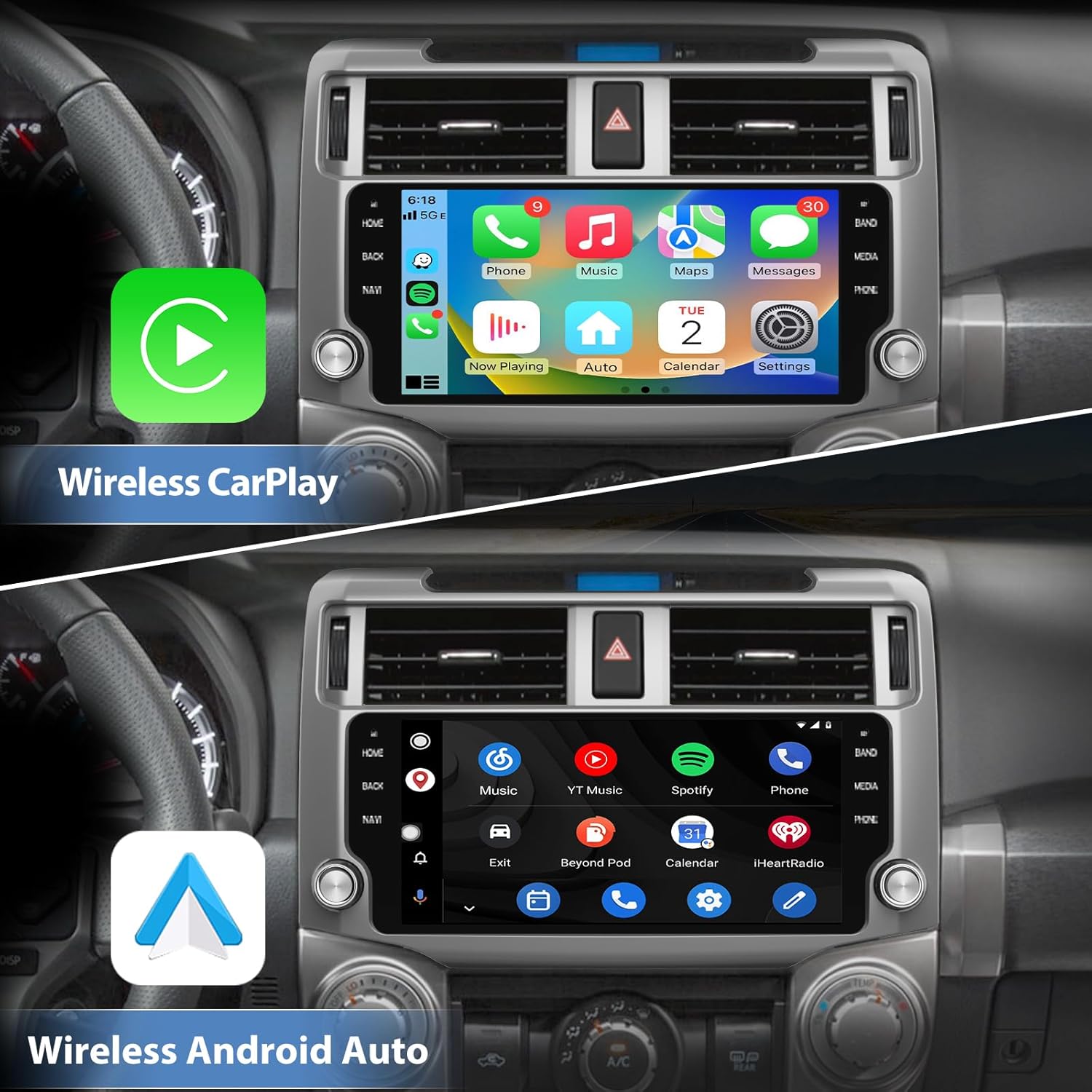
Image: The top display shows the Wireless CarPlay interface with common apps like Phone, Music, Maps, and Messages. The bottom display shows the Wireless Android Auto interface with apps like Music, YouTube Music, Spotify, and Phone.
3.2. GPS Navigation & WiFi Connectivity
The unit comes with a built-in offline map of North America. For real-time traffic updates and online navigation, connect the unit to a WiFi network (e.g., via your phone's hotspot). You can also install or delete Android applications from the Application Store, similar to a smartphone.

Image: The head unit screen shows a detailed GPS navigation map with route information and estimated travel time.
3.3. Steering Wheel Control (SWC)
The unit supports your vehicle's original steering wheel controls. This allows convenient operation of functions such as volume adjustment, track skipping, and answering/ending calls without taking your hands off the steering wheel.

Image: The head unit displays media playback controls, while an inset image highlights the steering wheel buttons used for control.
3.4. QLED Screen
The QLED screen provides enhanced clarity, vibrant colors, and reduced image noise, ensuring optimal visibility even in direct sunlight. This improves the viewing experience for maps, videos, and other content.

Image: A visual comparison demonstrating the superior clarity, vibrant color, and image noise reduction of the QLED screen compared to other standard screens.
3.5. Audio Features (EQ & FM Radio)
Utilize the built-in 36-band EQ DSP Sound System to fine-tune audio output for a personalized listening experience across various music genres. The unit also includes an FM radio for access to local broadcasts, traffic information, and weather updates.

Image: The head unit screen shows the graphical interface for the 36-band Digital Sound Processor (DSP) equalizer, allowing detailed audio adjustments.
3.6. Bluetooth Connectivity
Bluetooth 5.0 enables fast pairing with your mobile device. The integrated microphone supports hands-free calling, allowing you to make or receive calls safely while driving. You can also stream music wirelessly via Bluetooth.
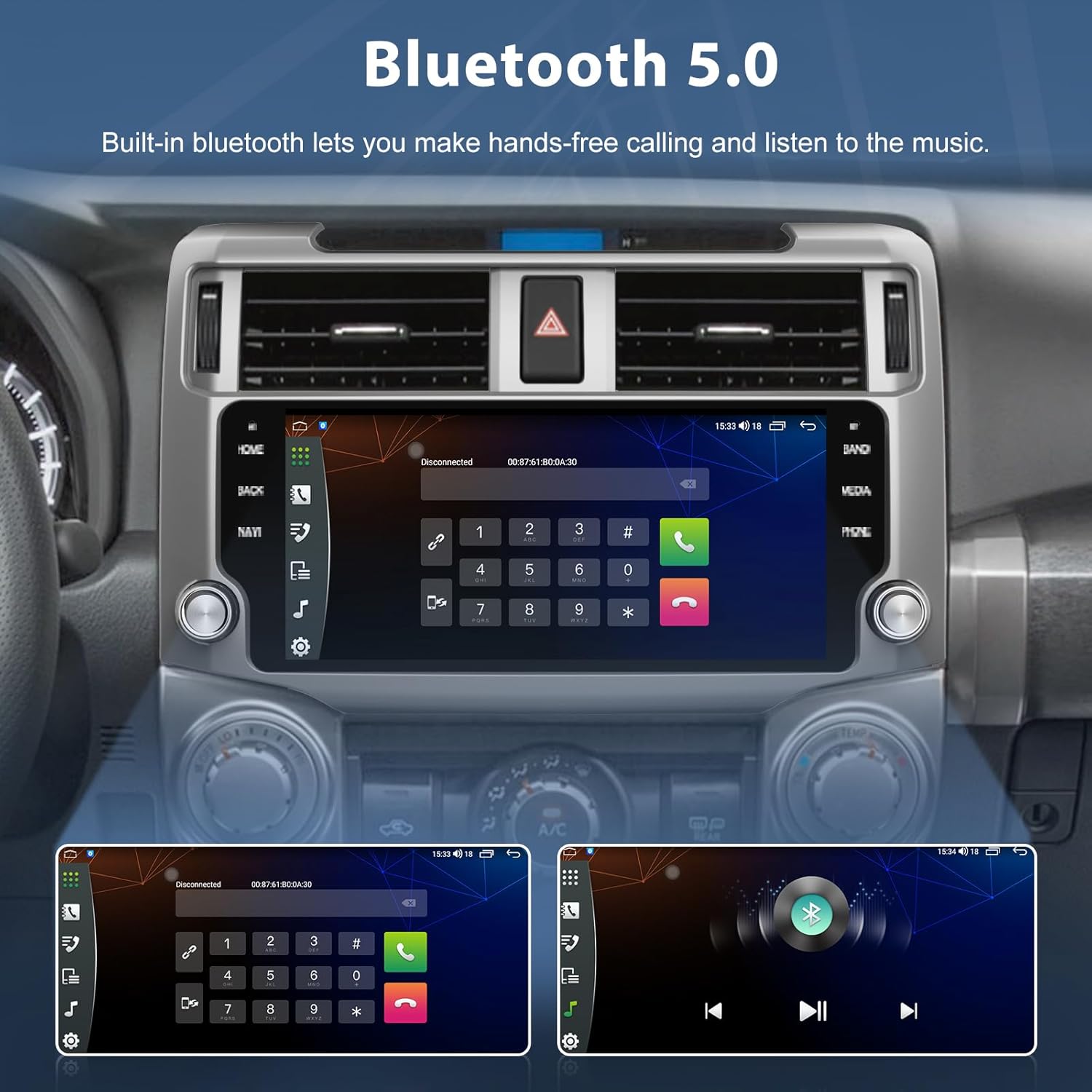
Image: The head unit shows a phone dialer interface on the left and a Bluetooth music playback screen on the right, demonstrating hands-free communication and audio streaming.
3.7. Split Screen Functionality
The split-screen feature allows you to run two applications simultaneously on the display. For example, you can view navigation maps on one side while controlling music playback on the other.
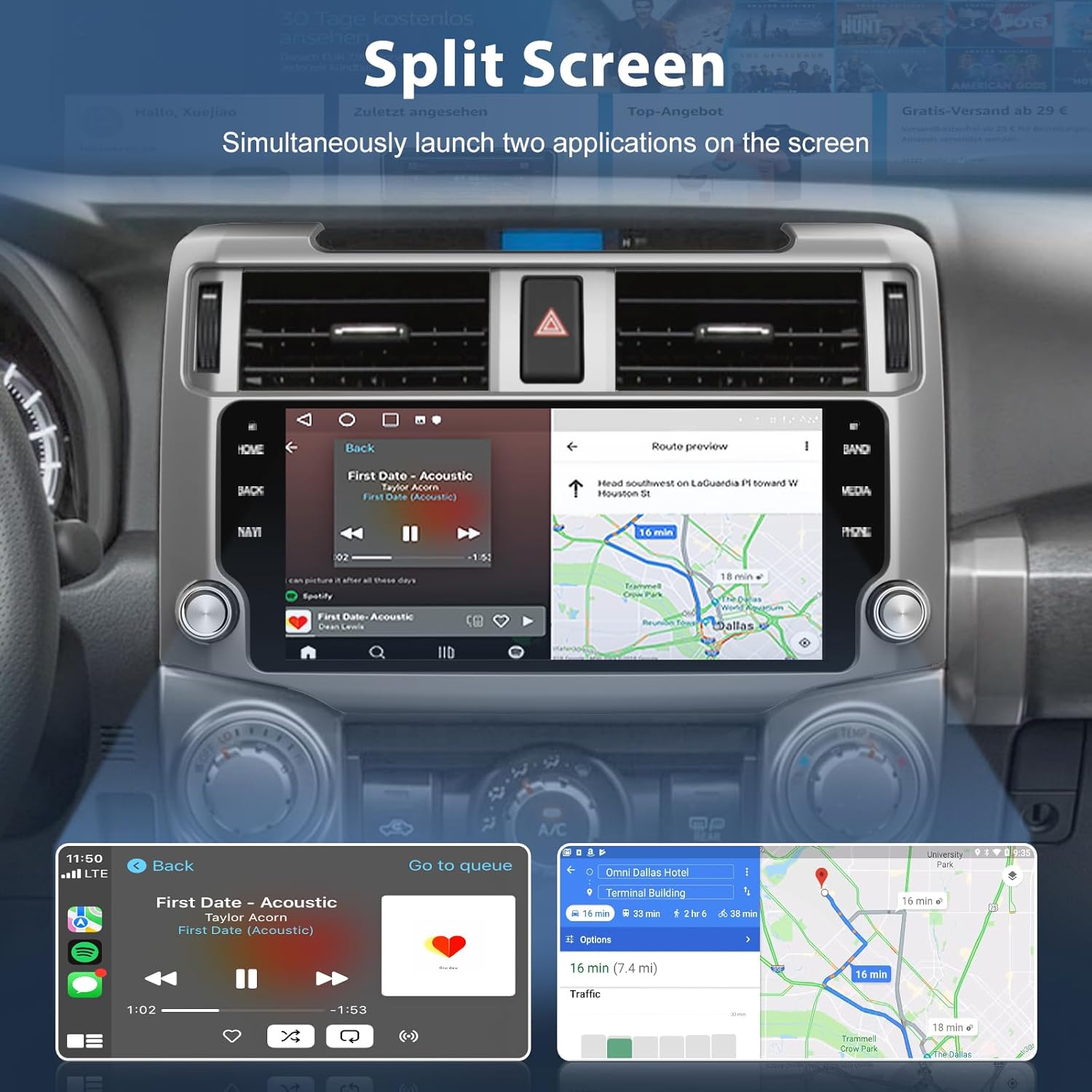
Image: The head unit screen shows a split display, with a music player on the left and a navigation map on the right, demonstrating simultaneous application usage.
4. Maintenance
To ensure the longevity and optimal performance of your Junsun Car Radio Stereo, follow these maintenance guidelines:
- Screen Cleaning: Use a soft, lint-free cloth to gently wipe the QLED screen. For stubborn smudges, slightly dampen the cloth with water or a screen-safe cleaner. Avoid harsh chemicals or abrasive materials.
- Software Updates: Periodically check for and install available software updates to ensure the system runs efficiently and has the latest features and security patches.
- Cable Connections: Ensure all cables remain securely connected. Loose connections can lead to intermittent functionality or signal loss.
- Environmental Conditions: Avoid exposing the unit to extreme temperatures, direct sunlight for prolonged periods, or excessive moisture.
- System Reset: If the unit becomes unresponsive, a soft reset (usually a small reset button or a combination of buttons) may resolve the issue. Refer to the on-screen menu for reset options.
5. Troubleshooting
This section addresses common issues you might encounter with your Junsun Car Radio Stereo.
| Problem | Possible Cause | Solution |
|---|---|---|
| Unit does not power on | Incorrect wiring; Blown fuse; Vehicle battery issue | Check power cable connections; Inspect vehicle fuses; Verify vehicle battery charge. |
| No sound output | Speaker wires disconnected; Volume too low; Mute activated | Check speaker wiring; Increase volume; Deactivate mute function. |
| Bluetooth/WiFi disconnects frequently | Interference; Software glitch; Hotspot conflict | Ensure no other devices are causing interference. Reboot the head unit. If using a phone hotspot, ensure stable connection. Check if the unit's own hotspot is inadvertently active and causing conflict; disable if not needed. |
| CarPlay/Android Auto intermittent | Unstable Bluetooth/WiFi connection; Phone software issue | Ensure strong and stable Bluetooth/WiFi connection. Restart your phone and the head unit. Update phone OS and app versions. |
| Steering Wheel Controls not working | CanBus not connected; Incorrect CanBus settings | Verify CanBus decoder is correctly installed and connected. Check head unit settings for SWC configuration. |
| GPS signal weak or inaccurate | GPS antenna placement; Obstruction | Ensure GPS antenna is placed in an unobstructed location (e.g., dashboard, not under metal). |
6. Specifications
| Feature | Detail |
|---|---|
| Operating System | Android 13 |
| Memory (RAM) | 4 GB |
| Storage (ROM) | 64 GB |
| Display Size | 10.33 Inches (QLED) |
| Connectivity | Bluetooth 5.0, 5GHz WiFi |
| Map Type | North America (Offline) |
| Mounting Type | Dashboard Mount |
| Item Weight | 4.91 pounds |
| Package Dimensions | 16.34 x 11.61 x 6.42 inches |
| Vehicle Service Type | SUV (Toyota 4Runner 2010-2019) |
7. Warranty Information
The Junsun Car Radio Stereo comes with a 1-year manufacturer's warranty from the date of purchase. This warranty covers defects in materials and workmanship under normal use. It does not cover damage caused by improper installation, accident, misuse, abuse, unauthorized modifications, or natural disasters.
Please retain your proof of purchase for warranty claims. For detailed warranty terms and conditions, refer to the documentation included with your product or contact Junsun customer support.
8. Customer Support
For installation assistance, technical support, or any inquiries regarding your Junsun Car Radio Stereo, please contact our customer support team.

Image: A customer support representative wearing a headset, with text indicating "24 Hours Customer Support" and the email address "Junsun-US@outlook.com".
Email: Junsun-US@outlook.com
Our support team aims to respond to messages within 24 hours, accounting for time differences.
When contacting support, please provide your product model (4GB+64GB) and a detailed description of your issue, including any relevant pictures or videos.


