1. Introduction and Overview
The Roxicosly Emergency Weather Radio Model CR1030 is a versatile device designed for emergency preparedness and outdoor activities. It provides access to AM/FM/NOAA weather bands, features multiple power sources including solar, hand crank, and battery options, and includes essential tools like a flashlight, reading lamp, and SOS alarm. This manual provides detailed instructions for the proper use and maintenance of your device.
2. Product Features
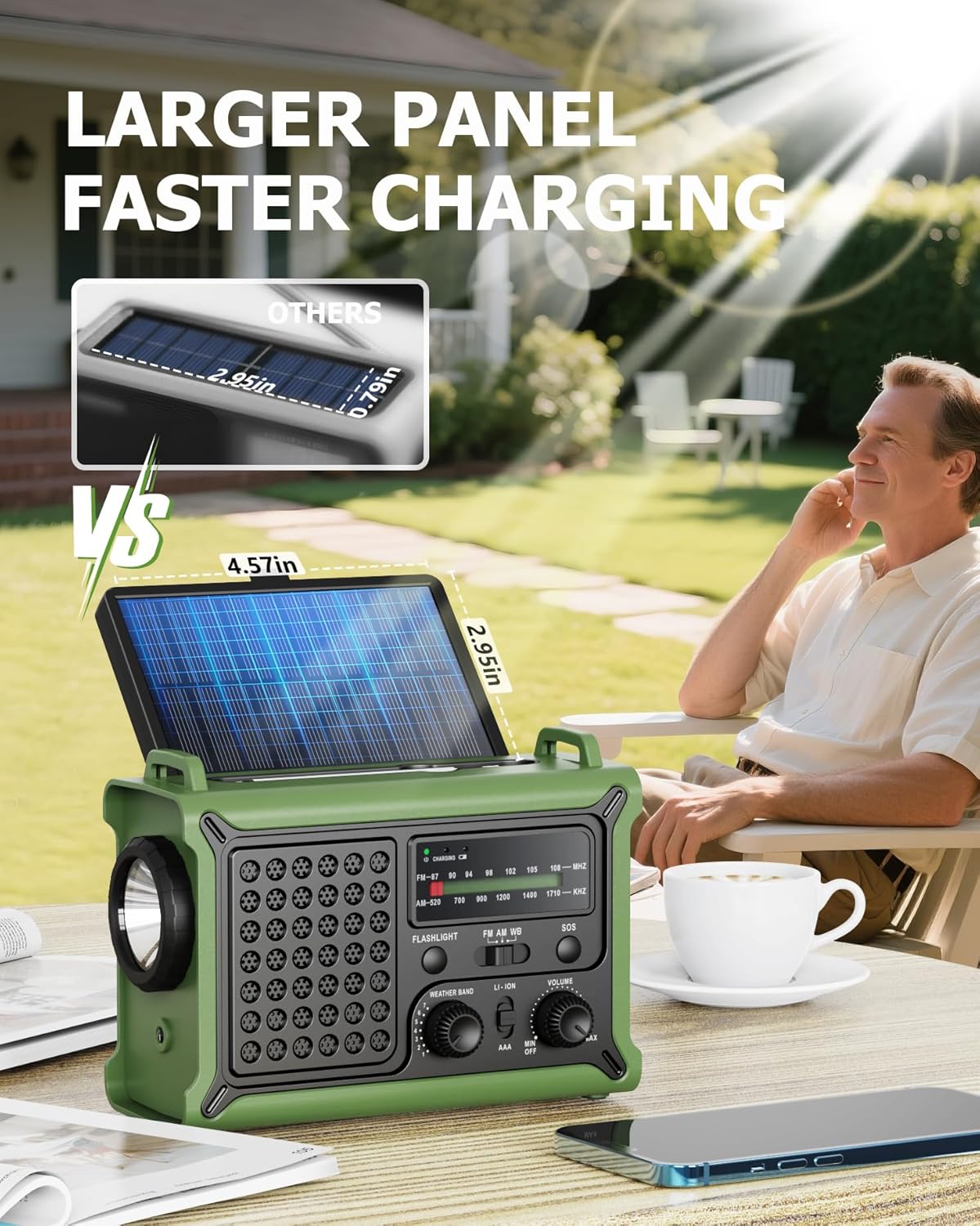
- Enhanced Solar Performance: Equipped with a large 8500mm² monocrystalline panel for efficient solar charging.
- Fast & Efficient Hand Crank Generator: Provides quick power generation for emergency use.
- Real 12000mAh Emergency Power Supply: Built-in battery for reliable power, capable of charging external devices.
- Dual Emergency Lights: Features a powerful 5W adjustable-beam flashlight and a soft 12-LED reading lamp with multiple brightness levels.
- Home & Outdoor Essential: IPX6 waterproof rating, 5 charging methods, NOAA alerts, and a loud SOS alarm.
- NOAA Alerts & Hurricane-Season Ready: Receives reliable alerts from the National Weather Service with a 9-second alarm.
3. Package Contents
Verify that all items are present in your package:
- Roxicosly Emergency Weather Radio (Model CR1030)
- USB-C Charging Cable
- Handy Braid Belt
- Owner's Manual
4. Product Diagram
Familiarize yourself with the components of your Roxicosly Emergency Weather Radio:

This diagram illustrates the various components and ports of the Roxicosly Emergency Weather Radio Model CR1030, including the large solar panel, antenna, charging indicator, band switch, SOS button, volume dial, flashlight button, weather bands, tuner knob, battery switch, 5W flashlight, reading lamp, headphone jack, USB-C output, USB-A output, USB-C input, hand crank, and AAA battery compartment.
5. Powering the Device
The Roxicosly Emergency Weather Radio offers multiple power options to ensure functionality in various situations.
5.1 Internal 12000mAh Li-ion Battery
The radio is equipped with a high-capacity 12000mAh lithium-ion battery. This battery powers all functions of the device and can be recharged using the methods below.
5.2 Charging Methods
- Solar Charging: Open the solar panel located on top of the radio and place the device in direct sunlight. The solar panel will convert sunlight into energy to charge the internal battery. A charging indicator light will confirm active charging.
- Hand Crank Charging: Extend the hand crank located on the side of the radio. Rotate the crank clockwise or counter-clockwise at a steady pace to generate power. This method is ideal for quick power boosts or when other charging options are unavailable.
- USB-C Charging: Connect the included USB-C charging cable to the 'INPUT' port on the side of the radio and to a compatible USB power source (e.g., wall adapter, computer, power bank). The charging indicator will illuminate.
- AAA Battery Power: For extended backup power, open the battery compartment on the back of the radio and insert three (3) AAA batteries (not included). Ensure the battery switch is set to 'AAA' to use this power source.
The large monocrystalline solar panel charges the internal battery when exposed to direct sunlight, indicated by a charging percentage display.

The integrated hand crank generator provides power for the radio and charging functions during emergencies, showing battery percentage increase.
5.3 Video: Powering and Features Overview
This video demonstrates the various power options of the Roxicosly Emergency Weather Radio, including solar, hand crank, and USB charging, along with an overview of its features like the flashlight, reading lamp, and radio functions.
This video highlights the Roxicosly Emergency Weather Radio's utility for camping, blackouts, and survival situations, showcasing its 12000mAh battery, NOAA weather alerts, and multiple power sources.
6. Radio Operation
The radio supports AM, FM, and NOAA Weather Band (WB) frequencies.
6.1 Tuning and Band Selection
- Power On: Rotate the 'VOLUME' dial clockwise to turn on the radio and adjust the volume.
- Select Band: Use the 'FM AM WB' slide switch to select your desired radio band (FM, AM, or WB).
- Tune Station: Rotate the 'WEATHER BAND' or 'TUNING' knob to scan for stations. The frequency display will show the current tuning. Extend the telescopic antenna for improved reception, especially for FM and NOAA bands.
6.2 NOAA Weather Alerts
When set to the NOAA Weather Band, the radio can automatically receive emergency weather alerts from the National Weather Service. In the event of an alert, the radio will emit a loud 9-second alarm to notify you.

The radio is capable of receiving NOAA weather alerts, providing critical information during severe weather events like hurricanes, tornadoes, earthquakes, floods, and fires.
7. Lighting Functions
The radio includes two independent lighting features for various illumination needs.
7.1 5W Adjustable-Beam Flashlight
Press the 'FLASHLIGHT' button on the front panel to activate the powerful 5W flashlight. Press again to cycle through different brightness levels (if available) or to turn it off. The adjustable beam allows for focused or wider illumination.
7.2 12-LED Reading Lamp
Lift the solar panel to reveal the 12-LED reading lamp. Press the dedicated button next to the lamp to turn it on. This lamp provides a softer, diffused light, suitable for reading or illuminating a small area. Press again to cycle through brightness levels or turn it off.

The radio features a powerful 5W adjustable-beam flashlight and a 12-LED reading lamp, providing versatile lighting options for emergencies or outdoor activities.
8. SOS Alarm
In an emergency, press and hold the 'SOS' button on the front panel. The radio will emit a loud alarm and activate a flashing red light to attract attention and signal for help.
9. Charging External Devices
The built-in 12000mAh battery can act as a power bank to charge your mobile devices.
- Open the rubber flap on the side of the radio to access the output ports.
- Connect your device's charging cable to either the 'USB-A OUTPUT' or 'USB-C OUTPUT' port.
- The radio will begin charging your external device.

The radio's 12000mAh battery can charge external devices like smartphones via its USB-A and USB-C output ports.
10. Specifications
| Feature | Specification |
|---|---|
| Product Dimensions | 6.8 x 2.88 x 4.74 inches |
| Item Weight | 1.82 pounds |
| Item Model Number | CR1030 |
| Brand | Roxicosly |
| Color | Army Green |
| Special Feature | Portable, Rechargeable |
| Connectivity Technology | USB |
| Tuner Technology | AM/FM/WB |
| Style | Rugged Outdoor |
| Power Source | Built-in Battery/Type-C Corded/Solar Panel/Hand Crank/AAA Batteries |
| Radio Bands Supported | AM/FM/7 NOAA Bands |
11. Safety Information
- Do not expose the device to extreme temperatures or direct flame.
- Avoid dropping or subjecting the device to severe impacts.
- Keep the device away from water and moisture, despite its IPX6 rating, to prevent damage to internal components.
- Do not attempt to disassemble or modify the device, as this will void the warranty and may cause damage or injury.
- Use only the provided USB-C cable or a certified equivalent for charging.
- When using AAA batteries, ensure correct polarity and do not mix old and new batteries or different types of batteries.
12. Troubleshooting
- No Power: Ensure the battery switch is set to 'LI-ION' for the internal battery or 'AAA' if using AAA batteries. Recharge the internal battery or replace AAA batteries.
- Poor Radio Reception: Extend the telescopic antenna fully. Try repositioning the radio. For NOAA, ensure you are in an area with coverage.
- Flashlight/Reading Lamp Not Working: Check battery level. Ensure the correct button is pressed.
- External Device Not Charging: Ensure the radio's internal battery has sufficient charge. Verify the charging cable is securely connected to the correct output port.
13. Warranty and Support
This product comes with a standard manufacturer's warranty. For detailed warranty information, technical support, or service inquiries, please refer to the contact information provided on the product packaging or visit the official Roxicosly website. Please retain your proof of purchase for warranty claims.


