
1. Product Overview
This manual provides detailed instructions for the installation, operation, and maintenance of your Fortdows Android 13 Car Radio. This unit is specifically designed for Dodge Ram 1500 and 2500 models manufactured between 2013 and 2018, compatible with vehicles equipped with manual AC controls.
Key Features:
- High-Performance Processor: Equipped with a 4-core 1.8GHz processor, 4GB RAM, and 64GB ROM for smooth multitasking and quick system response.
- Display: 9-inch 1280x800 HD IPS touchscreen with anti-glare coating and 178° wide viewing angles.
- Smartphone Integration: Supports Wireless CarPlay, Android Auto, and Mirror Link for seamless phone connectivity.
- Bluetooth 5.4: Features voice control for hands-free calls and music streaming.
- Connectivity: Built-in 5G WiFi and GPS for real-time navigation and online content access.
- Audio: 32-band EQ settings with presets (Jazz, Rock, Pop) and HIFI function for enhanced sound quality.
- Safety Features: Includes a 1080P 170° viewing angle night vision waterproof backup camera.
- Vehicle Integration: Supports original steering wheel controls and offers a plug-and-play installation for compatible Dodge Ram models.

Figure 1: Fortdows Android 13 Car Radio Main Unit
2. Installation and Setup
2.1 Package Contents
Verify that all items are present in your package before beginning installation:
- Fortdows Android 13 Car Radio Unit
- Power Cable (Plug and Play)
- Original USB Cable
- USB Cable x2
- RCA Cable
- GPS Antenna
- Backup Camera (1080P, 170° viewing angle)
- Reversing Line
- Crowbar (for trim removal)
- External Microphone
- CanBus Decoder

Figure 2: Included Package Contents
2.2 Vehicle Compatibility
This car radio is compatible with Dodge Ram 1500 and 2500 models from 2013 to 2018 that have manual AC controls. Please refer to the diagram below to confirm your vehicle's dashboard configuration.

Figure 3: Vehicle Compatibility Guide
2.3 Connection Guide
Follow these steps to connect the car radio components. It is recommended to consult a professional for installation if you are unfamiliar with car electronics.
- USB Cables: Connect the 6-pin and 4-pin USB cables to their respective ports on the back of the head unit.
- Rear Camera Signal Wire: Connect the 10-pin reversing video input interface.
- 4G Antenna: Connect the 4G antenna to the designated port.
- GPS Antenna: Connect the GPS antenna to its port.
- Radio Antenna: Connect your vehicle's factory radio antenna to the ANT port.
- Power Cable: Connect the main power cable (plug and play) to the 16-pin port on the head unit.
Video 1: Car Radio Installation Guide. This video provides a step-by-step guide on connecting the various cables and components of the Fortdows car radio, including USB cables, rear camera signal wire, 4G antenna, GPS antenna, and the main power cable. It illustrates the plug-and-play installation process.
3. Operating Instructions
3.1 User Interface and Navigation
The Android 13 operating system provides an intuitive touchscreen interface. Swipe left or right to access different app screens. Tap icons to launch applications such as Navigation, Music, Radio, and Settings.
3.2 CarPlay & Android Auto
Seamlessly integrate your smartphone using Wireless CarPlay or Android Auto. This allows access to navigation, calls, messages, and music directly from your phone's interface on the car radio screen.

Figure 4: CarPlay and Android Auto Interfaces
3.3 Bluetooth Connectivity
The unit supports Bluetooth 5.4 for hands-free calling and audio streaming. Pair your device through the Bluetooth settings menu. Voice commands can be used for functions like "play music" or "make a call" for safer driving.
3.4 GPS Navigation
Utilize the built-in GPS for accurate, real-time navigation. Download maps and access online content via the 5G WiFi connection to ensure up-to-date route information.
3.5 Audio Settings (EQ)
Customize your audio experience with the 32-band equalizer. Adjust frequencies to match your preferences or select from pre-set modes like Jazz, Rock, or Pop. The HIFI function enhances overall sound quality.
Video 2: Product Fluidity Demonstration. This video demonstrates the responsiveness and smooth operation of the Fortdows car radio's user interface, including app navigation, FM radio tuning, video playback, and equalizer adjustments. It highlights the performance difference compared to systems with lower processing power.
3.6 Steering Wheel Controls
The unit supports your vehicle's original steering wheel controls, allowing you to manage audio, calls, and other functions without diverting attention from the road.
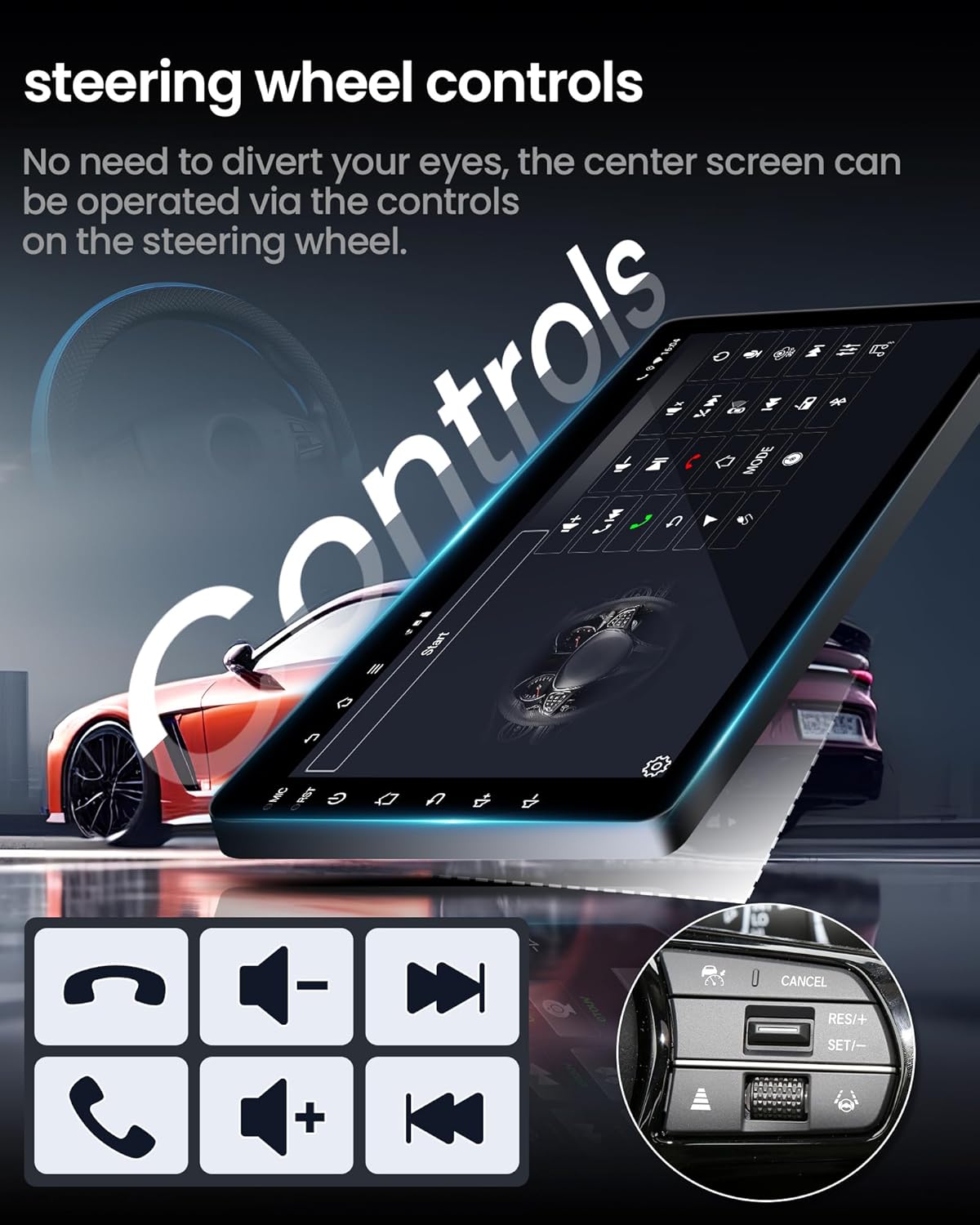
Figure 5: Steering Wheel Control Integration
3.7 Backup Camera Functionality
The included 1080P backup camera provides a 170° wide viewing angle and night vision capabilities, enhancing visibility and safety when reversing.
3.8 Split-Screen Mode
Utilize the split-screen feature to run two applications simultaneously, such as navigation and music playback, or a phone call and a web browser.
3.9 5G WiFi Connectivity
The built-in 5G WiFi module ensures a stable and fast internet connection, allowing for quick app downloads, music streaming, and real-time traffic updates.

Figure 6: 5G WiFi Functionality
4. Maintenance
To ensure the longevity and optimal performance of your Fortdows car radio, follow these maintenance guidelines:
- Cleaning: Use a soft, dry cloth to clean the touchscreen and exterior. Avoid abrasive cleaners or solvents.
- Software Updates: Periodically check for and install available software updates to ensure optimal performance and access to new features.
- Environmental Conditions: Avoid exposing the unit to extreme temperatures or direct sunlight for prolonged periods.
- Cable Connections: Ensure all cables are securely connected to prevent intermittent issues.
5. Troubleshooting
If you encounter issues with your car radio, refer to the following common troubleshooting steps:
- No Power: Check all power cable connections. Ensure the vehicle's ignition is on.
- No Sound: Verify speaker connections. Check volume levels and audio settings (EQ). Ensure the unit is not muted.
- Touchscreen Unresponsive: Perform a system restart. If the issue persists, ensure the screen is clean and free of debris.
- GPS Signal Loss: Ensure the GPS antenna is correctly installed and has a clear view of the sky.
- Bluetooth/WiFi Connectivity Issues: Restart the car radio and your mobile device. Re-pair Bluetooth devices. Check WiFi network settings.
- Backup Camera Not Displaying: Verify the camera's power and signal connections. Ensure the reversing line is correctly wired.
- System Lag/Slow Performance: Close unnecessary background applications. Ensure sufficient storage space is available.
If these steps do not resolve the issue, please contact Fortdows customer support for further assistance.
6. Technical Specifications
| Feature | Specification |
|---|---|
| Item Weight | 4.38 pounds |
| Package Dimensions | 12.71 x 11.34 x 4.88 inches |
| Display Size | 9 Inches |
| Voice Command | Touchscreen |
| Operating System | Android 13, iOS (via CarPlay) |
| Memory Storage Capacity | 64 GB |
| Special Feature | 1280*800 Touchscreen, Bluetooth 5.4, Waterproof 1080P Backup Camera |
| Connectivity Technology | Bluetooth, USB, Wireless (5G WiFi) |
| Map Type | Worldwide |
| Audio Output Mode | Stereo |
| Mounting Type | Dashboard Mount |
| Manufacturer | Fortdows |
| Vehicle Service Type | Truck (Dodge Ram 1500/2500 2013-2018) |
7. Warranty and Support
7.1 Product Warranty
This Fortdows product typically includes a 1-Year Warranty. Please refer to your purchase documentation for specific warranty terms and conditions.
7.2 Return Policy
A 7-day return policy is generally offered for this product. Returns for defects are also supported. For detailed information regarding returns and refunds, please consult the retailer's policy where the product was purchased.
7.3 Customer Support
For technical assistance, troubleshooting, or any inquiries regarding your Fortdows car radio, please contact customer support:
- Email: fortdows.cam@gmail.com
- Website: www.fancygod.com


