
Product Overview
This manual provides instructions for the Fengind Smart Saltwater Pool Chlorinator System, designed for pools up to 15,000 gallons. This system utilizes saltwater electrolysis to produce chlorine, maintaining pool cleanliness without the need for traditional chemical additions. Key features include Wi-Fi app remote control, self-cleaning titanium plates, and compatibility with common pipe sizes.

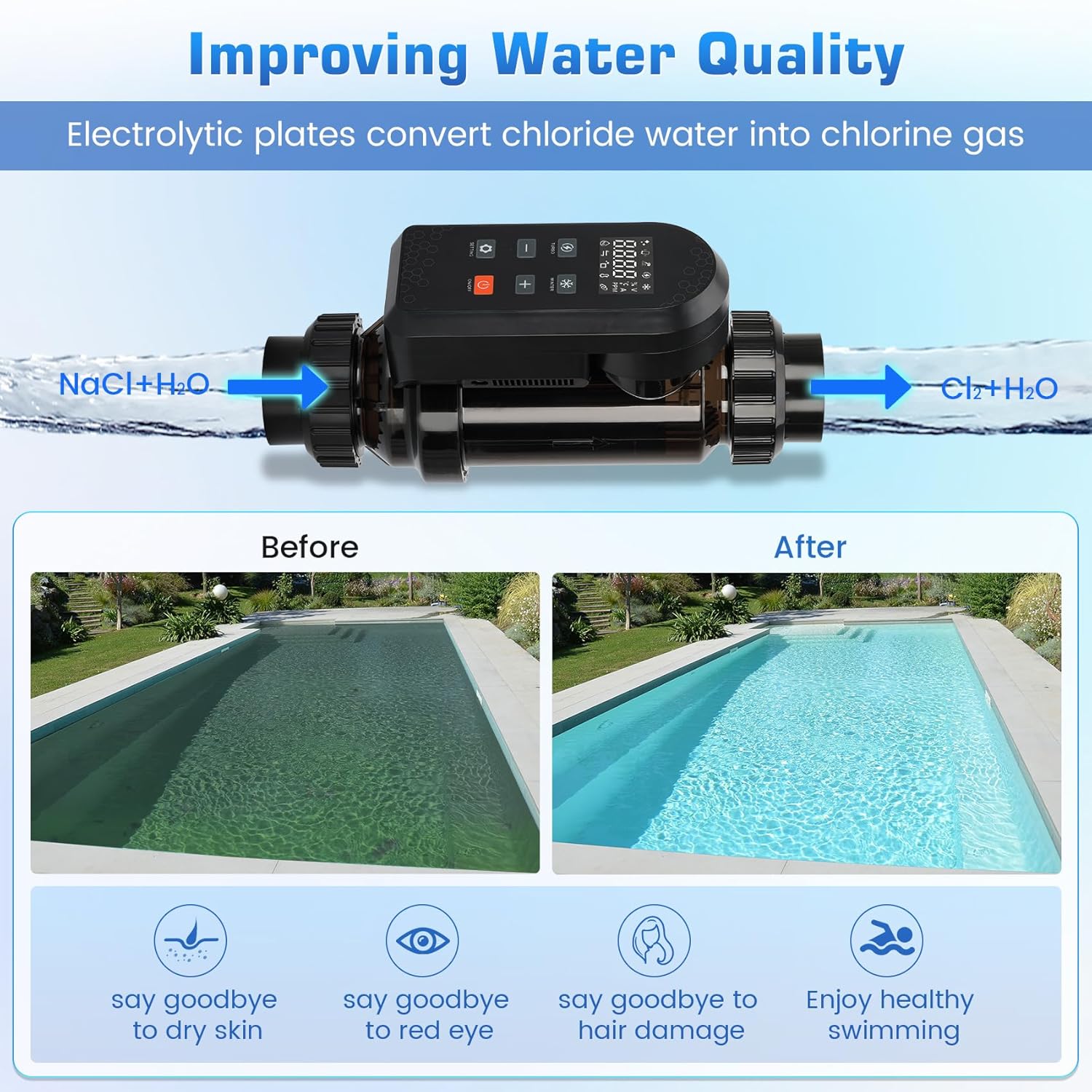
Image showing a pool before and after using the chlorinator, illustrating improved water clarity. The system converts salt and water into chlorine, reducing skin irritation, red eyes, and hair damage.
Installation Guide
Proper installation is crucial for the optimal performance of your saltwater chlorinator.
Pipe Connection Options
The chlorinator supports two common pipe sizes:
- 2-inch adapter for PVC pipes with an outer diameter of 60.3mm.
- 1.5-inch adapter for PVC pipes with an outer diameter of 48.3mm.

Diagram illustrating the two pipe connection options: 2-inch adapter for 60.3mm PVC pipe and 1.5-inch adapter for 48.3mm PVC pipe.
Installation Diagram
Refer to the schematic diagram for correct placement within your pool's filtration system. Ensure the flow sensor is installed at the top as per the updated manual to prevent issues.
Schematic diagram showing the connection of the electrolyzer to the water pump, sand cylinder, and swimming pool, indicating water inlet and outlet pipes.

Diagram showing correct and incorrect installation configurations for the chlorinator with water shut-off valves.
Installation Video
An instructional video demonstrating the installation process of the Fengind Smart Saltwater Pool Chlorinator System.
Operating Instructions
Wi-Fi App Remote Control
The system features built-in Wi-Fi for remote monitoring and control via a mobile application. This allows for adjustment of chlorine levels, run time, and cleaning schedules. The app provides real-time water quality updates, alerts, and maintenance reminders.

Image showing a mobile phone screen displaying the control app interface, with options for chlorine intensity, run time, water flow, water temperature detection, salt dosage control, and salt concentration.

Image depicting the chlorinator unit alongside a smartphone displaying the Wi-Fi remote control app, highlighting its remote monitoring capabilities.
Low Salt Alarm
The system includes a low salt alarm feature that promptly alerts you when salt levels need adjustment to maintain optimal chlorine generation.

Image showing a swimmer in a pool with a smartphone displaying a 'Low Salt' alert, indicating the need to adjust salt levels.
Control Panel Indicators
The chlorinator unit features various indicators to display its status and operational modes.

Diagram explaining the functions of the control panel indicators: Turbo key/indicator, Winter key/indicator, LED indicator, Salinity indicator, Flow indicator, Connect indicator, Generate indicator, and Polarity indicator.
- Turbo Key/Indicator: Activates or deactivates TURBO mode.
- Winter Key/Indicator: Activates or deactivates WINTER mode.
- LED Indicator: Illuminates to prompt cleaning of the electrode plate.
- Salinity Indicator: Displays white for normal salinity and blinks red for low salinity.
- Flow Indicator: Blinks when the flow switch is off, remains on when the flow switch is active, and is off when flow detection is disabled.
- Connect Indicator: Off for no Wi-Fi function, fast blink for pairing mode, blinks twice every five seconds when configured but not connected to the router, and remains on when Wi-Fi is configured and connected.
- Generate Indicator: Off when chlorine production stops, and remains on when chlorine is being produced.
- Polarity Indicator: Off for normal polarity, and remains on when polarity is switched.
Maintenance
Self-Cleaning Titanium Plates
The chlorinator is equipped with a self-cleaning function that automatically reverses electrode polarity every 8 hours of operation. This process reduces scale deposition and extends the lifespan of the electrolytic cell. After 500 hours of operation, a cleaning icon will illuminate to remind you of accumulated usage.
Electrolytic Cell Cleaning
While the system has a self-cleaning function, periodic manual cleaning of the electrolytic cell may be required, especially in areas with hard water. Specialized chlorinator cleaning solutions are available for this purpose.
Troubleshooting Common Issues
Low Salt Alert
If the low salt alarm activates, check your pool's salt level and add salt as needed to reach the recommended range (3000-4500ppm).
Flow Sensor Issues
Ensure the chlorinator is installed with the flow sensor positioned at the top. Incorrect orientation can lead to flow detection problems. The system uses a Hall induction switch designed to be unaffected by high water flow, unlike mechanical switches.

Image comparing the chlorinator's Hall induction flow switch (unaffected by high water flow) with a mechanical switch (prone to breakage by high water flow), and an illustration of a broken mechanical flow switch.
Unit Not Powering On
If the unit fails to power on, verify all power connections and ensure the power supply is functioning correctly. If the issue persists, contact customer support.
Technical Specifications
| Feature | Detail |
|---|---|
| Rated Voltage | AC100-240V |
| Rated Frequency | 50/60Hz |
| Water Pressure | 0.05-0.4Mpa |
| Insulation Resistance | >20MΩ |
| Waterproof Rating | IPX4 |
| Model | LC200-LC200A |
| Specifications | DC30V |
| Chlorine Output | 20g/h |
| Rated Power | 120W |
| Recommended Salinity | 3000-4500ppm |
| Water Temperature | 59°F - 86°F |
| Control Mode | Manual button / remote APP control |
| Recommended Pool Volume | 10,000-30,000 Gallons |

Image displaying a table of working conditions and technical information for the chlorinator, including rated voltage, frequency, water pressure, insulation resistance, waterproof rating, model, specifications, chlorine output, rated power, recommended salinity, water temperature, control mode, and recommended pool volume.
Warranty and Customer Support
Warranty Information
This product comes with a 2-year service period.
Customer Support
For any usage problems or inquiries, please refer to this user manual. If further assistance is needed, navigate to "Your Orders" on the platform, locate this order, and click "Contact Seller" to send a message. A response is typically provided within 24 hours with a satisfactory solution.
Image showing customer service representatives, indicating professional support availability.