
MINISO X15 PRO
Contents
MINISO X15 PRO AI Language Translator Headphones User Manual
Model: X15 PRO
1. Introduction
The MINISO X15 PRO AI Language Translator Headphones are designed to enhance communication and entertainment experiences. These earbuds offer real-time translation across 135 languages, alongside standard functionalities for music playback and phone calls. Featuring an open-ear design with 16mm dynamic drivers and Bluetooth 5.4 connectivity, they provide high-fidelity stereo audio and comfortable wear for extended periods.
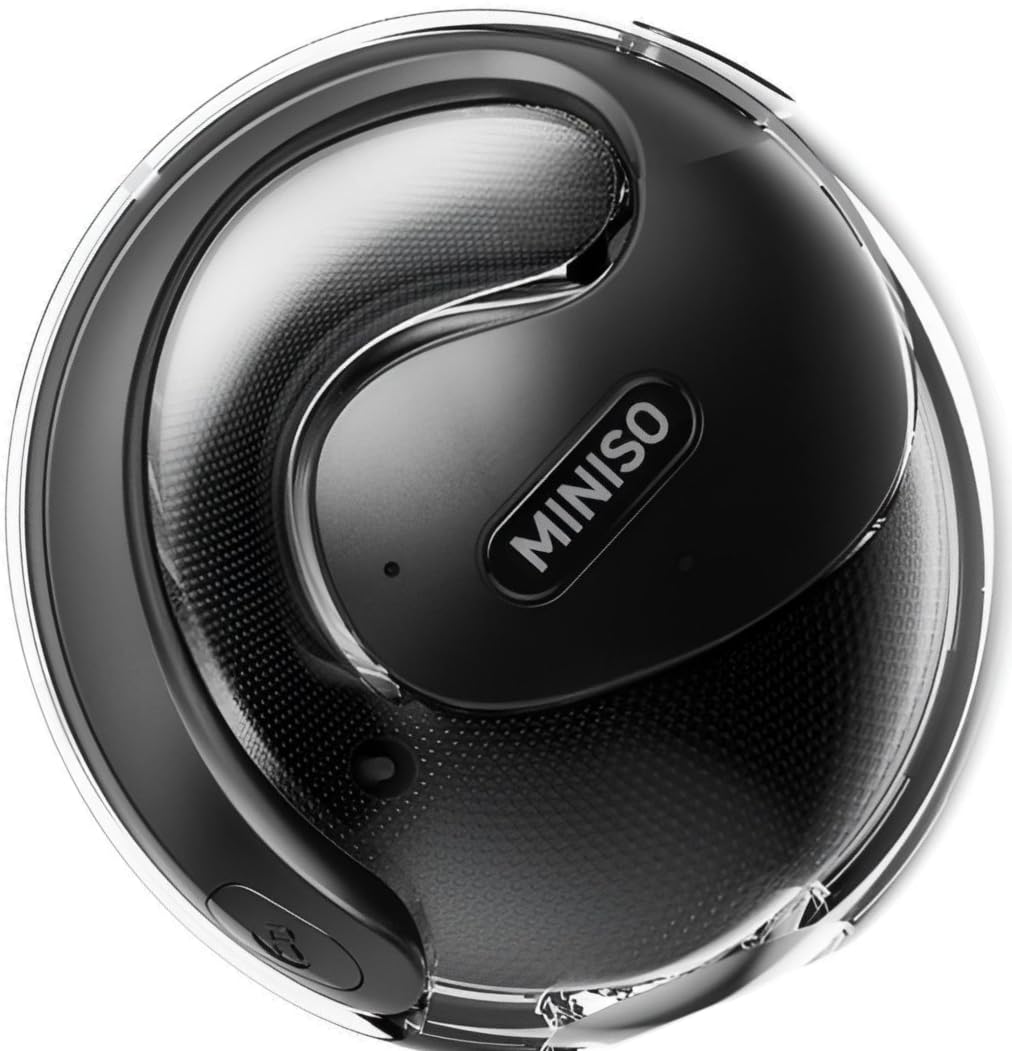
Image 1: MINISO X15 PRO AI Language Translator Headphones and charging case.
2. Package Contents
Upon unboxing your MINISO X15 PRO AI Language Translator Headphones, please ensure all items are present:
- MINISO X15 PRO AI Language Translator Earbuds (1 pair)
- Charging Case
- USB Type-C Charging Cable
- Silicone Lanyard
- User Manual

Image 2: Contents of the MINISO X15 PRO package, showing the earbuds, charging case, USB-C cable, and user manual.
3. Setup and Pairing
To begin using your MINISO X15 PRO earbuds, follow these steps for initial setup and Bluetooth pairing:
- Charge the Earbuds: Ensure your earbuds are fully charged using the provided USB Type-C cable.
- Download the App: The translation function requires a dedicated mobile application. Scan the QR code provided in the manual or on the product packaging to download the "SayMi" app. Alternatively, visit classicearjoy.com/app-download-h5.
- Login to the App: Open the downloaded app and complete the login process.
- Enable Bluetooth: On your mobile phone, navigate to the settings and turn on Bluetooth.
- Pair the Earbuds: Take the earbuds out of their charging case. In your phone's Bluetooth device list, locate and select "MINISO X15PRO" to connect. Once connected, the app will indicate successful pairing.

Image 3: Visual guide for app download and Bluetooth connection process.

Video 1: Demonstration of connecting the MINISO X15 PRO earbuds to Bluetooth.
4. Operating Instructions
The MINISO X15 PRO earbuds offer versatile functionality for translation, music, and calls.
4.1 Translation Modes (135 Languages)
The earbuds support real-time translation across 135 languages with up to 95% accuracy. Utilize the "SayMi" app to select your desired translation mode:
- AI Dialogue Mode: For conversational translation.
- Free Talk Mode: Allows for continuous, natural conversation flow.
- Translation Machine Mode: For direct input and translation.
- Headphones + Phone Mode: Integrates translation with phone functions.
For face-to-face conversations, two users can each wear an earbud, enabling seamless communication in their native languages through the app.

Image 4: Overview of the different translation modes available in the companion app.

Image 5: Illustration of face-to-face translation using the earbuds.

Video 2: Detailed demonstration of the real-time translation capabilities of the earbuds.
4.2 Music and Call Control
The earbuds feature touch controls for managing music playback and phone calls:
- Play/Pause: Single-click either earbud.
- Volume Up/Down: Double-click the right earbud to increase volume, double-click the left earbud to decrease volume.
- Next/Previous Track: Triple-click the right earbud for the next track, triple-click the left earbud for the previous track.
- Answer/End Call: Single-click either earbud.
- Reject Call: Long-press either earbud.
- Activate Voice Assistant: Long-press the left earbud for two seconds.

Image 6: Visual representation of earbud touch controls for various functions.
Video 3: Short demonstration of music control functions on the earbuds.
5. Maintenance
To ensure the longevity and optimal performance of your MINISO X15 PRO earbuds, follow these maintenance guidelines:
- Cleaning: Regularly wipe the earbuds and charging case with a soft, dry cloth. Avoid using harsh chemicals or abrasive materials.
- Charging: Charge the earbuds using the provided USB Type-C cable. Avoid using unapproved chargers, which may damage the device.
- Storage: When not in use, store the earbuds in their charging case to protect them from dust and damage. Keep them in a cool, dry place away from extreme temperatures.
- Water Resistance: The earbuds are water-resistant. However, they are not waterproof. Avoid submerging them in water or exposing them to heavy rain.
6. Troubleshooting
If you encounter issues with your MINISO X15 PRO earbuds, try the following common troubleshooting steps:
- No Power: Ensure the charging case and earbuds are fully charged. Check the charging cable and adapter for damage.
- Pairing Issues: Make sure Bluetooth is enabled on your device and the earbuds are out of the case. Forget "MINISO X15PRO" from your device's Bluetooth list and attempt to re-pair.
- Translation Inaccuracy: Verify that the correct source and target languages are selected in the "SayMi" app. Ensure a stable internet connection for optimal translation performance.
- Sound Quality Issues: Check the volume levels on both your device and the earbuds. Ensure the earbuds are clean and properly seated on your ears.
- App Not Responding: Close and restart the "SayMi" app. If the issue persists, try reinstalling the app.
7. Specifications
| Feature | Detail |
|---|---|
| Model Name | X15 PRO |
| Brand | MINISO |
| Connectivity Technology | Wireless (Bluetooth 5.4) |
| Special Feature | Real-time Language Translation (135 Languages) |
| Audio Driver Type | Dynamic Driver (16mm) |
| Earpiece Shape | Open-Ear |
| Control Type | Touch Control |
| Water Resistance Level | Water Resistant |
| Material | Plastic, Silicone |
| Item Weight | 5 ounces |
8. Warranty and Support
Specific warranty details and direct customer support contact information are not provided in the available product data. Please refer to the product packaging or the official MINISO website for the most up-to-date warranty policy and support options.
Documents and downloads
Ask a question about this manual
Ask about setup, troubleshooting, compatibility, parts, safety, or missing instructions. Manuals+ will review the question and use this page’s manual context to help answer it.