
1. Introduction
Thank you for choosing the MONODEAL Bone Conduction Headphones X14. These open-ear headphones utilize advanced bone conduction technology to deliver audio through your cheekbones, allowing your ears to remain open to ambient sounds. Featuring Bluetooth 5.3 connectivity, a Type-C charging port, and IPX6 water resistance, the X14 is designed for comfort and awareness during various activities such as jogging, cycling, and fitness.
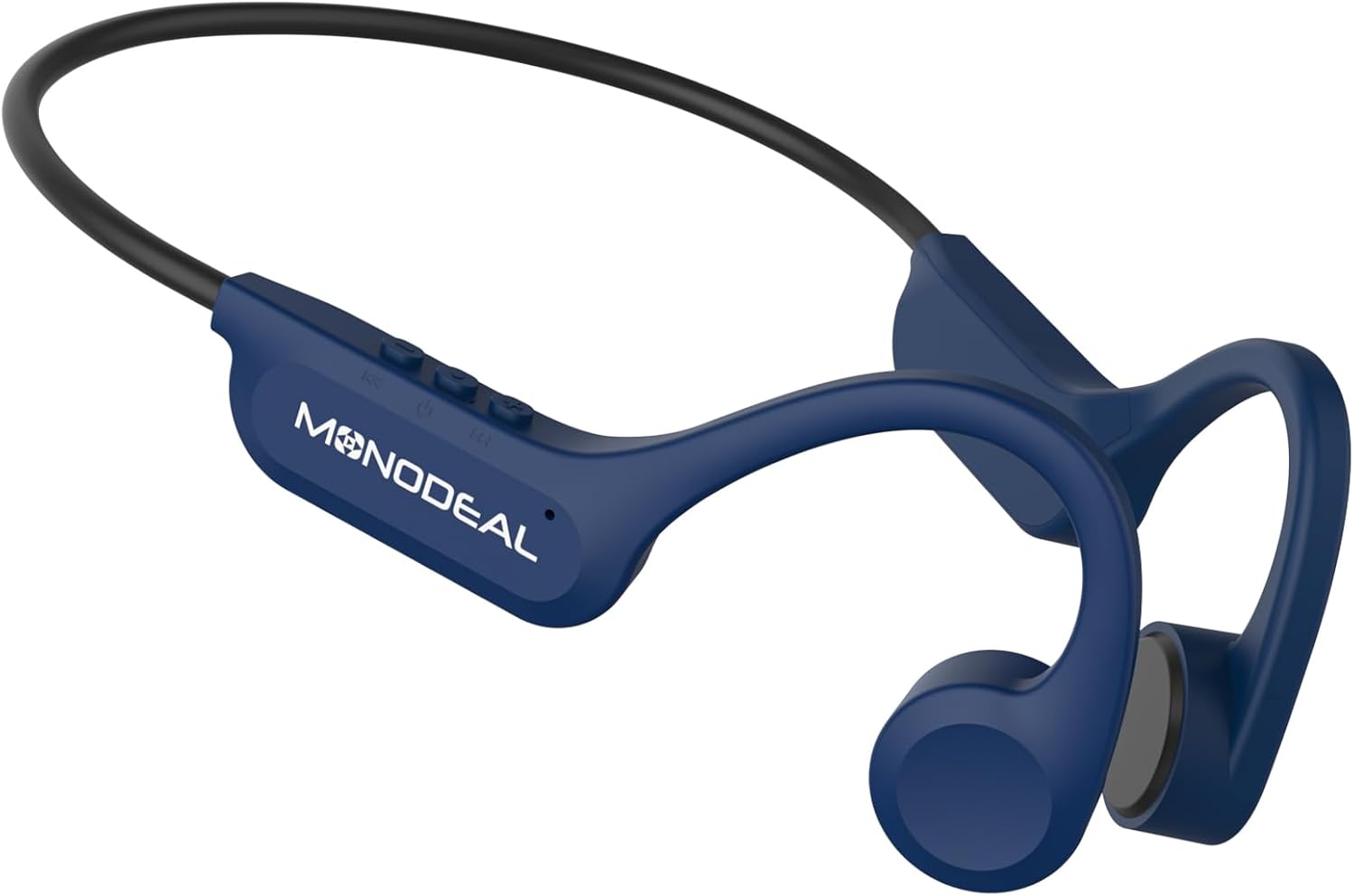
Image 1.1: MONODEAL Bone Conduction Headphones X14. These headphones feature an open-ear design and a flexible neckband.
2. Package Contents
Please verify that all items are present in your package.
- MONODEAL Bone Conduction Headphones X14
- USB-C Charging Cable
- User Manual

Image 2.1: The package includes the MONODEAL X14 headphones, a USB-C charging cable, and the user manual.
3. Setup
3.1 Charging the Headphones
Before initial use, fully charge your headphones.
- Locate the USB-C charging port on the headphones.
- Connect the provided USB-C cable to the charging port and the other end to a compatible USB power source (e.g., computer, wall adapter).
- The charging indicator light will illuminate.
- A full charge typically takes approximately 2 hours.
- Once fully charged, the indicator light will change or turn off, depending on the model.
A full charge provides up to 8 hours of continuous playback.

Image 3.1: Key features including Bluetooth 5.3, Type-C charging, CVC Microphone Noise Reduction, and 8-hour battery life.

Image 3.2: The headphones offer up to 8 hours of music playback on a single charge.
3.2 Bluetooth Pairing
To connect your headphones to a device:
- Ensure the headphones are charged and powered off.
- Press and hold the Power button (usually the multi-function button) until the indicator light flashes rapidly, indicating pairing mode.
- On your device (smartphone, tablet, etc.), enable Bluetooth and search for available devices.
- Select "MONODEAL X14" from the list of found devices.
- Once connected, the indicator light will stop flashing and remain solid or turn off.
- The headphones will automatically attempt to reconnect to the last paired device when powered on.
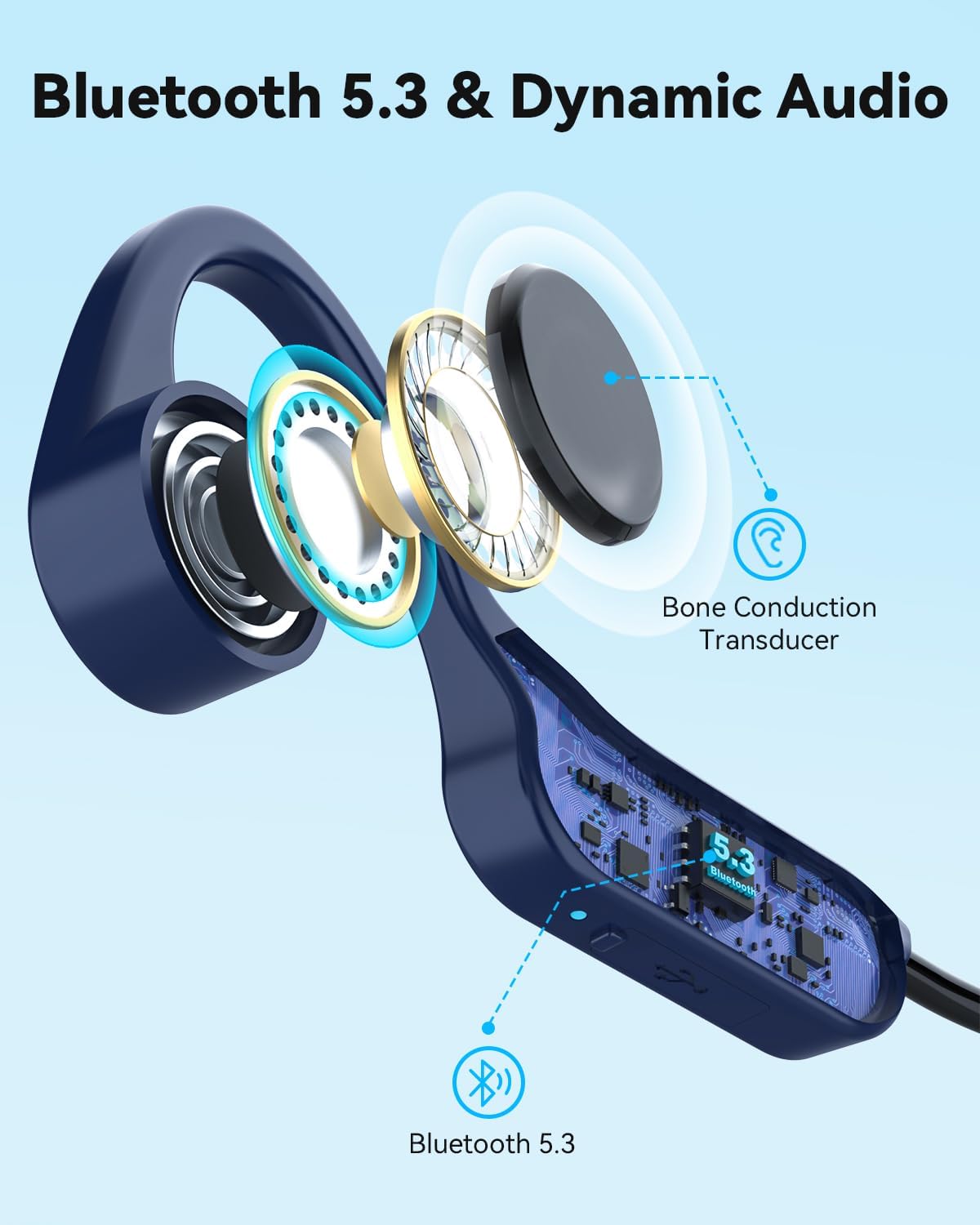
Image 3.3: The headphones feature Bluetooth 5.3 for stable and fast connections, utilizing a bone conduction transducer for audio.
4. Operating Instructions
4.1 Wearing the Headphones
Place the headphones with the transducers resting on your cheekbones, just in front of your ears. The flexible band should wrap around the back of your head. Adjust for a comfortable and secure fit.

Image 4.1: The headphones use bone conduction technology, resting comfortably on the cheekbones.

Image 4.2: The open-ear design provides comfort for all-day wear, especially during exercise.
4.2 Basic Controls
The headphones feature three buttons for easy control:
- Power/Multi-function Button:
- Press and hold to power on/off.
- Press once to play/pause music.
- Press once to answer/end calls.
- Press and hold during an incoming call to reject.
- Volume Up Button (+):
- Press once to increase volume.
- Press and hold for next track (specific models/firmware).
- Volume Down Button (-):
- Press once to decrease volume.
- Press and hold for previous track (specific models/firmware).
Note: Specific button functions may vary slightly based on device and firmware.
4.3 Audio Experience
The X14 headphones provide stereo sound quality through 15mm large speakers. The open-ear design ensures you can enjoy your audio while remaining aware of your surroundings, enhancing safety during outdoor activities. The integrated microphone with CVC noise reduction ensures clear call quality.

Image 4.3: The open-ear design promotes safety and awareness by allowing users to hear ambient sounds while enjoying music.
5. Maintenance
To ensure the longevity and optimal performance of your MONODEAL X14 headphones, follow these maintenance guidelines:
- Cleaning: Wipe the headphones with a soft, damp cloth. Avoid using harsh chemicals or abrasive materials.
- Water Resistance: The headphones are IPX6 water-resistant, meaning they can withstand strong jets of water. They are suitable for use during workouts and in light rain. Do not submerge them in water.
- Storage: Store the headphones in a cool, dry place away from direct sunlight and extreme temperatures.
- Charging Port: Keep the USB-C charging port clean and free of debris. Ensure the rubber stopper (if present) is properly sealed when not charging to maintain water resistance.
6. Troubleshooting
If you encounter issues with your headphones, refer to the following common solutions:
- No Power: Ensure the headphones are fully charged. Connect them to a power source and check the charging indicator.
- Cannot Pair:
- Make sure Bluetooth is enabled on your device.
- Ensure the headphones are in pairing mode (flashing indicator light).
- Move the headphones closer to your device.
- Try unpairing and re-pairing the headphones from your device's Bluetooth settings.
- Restart both the headphones and your device.
- No Sound/Low Volume:
- Check the volume levels on both the headphones and your connected device.
- Ensure the headphones are properly connected to your device.
- Verify that the audio source is playing.
- Poor Call Quality:
- Ensure the microphone is not obstructed.
- Move to an area with less background noise.
- Check your device's call settings.
If the issue persists, please contact customer support.
7. Specifications
| Feature | Detail |
|---|---|
| Model Name | Bone Conduction Headphones X14 |
| Brand | MONODEAL |
| Connectivity Technology | Wireless (Bluetooth V5.3) |
| Bluetooth Version | 5.3 |
| Form Factor | Bone Conduction, Open-Ear |
| Material | Titanium |
| Water Resistance Level | IPX6 (Waterproof) |
| Battery Life | Up to 8 hours (playback) |
| Charging Time | Approximately 2 hours |
| Charging Port | USB-C |
| Weight | 27g |
| Compatible Devices | Mobile phones, tablets, laptops, desktop computers, smart speakers, TVs, car audio systems |

Image 7.1: The headphones are ultra-lightweight at 27g, designed for all-day comfort with soft silicone pads.
8. Warranty and Support
MONODEAL products are designed for reliability and performance. For warranty information and customer support, please refer to the documentation included with your purchase or visit the official MONODEAL website.
If you require assistance, please contact our customer service team with your product model and purchase details.


