Introduction
This instruction manual provides guidance for the installation, operation, and maintenance of the Cloudpower Replacement Main Brush and Filter Kit. This kit is designed to maintain the optimal cleaning performance of your Atvel F16 or Mamibot Flomo I Plus Cordless Wet/Dry Vacuum Cleaner. The kit includes one combination roller brush and one high-performance filter.
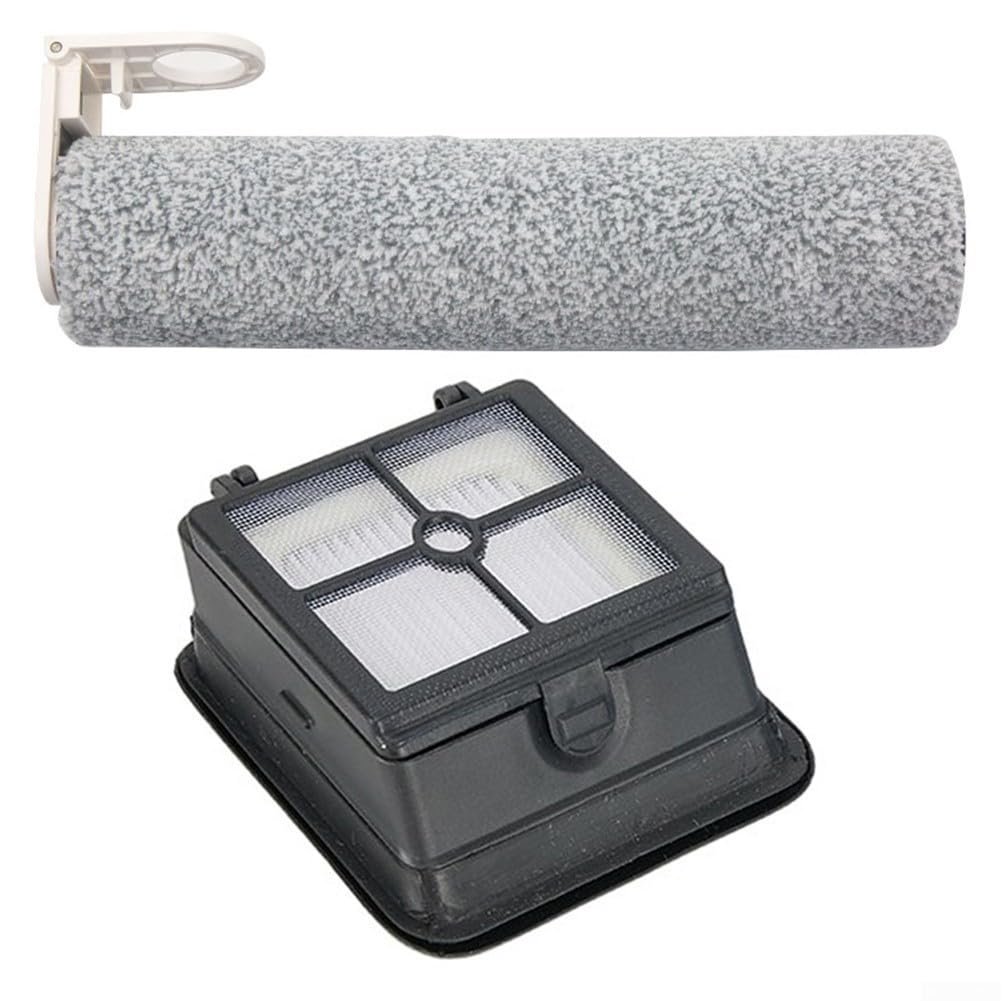
Image: The Cloudpower Replacement Main Brush and Filter Kit, showing both the roller brush and the filter.
Setup: Installation Instructions
Ensure your vacuum cleaner is turned off and unplugged before attempting any installation or replacement of parts.
Replacing the Main Roller Brush
- Access the Brush Compartment: Locate the brush compartment cover on the bottom of your vacuum cleaner. Depending on your model, this may involve releasing latches or pressing a button.
- Remove the Old Brush: Carefully lift out the worn or damaged roller brush. Note its orientation for correct installation of the new brush.
- Install the New Brush: Align the ends of the new Cloudpower combination roller brush with the corresponding slots in the vacuum cleaner's brush head. Gently press down until it clicks securely into place. Ensure the brush rotates freely.
- Close the Compartment: Reattach the brush compartment cover, ensuring it is securely latched.
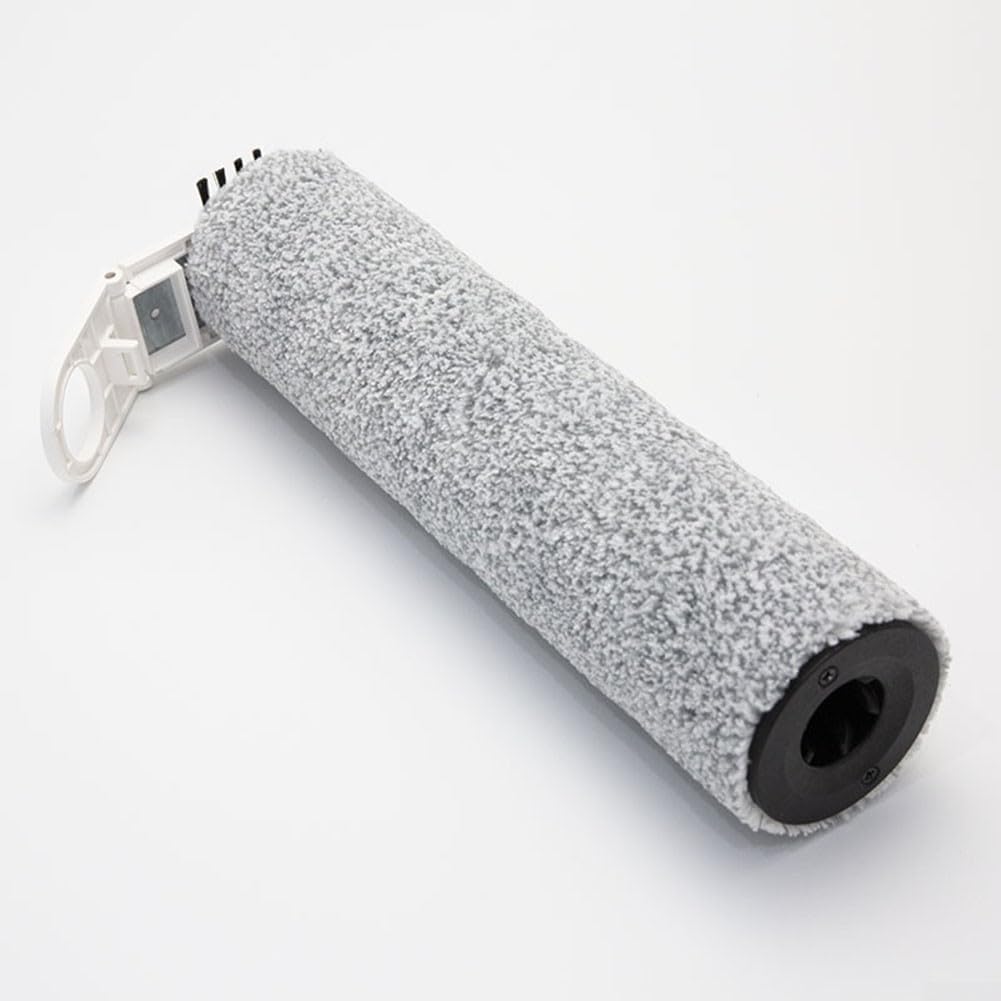
Image: A close-up view of the Cloudpower replacement roller brush, showing its texture and end cap for installation.
Replacing the Filter
- Locate the Filter Compartment: Identify the filter housing, typically found near the dustbin or water tank of your vacuum cleaner.
- Remove the Old Filter: Open the filter compartment and carefully remove the used filter. Dispose of it properly.
- Insert the New Filter: Place the new Cloudpower filter into the compartment, ensuring it fits snugly and is oriented correctly. The filter should sit flush within its housing.
- Close the Compartment: Securely close the filter compartment cover.

Image: Multiple views of the Cloudpower replacement filter, highlighting its structure and design for proper fitment.
Operating with New Parts
Once the new main brush and filter are installed, your vacuum cleaner is ready for use. These replacement parts are designed to restore and optimize your vacuum's cleaning efficiency:
- The combination roller brush effectively agitates and lifts dirt, debris, and pet hair from various floor surfaces.
- The high-performance filter captures fine dust particles and allergens, contributing to cleaner indoor air quality.
Always refer to your vacuum cleaner's original user manual for specific operating instructions.
Maintenance
Regular maintenance of your replacement parts ensures consistent performance and extends their lifespan.
Main Roller Brush Maintenance
- Regular Cleaning: After each use or as needed, remove the roller brush and clear any tangled hair, threads, or large debris. A small brush or scissors can assist in this process.
- Washing (if applicable): If your vacuum model allows for washing the roller brush, rinse it under running water. Ensure it is completely air-dried for at least 24 hours before reinstallation to prevent mildew and damage to the vacuum.
- Replacement Frequency: Replace the main roller brush every 3-6 months, or sooner if visible wear, damage, or a decrease in cleaning performance is observed.
Filter Maintenance
- Regular Cleaning: Tap the filter gently over a trash can to remove accumulated dust and debris after each use or as needed.
- Washing (if applicable): Some filters are washable. If yours is, rinse it under cool running water until the water runs clear. Do not use detergents. Allow the filter to air-dry completely for at least 24 hours before reinstallation. Do not use a dryer or heat gun.
- Replacement Frequency: Replace the filter every 2-3 months, or more frequently if you notice a decrease in suction power or if the filter appears heavily soiled or damaged.
Troubleshooting
If you experience issues after installing the new parts, consider the following:
- Reduced Suction Power: Ensure the filter is clean and properly installed. A clogged filter is a common cause of reduced suction. Check for any blockages in the vacuum's air pathways.
- Poor Cleaning Performance: Verify that the main roller brush is free of tangles and debris. Ensure it is correctly seated and rotating freely. A worn brush may need earlier replacement.
- Unusual Noises: Check that both the brush and filter are installed correctly and securely. Loose parts can cause rattling or grinding noises. Inspect the brush for any foreign objects caught within it.
- Parts Not Fitting: Double-check that you have purchased the correct replacement kit for your specific vacuum model (Atvel F16 or Mamibot Flomo I Plus).
Specifications
| Feature | Detail |
|---|---|
| Product Name | Main Brush and Filter Kit |
| Brand | Cloudpower |
| Compatible Models | Atvel F16, Mamibot Flomo I Plus |
| Product Dimensions | 9.45 x 2.36 x 2.36 inches (approximate for kit) |
| Item Weight | 9.6 ounces |
| Manufacturer | Cloudpower |
Warranty and Support
For any questions regarding the Cloudpower Replacement Main Brush and Filter Kit, including warranty information or technical support, please contact the seller or manufacturer directly through your purchase platform. Ensure you have your purchase details readily available.