
Introduction
Thank you for choosing the Avutrel T16-6 Tire Pressure Monitoring System (TPMS). This system is designed to enhance driving safety by providing real-time monitoring of tire pressure and temperature for vehicles with up to 6 wheels, including trucks, RVs, and coaches. Please read this manual thoroughly before installation and operation to ensure proper use and optimal performance.
Product Overview
The Avutrel T16-6 TPMS features a high-definition LCD display that simultaneously shows pressure and temperature for up to six tires. It includes multiple alarm functions to alert the driver to potential tire issues, contributing to safer journeys and extended tire life.

Image: The Avutrel T16-6 TPMS monitor and its six external sensors. The monitor displays tire pressure and temperature readings.
Package Contents
Please verify that all components are present in the package:
- 1 x TPMS Monitor
- 6 x External Sensors
- 6 x Anti-theft Nuts
- 1 x Spanner
- 1 x USB Charging Cable
- 1 x User Manual (this document)

Image: A visual representation of all components included in the Avutrel T16-6 TPMS package, including the monitor, sensors, anti-theft nuts, spanner, USB cable, and manual.
Setup and Installation
The Avutrel T16-6 TPMS is designed for quick and easy installation without requiring tire disassembly or complex wiring.
Monitor Placement
- Place the monitor on your vehicle's dashboard in a position that does not obstruct your view of the road.
- Ensure the solar panel on the monitor is exposed to sunlight for optimal charging.
Sensor Installation (External Sensors)
- Prepare the Valve Stem: Ensure the tire valve stem is clean and dry.
- Install Anti-theft Nut: Screw an anti-theft nut onto the valve stem first, but do not tighten it yet.
- Install Sensor: Screw the corresponding sensor (labeled 1-6) onto the valve stem until it is hand-tight. Match the sensor number to the correct tire position (e.g., 1 for front left, 2 for front right, etc., as per your vehicle's configuration).
- Secure Anti-theft Nut: Use the provided spanner to tighten the anti-theft nut against the sensor. This prevents unauthorized removal and ensures a secure fit.
- Check for Leaks: After installation, check for any air leaks around the sensor.
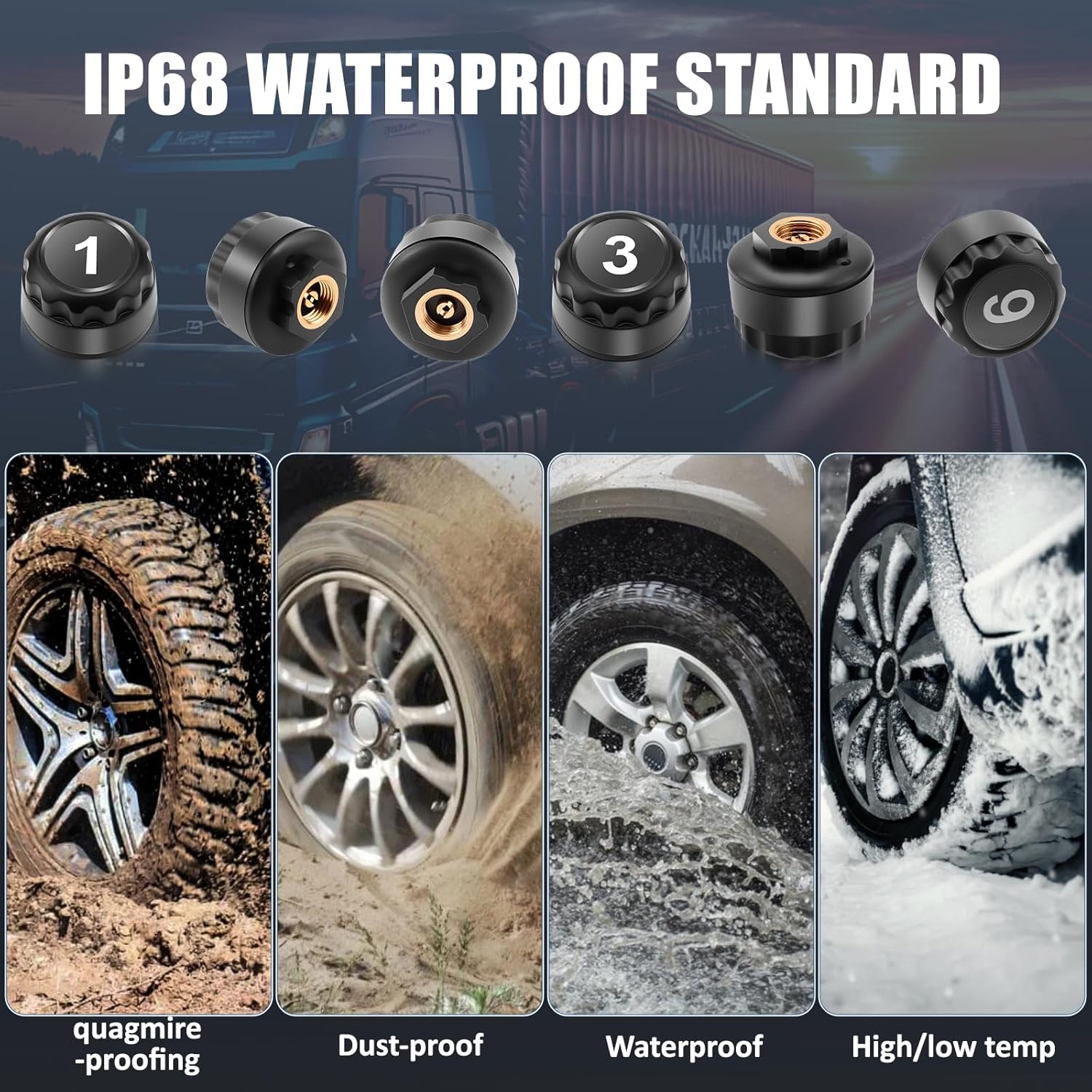
Image: A four-step visual guide demonstrating the installation of the external tire sensors, including screwing on the anti-theft nut, then the sensor, and finally tightening the anti-theft nut with the spanner.
Operating Instructions
Power On/Off
- The monitor automatically powers on when the vehicle starts moving and powers off after 15 minutes of inactivity (smart sleep-wake technology).
- To manually power on/off, press and hold the "On/Off Set" button.

Image: Illustration of the smart sleep-wake technology, showing the monitor waking up when the car starts and entering sleep mode after 15 minutes of parking.
Display Information
The HD color display shows real-time data for all 6 tires. Information includes:
- Tire Pressure (in PSI or Bar)
- Tire Temperature (in °C or °F)
- Sensor Battery Status
- Monitor Battery Status

Image: A detailed view of the TPMS monitor's display, highlighting temperature data, pressure unit, current tire pressure, and temperature unit. It also shows the solar energy charging indicator, menu choice, electricity level, and built-in sensor chip.
Setting Parameters
To access settings and adjust parameters:
- Enter Settings: Press and hold the "Set" button (often combined with On/Off) until the settings menu appears.
- Navigate: Use the "+" button to cycle through different settings (e.g., pressure unit, temperature unit, high/low pressure thresholds).
- Adjust Values: Use the "Set" button (short press) to adjust the value of the selected setting.
- Save & Exit: Press and hold the "Set" button again to save changes and exit the settings menu.
Note: Factory default settings are provided for immediate use. Adjust thresholds according to your vehicle's recommended tire pressure.
Alarm System
The Avutrel T16-6 TPMS provides six types of safety alerts to warn you of potential tire issues:
- High Pressure Alarm: Alerts when tire pressure exceeds the set upper limit.
- Low Pressure Alarm: Alerts when tire pressure drops below the set lower limit.
- High Temperature Alarm: Alerts when tire temperature exceeds the set threshold.
- Sensor Fault Alarm: Indicates a malfunction or loss of signal from a sensor.
- Low Battery Alarm (Sensor): Alerts when a sensor's battery is low.
- Circuit Break Alarm: Indicates an electrical issue within the system.
Upon an alarm, the monitor will emit an audible warning and display the specific tire and alarm type. Take immediate action to check the affected tire.

Image: Visual representation of the six alarm types: low battery, circuit breaks, low pressure, sensor faults, tire overheating, and high pressure, with corresponding icons and example scenarios.
Charging the Monitor
The Avutrel T16-6 TPMS monitor supports dual charging methods:
- Solar Charging: The integrated solar panel charges the monitor's internal battery when exposed to sunlight. This is the primary charging method during daytime operation.
- USB Charging: For charging in low light conditions or when parked, connect the monitor to a USB power source using the provided USB cable. The charging port is typically located on the side of the monitor.

Image: A split image showing the TPMS monitor charging via solar energy on a sunny road and via a USB Type-C cable in a city at night, illustrating the dual charging capabilities.
Maintenance
Monitor Care
- Keep the monitor's screen clean with a soft, dry cloth.
- Ensure the solar panel is free from dust and obstructions for efficient charging.
- Avoid exposing the monitor to extreme temperatures for prolonged periods.
Sensor Care
- The external sensors are IPX7 waterproof, designed to withstand rain and splashes. However, avoid prolonged submersion.
- Periodically check the sensors for tightness and ensure the anti-theft nuts are secure.
- Sensor batteries have a lifespan of over 2 years. If a low battery alarm persists for a specific sensor, it may need replacement. Contact customer support for sensor replacement options.

Image: An image illustrating the IPX7 waterproof standard of the sensors, showing them resistant to quagmire, dust, water, and high/low temperatures.
Troubleshooting
| Problem | Possible Cause | Solution |
|---|---|---|
| Monitor not turning on | Low battery; not receiving power. | Charge the monitor via USB. Ensure solar panel is exposed to light. Check vehicle's power supply if connected to a permanent source. |
| No tire data displayed / Sensor fault alarm | Sensor not installed correctly; sensor battery low; sensor out of range; interference. | Re-install the sensor, ensuring it's tight. Check sensor battery. Ensure vehicle is within range of the monitor. Avoid strong electromagnetic interference. |
| Inaccurate pressure/temperature readings | Sensor not calibrated; external factors. | Ensure sensors are correctly paired to their respective tires. Compare readings with a reliable pressure gauge. Readings may fluctuate slightly with driving conditions. |
| Monitor alarm sounds frequently | Pressure/temperature thresholds set too sensitive; actual tire issue. | Adjust alarm thresholds in settings to match vehicle recommendations. Check tires for actual low pressure, high temperature, or damage. |
Specifications
- Model: T16-6
- Brand: Avutrel
- Monitoring Capacity: Up to 6 tires
- Pressure Accuracy: ±0.1 Bar
- Sensor Type: External, IPX7 Waterproof
- Sensor Battery Life: > 2 years
- Monitor Charging: Solar / USB (Type-C)
- Display: HD Color LCD
- Dimensions (Monitor): Approximately 100.8mm x 49mm x 29.2mm
- Weight (Item): 210 g

Image: Technical drawing showing the dimensions of the TPMS monitor (length, width, height) and the external sensors (diameter, height), along with labels for various display elements and sensor components.
Warranty and Support
Avutrel products are designed for reliability and performance. For warranty information, technical support, or replacement parts, please refer to the contact information provided with your purchase or visit the official Avutrel website. Keep your purchase receipt as proof of purchase.