
1. Product Overview
The ZIZEV 7000RPM Tachometer is a versatile 2-inch (52mm) gauge designed to provide accurate engine RPM readings and an hourmeter function. It features a 7-color backlight for enhanced visibility and is compatible with a wide range of vehicles, including trucks, tractors, cars, RVs, and boats, supporting both diesel (derv) and gasoline engines.
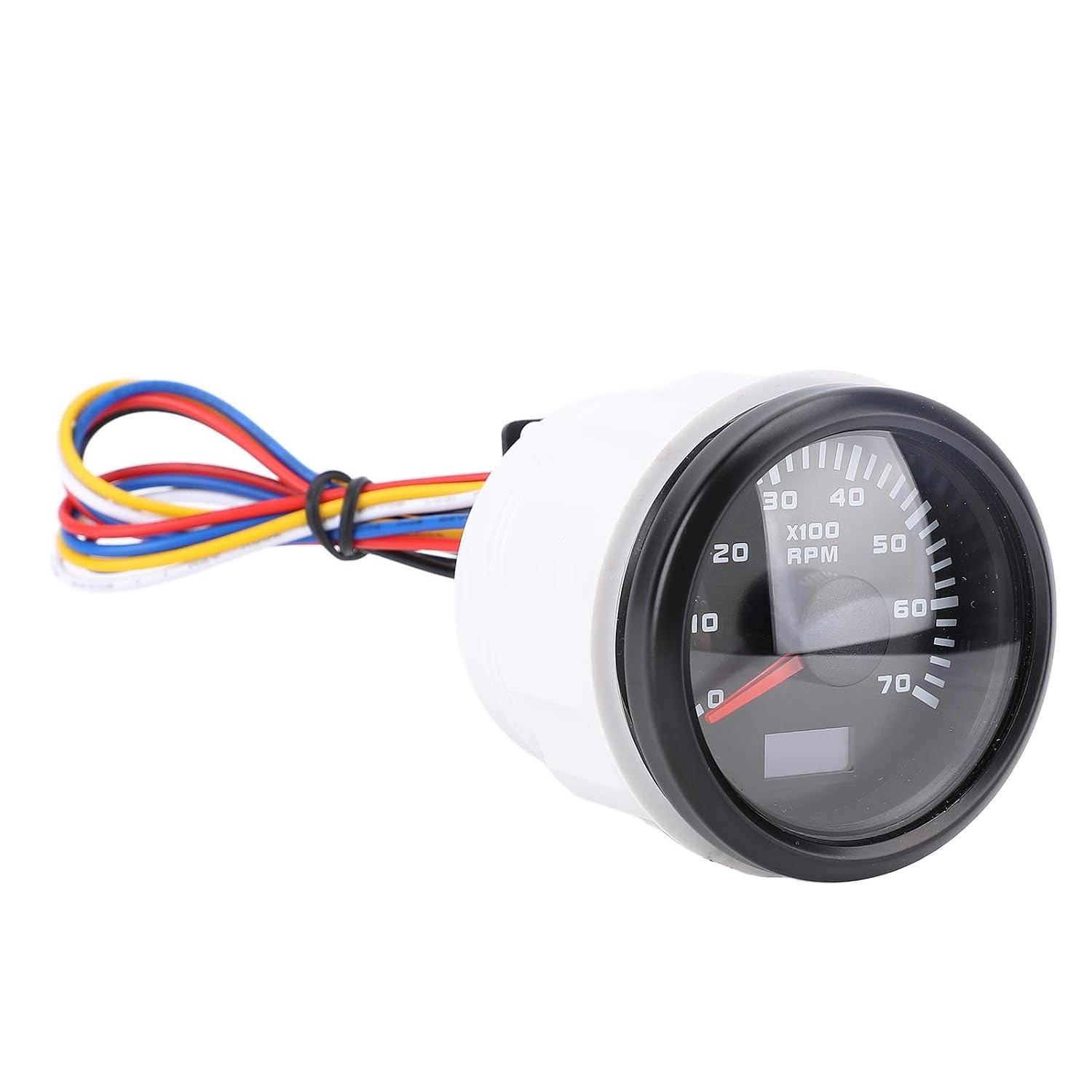
Image 1.1: Front view of the ZIZEV 7000RPM Tachometer, showing the black dial, red needle, and multi-colored wiring harness.
This instrument is engineered for durability and precision, offering an adjustable speed ratio to ensure compatibility with various engine types and accurate performance monitoring.
2. Setup and Installation
2.1 Package Contents
- 1 x ZIZEV 7000RPM Tachometer
- 1 x User Manual (this document)
2.2 Installation Steps
- Panel Preparation: Select a suitable location on your dashboard or panel. Cut a 52mm (2-inch) diameter hole. Ensure there is at least 55mm clearance behind the panel for the tachometer body and wiring.
- Mounting: Insert the tachometer into the prepared hole. Secure it using the provided mounting bracket and nuts from the rear of the panel.
- Wiring Connections: Connect the wiring harness according to the diagram below. Ensure all connections are secure and insulated to prevent short circuits.

Image 2.1: Rear view of the tachometer with labeled wiring connections.
2.3 Wiring Diagram
- Black Wire: Negative (-)
- Red Wire: Positive (+)
- Blue Wire: RPM Signal Input
- Yellow Wire: Backlight Power
- White Wire: Adjust RGB / Speed Ratio
After connecting, verify all connections are correct before applying power to avoid damage to the unit or vehicle electrical system.

Image 2.2: The tachometer installed in a vehicle dashboard, illustrating its integration.
3. Operating Instructions
3.1 Power On
Once properly installed and wired, the tachometer will power on with your vehicle's ignition. The needle will sweep to its maximum reading and return to zero, indicating a successful power-on sequence.
3.2 Reading RPM and Hourmeter
The large dial displays engine RPM (Revolutions Per Minute) in hundreds (x100 RPM). The small digital display at the bottom of the dial shows the accumulated engine operating hours (hourmeter function).

Image 3.1: Close-up of the tachometer dial, showing RPM markings and the digital hourmeter display.
3.3 Backlight Color Adjustment
The tachometer features a 7-color backlight. The default color is Red. To change the backlight color, briefly press the button located on the back of the unit (connected to the White wire). Each press cycles through the following sequence:
- Red (Default)
- Green
- Blue
- White
- Yellow
- Cyan
- Purple
- Auto (cycles through all colors every minute)
3.4 Speed Ratio Adjustment
The speed ratio (pulse per revolution) can be adjusted from 1.0 to 360 to match various engine types and ignition systems. This adjustment is crucial for accurate RPM readings. To adjust the speed ratio, press and hold the button on the back of the unit (connected to the White wire) for approximately 3-5 seconds until the digital display shows a number. Release the button, then short press to cycle through the ratio settings. Once the desired ratio is displayed, wait a few seconds without pressing any button, and the setting will be saved automatically.
4. Maintenance
The ZIZEV 7000RPM Tachometer is designed for minimal maintenance. Follow these guidelines to ensure its longevity:
- Cleaning: Use a soft, damp cloth to clean the display and housing. Avoid abrasive cleaners or solvents that could damage the surface.
- Environmental Protection: While designed for automotive and marine environments, avoid prolonged exposure to extreme temperatures, direct sunlight, or excessive moisture when possible.
- Wiring Inspection: Periodically check all wiring connections for tightness and signs of corrosion or damage. Ensure insulation remains intact.
5. Troubleshooting
If you encounter issues with your tachometer, consider the following troubleshooting steps:
- No Power/Display:
- Check the positive (+) and negative (-) power connections. Ensure they are securely connected to a stable 9-32V DC power source.
- Verify that the vehicle's ignition is on.
- Inspect fuses in the vehicle's electrical system that supply power to the tachometer.
- Incorrect RPM Reading:
- Ensure the RPM signal wire (Blue) is correctly connected to the engine's RPM output (e.g., ignition coil, alternator W-terminal, ECU signal).
- Verify that the speed ratio setting (adjusted via White wire) matches your engine's specifications. Refer to your engine's manual for the correct pulse per revolution.
- Check for any interference or poor shielding on the RPM signal wire.
- Backlight Not Changing:
- Ensure the backlight power wire (Yellow) is receiving power.
- Confirm that the button for color adjustment (connected to White wire) is functioning correctly and being pressed briefly.
If these steps do not resolve the issue, contact ZIZEV customer support or a qualified automotive/marine technician.
6. Specifications
| Feature | Specification |
|---|---|
| Model Number | CX6229b (ZIZEVgue16i809w-12) |
| Operating Voltage | DC 9-32V |
| Gauge Size | 52mm (2 inches) |
| RPM Range | 0-7000 RPM |
| Backlight Colors | 7 Colors (Red, Green, Blue, White, Yellow, Cyan, Purple) + Auto-cycle |
| Speed Ratio Adjustment | 1.0 - 360 |
| Compatibility | Truck, Tractor, Car, RV, Boat (Derv and Gasoline Engines) |
| Functions | Tachometer, Hourmeter |
| Package Dimensions | 3.54 x 2.76 x 2.76 inches |
| Item Weight | 3.92 ounces |
7. Warranty and Support
7.1 Warranty Information
Specific warranty details for the ZIZEV 7000RPM Tachometer are typically provided at the point of purchase or can be obtained directly from the manufacturer. Please retain your proof of purchase for warranty claims.
7.2 Customer Support
For technical assistance, troubleshooting beyond this manual, or warranty inquiries, please contact ZIZEV customer support through their official website or the retailer from whom the product was purchased.