
1. Introduction
This manual provides detailed instructions for the safe and efficient operation, installation, and maintenance of your CADPXS Remois XP70 Crawl Space Dehumidifier. Please read this manual thoroughly before using the appliance and retain it for future reference.
The CADPXS Remois XP70 is an 80-pint commercial-grade dehumidifier designed for effective moisture control in various environments, including crawl spaces, basements, and homes up to 1000 sq ft. It features a built-in pump for automatic drainage, auto-defrost, and memory start functions.
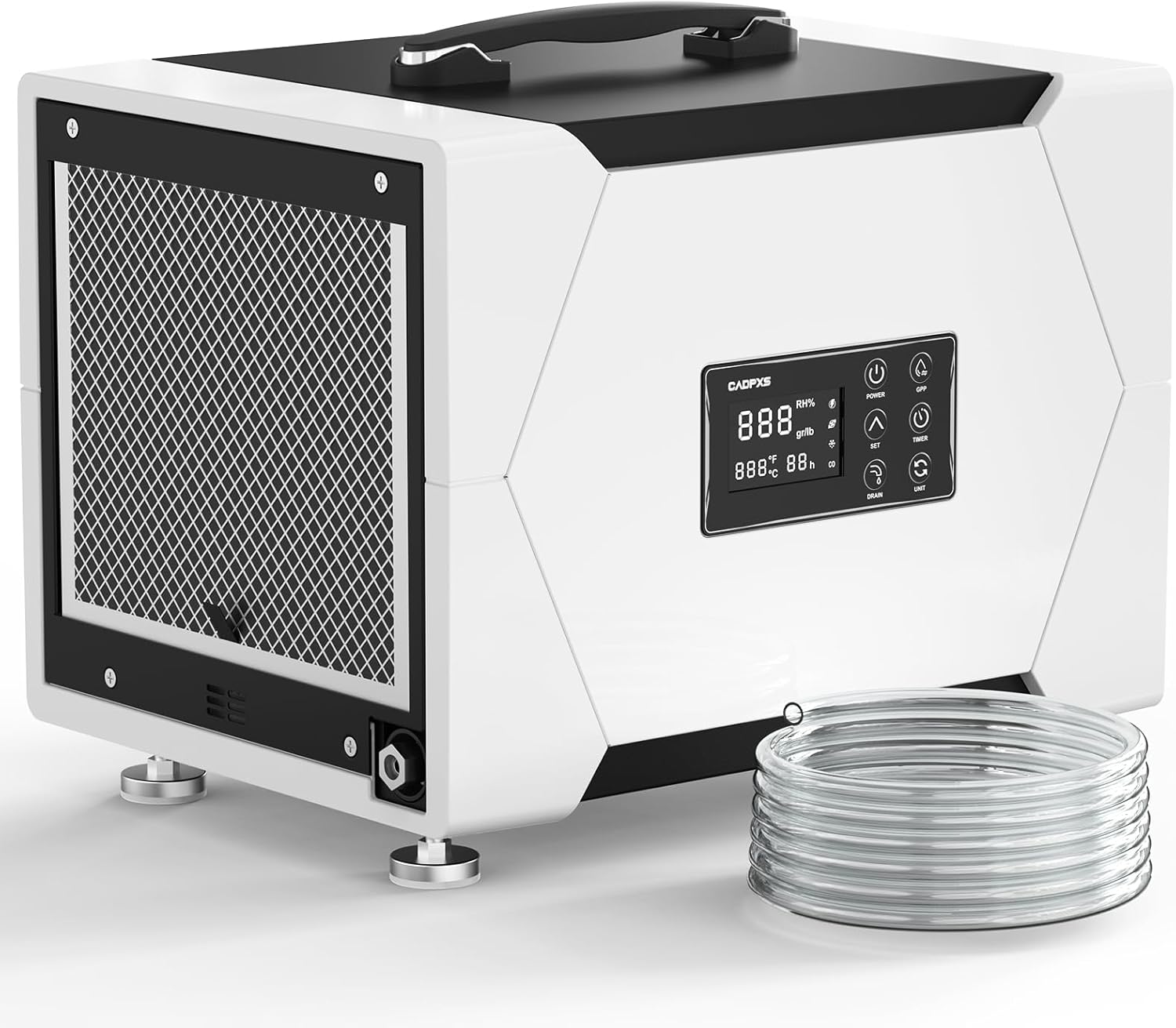
Image: The CADPXS Remois XP70 dehumidifier, showing its compact design and included drain hose.
2. Safety Information
Always follow basic safety precautions when using this electrical appliance to reduce the risk of fire, electric shock, or injury.
- Read all instructions before use.
- Do not operate the unit with a damaged cord or plug.
- Ensure the power supply matches the voltage specified on the rating label.
- Do not block air inlets or outlets.
- Keep children and pets away from the unit.
- Unplug the unit before cleaning or servicing.
- This appliance is cETL certified for safety.
3. Product Components and Features
3.1 Key Components
- Dehumidifier Unit
- Drain Hose (19.6 ft for pump drainage)
- Air Filter (MERV-1, 2 included)
- User Manual
3.2 Features Overview
- 80 Pint Capacity: Removes up to 80 pints of water per day at saturation (38 PDD per AHAM standards).
- Built-in Pump: Automatic drainage with 19.6 ft vertical lift and 19.6 ft drain hose.
- Compact & Portable: Dimensions 15.6"D x 12"W x 12.6"H, weighing 37 lbs, with built-in handle.
- Auto Defrost: Ensures efficient operation in low temperatures.
- Memory Restart: Unit resumes previous settings after a power outage.
- 24-Hour Timer: Programmable on/off function.
- GPP Mode: Provides accurate humidity reading.
- Low Noise Performance
- Washable Filter: MERV-1 filter for air quality.
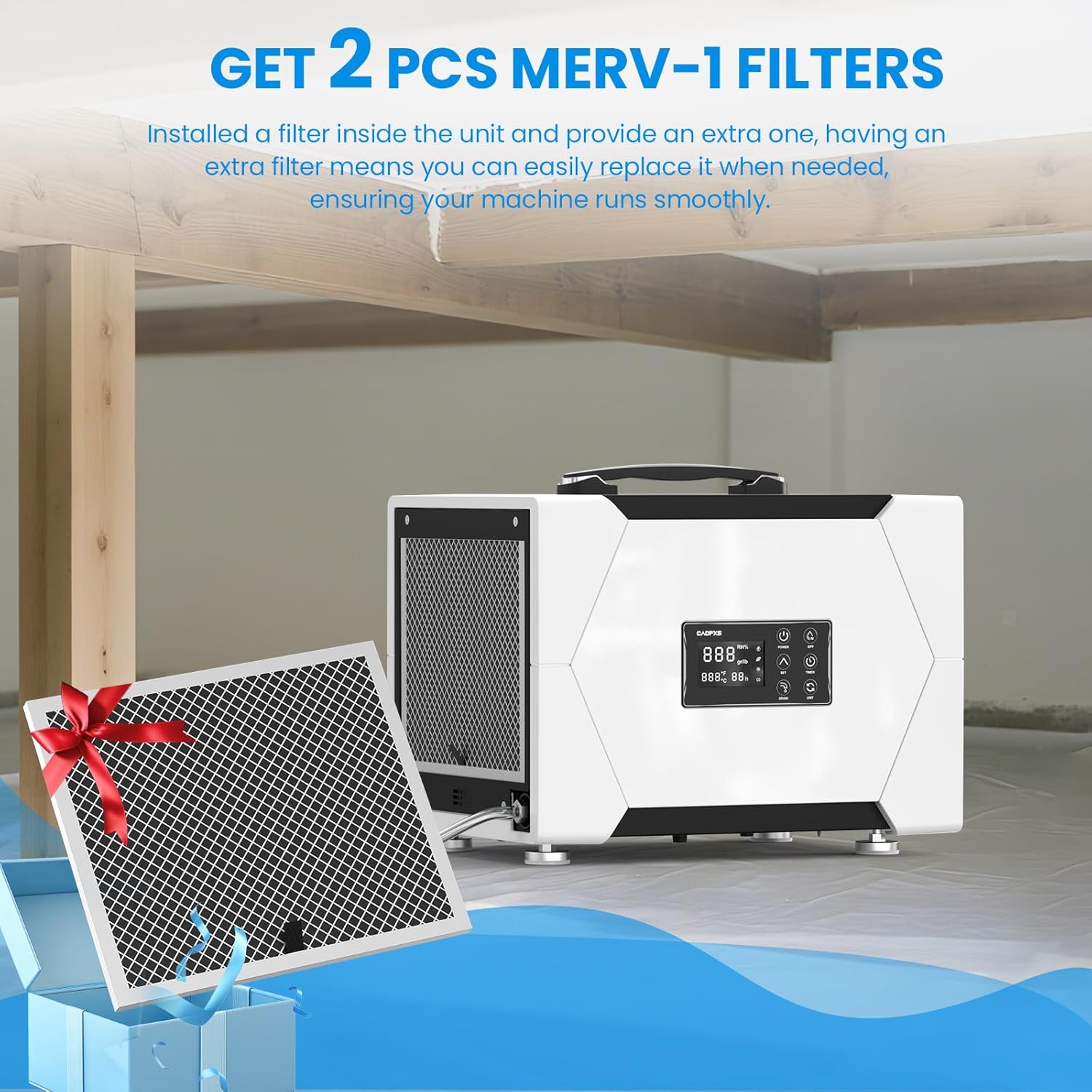
Image: The dehumidifier unit shown with two MERV-1 filters, highlighting that an extra filter is included.
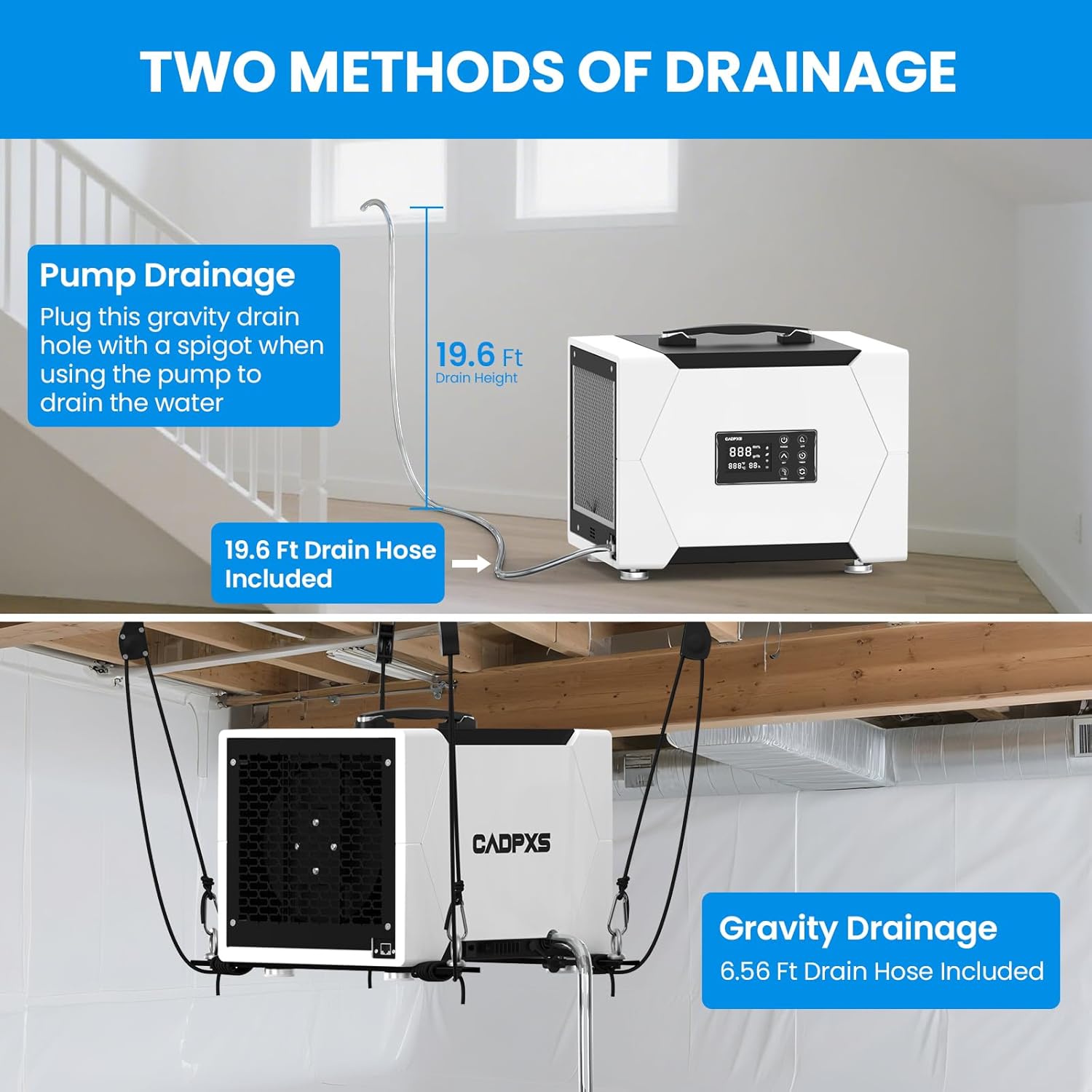
Image: A close-up of the dehumidifier's control panel, illustrating its various functions like GPP mode, auto defrost, memory restart, timer, and internal condensate pump.
4. Setup and Installation
4.1 Unpacking
Carefully remove the dehumidifier and all accessories from the packaging. Inspect for any shipping damage. Retain packaging for future transport or storage.
4.2 Placement
Place the dehumidifier on a level, stable surface. Ensure there is at least 12 inches of space around the air inlets and outlets for proper airflow. The unit can be floor-mounted or ceiling-mounted (optional hanging kits sold separately).
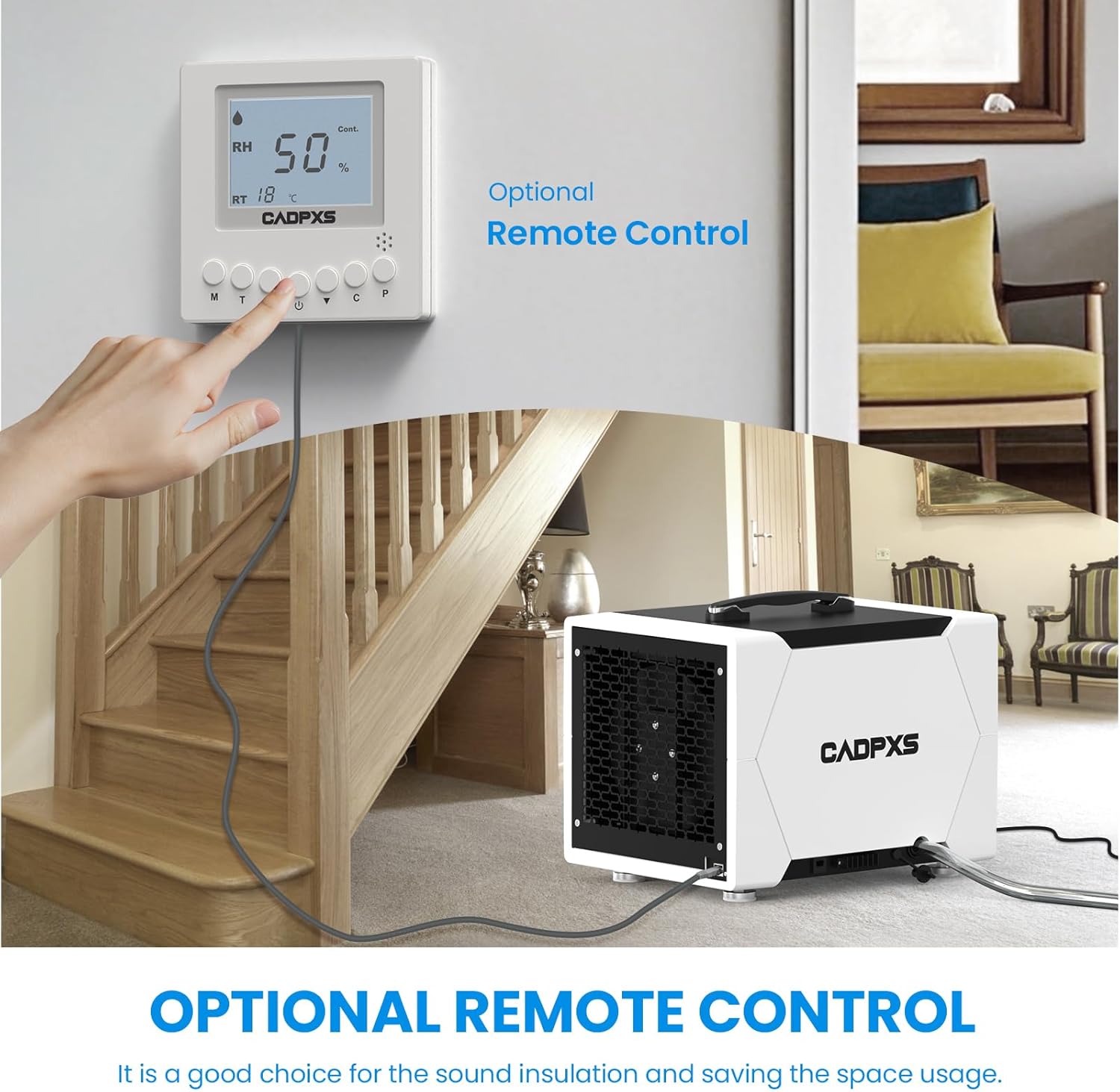
Image: The dehumidifier shown in different application environments, including a crawl space, basement, laundry room, general home use, and a commercial setting, demonstrating its versatility.
4.3 Drainage Connection
The Remois XP70 offers two drainage methods:
4.3.1 Pump Drainage (Recommended for continuous operation)
Connect the provided 19.6 ft drain hose to the pump drainage outlet. Ensure the hose is securely attached and routed to a suitable drain location. The built-in pump can lift water up to 19.6 ft vertically.

Image: A diagram illustrating the dehumidifier's 80-pint capacity and pump drainage system, showing how it removes moisture from the air and drains it away.
4.3.2 Gravity Drainage (Optional)
For gravity drainage, connect a drain hose (not included for gravity drainage) to the gravity drain hole. Ensure the unit is elevated and the hose slopes downwards to allow water to drain by gravity.

Image: A split image demonstrating both pump drainage (top, with 19.6 ft drain height) and gravity drainage (bottom, with ceiling-mounted installation) options for the dehumidifier.
4.4 Power Connection
Plug the power cord into a grounded electrical outlet. Ensure the outlet meets the power requirements of the unit.
5. Operating Instructions
5.1 Control Panel Overview
The digital display shows current humidity levels and settings. Buttons include Power, GPP, Up/Down arrows for setting humidity, Set, Timer, Drain, and Unit (for changing display units).
5.2 Turning On/Off
Press the POWER button to turn the unit on or off.
5.3 Setting Desired Humidity
Press the SET button, then use the UP or DOWN arrows to adjust the desired humidity level (e.g., 50% RH). The unit will operate until the set humidity is reached.
5.4 Timer Function
Press the TIMER button to set a 0-24 hour timer for automatic on/off operation.
5.5 GPP Mode
The GPP (Grains Per Pound) mode provides accurate humidity readings. Refer to the display for current GPP values.
5.6 Auto Defrost
The unit automatically detects and defrosts ice buildup on the coils, ensuring continuous operation even in low-temperature environments.
5.7 Memory Restart
In case of a power interruption, the unit will automatically restart with the last saved settings once power is restored.
5.8 Optional Remote Control
An optional remote control system (sold separately) allows for convenient monitoring and adjustment of settings without direct access to the unit.

Image: The dehumidifier shown alongside an optional remote control unit, demonstrating how it can be used to monitor and adjust settings from a distance.
6. Maintenance
6.1 Filter Cleaning/Replacement
The MERV-1 filter should be cleaned regularly (e.g., every 2-4 weeks, depending on usage) to maintain efficiency. Washable and reusable, it is recommended to replace the filter after 2 washes or every 3 months.
- Unplug the dehumidifier.
- Remove the filter from its slot.
- Clean the filter with warm, soapy water or vacuum it.
- Allow the filter to dry completely before reinserting.
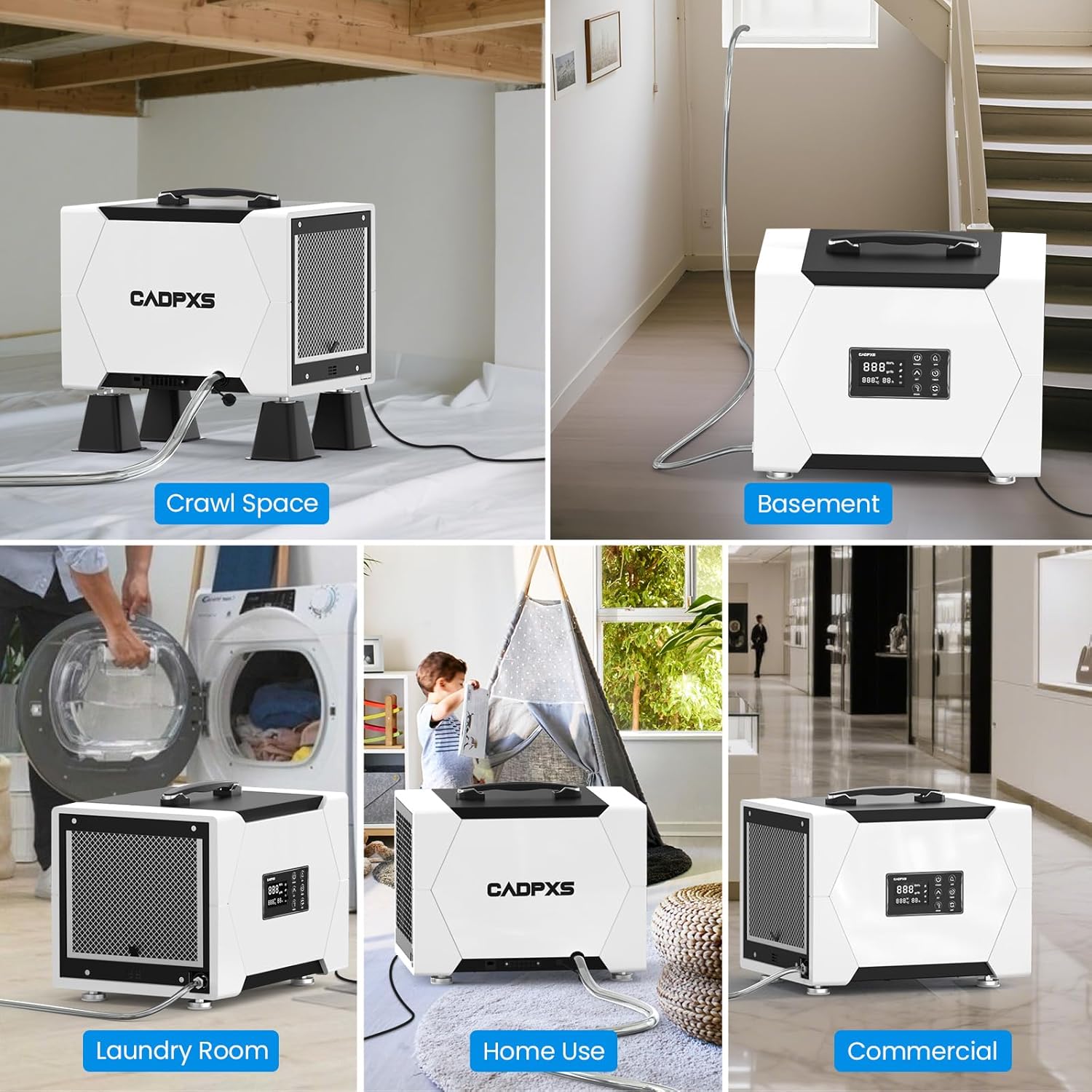
Image: The dehumidifier with its washable and reusable MERV-1 filter, indicating that it should be replaced every 3 months or after 2 washes.
6.2 Unit Cleaning
Wipe the exterior of the unit with a soft, damp cloth. Do not use harsh chemicals or abrasive cleaners.
7. Troubleshooting
| Problem | Possible Cause | Solution |
|---|---|---|
| Unit does not turn on | No power, power cord loose | Check power connection, ensure outlet is functional. |
| No water collection | Humidity too low, filter clogged, unit in defrost mode | Check ambient humidity, clean filter, wait for defrost cycle to complete. |
| Unit is noisy | Unit not level, filter clogged | Ensure unit is on a flat surface, clean filter. |
| Water leakage | Drain hose kinked or disconnected | Check drain hose for proper connection and kinks. |
8. Specifications
| Attribute | Value |
|---|---|
| Model Name | Remois XP70 |
| Brand | CADPXS |
| Dehumidification Capacity | 80 Pints per Day (at saturation), 38 PDD (AHAM) |
| Coverage Area | Up to 1000 Sq Ft |
| Product Dimensions (D x W x H) | 15.6" x 12" x 12.6" |
| Item Weight | 37 Pounds |
| Wattage | 310 watts |
| Air Flow Capacity | 131 Cubic Feet Per Minute (CFM) |
| Special Features | Automatic Defrost, Built-In Pump, Timer, Washable Filter, Memory Start |
| Drain Hose Length (Pump) | 19.6 ft |
| Vertical Drainage Height (Pump) | Up to 19.6 ft |
| Certifications | cETL Certified |
| UPC | 792671674153 |
| ASIN | B0F4RDNWS2 |
9. Warranty and Support
The CADPXS Remois XP70 Dehumidifier comes with a 5-year limited warranty. For detailed warranty information, please refer to the warranty card included with your product or contact CADPXS customer support.
For technical assistance, troubleshooting, or warranty claims, please contact CADPXS U.S. customer support. Contact information can be found on the official CADPXS website or on the product packaging.

Image: A banner indicating the 5-year limited warranty provided with the CADPXS dehumidifier.


