
CADPXS Remois X70
CADPXS Crawl Space Dehumidifier (Remois X70) User Manual
Model: Remois X70 | Capacity: 80 Pint
1. Introduction
This manual provides essential information for the safe and efficient operation, installation, and maintenance of your CADPXS Remois X70 80 Pint Commercial Dehumidifier. Please read this manual thoroughly before using the appliance and retain it for future reference. This dehumidifier is designed to control humidity in various environments, including crawl spaces, basements, and other areas up to 1000 square feet.
2. Important Safety Instructions
To reduce the risk of fire, electric shock, or injury, always follow these basic precautions:
- Read all instructions before using the appliance.
- Ensure the power supply matches the voltage specified on the unit's rating label.
- Do not operate the dehumidifier with a damaged cord or plug.
- Do not block air inlets or outlets. Maintain adequate clearance around the unit for proper airflow.
- Do not insert objects into the air vents.
- Always unplug the unit before cleaning or performing any maintenance.
- This appliance is not intended for use by persons (including children) with reduced physical, sensory or mental capabilities, or lack of experience and knowledge, unless they have been given supervision or instruction concerning use of the appliance by a person responsible for their safety.
- Do not use the unit near flammable gases or combustible materials.
- The unit must be installed in accordance with national wiring regulations.
3. Package Contents
Verify that all items are present in the package:
- CADPXS Remois X70 Dehumidifier Unit
- Drain Hose (6.56 ft)
- Air Filter (Installed)
- Extra Air Filter
- User Manual (This document)
4. Product Features
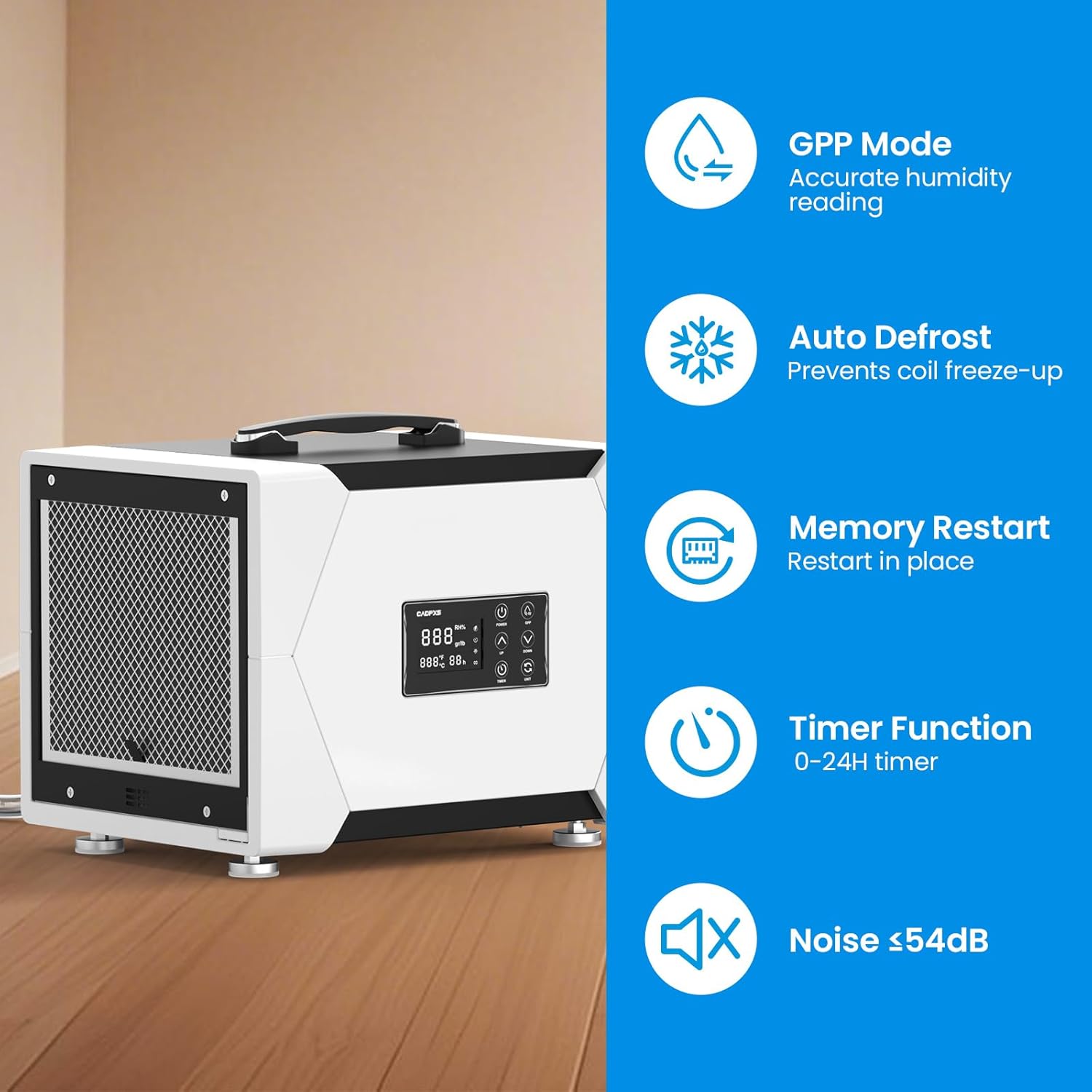
Image: Dehumidifier unit highlighting key features.
- 80 Pint Capacity: Removes up to 80 pints of moisture per day at saturation (38 PDD per AHAM standards).
- Coverage Area: Effective for spaces up to 1000 sq. ft.
- Gravity Drainage System: Includes a 6.56 ft drain hose for continuous, hands-free water removal.
- Compact & Portable Design: Measures 15.6"D x 12"W x 12.6"H and weighs 36.13 lbs, featuring a built-in handle for easy transport.
- Automatic Defrost: Prevents coil freeze-up, ensuring efficient operation in low-temperature environments.
- Memory Restart: Automatically resumes operation with previous settings after a power outage.
- 24-Hour Timer: Allows for scheduled operation.
- GPP Mode: Provides accurate humidity readings.
- Low Noise Operation: Operates at a noise level of ≤54dB.
- Washable Filter: Easy to clean and maintain for consistent performance.
- cETL Certified: Meets strict safety standards.

Image: Graph illustrating the dehumidification capacity of the unit under different conditions.

Image: Compact design of the dehumidifier and examples of floor and overhead installation.
5. Installation and Setup
5.1 Placement
Place the dehumidifier on a level, stable surface. Ensure there is at least 12 inches of clearance around all sides of the unit for proper air circulation. Avoid placing the unit directly against walls or furniture.
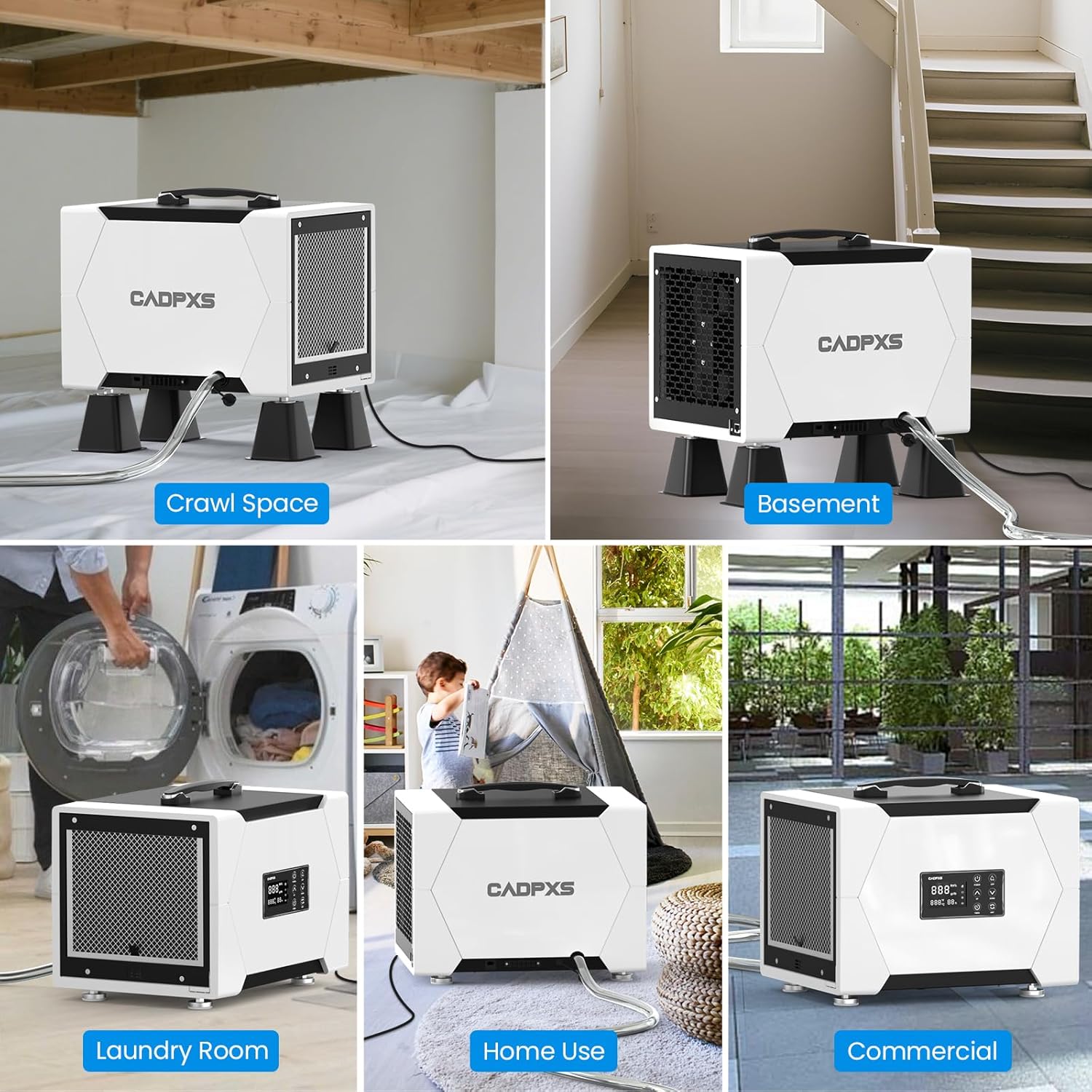
Image: Examples of dehumidifier placement in different environments.
5.2 Power Connection
Connect the power cord to a grounded electrical outlet. Ensure the outlet meets the power requirements of the unit (refer to the specifications section).
5.3 Drainage Setup (Gravity Drainage)
The Remois X70 uses a gravity drainage system. To set up continuous drainage:
- Locate the drain outlet on the unit.
- Connect one end of the provided 6.56 ft drain hose to the drain outlet. Ensure a secure connection to prevent leaks.
- Direct the other end of the hose to a suitable drain location, such as a floor drain, sink, or outside. Ensure the hose is sloped downwards to allow water to flow by gravity.
- Avoid kinks or blockages in the drain hose.
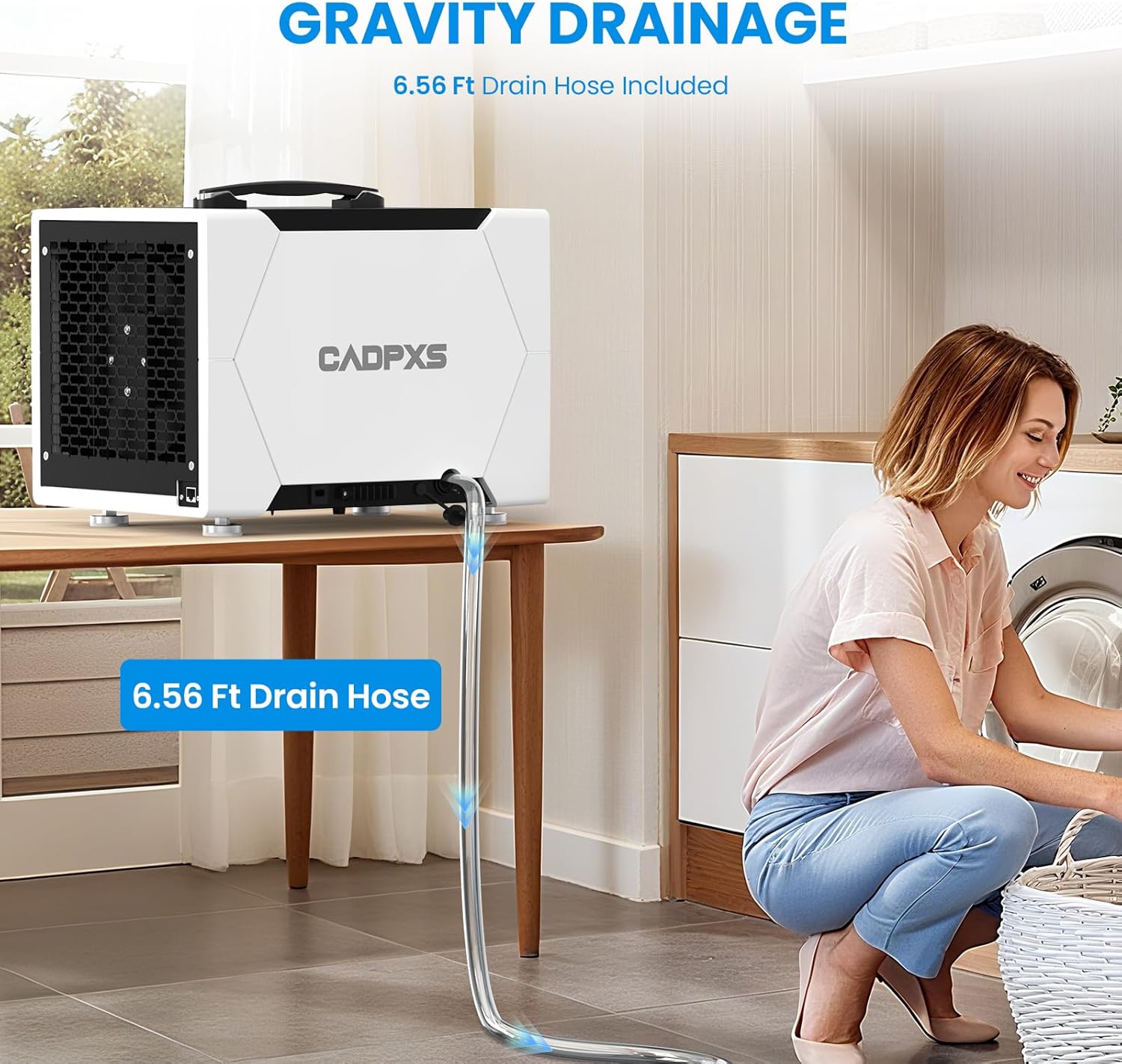
Image: Dehumidifier connected to a drain hose for continuous gravity drainage.
5.4 Optional Accessories (Sold Separately)
- Remote Control: An optional remote control system is available for monitoring and adjusting humidity settings without direct access to the unit.
- Hanging Kits: For overhead installation in crawl spaces or basements, hanging kits can help reduce noise and vibration.
- MERV-1 Filter 4-Pack: Additional washable and reusable filters are available for replacement.

Image: Dehumidifier shown with an optional remote control unit.
6. Operation
6.1 Control Panel
The control panel features a digital display and several buttons for setting and monitoring the dehumidifier.

Image: Front view of the dehumidifier showing the control panel.
6.2 Basic Operation
- Power On/Off: Press the Power button to turn the unit on or off.
- Set Desired Humidity: Use the Up/Down arrows to adjust the target humidity level (e.g., 45% - 55% RH is generally recommended). The unit will operate until the set humidity is reached, then cycle off.
- GPP Mode: Press the GPP button to view the current humidity reading.
- Timer Function: Press the Timer button to set a 0-24 hour timer for automatic shut-off. Use the Up/Down arrows to adjust the duration.
- Unit Conversion: Press the Unit button to switch between temperature display units (Fahrenheit/Celsius).
6.3 Auto Defrost
The unit is equipped with an automatic defrost function. If frost builds up on the evaporator coils, the unit will temporarily stop dehumidifying and run the fan to melt the frost. This process is automatic and ensures efficient operation in cooler conditions.
6.4 Memory Restart
In the event of a power interruption, the dehumidifier will automatically restart with its previous settings once power is restored.
7. Maintenance
Regular maintenance ensures optimal performance and extends the lifespan of your dehumidifier.
7.1 Cleaning the Air Filter
The air filter should be cleaned every 2-4 weeks, or more frequently depending on usage and air quality.
- Turn off the dehumidifier and unplug it from the power outlet.
- Locate the filter access panel (usually on the side or back of the unit).
- Remove the filter.
- Wash the filter with warm, soapy water. Rinse thoroughly and allow it to air dry completely before reinstallation. Do not use a dishwasher.
- Reinsert the dry filter into the unit and close the access panel.

Image: Dehumidifier with an extra MERV-1 filter, emphasizing filter maintenance.
7.2 Cleaning the Unit Exterior
Wipe the exterior of the dehumidifier with a soft, damp cloth. Do not use harsh chemicals, abrasives, or solvents, as these can damage the surface.
7.3 Long-Term Storage
If the unit will not be used for an extended period:
- Unplug the unit and ensure the drain hose is empty.
- Clean the air filter and the exterior of the unit.
- Store the dehumidifier in a cool, dry place, away from direct sunlight and extreme temperatures.
8. Troubleshooting
Before contacting customer support, refer to the following table for common issues and solutions:
| Problem | Possible Cause | Solution |
|---|---|---|
| Dehumidifier does not turn on. | No power supply. | Ensure the unit is plugged into a working outlet. Check circuit breaker. |
| Unit is running but not removing moisture. | Air filter is clogged. Room temperature is too low. Humidity setting is too high. | Clean the air filter. Ensure room temperature is above 41°F (5°C). Lower the desired humidity setting. |
| Water leakage. | Drain hose is loose or clogged. Unit is not level. | Check and secure the drain hose connection. Clear any blockages. Ensure the unit is on a level surface. |
| Unit is noisy. | Unit is not level. Air filter is clogged. | Ensure the unit is on a level surface. Clean the air filter. |
| Error codes displayed. | Internal malfunction. | Unplug the unit for 10 minutes, then plug it back in. If the error persists, contact customer support. |
9. Specifications
| Feature | Detail |
|---|---|
| Brand | CADPXS |
| Model Name | Remois X70 |
| Dehumidification Capacity | 80 Pints/Day (at saturation), 38 PDD (AHAM) |
| Coverage Area | Up to 1000 sq. ft. |
| Product Dimensions (D x W x H) | 15.6" x 12" x 12.6" |
| Item Weight | 36.13 lbs |
| Wattage | 310 watts |
| Air Flow Capacity | 131 Cubic Feet Per Minute |
| Operation Mode | Automatic |
| Special Features | Automatic Defrost, Timer, Washable Filter, Memory Start, GPP Mode |
| Included Components | Air Filter, Drain Hose, User Manual |
| Certifications | cETL Certified |
10. Warranty and Customer Support
10.1 Limited Warranty
The CADPXS Remois X70 Dehumidifier comes with a 5-year limited warranty. This warranty covers defects in materials and workmanship under normal use. For detailed warranty terms and conditions, please refer to the warranty card included with your product or contact CADPXS customer support.

Image: 5 Years Limited Warranty information.
10.2 Customer Support
For technical assistance, troubleshooting not covered in this manual, or warranty claims, please contact CADPXS customer support. Our dedicated U.S. customer support team is available to provide fast and friendly service.
Contact information can typically be found on the product packaging, the official CADPXS website, or your purchase documentation.
Related documentsRemois X70


Ask a question about this manual
Ask about setup, troubleshooting, compatibility, parts, safety, or missing instructions. Manuals+ will review the question and use this page’s manual context to help answer it.