
1. Introduction
The SMSRECEIVE Air Tracker Tag IF01 is an Apple MFi Certified smart Bluetooth tracker designed to help you locate your valuable items. Utilizing Apple's 'Find My' network, this device provides reliable tracking capabilities for keys, wallets, luggage, backpacks, and more. It is compatible with iOS devices only.

Image 1.1: SMSRECEIVE Air Tracker Tag IF01, a compact black item finder.
2. Safety Information
The SMSRECEIVE Air Tracker Tag features a specially designed secure cover to prevent accidental opening, ensuring safety around children. Always ensure the battery compartment is properly closed. This device is designed for tracking items and is not intended for tracking individuals without their consent. Misuse may have legal consequences. The device is not waterproof; avoid prolonged exposure to water or extreme moisture.
3. Product Overview
The Air Tracker Tag IF01 offers several key features:
- Apple MFi Certified: Ensures secure and anonymous communication with the Find My network.
- Worldwide Tracking: Leverages the global network of iOS devices for location updates.
- Replaceable Battery: Uses a standard CR2032 battery with up to one year of life.
- Loud Sound: Built-in speaker emits a 100dB alert tone for nearby item location.
- No App Download Required: Integrates directly with the pre-installed Apple 'Find My' app on iOS devices.
- No Subscription Required: Free to use with the 'Find My' network.
- Left Behind Remind: Notifies you if you leave your item behind.
- Lost Mode: Allows you to add contact information for anyone who finds your lost item.
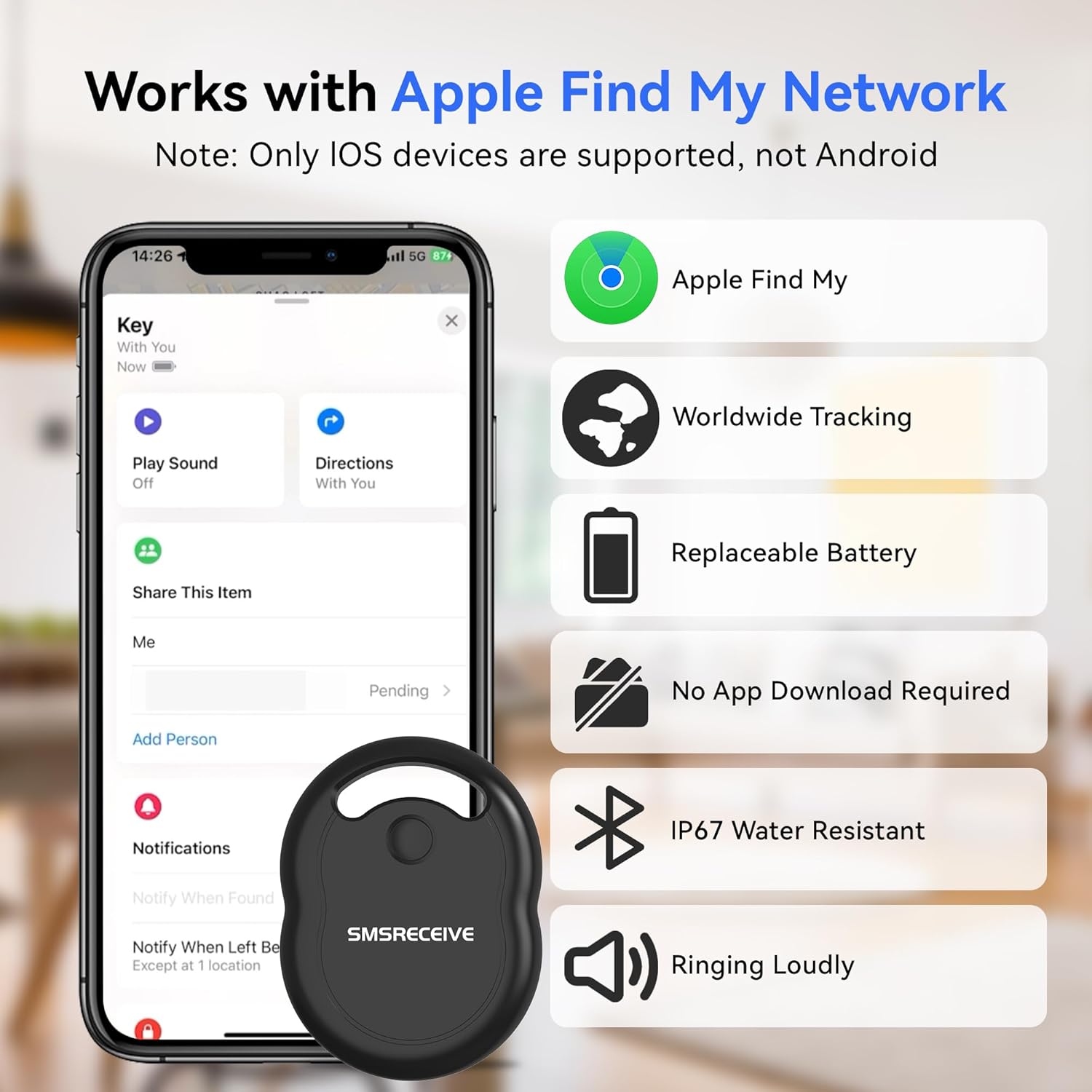
Image 3.1: Overview of the SMSRECEIVE Air Tracker Tag's main features, including Apple Find My compatibility, worldwide tracking, replaceable battery, loud sound, no app required, and no subscription.

Image 3.2: The Apple MFi Certified logo, indicating official compatibility and security standards.
4. Setup Instructions
Follow these steps to pair your SMSRECEIVE Air Tracker Tag with your iOS device:
- Ensure your iOS device's Bluetooth is turned on and the 'Find My' app is accessible.
- Open the 'Find My' app. Navigate to the 'Items' tab.
- Tap the '+' icon, then select 'Add Other Item'.
- Press and hold the button on your Air Tracker Tag until you hear a beep. Your device will begin searching for the tag.
- Once detected, tap 'Connect' on your iOS device.
- Enter a name for your item and choose an emoji to represent it. Tap 'Continue'.
- Review the privacy information and tap 'Agree' to link the item to your Apple ID.
- Tap 'Finish' to complete the pairing process.

Image 4.1: Visual guide showing the steps to pair the Air Tracker Tag with an iPhone using the Find My app.

Image 4.2: Screenshot of the Apple Find My app interface displaying a tracked item's location and options like 'Play Sound' and 'Directions'.
Setup Video Guide
Video 4.1: A detailed video demonstrating the pairing and reset operations for the SMSRECEIVE Air Tracker Tag.
Video 4.2: This video illustrates the quick and easy connection process for the Air Tracker Tag.
5. Operating Instructions
5.1 Finding Items Nearby
When your Air Tracker Tag is within Bluetooth range (approximately 60m/200ft in open areas, 30m with obstacles), you can use the 'Find My' app to trigger its built-in speaker. Tap 'Play Sound' in the app, and the tag will emit a loud 100dB alert tone, helping you locate your item by sound.

Image 5.1: A smartphone screen displaying the Apple Find My map interface with a location pin for a tracked item.

Image 5.2: An illustration of an Air Tracker Tag emitting sound waves, indicating its location within a room, as seen on a smartphone screen.
5.2 Finding Items Far Away (Lost Mode)
If your item is outside Bluetooth range, enable 'Lost Mode' in the 'Find My' app. This securely uploads the item's location data via Apple's global 'Find My' network, allowing you to view its most recent location on a map. You can also add your contact information so anyone who finds your item can contact you directly.

Image 5.3: A person using a smartphone to view the location of a lost item on a map, demonstrating the 'Find Far Away' feature.

Image 5.4: A global map illustrating how the Air Tracker Tag leverages a vast network to provide location updates from anywhere in the world.
5.3 Left Behind Remind
If your Air Tracker Tag disconnects from your iPhone's Bluetooth connection, the 'Find My' app will send an instant notification to your device, helping you prevent accidental loss of your belongings.

Image 5.5: A smartphone displaying a 'Left Behind' notification from the Find My app, alerting the user that their tracked item is no longer nearby.
5.4 Sharing Items
You can share your Air Tracker Tag's location with up to five other people through the 'Find My' app. This allows trusted contacts to help locate your items on a map. Tracking notifications will be muted for shared users when the item is nearby.

Image 5.6: A visual representation of sharing an item's location through the Find My app, showing the option to add people to track the item.
Operation Video Guides
Video 5.1: This video demonstrates how to use the Air Tracker Tag to find your belongings.
Video 5.2: A video guide on how to share your tracked items with others using the Find My app.
Video 5.3: This video showcases various usage scenarios for the SMSRECEIVE IF01 Air Tracker Tag.
6. Battery Replacement
The Air Tracker Tag uses a replaceable CR2032 coin cell battery, providing up to one year of continuous use. The 'Find My' app will notify you when the battery is low.
To Replace the Battery:
- Locate the battery compartment on the back of the tag.
- Press the product with your index finger and turn your thumb in the direction of unlocking to open the cover.
- Remove the old CR2032 battery.
- Insert a new CR2032 battery with the positive (+) side facing up.
- Align the cover and turn it in the locking direction until it clicks securely into place.

Image 6.1: Diagram illustrating the process of opening the Air Tracker Tag and replacing the CR2032 battery.
Battery Replacement Video Guide
Video 6.1: This video demonstrates the battery replacement process for the SMSRECEIVE Air Tracker Tag.
7. Maintenance
- Keep the device clean by wiping it with a soft, dry cloth.
- Avoid exposing the device to extreme temperatures or direct sunlight for prolonged periods.
- Do not attempt to disassemble the device beyond battery replacement.
- Store in a cool, dry place when not in use.
8. Troubleshooting
8.1 Pairing Failure
If you experience difficulty pairing your Air Tracker Tag:
- Ensure your iOS device's Bluetooth is enabled and the 'Find My' app is open.
- Move to an area with fewer Bluetooth devices, as interference can prevent successful pairing.
- Try resetting the Air Tracker Tag (see section 8.2).
- Ensure the battery is correctly installed and has sufficient charge.
8.2 Resetting the Air Tracker Tag
To reset your Air Tracker Tag:
- Long press and hold the button on the tag.
- You will hear 6 short beeps.
- Continue holding the button until you hear a single long beep.
- Release the button. The tag is now reset and ready for re-pairing.
Troubleshooting Video Guide
Video 8.1: This video provides instructions on how to reset the SMSRECEIVE Air Tracker Tag, which can help resolve pairing issues.
9. Specifications
| Feature | Detail |
|---|---|
| Model Number | IF01 |
| Brand | SMSRECEIVE |
| Connectivity | Bluetooth |
| Compatible Devices | Apple Find My App (iOS only) |
| Battery Type | CR2032 (included) |
| Number of Batteries | 4 (for 4-pack) |
| Battery Life | Up to 1 year |
| Material | Plastic |
| Item Weight | 2.08 ounces (total for 4-pack) |
| Package Dimensions | 8.27 x 3.98 x 0.75 inches |
10. Warranty and Support
For warranty information and customer support, please refer to the product packaging or contact SMSRECEIVE customer service directly. Keep your purchase receipt for warranty claims.