
1. Introduction
The NAFYRE N11 PRO is a medium-sized GPS drone designed for ease of use and high-quality aerial photography. Weighing less than 0.25 kg, it offers a portable solution for capturing stunning images and videos during travel. Its foldable design and included carrying case enhance its portability, allowing users to transport it conveniently for various outdoor adventures.

Image 1.1: The NAFYRE N11 PRO GPS Drone, showcasing its compact and foldable design.
2. Package Contents
Please verify that all items listed below are included in your package:
- NAFYRE N11 PRO GPS Drone
- Remote Controller
- 3 x 2000 mAh Batteries
- 8 x Extra Propellers
- User Manual Guide
- 2 x USB Charging Cables
- Screwdriver
- 8 x Screws
- Carrying Case

Image 2.1: All components included in the NAFYRE N11 PRO drone package.
3. Safety Guidelines
To ensure safe operation and prevent damage or injury, please adhere to the following safety guidelines:
- Always operate the drone in open areas, away from people, animals, and obstacles.
- Maintain a safe distance from power lines, buildings, and water bodies.
- Do not fly in strong winds, rain, or other adverse weather conditions.
- Ensure the drone batteries and remote controller are fully charged before each flight.
- Perform pre-flight checks, including propeller integrity and calibration.
- Familiarize yourself with local drone regulations and obtain necessary permits if required.
- Keep hands and face clear of rotating propellers.
- Do not operate the drone under the influence of alcohol or drugs.
4. Setup
4.1. Battery Charging
Use the provided USB charging cables to charge all three 2000 mAh drone batteries. The charging indicator will typically change color or turn off when fully charged. Each battery provides approximately 30 minutes of flight time, totaling up to 90 minutes with all three.

Image 4.1: The 2000 mAh Li-Po battery for the NAFYRE N11 PRO drone, indicating efficient discharge and approximately 30 minutes of flight per battery.
4.2. Propeller Installation
Attach the propellers to the drone's motors using the provided screws and screwdriver. Ensure each propeller is securely fastened and oriented correctly according to the manual's diagrams (refer to the included paper manual for detailed instructions).
4.3. Controller Setup
Insert batteries into the remote controller. Power on the controller and pair it with the drone following the instructions in the included paper manual. Ensure your smartphone is securely mounted on the controller if you plan to use the FPV feature.
4.4. App Installation and Calibration
Download and install the official NAFYRE drone application on your smartphone. Connect your phone to the drone's Wi-Fi network. Before the first flight and after any significant change in location, perform a compass and gyroscope calibration through the app as instructed. This is crucial for stable flight and accurate GPS functions.
5. Operating Instructions
5.1. Basic Flight Controls
After successful calibration and GPS lock (for outdoor flights), initiate take-off using the one-key take-off button on the controller or through the app. Use the joysticks to control altitude, direction, and movement. The drone features an altitude hold function for stable hovering.
5.2. Dual Positioning System
The N11 PRO utilizes a dual positioning system for enhanced stability:
- Optical Flow Positioning: For safe and stable flights in indoor environments where GPS signals are unavailable.
- GPS Positioning: For stable and precise outdoor flights, enabling advanced features and accurate hovering.

Image 5.1: The NAFYRE N11 PRO drone highlighting its GPS positioning and 5G FPV transmission capabilities.
5.3. GPS Intelligent Flight Functions
Leverage the drone's GPS capabilities for advanced flight modes:
- Follow Me: The drone automatically follows the user, capturing dynamic footage.
- Tap Fly (Waypoint Flight): Tap points on the map in the app, and the drone will fly along the designated path.
- Point of Interest (Orbit Flight): Select a central point, and the drone will orbit around it at a specified radius and altitude.
- Automatic Return: The drone will automatically return to its take-off point in cases of low battery, signal loss, or when the one-key return button is pressed.
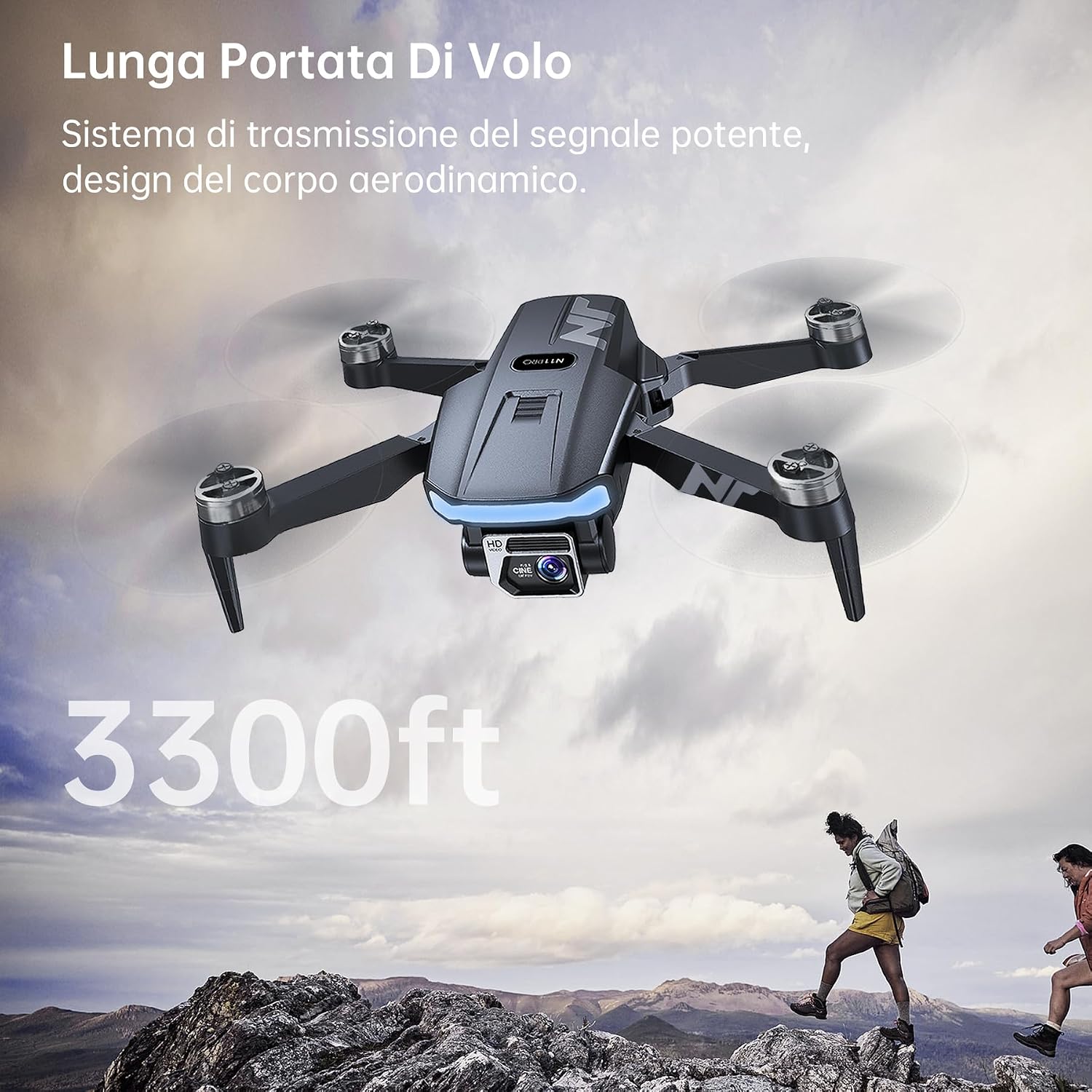
Image 5.2: Illustration of the NAFYRE N11 PRO's intelligent return functions, including one-key return, low battery return, and signal loss return.
5.4. Camera Operation
The N11 PRO is equipped with a 4K UHD camera for high-resolution imaging:
- Photo Resolution: 4096x3072 pixels.
- Video Resolution: 2048x1080 pixels.
- Lens: 100° wide-angle lens, adjustable up to 90° via the remote controller or the app.
- FPV Transmission: 5GHz FPV ensures stable and smooth real-time video transmission to your smartphone.
- Electronic Image Stabilization (EIS): Provides smoother video footage during flight.

Image 5.3: The NAFYRE N11 PRO's 4K UHD camera with Electronic Image Stabilization (EIS), capable of capturing clear images and smooth video.
5.5. Brushless Motors
The drone features robust alloy brushless motors, offering:
- Strong resistance to wind.
- Faster and quieter flight.
- Increased power and durability.

Image 5.4: A close-up view of the NAFYRE N11 PRO's brushless motor, designed for enhanced performance and longevity.
6. Maintenance
6.1. Battery Care
- Always use the original charging cables and adapters.
- Do not overcharge or completely discharge batteries.
- Store batteries in a cool, dry place, away from direct sunlight and extreme temperatures.
- If storing for extended periods, charge batteries to approximately 50-60% capacity.
6.2. Propeller Inspection and Replacement
- Regularly inspect propellers for cracks, bends, or any signs of damage.
- Replace damaged propellers immediately using the provided extra propellers and screwdriver. Flying with damaged propellers can lead to instability and loss of control.
6.3. Cleaning
- Gently wipe the drone body with a soft, dry cloth.
- Avoid using harsh chemicals or solvents that could damage the drone's finish or internal components.
- Ensure no dust or debris accumulates in the motor areas or camera lens.
7. Troubleshooting
This section addresses common issues you might encounter with your NAFYRE N11 PRO drone.
7.1. Drone Instability or Loss of Control
- Issue: Drone is unstable, drifts, or does not respond to joystick commands.
- Possible Causes: Improper calibration, strong winds, damaged propellers, compass interference, or signal loss.
- Solutions:
- Perform a full compass and gyroscope calibration in an open area away from magnetic interference.
- Check all propellers for damage and replace if necessary.
- Ensure you are flying in calm weather conditions.
- Verify the remote controller is fully charged and within effective range.
- Check the app for any compass update issues or discrepancies with drone orientation.
7.2. Camera/Video Quality Issues
- Issue: Video quality is not 4K, footage is shaky, or saving issues occur.
- Possible Causes: Incorrect camera settings, lack of Electronic Image Stabilization (EIS) effectiveness, or saving directly to smartphone with delay.
- Solutions:
- Ensure camera settings in the app are set to the highest available resolution.
- Fly in stable conditions to maximize EIS effectiveness.
- While the drone saves directly to the smartphone, be aware that significant delays can occur due to Wi-Fi transmission. Ensure a strong 5GHz FPV connection.
7.3. Short Battery Life
- Issue: Batteries do not last for the advertised 30 minutes per battery.
- Possible Causes: Aggressive flying, cold weather, old batteries, or improper charging.
- Solutions:
- Fly conservatively to extend battery life.
- Avoid flying in very cold temperatures, which can reduce battery performance.
- Ensure batteries are fully charged before each flight.
- If batteries are old or frequently used, their capacity may degrade over time. Consider replacing them.
7.4. Limited Flight Range/Altitude
- Issue: Drone loses control or signal at distances/altitudes less than advertised.
- Possible Causes: Environmental interference, obstacles, or exceeding actual signal range.
- Solutions:
- Fly in open areas with minimal Wi-Fi or radio interference.
- Maintain a clear line of sight between the remote controller and the drone.
- Be aware that advertised ranges are often under ideal conditions and may vary in real-world scenarios.
8. Specifications
| Feature | Detail |
|---|---|
| Brand | NAFYRE |
| Model Name | N11 PRO |
| Special Features | GPS, 4K UHD Camera, Long Flight Time, Return-to-Home |
| Age Range (Description) | Adults |
| Color | Elegant Polished Silver |
| Video Capture Resolution | 4K |
| Connectivity Technology | WLAN (5GHz FPV) |
| Max Battery Power | 6000 Milliamperhour (mAh) (Total with 3 batteries) |
| Video Capture Format | MP4 |
| Control Type | Remote Control |
| Battery Cell Composition | Lithium Ion |
| Rechargeable Batteries Included | Yes |
| Remote Control Included | Yes |
| Optical Sensor Technology | CMOS, CCD |
| Item Weight | 180 Grams |
| Item Dimensions (L x W x H) | 12L x 7.5W x 5H cm |
| UPC | 718027243804 |
| Part Number | N11-240727 |
9. Warranty and Support
NAFYRE offers a 1-year warranty for the replacement of damaged parts and a 30-day money-back guarantee for any reason. If you have any questions, require technical assistance, or need to claim warranty service, please contact NAFYRE customer support. Contact details can typically be found on the product packaging or the official NAFYRE website.


