
SANSUI W28
SANSUI W28 Wireless Earbuds User Manual
Model: W28
1. Introduction
Thank you for choosing the SANSUI W28 Wireless Earbuds. These earbuds are designed to provide a superior audio experience with advanced features such as Active Noise Cancellation (ANC), crystal-clear call quality, and extended battery life. This manual will guide you through the setup, operation, and maintenance of your new earbuds to ensure optimal performance and longevity.

Image: SANSUI W28 Wireless Earbuds and Charging Case in Dolomite White.
2. Package Contents
Please check the package for the following items:
- SANSUI W28 Wireless Earbuds (Left and Right)
- Charging Case
- USB-C Charging Cable
- Silicone Ear Tips (S, M, L sizes)
- User Manual
3. Product Overview
Earbud Components
- Touch Control Area: For playback, call management, and mode switching.
- Microphones: Multiple microphones for ANC and ENC (Environmental Noise Cancellation) during calls.
- Light Sensor: For advanced in-ear detection, automatically pausing/playing audio.
- Ear Tip: Soft silicone tips for comfort and secure fit.
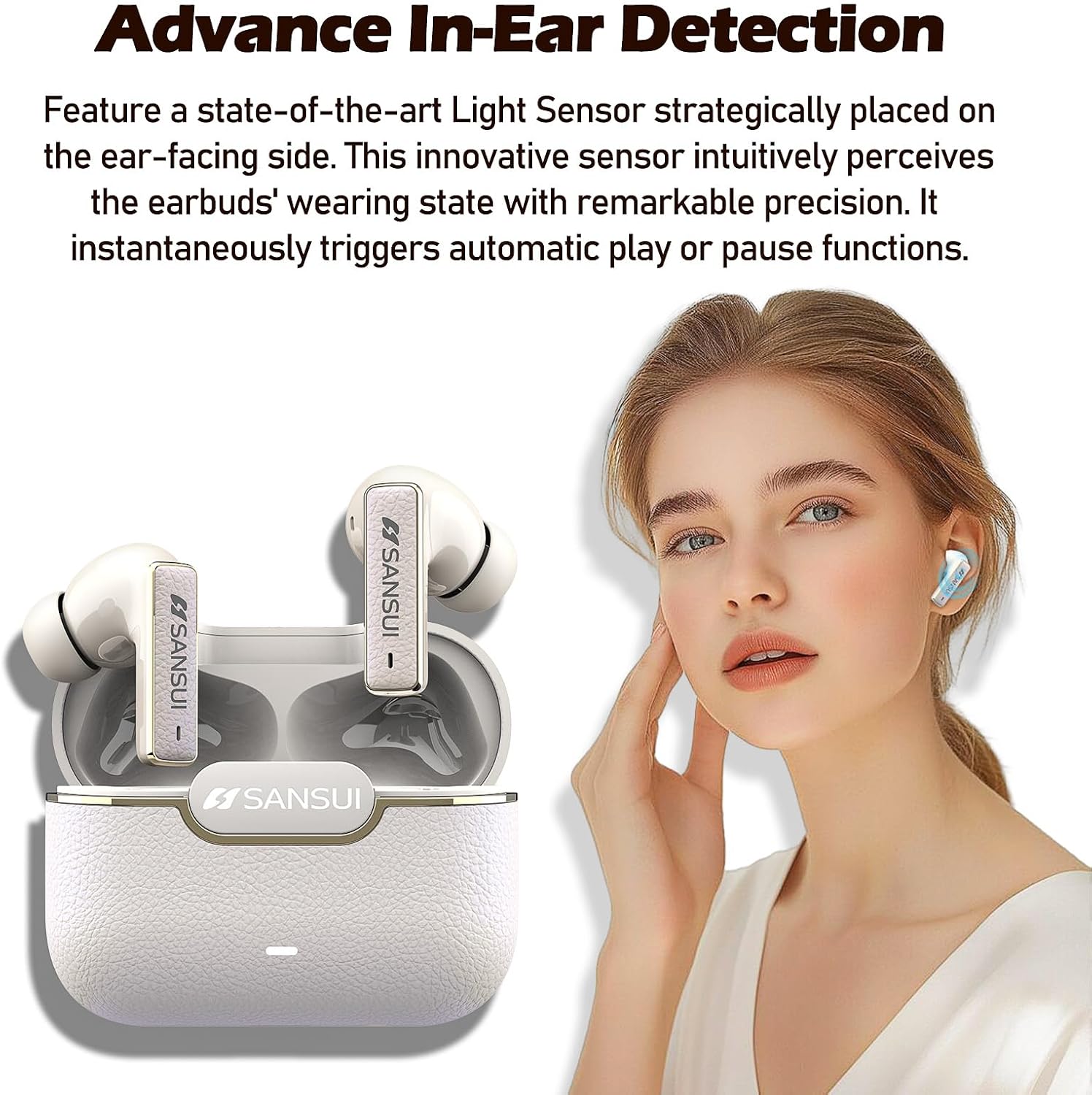
Image: SANSUI W28 Earbuds highlighting the advanced in-ear detection sensor.
Charging Case
- Charging Port: USB-C port for charging the case.
- Indicator Light: Displays charging status and battery level.
- Reset Button: Located inside the case, used for factory reset.

Image: SANSUI W28 Earbuds and Charging Case illustrating up to 28 hours of total playtime.
4. Setup
4.1 Charging the Earbuds and Case
Before first use, fully charge the earbuds and the charging case. Place the earbuds into the charging case. Connect the USB-C charging cable to the case and a power source. The indicator light on the case will show charging status.
4.2 Pairing with Your Device
- Ensure the earbuds are charged.
- Open the charging case lid. The earbuds will automatically enter pairing mode, indicated by a flashing light on the case.
- On your device (smartphone, tablet, etc.), enable Bluetooth.
- Search for "SANSUI W28" in the list of available Bluetooth devices.
- Select "SANSUI W28" to connect. Once connected, the indicator light on the case will turn off or show a steady light, depending on the model.
The earbuds will automatically reconnect to the last paired device when taken out of the case, if Bluetooth is enabled on the device.
5. Operating Instructions
5.1 Touch Controls
The SANSUI W28 earbuds feature intuitive touch controls. Refer to the diagram below for specific functions:

Image: Detailed guide for SANSUI W28 Earbuds touch controls and reset procedure.
- Volume + (R): Single tap on the Right earbud.
- Volume - (L): Single tap on the Left earbud.
- Pause/Play (L/R): Double tap on either earbud.
- Answer Calls/Hang Up (L/R): Double tap on either earbud.
- Previous Song (L): Triple tap on the Left earbud.
- Next Song (R): Triple tap on the Right earbud.
- Voice Assistant (L): Long press for 2 seconds on the Left earbud.
- ANC ON/ANC OFF/Transparency Mode (R): Long press for 2 seconds on the Right earbud to cycle through modes.
- Reject Calls (L/R): Long press for 2 seconds on either earbud.
- Power ON (L/R): Long press for 3 seconds on either earbud (when off).
- Power OFF (L/R): Long press for 5 seconds on either earbud (when on).
5.2 Active Noise Cancellation (ANC) & Transparency Mode
The SANSUI W28 offers three listening modes:
- ANC Mode: Reduces external noise by up to -52dB, ideal for noisy environments like subways or airplanes.
- Transparency Mode: Allows you to hear your surroundings clearly without removing the earbuds, enhancing safety during outdoor activities.
- Normal Mode: Standard listening mode without active noise cancellation or transparency.
Cycle through these modes by long-pressing the touch control area on the Right earbud for 2 seconds.

Image: A person using SANSUI W28 Earbuds in Transparency Mode, indicating awareness of surroundings.
5.3 In-Ear Detection
The earbuds feature smart light sensors that detect when they are in your ears. Audio playback will automatically pause when you remove an earbud and resume when you put it back in.
6. Maintenance
To ensure the longevity and optimal performance of your SANSUI W28 earbuds, follow these maintenance guidelines:
- Cleaning: Regularly clean the earbuds and charging case with a soft, dry, lint-free cloth. Do not use harsh chemicals or abrasive materials.
- Ear Tips: Remove and clean the silicone ear tips periodically with water and mild soap. Ensure they are completely dry before reattaching.
- Water Resistance: The earbuds are IPX4 waterproof, meaning they are resistant to splashes and sweat. Do not submerge them in water or expose them to heavy rain. Dry them thoroughly if they get wet.
- Storage: Store the earbuds in their charging case when not in use to protect them and keep them charged. Avoid extreme temperatures.
7. Troubleshooting
If you encounter any issues with your SANSUI W28 earbuds, please refer to the following common solutions:
- Earbuds not pairing: Ensure both earbuds are in the charging case and the lid is open. Check if Bluetooth is enabled on your device. Try resetting the earbuds (see below).
- Only one earbud working: Place both earbuds back into the charging case, close the lid, wait a few seconds, then open it again. This often re-syncs them.
- No sound: Check the volume level on both your device and the earbuds. Ensure the earbuds are properly connected to your device.
- Disconnection issues: Ensure the earbuds are within the Bluetooth range of your device. Avoid obstacles that might interfere with the signal.
Factory Reset
If issues persist, a factory reset can often resolve them:
- Open the charging case lid.
- Locate the small button inside the charging case (refer to the 'Key Operation' image in section 5.1).
- Long-press this button for 5 seconds.
- The external blue indicator light on the case will flash 5 times, and the earbuds will power off while disconnecting from Bluetooth.
- The reset is successful. You can now re-pair the earbuds with your device.
8. Specifications
| Feature | Specification |
|---|---|
| Model Name | W28 |
| Noise Control | Active Noise Cancellation (-52dB Hybrid ANC) |
| Connectivity Technology | Wireless (Bluetooth 5.4) |
| Battery Life | Up to 28 Hours (with charging case) |
| Water Resistance Level | IPX4 Waterproof |
| Control Method | Touch |
| Frequency Range | 20-18,000 Hz |
| Earpiece Shape | Bud (In-Ear) |
| Impedance | 32 Ohm |
| Item Weight | 5.6 ounces |
9. Warranty and Support
SANSUI products are designed and manufactured to the highest quality standards. For warranty information and customer support, please refer to the warranty card included in your package or visit the official SANSUI website. If you have any questions or require assistance, please contact our customer service team.
SANSUI Official Store: Visit the SANSUI Store on Amazon
Related documentsW28

Ask a question about this manual
Ask about setup, troubleshooting, compatibility, parts, safety, or missing instructions. Manuals+ will review the question and use this page’s manual context to help answer it.