
1. Introduction
Thank you for choosing the JUNJIEUNVO B36 Wireless Over-Ear Headphones. These headphones are designed to provide a superior audio experience with comfort and convenience. Featuring Bluetooth connectivity, premium materials, and intuitive controls, the B36 headphones are suitable for various scenarios including travel, learning, sports, and casual listening. Please read this manual carefully to ensure proper use and maintenance of your new headphones.

Image: B36 Wireless Over-Ear Headphones in a red/rose gold finish, showcasing the premium mesh fabric and silver metal accents.
2. Package Contents
Please check the package for the following items:
- JUNJIEUNVO B36 Wireless Over-Ear Headphones
- USB Charging Cable
- User Manual

Image: Product packaging displaying the B36 model and key features, including Hi-Res Audio and stereo sound.
3. Product Features
- Wireless Connectivity: Features Bluetooth technology for seamless pairing with your devices, providing a cable-free listening experience.
- Premium Design: Elegant rose gold pink finish with luxurious mesh fabric headband and polished silver metal accents for sophisticated style.
- Comfort Fit: Over-ear design with soft cushioned earpads and adjustable headband ensures comfortable extended wear.
- Intuitive Controls: Easy-access buttons on the earcup for convenient volume adjustment, track selection, and call management.
- Portable Build: Sleek and lightweight construction with rotating earcups for easy storage and transport.

Image: Headphones highlighting STEREO SOUND with 360° surround sound and HD calls.
4. Setup
4.1 Charging the Headphones
Before first use, fully charge your B36 headphones. A full charge takes approximately 2 hours.
- Connect the small end of the USB charging cable to the charging port on the headphones.
- Connect the larger end of the USB charging cable to a USB power source (e.g., computer USB port, USB wall adapter).
- The indicator light will show charging status (e.g., red for charging, blue for fully charged).
Important: Use a standard 5V/0.2A charging head. Avoid high-power or fast-charging plugs without a corresponding power charging cable to prevent overheating and fire hazards.
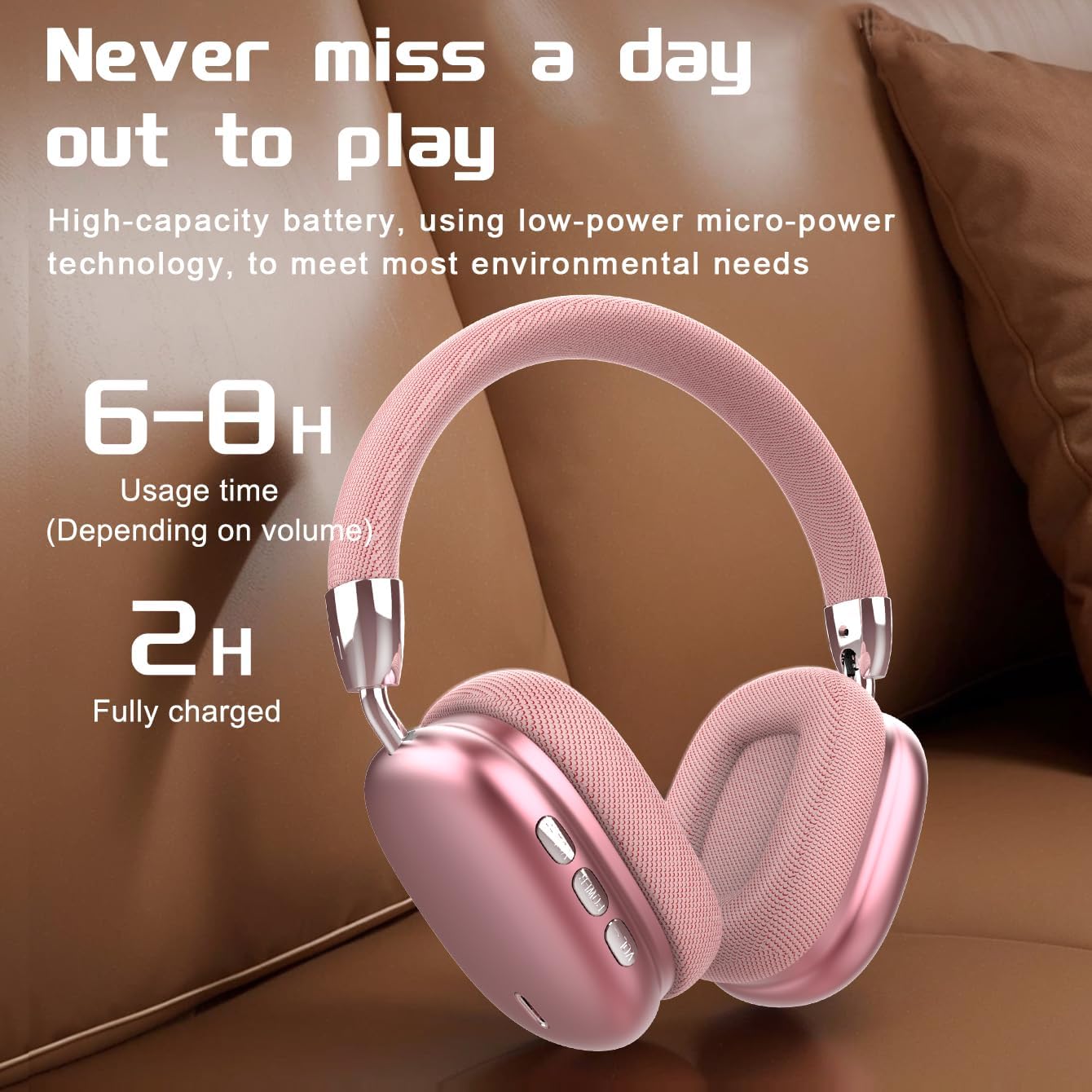
Image: Visual representation of battery life, indicating 6-8 hours of usage and 2 hours for a full charge.
4.2 Powering On/Off
- Power On: Press and hold the Power button for approximately 3 seconds until the indicator light flashes.
- Power Off: Press and hold the Power button for approximately 3 seconds until the indicator light turns off.
4.3 Bluetooth Pairing
The B36 headphones use Bluetooth 5.0 for stable wireless connection up to 33 feet (10 meters).
- Ensure the headphones are fully charged and powered off.
- Press and hold the Power button for about 5-7 seconds until the indicator light flashes red and blue alternately, indicating pairing mode.
- On your device (smartphone, tablet, computer), enable Bluetooth and search for new devices.
- Select "B36" from the list of available devices.
- Once connected, the indicator light on the headphones will turn solid blue or flash slowly.

Image: Headphones positioned near a laptop and smartphone, illustrating compatibility with various Bluetooth-enabled devices.
5. Operating Instructions
The B36 headphones feature intuitive on-ear controls for easy management of audio and calls.
5.1 Music Playback
- Play/Pause: Press the Multi-function button (often marked with a play/pause icon) once.
- Next Track: Press and hold the Volume Up (+) button.
- Previous Track: Press and hold the Volume Down (-) button.
- Volume Up: Short press the Volume Up (+) button.
- Volume Down: Short press the Volume Down (-) button.
5.2 Call Management
- Answer/End Call: Press the Multi-function button once.
- Reject Call: Press and hold the Multi-function button for 2 seconds.
- Redial Last Number: Double-press the Multi-function button.

Image: A person wearing the B36 headphones, illustrating their suitability for various daily activities.
6. Maintenance
6.1 Cleaning
- Wipe the headphones with a soft, dry cloth.
- Do not use abrasive cleaners, alcohol, or chemical solvents.
- Keep the charging port free of dust and debris.
6.2 Storage
- Store the headphones in a cool, dry place away from direct sunlight and extreme temperatures.
- When not in use for extended periods, charge the lithium battery at least once every two months to maintain battery health.
- The foldable design allows for compact storage.

Image: Headphones on a soft surface, emphasizing the ergonomic design for comfortable, long-term wear.
7. Troubleshooting
If you encounter issues with your B36 headphones, please refer to the following common solutions:
- Headphones won't turn on: Ensure the headphones are fully charged.
- Cannot pair with device: Make sure Bluetooth is enabled on your device and the headphones are in pairing mode (flashing red and blue). Try turning Bluetooth off and on again on your device.
- No sound: Check the volume level on both the headphones and your connected device. Ensure the headphones are properly paired.
- Poor sound quality/intermittent connection: Move closer to your connected device to ensure you are within the Bluetooth range (33 feet/10 meters). Avoid obstacles between the headphones and the device.
- Charging issue: Ensure the charging cable is securely connected and the power source is working. Use a standard 5V/0.2A charger.
If the problem persists, please contact customer support.
8. Specifications
| Feature | Specification |
|---|---|
| Model Name | B36 |
| Connectivity Technology | Wireless (Bluetooth) |
| Wireless Communication Technology | Bluetooth 5.0 |
| Bluetooth Range | 33 Feet (10 meters) |
| Ear Placement | Over Ear |
| Noise Control | Passive Noise Cancellation |
| Frequency Response | 20 Hz |
| Sensitivity | 102 dB |
| Impedance | 32 Ohm |
| Audio Driver Size | 40 Millimeters |
| Charging Time | 2 Hours |
| Item Weight | 310 Grams (10.9 ounces) |
| Material | Metal, Plastic, Premium Mesh Fabric |
| Control Type | Wireless (On-ear Controls, Touch) |
| Water Resistance Level | Not Water Resistant |

Image: The B36 headphones displayed in three available colors: black, red (pink), and silver.
9. Safety Precautions
Please observe the following safety precautions to ensure safe operation and prolong the lifespan of your headphones:
- The charging cable current of the device is 0.2A. Please do not use a high-power charging head for charging. If you use a fast-charging plug head, please equip yourself with a corresponding power charging cable to avoid overheating and catching fire.
- If a product with a lithium battery is not used for a long time, please make sure to charge it at least once every two months.
- The product has a shelf life of one year.
- Do not expose the headphones to extreme temperatures, humidity, or liquids.
- Avoid dropping or subjecting the headphones to strong impacts.
- Do not attempt to disassemble or modify the headphones. This will void the warranty.
10. Warranty and Support
The JUNJIEUNVO B36 Wireless Over-Ear Headphones come with a standard manufacturer's warranty. Please refer to your purchase documentation for specific warranty terms and conditions. For technical support, troubleshooting assistance, or warranty claims, please contact the seller or JUNJIEUNVO customer service through the platform where you purchased the product.