
1. Introduction
Thank you for choosing the AINAVITO 11.5" 2K QLED Android 13 Car Stereo. This manual provides detailed instructions for the installation, operation, and maintenance of your new car stereo system. Please read this manual thoroughly before installation and use to ensure optimal performance and safety. This unit is specifically engineered for Chevy Silverado and GMC Sierra models from 2014-2018.
2. Product Overview
The AINAVITO 11.5" 2K QLED Android 13 Car Stereo is a high-performance infotainment system designed to upgrade your vehicle's dashboard. It features an 8-Core processor, 6GB RAM, 128GB ROM, Wireless CarPlay, Android Auto, a 2K QLED touchscreen (2000x1200 resolution), and dual physical knobs for intuitive control. It also includes a built-in 48-Band DSP for advanced audio tuning and supports the factory Bose Premium Sound System via fiber-optic connection.
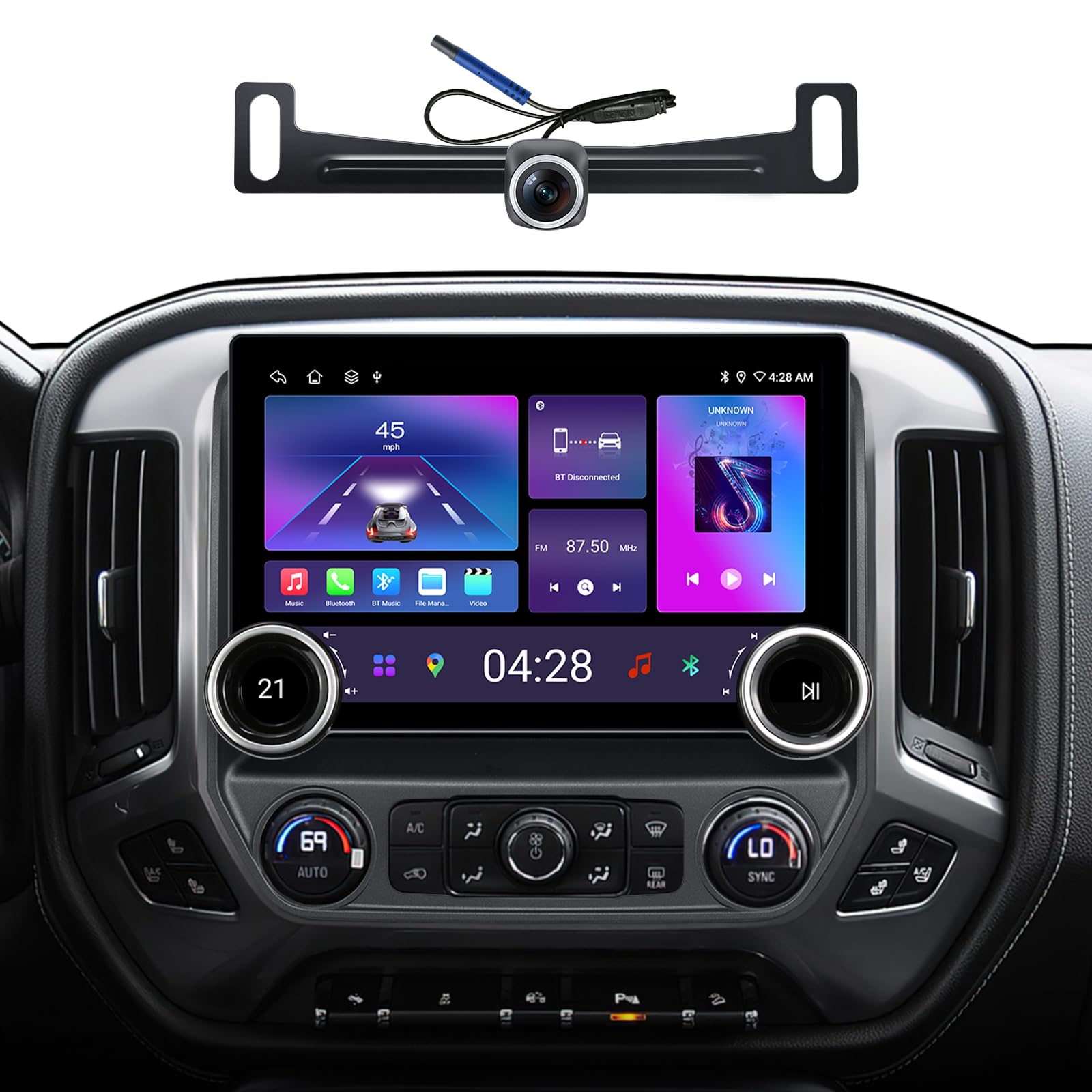
Figure 2.1: AINAVITO 11.5" 2K QLED Android 13 Car Stereo with Dual Knobs.
3. What's in the Box
Verify that all components are present before beginning installation:
- 1x Car Stereo Radio with Frame
- 1x RCA Cable
- 1x Power Cable
- 1x Car Microphone
- 1x GPS Antenna
- 1x Frame Removal Tool
- 1x Rear View 1080P Camera
- 2x USB Cables
- 1x Reversing Control Extension Cable
- 1x Detailed Installation Picture
- 1x Product User Manual

Figure 3.1: Included accessories for the AINAVITO Car Stereo.
Video 3.1: Unboxing the AINAVITO 11.5" Dual Knobs Radio for Silverado/Sierra, showing all included components.
4. Setup & Installation
4.1 General Installation
Installation of the AINAVITO car stereo involves removing the factory unit and connecting the new system. It is recommended to disconnect the vehicle's battery before starting any electrical work. Use the provided frame removal tool to prevent damage to your vehicle's interior.
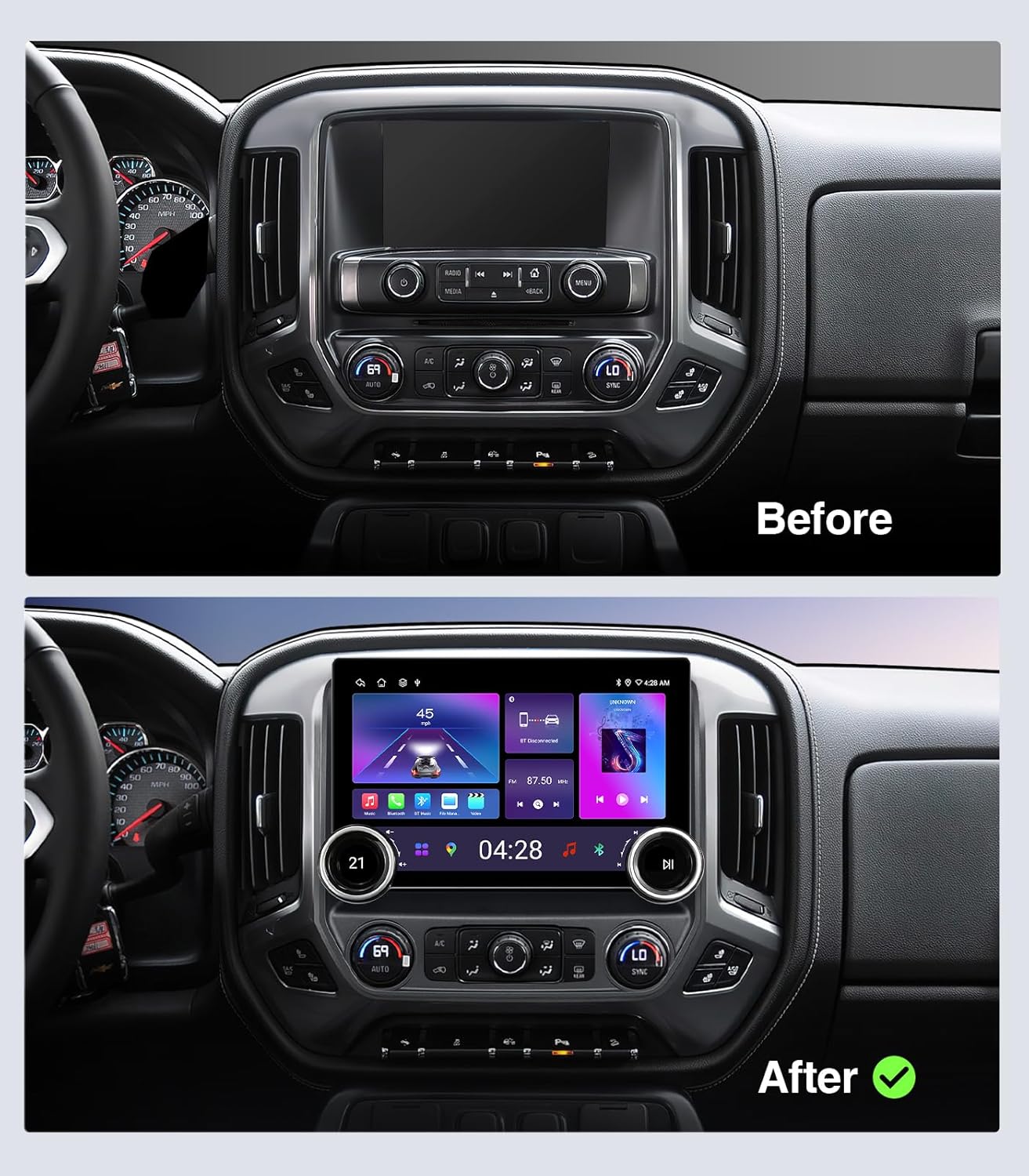
Figure 4.1: Comparison of the dashboard before and after installing the AINAVITO car stereo.
Video 4.1: Detailed installation guide for the AINAVITO Silverado car radio, covering removal of the old unit and connecting the new system.
4.2 Bose System Compatibility
This stereo supports the factory Bose Premium Sound System via a fiber-optic connection, eliminating the need for an extra decoder. It is also compatible with standard audio trims. For Bose models, refer to the specific setup video for fiber-optic connection details or contact AINAVITO support for assistance.
4.3 Backup Camera Installation
The included 1080P AHD backup camera provides crystal-clear visuals and a 170° ultra-wide angle. Install the camera at the vehicle's license plate location. Route the camera extension cable from the vehicle's chassis to the car radio compartment. Connect the red wire from the black-red cable to the reverse light's positive pole, and insulate the black wire. Connect the blue wire from the camera extension cable to the "Rear CAM control" wire on the device's power cable. Finally, connect the yellow plug to the reverse signal input cable.

Figure 4.2: The 1080P AHD Wide-Angle Backup Camera for safer reversing.
Video 4.2: Installation guide for the 1080P rearview camera for pickup trucks.
5. Operating Instructions
5.1 Basic Operation
The unit runs on Android 13, providing a familiar and intuitive interface. Use the 11.5-inch 2K QLED touchscreen for navigation and app interaction. The dual physical knobs offer tactile control for volume and tuning, allowing for blind operation while driving.

Figure 5.1: The 11.5-inch IPS Touch Screen with Dual Knobs for easy control.
5.2 Wireless CarPlay & Android Auto
Experience seamless connectivity with instant 5G Wireless CarPlay and Android Auto. The unit utilizes Bluetooth 5.0 and high-speed 5G Wi-Fi for automatic connection within 5 seconds. Enjoy fluid navigation, calls, messages, and music streaming without cables.

Figure 5.2: Wired and Wireless CarPlay and Android Auto interface.
5.3 Split Screen Display
Utilize the split-screen feature to run two applications simultaneously, such as navigation and music playback, enhancing multitasking capabilities while driving.

Figure 5.3: Split Screen Display for simultaneous application use.
6. Advanced Features
6.1 Audiophile DSP & Sound Tuning
The built-in 48-Band Digital Signal Processor (DSP) and 5.1 Surround Sound output allow for precise audio tuning. Adjust bass, treble, midrange, and sound field settings to customize your listening experience.

Figure 6.1: Built-in DSP and EQ interface for advanced audio control.
6.2 High-Performance Hardware
Powered by a top-tier 8-Core Processor with 6GB RAM and 128GB ROM, the unit delivers desktop-class performance. It boots instantly and runs heavy applications like Google Maps, Waze, and YouTube simultaneously without lag. The system supports 5G Wi-Fi and Bluetooth 5.0 for fast and stable wireless connections.

Figure 6.2: Overview of the system's high-performance hardware and connectivity features.
6.3 Steering Wheel Controls
The plug-and-play kit retains factory Steering Wheel Controls, allowing you to manage audio and other functions without taking your hands off the wheel.
7. Troubleshooting
This section addresses common issues you might encounter with your AINAVITO car stereo.
7.1 Steering Wheel Volume Control Not Working
If your steering wheel volume control is not functioning, ensure that the dedicated wire for steering wheel controls is correctly connected. Refer to the installation guide for proper wiring connections.
Video 7.1: Troubleshooting guide for steering wheel volume control issues, highlighting the wire connection.
7.2 No Audio Output
If there is no audio output after installation, double-check all speaker and power cable connections. Ensure that the unit is properly powered and that the vehicle's audio system (especially Bose systems) is correctly integrated as per the installation instructions. Verify that the volume is not muted or set to zero.
7.3 Clock Resetting
If the clock frequently resets, ensure the constant power (B+) wire is securely connected to a continuous power source in your vehicle. This wire maintains settings and time when the ignition is off.
For further troubleshooting or complex issues, please contact AINAVITO's 24/7 engineer guidance.
8. Specifications
| Feature | Specification |
|---|---|
| Display Size | 11.5 inches |
| Display Type | 2K QLED Touchscreen (2000x1200 resolution) |
| Operating System | Android 13.0 |
| Processor | 8-Core |
| RAM | 6GB |
| ROM | 128GB |
| Connectivity | Bluetooth 5.0, 5G Wi-Fi, Wireless/Wired CarPlay, Android Auto, FM+AUX+AM |
| Audio Output Mode | Surround/Bass Boost/Bass Filter/Sound Field |
| Surround Sound Channel Configuration | 5.1 |
| DSP | 48-Band |
| Backup Camera | 1080P AHD Wide-Angle (170°) |
| Compatible Vehicles | Chevy Silverado & GMC Sierra (2014-2018) |
| Special Features | AM/FM Tuner, Android Auto, Apple CarPlay, Built-In Bluetooth, Screen Mirroring, Dual Mechanical Knobs |
| Item Weight | 5.78 pounds |
| Color | Black |
9. Warranty & Support
AINAVITO provides 24/7 engineer guidance to ensure a smooth installation and user experience. For any questions, technical support, or warranty claims, please contact our customer service team. You can reach us by leaving a message through our store page on Amazon (Click our Store --- "Sold By ----Speedroad" ---- find a Button "ASK a Question"). We aim to reply within 24 hours.