
1. Setup
To begin using your Kipcush Sleep Sound Machine K8-T, follow these simple steps:
- Power Connection: Connect the provided USB-A coaxial cable to the device's power input port. Plug the USB-A end into a compatible 5V USB power adapter (sold separately) or a USB-A power source. The device requires continuous power and does not have a built-in battery.
- Placement: Place the sound machine on a stable, flat surface such as a nightstand, desk, or shelf. Ensure it is away from water and direct heat sources.
2. Operating Instructions
Familiarize yourself with the controls and functions of your Kipcush Sleep Sound Machine K8-T for optimal use.
Controls Overview
- Power Button (
 ): Press to turn the device ON or OFF.
 - Sound Selection (
 /
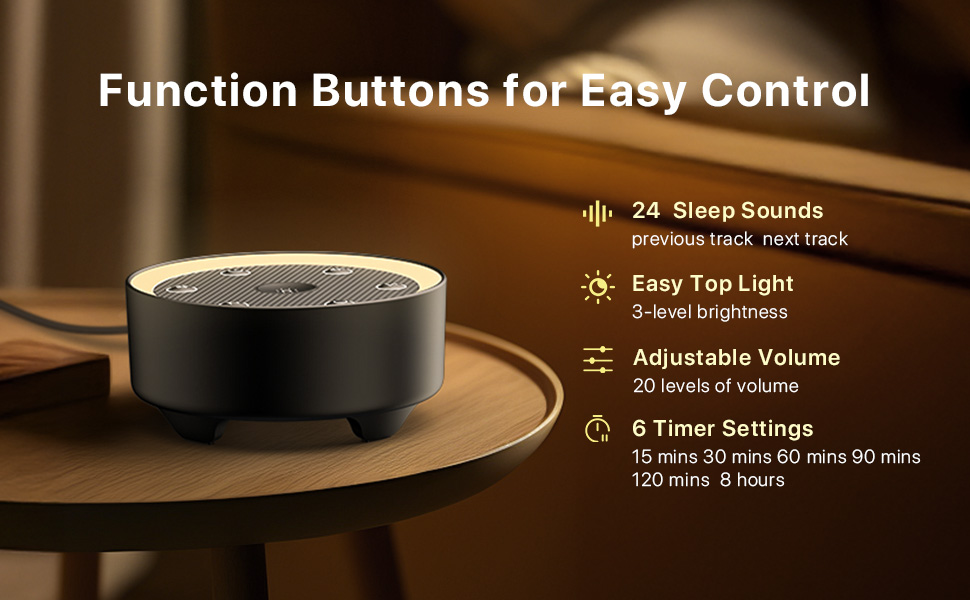
/  ): Use the 'Previous Track' and 'Next Track' buttons to cycle through the 24 available sounds.
 - Volume Adjustment (
 /
/  ): Press the 'Volume Down' or 'Volume Up' buttons to adjust the sound level. There are 20 levels of volume.
 - Night Light (
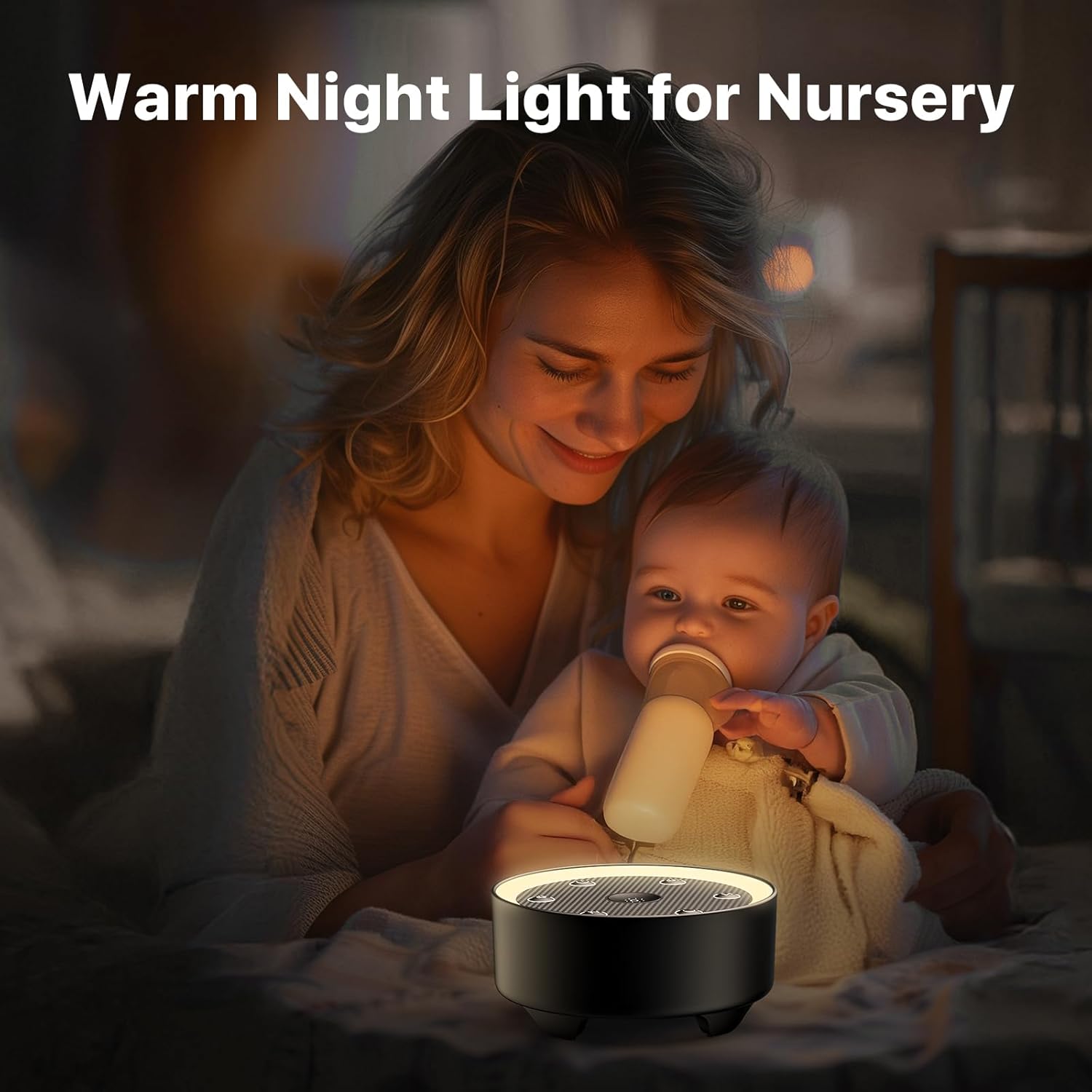
 ): Press the central light button to turn the night light ON or OFF. Press repeatedly to cycle through 3 brightness levels.
 - Timer Settings (
 ): Press and hold the timer button for 3 seconds to activate the timer. Press repeatedly to select a duration: 15, 30, 60, 90, 120 minutes, or an 8-hour overnight mode. The device will automatically shut off after the selected time.
Sound Library
The Kipcush K8-T offers 24 high-fidelity, non-looping sounds to suit various preferences:
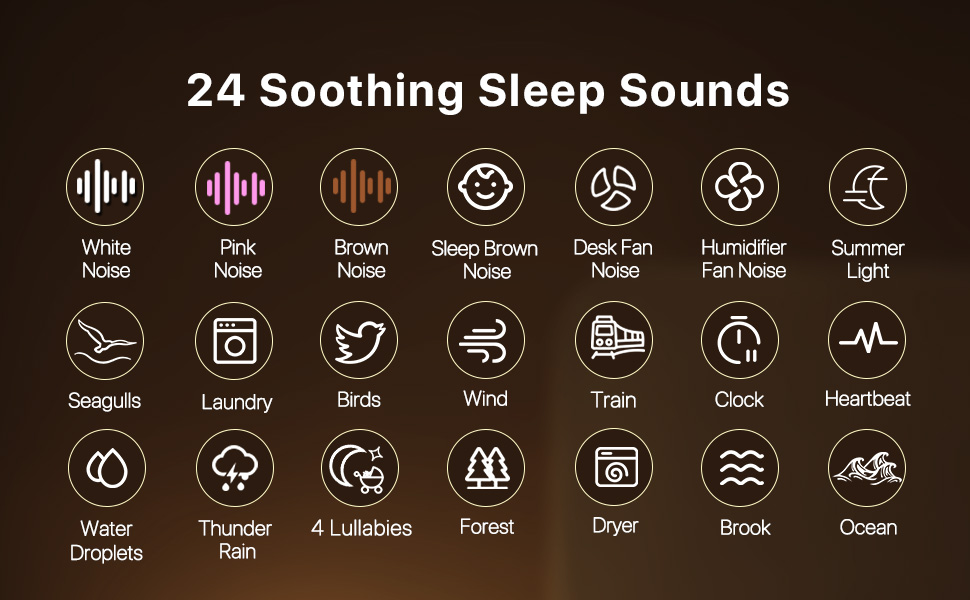
- White Noises: White Noise, Pink Noise, Brown Noise, Sleep Brown Noise.
- Fan Sounds: Desk Fan Noise, Humidifier Fan Noise, Dryer, Laundry.
- Nature Sounds: Train, Brook, Thunder Rain, Ocean Waves, Seagulls, Crickets, Birds, Wind, Water Droplets, Forest.
- Lullabies & Other: Clock, Heartbeats, Shush, Twinkle, Twinkle, Little Star, Hush Little Baby, Rock a Bye Baby.
Smart Memory Function
The device features a smart memory function that automatically restores your last selected volume, sound, and light preferences when turned back on. This eliminates the need for re-adjustment each time you use the machine.
3. Maintenance
To ensure the longevity and optimal performance of your Kipcush Sleep Sound Machine K8-T, follow these maintenance guidelines:
- Cleaning: Disconnect the device from power before cleaning. Use a soft, dry cloth to wipe the exterior. Do not use liquid cleaners, aerosols, or harsh chemicals.
- Storage: When not in use for extended periods, store the device in a cool, dry place away from direct sunlight and extreme temperatures.
- Handling: Avoid dropping the device or exposing it to strong impacts, as this may damage internal components.
4. Troubleshooting
If you encounter any issues with your Kipcush Sleep Sound Machine K8-T, refer to the following common problems and solutions:
| Problem | Possible Cause | Solution |
|---|---|---|
| Device does not power on. | No power supply or faulty connection. | Ensure the USB cable is securely connected to both the device and a working 5V USB power adapter. Try a different power outlet or USB adapter. |
| No sound output. | Volume is too low or muted. | Increase the volume using the 'Volume Up' button. Ensure a sound is selected. |
| Night light is not working. | Light function is off. | Press the central light button to turn on the night light. Cycle through brightness levels if needed. |
| Timer function not working as expected. | Timer not set correctly. | Press and hold the timer button for 3 seconds, then press repeatedly to select the desired duration. |
If the problem persists after trying these solutions, please contact Kipcush customer support.
5. Specifications
| Feature | Detail |
|---|---|
| Product Dimensions | 3.94 x 3.94 x 1.97 inches |
| Item Model Number | K8-T |
| Item Weight | 9.91 ounces (0.28 Kilograms) |
| Manufacturer | Kipcush |
| Power Source | Corded Electric (USB-A, 5V) |
| Sounds | 24 High-Fidelity Non-Looping Sounds |
| Night Light | Dimmable, 3-Level Brightness |
| Timer Settings | 15, 30, 60, 90, 120 minutes, 8-hour overnight mode |
| Memory Function | Restores last volume, sound, and light preferences |
6. Warranty
The Kipcush Sleep Sound Machine K8-T comes with a 24-month warranty from the date of purchase. This warranty covers manufacturing defects and ensures peace of mind regarding the quality and reliability of your product. Please retain your proof of purchase for warranty claims.
7. Customer Support
For any questions, technical assistance, or warranty inquiries regarding your Kipcush Sleep Sound Machine K8-T, please contact Kipcush customer support through the retailer's platform or visit the official Kipcush website for contact information.
Online Resources:
- Visit the Kipcush Store on Amazon for more products and information.
