1. Product Overview
This manual provides instructions for the Reoval 868MHz Garage Door Remote Control. This device is designed to replace and operate compatible FAAC garage door openers, offering convenient access to your garage or gate system.
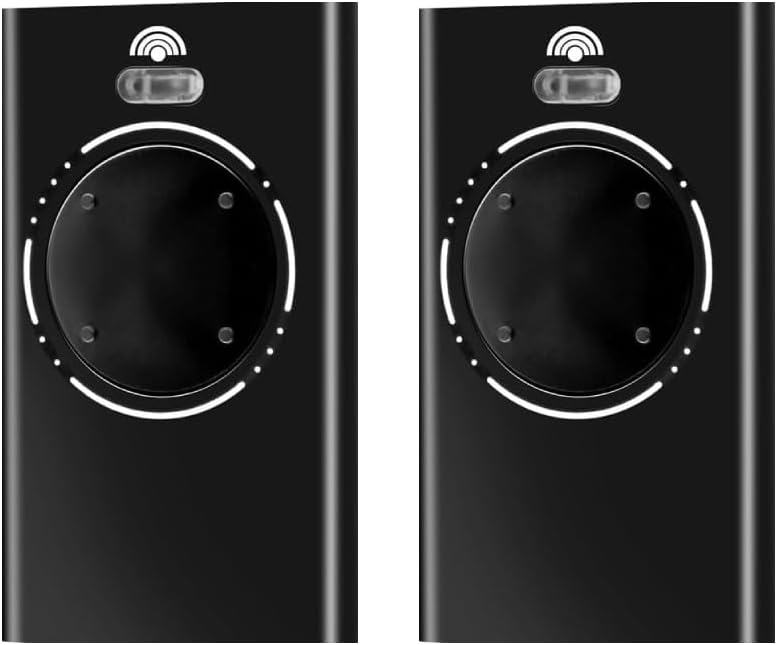
Image 1.1: Two Reoval 868MHz Garage Door Remote Controls.
2. Compatibility
The Reoval 868MHz remote control is specifically designed for use with FAAC garage door and gate openers operating at a frequency of 868MHz. It is compatible with the following FAAC models:
- FAAC XT4 868 SLH LR
- FAAC XT4 868 SLH
- FAAC XT2 868 SLH LR
- FAAC XT2 868 SLH
- Previous generations of 868MHz SLH remotes (e.g., DL 868 SLH, TML 868 SLH, T 868 SLH).
Important Note:
This remote control is NOT compatible with 433MHz models, such as XT4 433 SLH LR or XT2 433 SLH LR. Despite potential visual similarities, these remotes operate on different frequencies and are not interchangeable.

Image 2.1: Visual representation of compatible FAAC remote models.

Image 2.2: Warning against compatibility with 433MHz FAAC models.
3. Setup and Programming
The Reoval 868MHz remote control must be programmed to your existing FAAC garage door or gate opener's receiver. The programming process typically involves accessing the 'Learn' or 'Program' button on your opener unit.
General Programming Steps:
- Locate the Receiver: Identify the main motor unit of your garage door or gate opener. The receiver is usually integrated into this unit.
- Find the 'Learn' Button: On the receiver unit, locate the 'Learn' or 'Program' button. This button may be small and recessed, sometimes requiring a pen or paperclip to press. Refer to your specific FAAC opener's manual for its exact location.
- Activate Learning Mode: Press and immediately release the 'Learn' button on your opener's receiver. An indicator light on the opener will typically illuminate, flash, or change color, signifying that it is in programming mode. This mode usually remains active for a short period (e.g., 10-30 seconds).
- Program the Remote: While the opener is in programming mode, press the desired button on your new Reoval 868MHz remote control. Hold the button for 1-2 seconds.
- Confirm Pairing: The indicator light on your opener may flash, turn off, or change its pattern to confirm that the remote has been successfully programmed.
- Test the Remote: Step away from the opener and press the programmed button on your Reoval remote to ensure it operates the garage door or gate correctly.
Note:
For precise programming instructions, always consult the instruction manual for your specific FAAC garage door or gate opener model. Programming procedures can vary between different opener models.
4. Operating Instructions
Once programmed, operating your Reoval 868MHz remote control is straightforward.
Basic Operation:
- Opening/Closing: Press the programmed button on the remote control once to activate your garage door or gate opener. Pressing it again will typically stop or reverse the operation, depending on your opener's settings.
- Multiple Channels: The remote features 4 channels, allowing you to program up to four different garage doors or gates, or assign different functions to each button if your opener supports it.

Image 4.1: Remote control in use from inside a vehicle.

Image 4.2: Remote control operating multiple garage doors.
5. Maintenance
To ensure optimal performance and longevity of your Reoval remote control, follow these simple maintenance guidelines:
- Battery Replacement: The remote uses a standard coin cell battery (e.g., CR2032). If the remote's range decreases significantly or the indicator light does not illuminate, it may be time to replace the battery. To replace, carefully open the remote casing (often by prying gently along the seam with a small flat-head screwdriver) and replace the old battery with a new one, ensuring correct polarity.
- Cleaning: Clean the remote's exterior with a soft, dry cloth. Avoid using abrasive cleaners or solvents, as these can damage the casing or internal components.
- Storage: Store the remote in a dry place, away from extreme temperatures and direct sunlight. Avoid dropping the remote or exposing it to excessive moisture.
6. Troubleshooting
If your Reoval remote control is not functioning as expected, consider the following troubleshooting steps:
- Remote Not Working:
- Check Battery: Ensure the battery is correctly installed and has sufficient charge. Replace if necessary.
- Re-program Remote: The remote may have lost its programming. Follow the 'Setup and Programming' steps (Section 3) to re-pair it with your opener.
- Opener Power: Verify that your garage door or gate opener has power and is functioning correctly.
- Limited Range:
- Battery Level: A low battery can reduce the remote's operating range. Replace the battery.
- Interference: Radio frequency interference from other electronic devices, power lines, or large metal objects can affect range. Try operating the remote from a different location.
- Antenna: Ensure the antenna on your garage door opener unit is extended and unobstructed.
- Remote Not Compatible:
- Frequency Mismatch: Double-check that your original FAAC remote and opener operate at 868MHz, not 433MHz. This remote is only compatible with 868MHz SLH models.
If these steps do not resolve the issue, please contact customer support for further assistance.
7. Product Specifications
| Brand | Reoval |
| Model Number | b6755b65-c93d-4f6a-9266-7414b7f7a569 |
| Frequency | 868.8 MHz |
| Channels | 4 |
| Dimensions (L x W x H) | 2.48 x 1.57 x 0.39 inches (6.3 x 4 x 1 cm) |
| Weight | 1.76 ounces (50 grams) |
| Color | Black |
| Max Supported Devices | 2 (per remote, referring to the number of remotes in the package) |

Image 7.1: Dimensions of the Reoval Remote Control.
8. Customer Support
If you encounter any issues or have questions regarding your Reoval 868MHz Garage Door Remote Control that are not covered in this manual, please do not hesitate to contact our customer support team.
Please have your product model number (b6755b65-c93d-4f6a-9266-7414b7f7a569) ready when contacting support to ensure efficient service.


