
1. Introduction
Thank you for choosing the TOOWELL Rechargeable Motion Sensor Ceiling Light. This manual provides essential information for the safe and efficient use of your new light. Please read it thoroughly before installation and operation, and retain it for future reference.
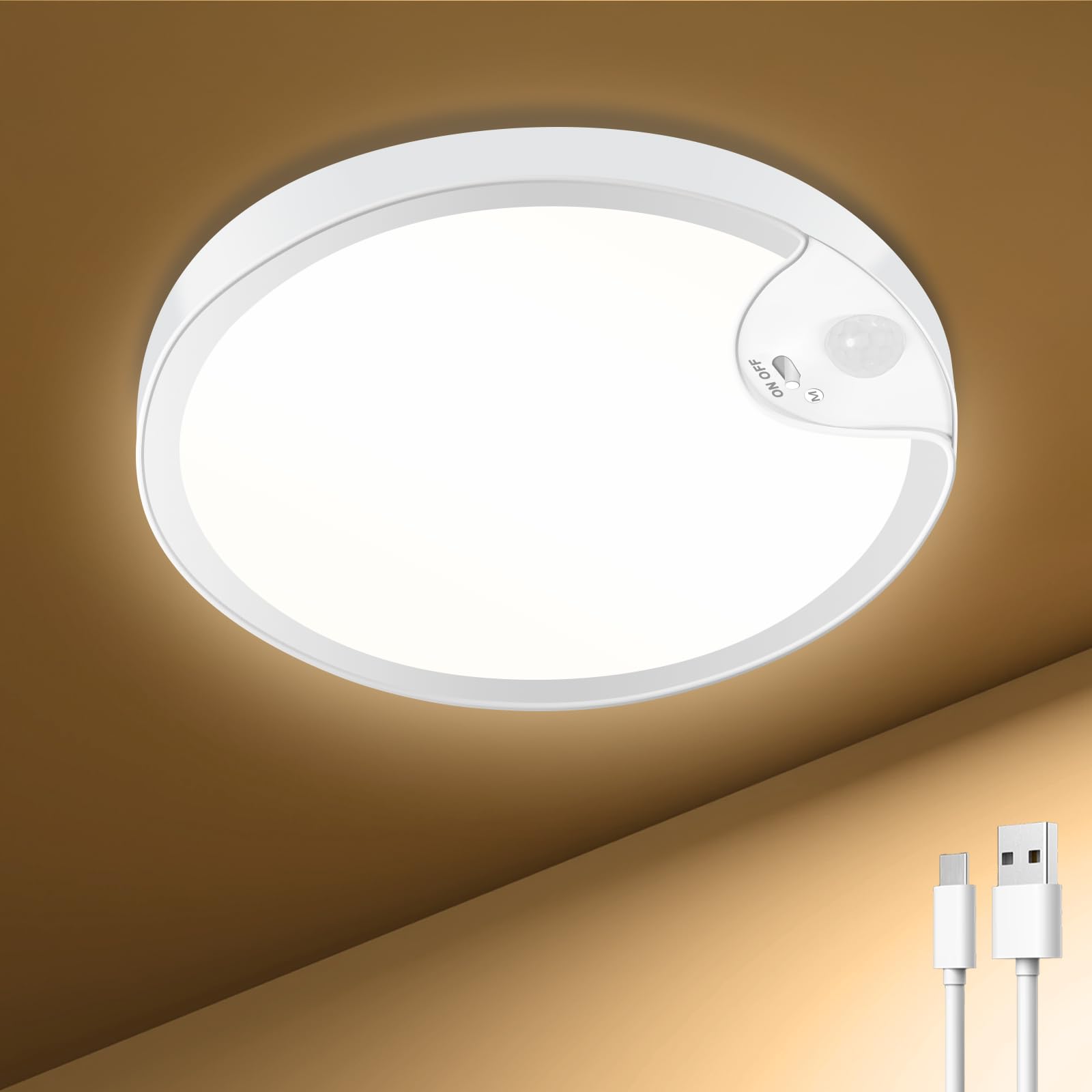
Image 1: TOOWELL Rechargeable Motion Sensor Ceiling Light.
2. What's in the Box
Verify that all components are present before proceeding with installation.
- Rechargeable Motion Sensor Ceiling Light x 1
- Mounting Bracket x 1
- USB Cable x 1
- Screws and Anchors x 4
- Instruction Manual x 1
3. Key Features
- USB Rechargeable & Long Lasting: Equipped with an 8000mAh high-capacity battery, providing 7-10 hours in 'Stay On' mode or 30-60 days in 'Motion Sensor' mode on a single charge.
- Upgraded Motion Sensor: Features a sensitive motion sensing head for quick response, detecting movement within 9-16 feet.
- 3CCT Dimmable: Offers three adjustable color temperatures (3500K Warm White, 4500K Natural White, 6000K Cool White) to suit various preferences and environments.
- Dual Working Modes: Includes a 'Motion Sensor' mode for automatic activation in low light and a 'Stay On' mode for continuous illumination.
- IP54 Waterproof & Durable: Integrated design with IP54 rating ensures protection against splashes and dust, suitable for damp locations like showers and bathrooms. Constructed from durable ABS material.
- Wireless Installation: No wiring required, allowing for easy screw-based installation in various indoor locations.

Image 2: Overview of key features including battery capacity, motion sensor, modes, waterproofing, and color temperatures.

Image 3: Detailed view of the upgraded motion sensor for enhanced reliability.
Video 1: Demonstrates the motion sensing capabilities and general use of the Toowell Closet Light.
4. Setup & Installation
The TOOWELL Motion Sensor Ceiling Light is designed for easy, wireless installation. No electrical wiring is required.
Installation Steps:
- Prepare the Mounting Surface: Choose a suitable location on your ceiling or wall. Ensure the surface is clean and dry.
- Attach the Mounting Bracket: Use the included screws and anchors to securely fasten the mounting bracket to the desired surface.
- Mount the Light: Align the ceiling light with the installed mounting bracket and twist it clockwise until it locks securely into place.
For optimal motion detection, install the light at a height between 9-16 feet.

Image 4: Visual guide for the easy, wireless installation process.

Image 5: Illustration emphasizing the wireless installation, eliminating the need for complex wiring.
Video 2: Demonstrates the installation process and features of the Toowell Motion Sensor Closet Light.
5. Operating Instructions
The light features a control button for mode selection and color temperature adjustment.
Mode Selection:
- Motion Sensor Mode (M): Long press the control button to activate this mode. The light will automatically turn on when motion is detected within 9-16 feet, provided the ambient light is below 15 LUX. It will turn off automatically after 20 seconds of no motion.
- Stay On Mode (ON): Long press the control button again to switch to this mode. The light will remain continuously on until manually turned off.
Color Temperature Adjustment:
- Short Press: While the light is on (in either mode), short press the control button to cycle through the three color temperatures: 3500K (Warm White), 4500K (Natural White), and 6000K (Cool White).

Image 6: Illustrates the difference between Motion Sensor Mode and Always On Mode.

Image 7: Shows the visual effect of the three available color temperatures.
6. Charging
The TOOWELL ceiling light is equipped with a built-in rechargeable battery. Use the provided USB cable to charge the device.
- Charging Time: A full charge typically takes 4-6 hours.
- Battery Life: One full charge can last 7-10 hours in 'Stay On' mode or 30-60 days in 'Motion Sensor' mode, depending on brightness settings and frequency of use.
- First Use: Please fully charge the light before its initial use to ensure optimal performance.

Image 8: Illustrates the USB charging port and expected battery performance.
7. Maintenance
To ensure the longevity and optimal performance of your TOOWELL ceiling light, follow these maintenance guidelines:
- Cleaning: Wipe the light with a soft, damp cloth. Avoid using abrasive cleaners or solvents that could damage the finish or electronic components.
- Water Resistance: The light has an IP54 waterproof rating, making it resistant to splashes and dust. However, it is not designed for submersion. Do not expose it to direct water jets or heavy rain.
- Battery Care: For best battery life, avoid completely draining the battery frequently. Recharge the light when the brightness noticeably diminishes.
- Storage: If storing the light for an extended period, ensure it is fully charged and store it in a cool, dry place. Recharge every few months to maintain battery health.

Image 9: Demonstrates the light's IP54 waterproof capability in a bathroom setting.
8. Troubleshooting
If you encounter issues with your TOOWELL Rechargeable Motion Sensor Ceiling Light, please refer to the following common problems and solutions:
| Problem | Possible Cause | Solution |
|---|---|---|
| Light does not turn on. | Battery is low or depleted. | Charge the light fully using the provided USB cable. |
| Motion sensor mode not working. | Ambient light is too bright (above 15 LUX). | Ensure the environment is dark enough for the sensor to activate. Test in a darker area. |
| Motion sensor not detecting movement. | Obstruction blocking the sensor. Incorrect installation height. | Ensure the sensor is clear of obstructions. Verify installation height is within 9-16 feet. |
| Light turns off too quickly in 'Stay On' mode. | Light is still in 'Motion Sensor' mode. | Long press the control button to switch to 'Stay On' mode. |
| Short battery life. | Frequent use, high brightness setting, or not fully charged. | Ensure the light is fully charged. Consider using 'Motion Sensor' mode for longer duration. Reduce brightness if possible (though this model has fixed brightness per CCT). |
If the problem persists after trying these solutions, please contact customer support.
9. Specifications
| Brand | TOOWELL |
| Model Number | TOOWELL-RMSCL1 |
| Material | Acrylonitrile Butadiene Styrene (ABS) |
| Dimensions (D x H) | 7.9 inches x 1.7 inches |
| Item Weight | 0.51 kg |
| Power Source | Battery Powered (Rechargeable) |
| Battery Capacity | 8000mAh |
| Light Source | LED |
| Brightness | 500 Lumens |
| Color Temperature | 3500K, 4500K, 6000K (Adjustable) |
| Switch Type | Motion Sensor, Push Button |
| Motion Sensor Range | 9-16 feet |
| Water Resistance Level | IP54 (Waterproof) |
| Indoor/Outdoor Usage | Indoor |
| Mounting Type | Ceiling Mount (Surface Mounted) |
10. Warranty & Support
TOOWELL provides a 2-year maintenance warranty for this motion sensor ceiling light. If you have any questions, concerns, or require assistance with your product, please do not hesitate to contact us.
How to Contact Support:
- Log into your Amazon account.
- Navigate to 'Your Orders'.
- Find your order for the TOOWELL Rechargeable Motion Sensor Ceiling Light.
- Click 'Contact Seller' and send us a message.
We are committed to providing excellent customer service and will respond promptly to assist you.
