
MECHEN H10-B
MECHEN 96GB Spotify MP3 Player User Manual
Model: H10-B
Introduction
Thank you for choosing the MECHEN 96GB Spotify MP3 Player. This device is designed to provide a versatile and high-quality audio and video experience, powered by Android 13. With its 4-inch touch screen, extensive storage, and comprehensive connectivity options, it serves as a portable entertainment hub. This manual will guide you through the setup, operation, and maintenance of your new device.

Image: Front and back view of the MECHEN 96GB Spotify MP3 Player, showcasing its sleek design and touch screen interface.
Setup
1. Unboxing and Initial Charge
Upon unboxing, ensure all components are present: the MP3 player, USB cable, protective film, earphones, and protective case. Before first use, fully charge the device using the provided USB cable connected to a power adapter (not included) or a computer USB port. The charging indicator will show progress.
2. Powering On/Off
- Power On: Press and hold the power button (usually on the side) until the screen lights up.
- Power Off: Press and hold the power button, then select "Power off" from the options that appear on the screen.
3. Memory Expansion
The device comes with 32GB internal memory and a 64GB SD card pre-installed, totaling 96GB. For additional storage, you can insert a Micro SD card (up to 1TB) into the designated slot. Ensure the device is powered off before inserting or removing the SD card.

Image: Visual representation of the device's storage capabilities, including 3GB RAM, 32GB ROM, 64GB included SD card, and support for up to 1TB external SD card.
Operating Instructions
1. Navigating the Interface
The 4-inch HD touchscreen (480x800 pixels) allows for intuitive navigation. Swipe left/right to switch between home screens, tap icons to open applications, and use gestures for various functions. The Android 13 operating system provides a familiar and user-friendly experience.
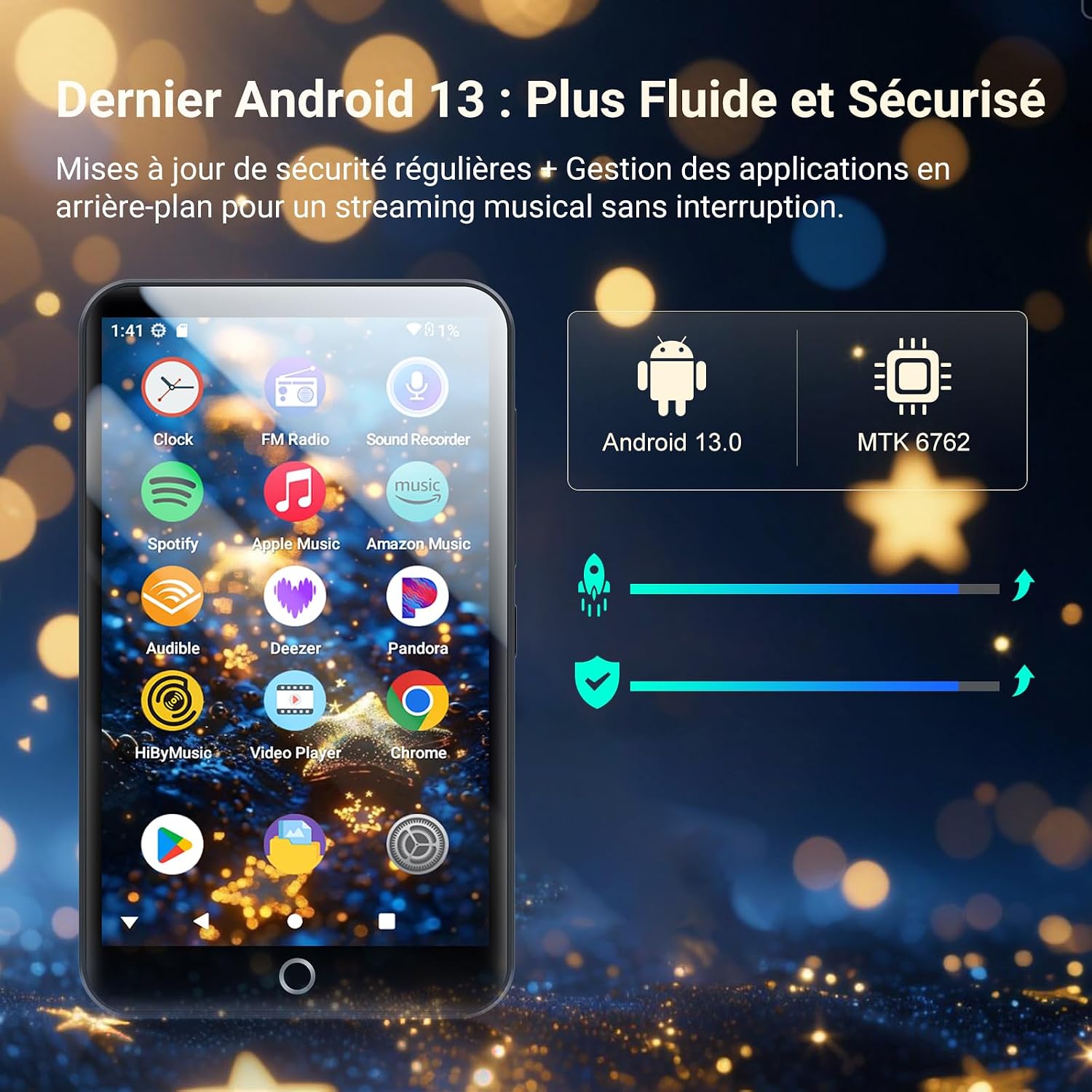
Image: The device's screen displaying the Android 13 interface with various app icons like Spotify, Apple Music, Amazon Music, Audible, Deezer, and Pandora.
2. Connecting to Wi-Fi
To access online streaming services, the Play Store, or transfer files wirelessly, connect your device to a Wi-Fi network:
- Go to Settings > Network & internet > Wi-Fi.
- Toggle Wi-Fi On.
- Select your desired network from the list and enter the password if prompted.
3. Bluetooth Connectivity
Connect Bluetooth headphones, speakers, or other devices for wireless audio playback:
- Go to Settings > Connected devices > Bluetooth.
- Toggle Bluetooth On.
- Ensure your Bluetooth accessory is in pairing mode.
- Select the accessory from the list of available devices to pair.

Image: The device screen displaying a music player interface with Wi-Fi and Bluetooth symbols, indicating wireless connectivity options.
4. Installing and Using Applications
The device comes with pre-installed music applications like Spotify, Amazon Music, Apple Music, Pandora, and Deezer. You can download additional applications from the Google Play Store:
- Ensure you are connected to Wi-Fi.
- Open the Play Store app.
- Search for your desired application and follow the on-screen instructions to install.
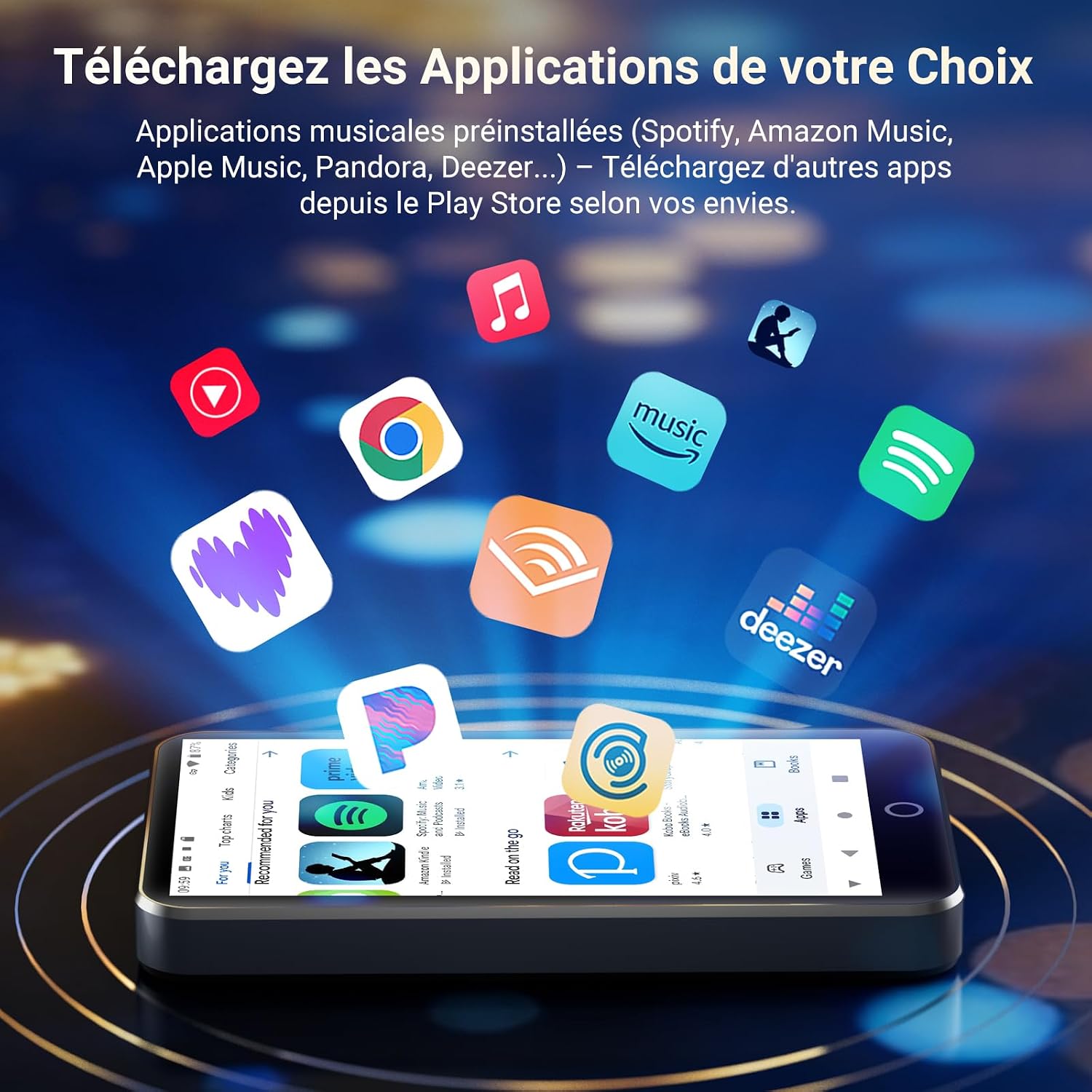
Image: A collection of app icons floating above the device, symbolizing the ability to download and use various applications from the Play Store.
5. Media Playback
The player supports over 30 audio and video formats, including FLAC, APE, WAV, MP3, AAC, OGG, WMA, M4A for audio, and MP4, MKV, AVI, MOV, FLV, RMVB, DAT, MPG, TS for video. Use the pre-installed music and video player apps to manage and play your media files.

Image: The device screen showing a video playing, with icons indicating 4.0-inch touch screen, 480x800px resolution, IPS wide viewing angle, and a list of supported audio and video formats.
6. Battery Management
The 2000mAh battery provides up to 50 hours of music playback or 8 hours of video playback. To conserve battery life, utilize the built-in sleep timer which automatically stops playback after a set duration.
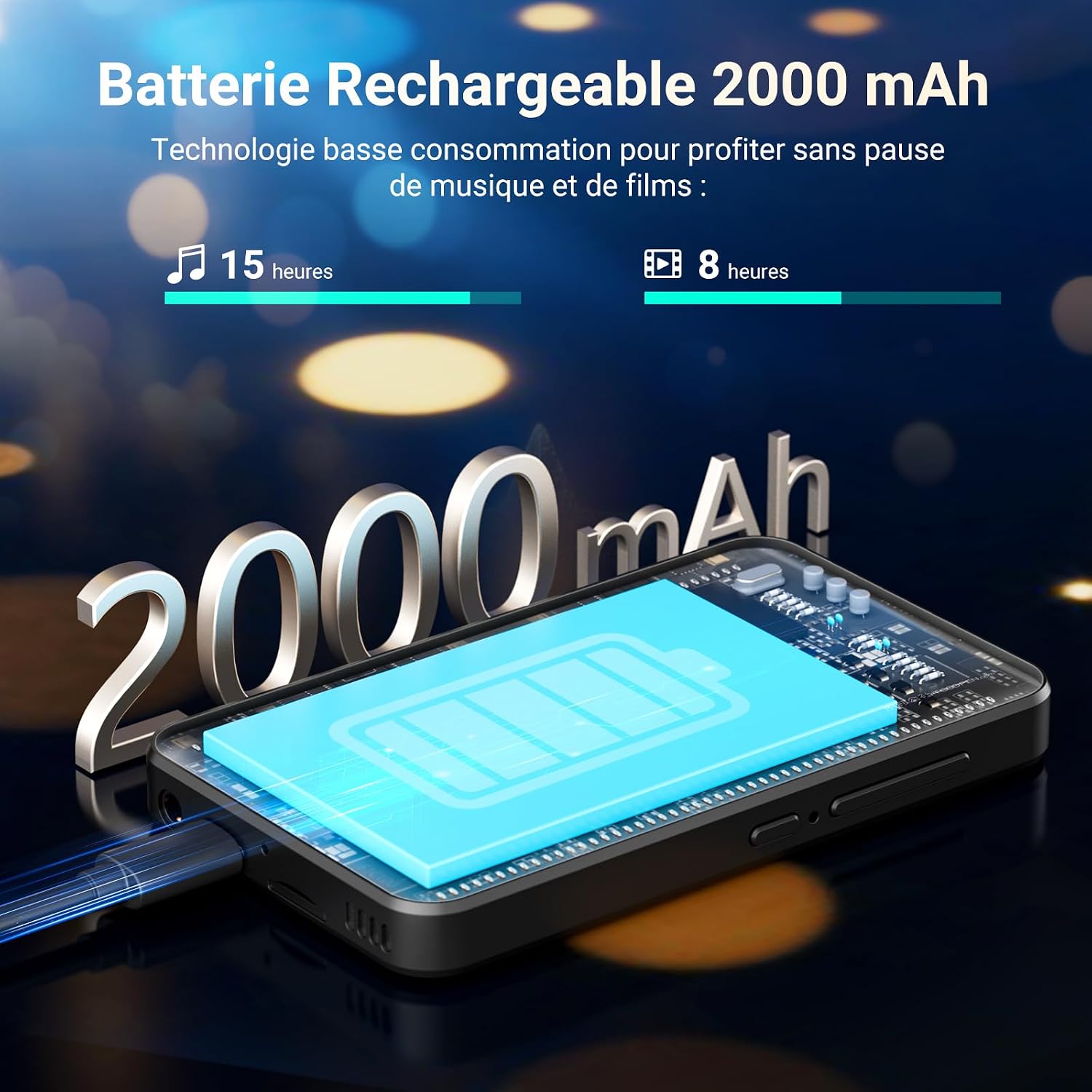
Image: An illustration depicting the 2000mAh battery capacity and its estimated usage times: 15 hours for music and 8 hours for video.
Maintenance
- Cleaning: Use a soft, dry, lint-free cloth to clean the screen and body. Avoid abrasive cleaners or solvents.
- Storage: Store the device in a cool, dry place away from direct sunlight and extreme temperatures.
- Protection: Use the provided protective case and screen film to prevent scratches and minor damage.
- Battery Care: Avoid fully discharging the battery frequently. For long-term storage, charge the battery to about 50% to prolong its lifespan.
Troubleshooting
| Problem | Possible Cause | Solution |
|---|---|---|
| Device won't turn on | Low battery; System crash | Charge the device for at least 30 minutes. If still unresponsive, press and hold the power button for 10-15 seconds to force a restart. |
| Cannot connect to Wi-Fi/Bluetooth | Incorrect password; Device out of range; Bluetooth accessory not in pairing mode | Verify password. Move closer to the router/device. Ensure accessory is in pairing mode. Restart Wi-Fi/Bluetooth on the player. |
| Apps crashing or freezing | Insufficient memory; App bug; Outdated app | Close background apps. Clear app cache/data (Settings > Apps). Update the app from Play Store. Restart the device. |
| Cannot play certain media files | Unsupported format; Corrupt file | Ensure the file format is listed as supported. Try playing another file. Re-download or re-encode the file if necessary. |
| Short battery life | High screen brightness; Many background apps; Heavy usage | Reduce screen brightness. Close unused apps. Use sleep timer. Limit continuous video playback. |
Specifications
| Feature | Detail |
|---|---|
| Brand | MECHEN |
| Model Name | H10-B |
| Operating System | Android 13 |
| Processor | 8-core |
| Memory Storage Capacity | 96 GB (32GB internal + 64GB SD card) |
| Expandable Storage | Up to 1 TB via Micro SD |
| Screen Size | 4 Inches |
| Screen Resolution | 480 x 800 pixels (HD Touchscreen) |
| Connectivity Technology | Bluetooth 4.1, USB, Wi-Fi |
| Special Features | High-resolution audio, Built-in speaker, Touch screen, Equalizer |
| Battery Capacity | 2000 mAh |
| Battery Life (approx.) | 50 hours (music), 8 hours (video) |
| Supported Audio Formats | FLAC, APE, WAV, MP3, AAC, OGG, WMA, M4A |
| Supported Video Formats | MP4, MKV, AVI, MOV, FLV, RMVB, DAT, MPG, TS |
| Color | Black |
| Included Components | 1 USB cable, 1 protective film, 1 MP3 player, 1 pair of earphones, 1 protective case |
Warranty and Support
For warranty information and customer support, please refer to the documentation included with your purchase or visit the official MECHEN website. Keep your proof of purchase for warranty claims.
If you encounter issues not covered in this manual, please contact MECHEN customer service for assistance.
Related documentsH10-B


Ask a question about this manual
Ask about setup, troubleshooting, compatibility, parts, safety, or missing instructions. Manuals+ will review the question and use this page’s manual context to help answer it.