Introduction
This manual provides comprehensive instructions for the installation, use, and maintenance of your BOVUGAC TPU Screen Protector. Designed specifically for the HAYLOU RS5 and AURAFIT F39C smartwatches, this flexible film offers high transparency, scratch resistance, and maintains original touchscreen sensitivity. Please read these instructions carefully before installation to ensure optimal performance and protection for your device.
Package Contents
Your BOVUGAC screen protector package includes the following items:
- 6 x BOVUGAC TPU Screen Protectors
- Cleaning accessories (wet wipes, dry wipes, dust removal stickers)
Installation Guide
Follow these steps carefully to install the screen protector on your HAYLOU RS5 or AURAFIT F39C smartwatch. Ensure you are in a clean, dust-free environment.

- Clean the Watch Surface: Use the provided wet wipe to thoroughly clean the smartwatch screen, removing any dirt, oil, or fingerprints. Follow with the dry wipe to ensure the screen is completely dry and lint-free. Use a dust removal sticker to pick up any remaining dust particles.
- Prepare the Protector: Gently pull down the label or tab on the screen protector to begin peeling off the first protective layer. Be careful not to touch the adhesive side.
- Align and Apply: Carefully align the screen protector with the smartwatch screen. Start from one edge and slowly lower the protector onto the screen, ensuring it is centered and straight.
- Smooth Out Bubbles: Once the protector is in place, use a soft card or your finger to gently press and smooth out any air bubbles from the center outwards to the edges. If small bubbles remain, they typically disappear within 24-48 hours.
Product Features
The BOVUGAC TPU Screen Protector is engineered to provide superior protection and maintain the functionality of your smartwatch.
- High Transparency: Maintains the original viewing experience with superb transmittance and high restoration of the screen's original color.
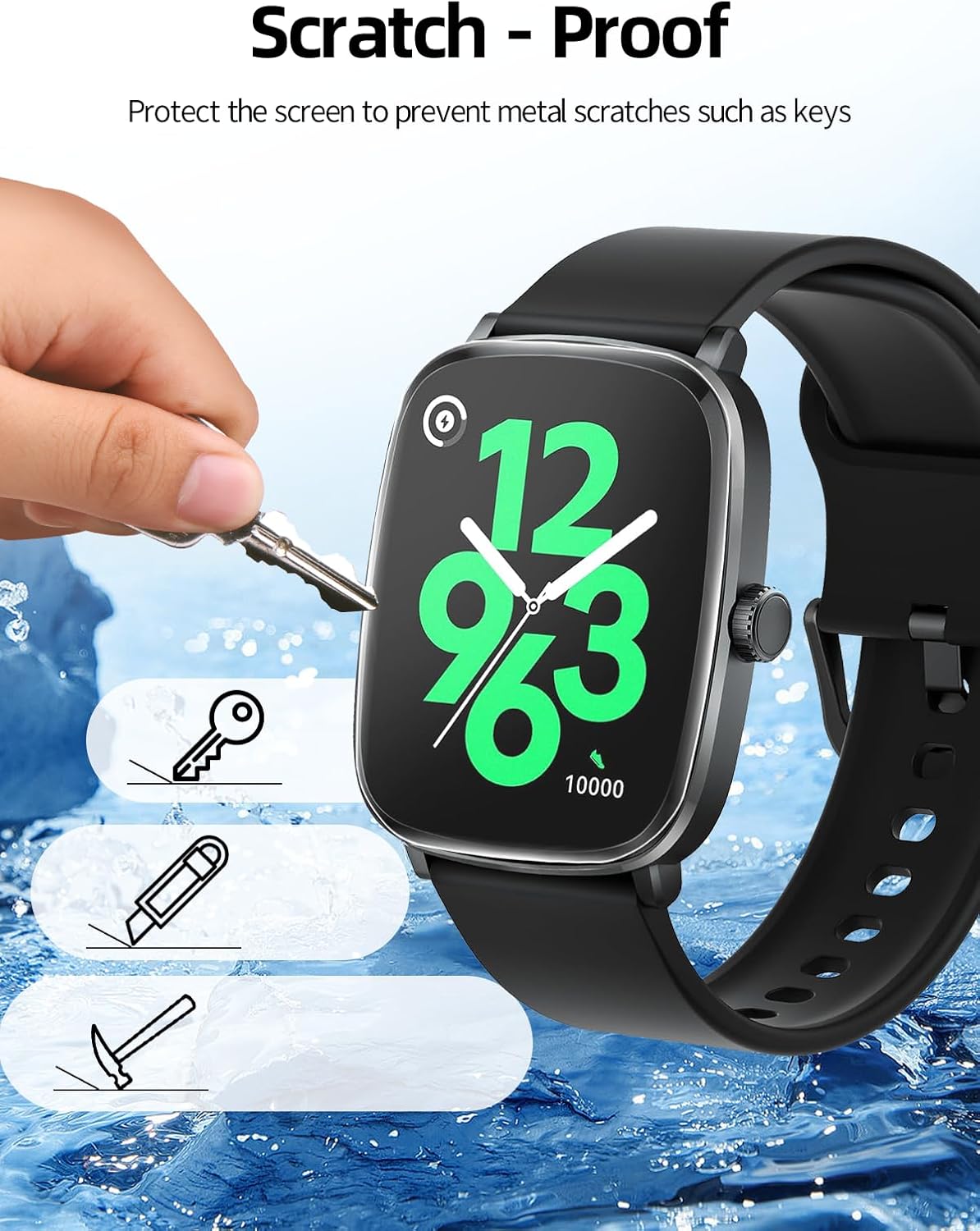
- Scratch Resistance: Made of 6H hardness TPU film, effectively protecting the device from unwanted scratches and abrasions from objects like keys.
- Touchscreen Sensitivity: Preserves the original response sensitivity of your smartwatch, ensuring quick and accurate typing, smooth navigation, and responsive gaming.
- Anti-Blue Light: Designed to reduce blue light exposure, contributing to eye comfort during prolonged use.
- Anti-Fingerprint & Anti-Oil Stains: Features a coating that resists fingerprints and oil smudges, keeping your screen clean.
- Air Bubble Free: Advanced adhesive technology minimizes air bubbles during installation, and any small bubbles typically dissipate on their own.
- Case Friendly: Designed to be compatible with most smartwatch cases, allowing for comprehensive protection.



Care and Maintenance
To ensure the longevity and clarity of your screen protector, follow these simple maintenance tips:
- Cleaning: Use a soft, lint-free cloth, slightly dampened with water or a screen cleaner, to gently wipe the surface of the protector. Avoid harsh chemicals or abrasive materials.
- Avoid Sharp Objects: While the protector is scratch-resistant, extreme force or very sharp objects can still cause damage.
- Temperature: Avoid exposing your smartwatch and protector to extreme temperatures, which can affect the adhesive.
Troubleshooting
If you encounter any issues with your screen protector, refer to the following common solutions:
- Air Bubbles: Small bubbles often disappear within 24-48 hours. For larger bubbles, gently lift the nearest edge of the protector and re-apply, smoothing it down with a soft card. Ensure the screen is free of dust before re-application.
- Reduced Touch Sensitivity: Ensure the protector is applied correctly and smoothly without any lifted edges. If sensitivity issues persist, try re-calibrating your smartwatch's touch settings if available, or consider re-applying a new protector from the pack.
- Dust Under Protector: If dust particles are trapped, carefully lift the protector's edge with a dust removal sticker to pick up the dust, then re-apply.
Technical Specifications
| Feature | Specification |
|---|---|
| Compatible Devices | HAYLOU RS5, AURAFIT F39C Smartwatches |
| Material | Thermoplastic Polyurethane (TPU) |
| Item Hardness | 6H |
| Special Features | Touch Sensitive, Anti-Blue Light, Anti-Scratch, Anti-Fingerprint |
| Finish Type | Glossy |
| Number of Items | 6 Pack |
Warranty and Customer Support
Your BOVUGAC screen protector is designed for durability and performance. While specific warranty details are not provided, this product is typically covered by a 30-day return and replacement policy from the date of purchase, in accordance with standard retail practices.
For any questions, concerns, or assistance with installation or product issues, please contact BOVUGAC customer support through your purchase platform. We are committed to providing friendly and helpful assistance.