
DUQTMBDT TU510A
DUQTMBDT TU510A Diesel Generator Control Panel User Manual
Introduction
This manual provides comprehensive instructions for the installation, operation, and maintenance of the DUQTMBDT TU510A Diesel Generator Control Panel. Please read this manual thoroughly before using the product to ensure safe and efficient operation.
Safety Information
WARNING: Improper installation or operation can lead to serious injury or equipment damage. Always follow local electrical codes and safety regulations.
- Ensure all power sources are disconnected before installation or maintenance.
- Only qualified personnel should perform installation and wiring.
- Do not operate the control panel if it is damaged.
- Keep the control panel dry and away from extreme temperatures.
Product Overview
The DUQTMBDT TU510A is a robust control panel designed for diesel generators, offering reliable monitoring and control functions. It is suitable for various generator applications.
Key Features
- Comprehensive generator monitoring.
- Automatic start/stop capabilities.
- Protection functions for engine and generator.
- User-friendly interface.
Components and Connections
The rear panel of the TU510A control unit features various connectors for power input, control outputs, and communication. Refer to the diagram below for a detailed layout.
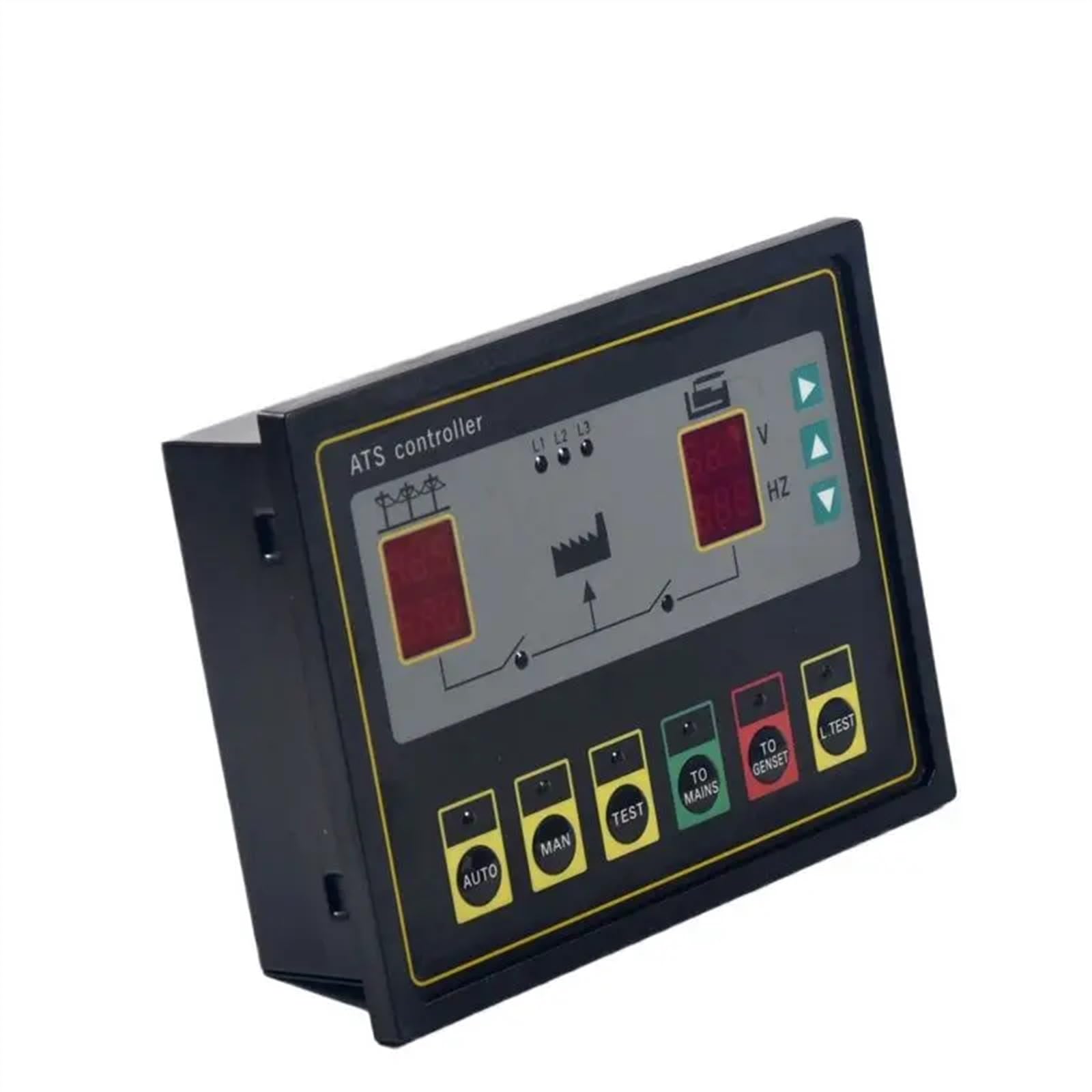
Figure 1: Rear view of the TU510A Control Panel, illustrating various connection terminals and the RS-CONNECTOR. The label provides pin definitions for power inputs and control outputs.
Setup and Installation
Mounting
The TU510A control panel is designed for panel mounting. Ensure adequate space for ventilation and access to wiring terminals.
- Cut a rectangular opening in the control panel door according to the dimensions provided in the specifications.
- Insert the TU510A unit into the opening from the front.
- Secure the unit using the provided mounting clamps from the rear.
Wiring Connections
Carefully connect all necessary wires to the corresponding terminals on the rear of the control panel. Refer to the pin definition table below and the image above for guidance.
| Pin Number | Function Description |
|---|---|
| A1-A4 | Mains/1# Power Input, in order of A, B, C, N phases |
| A5, A6 | 1# Transfer Switch Control Output |
| B8, B9 | (Optional DC Power) Positive, Negative |
| C10-C13 | Generator/2# Power Input, in order of A, B, C, N phases |
| C14, C15 | 2# Transfer Switch Control Output |
| D23, D24 | 2# Start Output (OG) |
| D25, D26 | 1# Start Output (OG) |
The RS-CONNECTOR is a serial port for communication, typically used for configuration or data logging with compatible software.
Operating Instructions
Powering On
- Ensure all wiring is correctly connected and secured.
- Apply power to the control panel. The display should illuminate.
- The panel will perform a self-test.
Basic Operation Modes
The TU510A typically supports several operating modes, including Manual, Automatic, and Test modes. Refer to the front panel buttons and display for mode selection and status indicators.
- Manual Mode: Allows for direct control of generator start/stop and other functions.
- Automatic Mode: The panel monitors mains power and automatically starts/stops the generator as required.
- Test Mode: Initiates a generator test run without transferring load.
Maintenance
Regular maintenance ensures the longevity and reliable operation of your TU510A control panel.
Cleaning
- Use a soft, dry cloth to clean the exterior of the panel.
- Do not use abrasive cleaners or solvents.
Inspection
- Periodically check all wiring connections for tightness and signs of corrosion.
- Inspect the panel for any physical damage.
- Ensure ventilation openings are clear of obstructions.
Troubleshooting
This section provides solutions to common issues you might encounter.
| Problem | Possible Cause | Solution |
|---|---|---|
| Panel does not power on | No power supply; Loose wiring | Check power input connections; Verify power source. |
| Generator fails to start | Low fuel; Low battery; Emergency stop engaged | Check fuel level; Charge/replace battery; Reset emergency stop. |
| Incorrect readings on display | Sensor malfunction; Incorrect calibration | Inspect sensor connections; Consult a qualified technician for calibration. |
If problems persist, contact technical support.
Specifications
- Model: TU510A
- Brand: DUQTMBDT
- Item Weight: 1.76 ounces
- Package Dimensions: 1.18 x 0.79 x 0.39 inches
- Manufacturer: DUQTMBDT
Warranty and Support
For warranty information and technical support, please refer to the documentation provided with your purchase or contact DUQTMBDT customer service. Keep your purchase receipt for warranty claims.
Ask a question about this manual
Ask about setup, troubleshooting, compatibility, parts, safety, or missing instructions. Manuals+ will review the question and use this page’s manual context to help answer it.