
1. Introduction
Thank you for choosing the CCA ND Air3 True Wireless Earbuds. These earbuds are designed to provide a high-quality audio experience with advanced Bluetooth 5.4 connectivity, comfortable fit, and intuitive touch controls. This manual will guide you through the setup, operation, and maintenance of your new earbuds.

Image: The CCA ND Air3 True Wireless Earbuds resting inside their compact charging case.
2. Package Contents
Please check the package for the following items:
- CCA ND Air3 True Wireless Earbuds (Left and Right)
- Charging Case
- USB Type-C Charging Cable
- User Manual
3. Setup
3.1 Charging the Earbuds and Case
Before first use, fully charge the earbuds and charging case. The charging case provides an additional 25 hours of playtime, extending the total listening time to over 30 hours.
- Place the earbuds into the charging case. Ensure they are correctly seated; the indicator lights on the earbuds will illuminate to show they are charging.
- Connect the USB Type-C charging cable to the charging port on the case and plug the other end into a 5V=1A power adapter (not included).
- The indicator light on the charging case will show the charging status. Once fully charged, the indicator will change or turn off depending on the model.

Image: The CCA ND Air3 True Wireless Earbuds placed inside their open charging case, ready for charging or pairing.
3.2 Bluetooth Pairing
The CCA ND Air3 earbuds utilize Bluetooth V5.4 for a fast and stable connection.
- Open the charging case. The earbuds will automatically enter pairing mode, indicated by a flashing light on the earbuds.
- On your device (smartphone, tablet, etc.), enable Bluetooth.
- Search for available Bluetooth devices and select "Air3" from the list.
- Once connected, the earbud indicator lights will turn off or show a steady light, and you will hear a confirmation tone.
- After the initial pairing, the earbuds will automatically reconnect to the last paired device when removed from the case.

Image: A visual representation of the Bluetooth V5.4 flagship chipset, highlighting its speed and compatibility with Android, HarmonyOS, and iOS devices.
4. Operating Instructions
The CCA ND Air3 earbuds feature intuitive touch controls for managing music, calls, and voice assistant functions.

Image: A diagram illustrating the touch control functions for the left and right earbuds, including play/pause, track skipping, call management, and mode switching.
4.1 Music Control
- Play/Pause: Single-tap either earbud.
- Previous Track: Double-tap the left earbud.
- Next Track: Double-tap the right earbud.
4.2 Call Control
- Answer/End Call: Single-tap either earbud.
- Reject Call: Press and hold either earbud for 1 second.
4.3 Other Functions
- Mode Switch (Music/Gaming): Triple-tap the left earbud.
- Activate Voice Assistant: Triple-tap the right earbud.
The earbuds feature a Dual AI-enhanced microphone array to reduce wind and ambient noise during calls, ensuring clear communication.
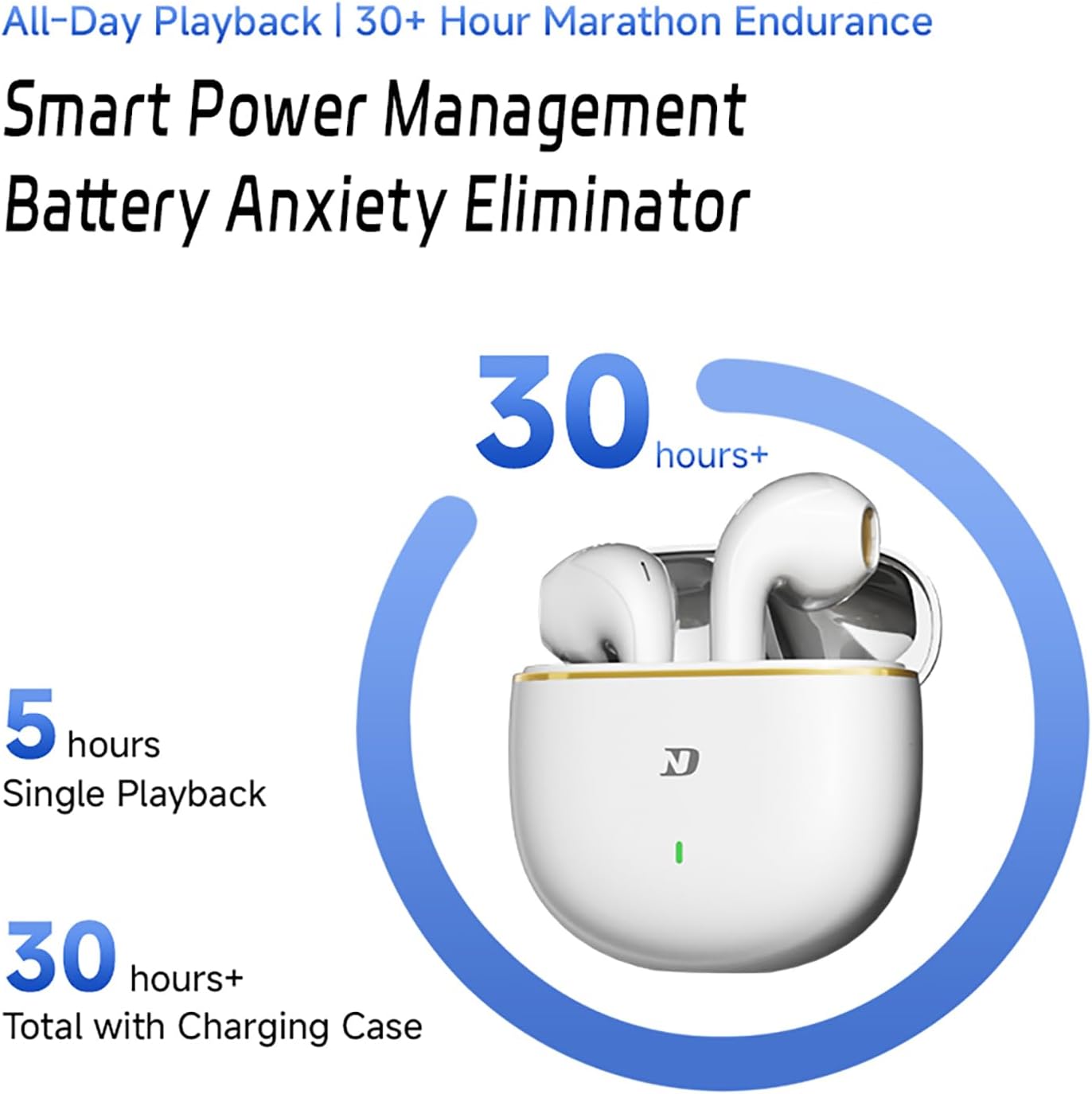
Image: An illustration detailing the Dual HD Mic Array (MIC 1 and MIC 2) and how AI acoustic control suppresses wind noise for clearer calls.
5. Maintenance
To ensure the longevity and optimal performance of your earbuds, follow these maintenance guidelines:
- Cleaning: Regularly clean the earbuds and charging case with a soft, dry, lint-free cloth. Avoid using abrasive materials or harsh chemicals.
- Storage: When not in use, store the earbuds in their charging case to protect them from dust and damage.
- Avoid Moisture: While the earbuds are sweat-resistant, avoid prolonged exposure to water or high humidity. Do not submerge them in liquid.
- Charging: Use only the provided Type-C cable and a compatible 5V=1A charger.
6. Troubleshooting
If you encounter issues with your CCA ND Air3 earbuds, refer to the following common solutions:
- Earbuds not pairing:
- Ensure both earbuds are charged.
- Turn off Bluetooth on your device, then turn it back on.
- Delete "Air3" from your device's Bluetooth list and attempt to pair again.
- Place earbuds back in the case, close it, wait a few seconds, then open to re-enter pairing mode.
- No sound from one earbud:
- Ensure both earbuds are charged.
- Try placing both earbuds back in the charging case and then taking them out again.
- Reset the earbuds (refer to manufacturer's specific reset instructions if available, otherwise try re-pairing).
- Touch controls unresponsive:
- Ensure your fingers are clean and dry.
- Try restarting the earbuds by placing them in the case and taking them out.
- Poor sound quality/intermittent connection:
- Ensure your device is within the 10-meter Bluetooth range.
- Avoid obstacles between your device and the earbuds.
- Check for interference from other wireless devices.
7. Specifications
| Feature | Specification |
|---|---|
| Brand | CCA |
| Model Name | Air3 |
| Bluetooth Version | V5.4 |
| Audio Driver Type | 13mm Dynamic Driver |
| Earbud Battery Life | Up to 5 hours |
| Total Playtime (with case) | Up to 30 hours |
| Charging Interface | Type-C |
| Effective Distance | 10m+ |
| Control Method | Touch |
| Earbud Weight | 3.8g (each) |
| Special Features | Noise Cancelling Mic, Touch Control, Fast Charging, Deep Bass, Lightweight, 60ms Ultra-Low Latency |
| Compatible Devices | Smartphones (iOS, Android) |
8. Warranty and Support
For warranty information and customer support, please refer to the documentation provided with your purchase or contact the retailer/manufacturer directly. Keep your proof of purchase for warranty claims.