
Steinel 110084905
Steinel Cordless Heat Gun MobileHeat MH5 Set User Manual
Model: 110084905
Brand: Steinel
1. Introduction
This user manual provides essential information for the safe and efficient operation, maintenance, and troubleshooting of your Steinel Cordless Heat Gun MobileHeat MH5 Set. Please read this manual thoroughly before using the device and keep it for future reference.
Product Description
The Steinel Mobile Heat Series, including the MH5, are industrial-grade cordless, battery-operated heat tools designed for professional applications. This heat gun allows for maintenance and repair work without the need for a generator, offering exceptional portability. The MH5 features a temperature range of 120-930°F (49-499°C) and an airflow rate of up to 10.5 cfm (cubic feet per minute), making it suitable for tasks such as welding TPO and other heat-intensive applications. It heats up rapidly, reaching operational temperature in less than 30 seconds, providing immediate mobile heat whenever and wherever required.
2. What's in the Box
Your Steinel Cordless Heat Gun MobileHeat MH5 Set includes the following components:
- Cordless Heat Gun MobileHeat MH5
- 8.0 Ah Li-HD CAS Battery
- Battery Charger
- Practical Storage Case
- Operating Instructions (this manual)
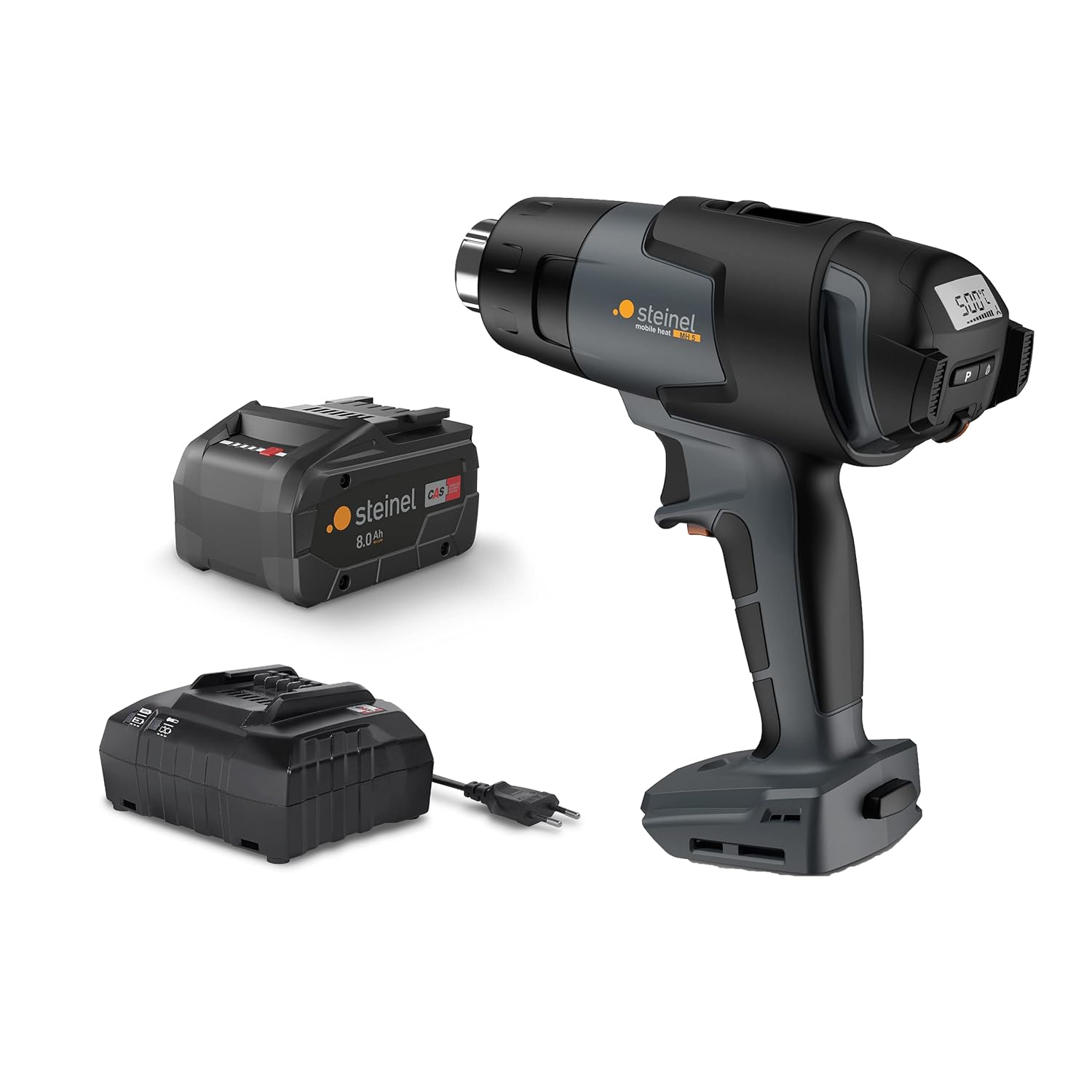
Image: Contents of the Steinel MobileHeat MH5 Set, showing the heat gun, battery, and charger.
3. Safety Instructions
Always observe the following safety precautions to prevent injury and damage to the device.
- Read all instructions: Before operating the heat gun, read and understand all safety warnings, instructions, illustrations, and specifications provided with this power tool.
- Work area safety: Keep your work area clean and well-lit. Cluttered or dark areas invite accidents.
- Electrical safety: Do not expose power tools to rain or wet conditions. Water entering a power tool will increase the risk of electric shock.
- Personal safety: Stay alert, watch what you are doing, and use common sense when operating a power tool. Do not use a power tool while you are tired or under the influence of drugs, alcohol, or medication.
- Heat gun specific safety:
- Do not point the heat gun at people or animals.
- Do not block the air intake or nozzle.
- Allow the heat gun to cool down completely before storing.
- Use in a well-ventilated area to avoid inhalation of fumes.
- Be aware of fire hazards when working with flammable materials.
- Battery safety:
- Only use the specified charger for the battery.
- Do not short-circuit the battery terminals.
- Do not expose batteries to extreme temperatures or fire.
- Store batteries away from metal objects that could short them.
4. Setup and Initial Operation
4.1 Charging the Battery
Before first use, fully charge the 8.0 Ah Li-HD CAS battery using the provided charger.
- Connect the charger to a suitable power outlet.
- Insert the battery into the charger. Ensure it clicks securely into place.
- The charger's indicator light will show the charging status. Refer to the charger's specific instructions for detailed light indications.
- Once fully charged, remove the battery from the charger.

Image: The 8.0 Ah Li-HD CAS battery, compatible with the heat gun.
4.2 Attaching the Battery
To attach the charged battery to the heat gun:
- Align the battery with the battery slot on the base of the heat gun handle.
- Slide the battery into the slot until it clicks securely into place. Ensure it is firmly seated to prevent accidental detachment during operation.

Image: Steinel MobileHeat MH5 heat gun with the 8.0 Ah battery correctly attached.
5. Operating Instructions
5.1 Powering On/Off
To turn on the heat gun, press the power button located on the handle. To turn it off, press the power button again. The device will begin heating rapidly.
5.2 Temperature and Airflow Control
The MobileHeat MH5 features a joystick control for adjusting temperature and airflow.
- Temperature Adjustment: Use the joystick to increase or decrease the temperature. The current temperature setting (120-930°F) will be displayed on the digital screen.
- Airflow Adjustment: The airflow rate can also be adjusted via the joystick, up to a maximum of 10.5 cfm.
- Pre-set Programs: The device may have pre-set programs for common applications. Refer to the digital display and controls for selecting these programs.

Image: Digital display of the heat gun showing temperature and airflow settings.
5.3 Applications
The Steinel MobileHeat MH5 is suitable for various professional applications, including but not limited to:
- Welding TPO (Thermoplastic Polyolefin) membranes.
- Processing heat-shrink tubing for electrical insulation.
- Soldering and desoldering electronic components.
- Thawing frozen pipes (use with caution and appropriate safety measures).
- Removing paint and varnish.
- Drying and curing adhesives.

Image: Professional using the heat gun for electrical work, demonstrating its versatility.
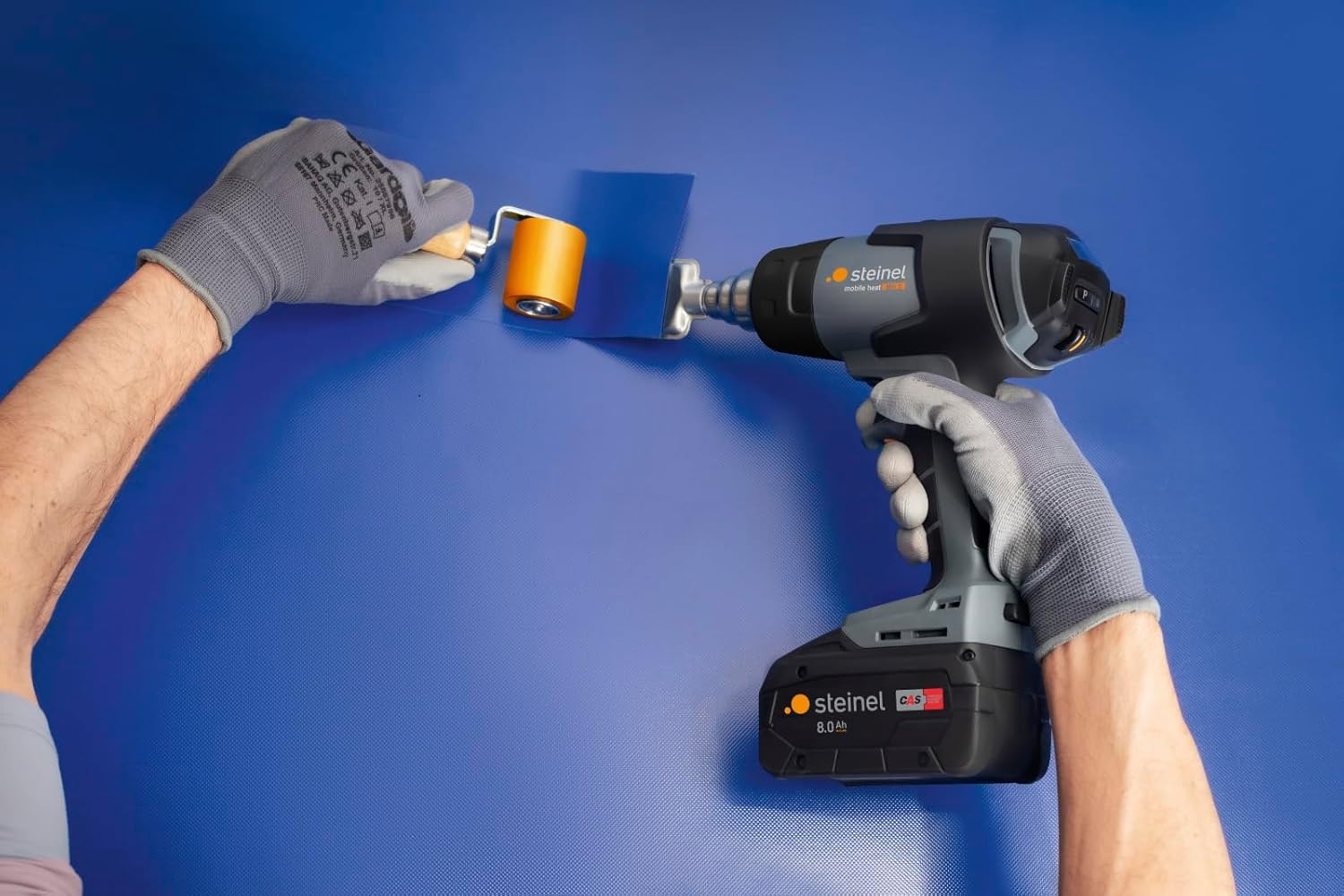
Image: Application of the heat gun for welding TPO, showing precise heat application.
6. Maintenance
Regular maintenance ensures the longevity and optimal performance of your heat gun.
- Cleaning:
- Ensure the heat gun is unplugged (battery removed) and completely cool before cleaning.
- Wipe the exterior with a damp cloth. Do not use harsh chemicals or abrasive cleaners.
- Periodically check the air intake vents for dust and debris. Clean them gently with a soft brush or compressed air to ensure proper airflow and prevent overheating.
- Storage:
- Store the heat gun and battery in the provided storage case in a dry, cool place, away from direct sunlight and extreme temperatures.
- Ensure the battery is partially charged (not fully depleted or fully charged) for long-term storage to preserve battery life.
- Battery Care:
- Avoid fully discharging the battery frequently.
- Charge the battery before it is completely depleted to extend its lifespan.
- If the battery will not be used for an extended period, charge it to approximately 50% every few months.
7. Troubleshooting
If you encounter issues with your Steinel MobileHeat MH5, refer to the table below for common problems and solutions.
| Problem | Possible Cause | Solution |
|---|---|---|
| Heat gun does not turn on. | Battery not inserted correctly or discharged. | Ensure battery is fully seated. Charge the battery. |
| No heat or insufficient heat. | Temperature setting too low; blocked air intake/nozzle; faulty heating element. | Increase temperature setting. Check and clear any obstructions. If problem persists, contact customer support. |
| Airflow is weak. | Blocked air intake; fan malfunction. | Clean air intake vents. If problem persists, contact customer support. |
| Battery drains quickly. | Battery not fully charged; battery nearing end of life; operating at maximum settings continuously. | Ensure battery is fully charged. Consider replacing the battery if it's old. Optimize usage for battery life. |
If the issue is not resolved by the above steps, please contact Steinel customer support. Do not attempt to repair the device yourself.
8. Technical Specifications
| Feature | Detail |
|---|---|
| Model Number | 110084905 |
| Product Dimensions (L x W x D) | 8.86 x 2.83 x 8.03 inches (22.5 x 7.2 x 20.4 cm) |
| Weight (bare tool) | 1.5 lbs (0.68 kg) |
| Battery Type | 8.0 Ah Li-HD CAS (Lithium Ion) |
| Voltage | 23 VAC (Battery Operated) |
| Temperature Range | 120 - 930 °F (49 - 499 °C) |
| Heat-up Time | Less than 30 seconds (from 120 - 930 °F in 4 seconds) |
| Airflow Rate | Up to 10.5 cfm (cubic feet per minute) |
| Noise Level | ≤ 70 dB |
| Manufacturer | Steinel |
9. Warranty and Support
Warranty Information
Steinel products are manufactured to the highest quality standards. For specific warranty terms and conditions applicable to your MobileHeat MH5 Set, please refer to the warranty card included with your product or visit the official Steinel website. Keep your proof of purchase for warranty claims.
Customer Support
For technical assistance, troubleshooting beyond this manual, or warranty inquiries, please contact Steinel customer support. Contact details can typically be found on the Steinel website or on the product packaging.
10. Additional Resources
A comprehensive PDF version of this user manual is available for download:
Related documents110084905


Ask a question about this manual
Ask about setup, troubleshooting, compatibility, parts, safety, or missing instructions. Manuals+ will review the question and use this page’s manual context to help answer it.