
1. Important Safety Instructions
Please read this manual carefully before operating your Daitsu Alisios Premium APD09FX2 portable air conditioner. Keep it for future reference.
- Ensure the unit is placed on a flat, stable surface to prevent tipping.
- Do not block air inlets or outlets. Maintain adequate clearance around the unit for proper airflow.
- Always use a grounded power outlet. Do not use extension cords or adapters.
- Do not operate the unit with a damaged power cord or plug.
- Keep children and pets away from the unit during operation.
- Before cleaning or maintenance, always unplug the unit from the power supply.
- If the unit has been tilted or laid on its side during transport, allow it to stand upright for at least 12-24 hours before plugging it in. This allows the refrigerant and oils to settle, preventing damage to the compressor.
- This appliance uses R290 refrigerant, which is flammable. Handle with care and ensure proper ventilation during installation and maintenance.
2. Product Overview
The Daitsu Alisios Premium APD09FX2 is a versatile portable air conditioner designed for cooling, dehumidifying, and ventilation in rooms up to 22 m². It features Wi-Fi connectivity for smart control and a compact design for easy portability.
Key Components
- Main Unit (Portable Air Conditioner)
- Exhaust Hose
- Window Kit (Adjustable Panel)
- Remote Control
- Drainage Hose
Product Views


3. Setup
3.1 Unpacking and Placement
- Carefully remove the unit and all accessories from the packaging.
- Place the unit on a firm, level surface. The integrated wheels allow for easy movement.
- Ensure there is at least 30 cm of space around the unit for proper air circulation.
3.2 Exhaust Hose and Window Kit Installation
The exhaust hose is crucial for expelling hot air outside the room, ensuring efficient cooling.
- Attach the exhaust hose to the designated outlet on the back of the air conditioner.
- Assemble the adjustable window kit panels to fit your window opening.
- Insert the exhaust hose adapter into the opening of the window kit.
- Secure the window kit in your window frame, ensuring a tight seal to prevent hot air from re-entering the room.


3.3 Drainage Hose Connection
For continuous dehumidification or in high humidity environments, connect the drainage hose for continuous water removal.
- Locate the drainage outlet on the back of the unit.
- Connect the provided drainage hose to this outlet.
- Direct the other end of the hose to a suitable drain or collection container.
3.4 Visual Guide: Product Features and Setup
4. Operating Instructions
4.1 Control Panel
The intuitive control panel on top of the unit allows direct access to all functions. The LED display shows the current temperature and selected settings.
4.2 Remote Control
Use the remote control for convenient operation from a distance. It allows you to adjust temperature, mode, fan speed, and timer settings.
4.3 Operating Modes
- Cooling Mode: Provides powerful cooling to maintain a comfortable room temperature.
- Dehumidification Mode: Reduces excess humidity in the air, improving air quality and comfort.
- Fan Mode: Circulates air without cooling, providing a constant fresh breeze.
4.4 Smart Control (Wi-Fi)
The unit includes integrated Wi-Fi, allowing you to control it remotely via the Daitsu Connect application on your smartphone or tablet. Download the app to configure temperature, set the 24-hour timer, or select your preferred mode from anywhere.
4.5 Special Functions
- 24-Hour Timer: Program the unit to turn on or off automatically.
- Sleep Mode: Adjusts temperature and fan speed for quiet, comfortable sleep.
- Auto Fan: Automatically adjusts fan speed based on ambient temperature for energy efficiency.
- Automatic Swing: Ensures uniform air distribution throughout the room.

5. Maintenance
Regular maintenance ensures optimal performance and longevity of your air conditioner.
5.1 Cleaning the Air Filter
- The unit features an easy-to-wash air filter.
- Periodically remove the air filter (located on the back or side of the unit).
- Clean it with warm water and a mild detergent. Rinse thoroughly and allow it to dry completely before reinserting.
5.2 Draining the Water Tank
- The unit has an internal water tank that collects condensed water.
- When the tank is full, the unit will stop operating and an indicator light will illuminate.
- To drain, place a shallow pan or container under the drainage outlet.
- Remove the rubber stopper from the drainage outlet to allow water to flow out.
- Replace the stopper once the tank is empty.
5.3 Storage
- Before long-term storage, ensure the water tank is completely drained.
- Clean the air filter and allow the unit to dry for a few hours in fan-only mode.
- Store the unit in a cool, dry place, preferably in its original packaging.
6. Troubleshooting
If you encounter issues with your unit, refer to the following common problems and solutions:
| Problem | Possible Cause | Solution |
|---|---|---|
| Unit does not turn on | No power supply; Water tank full | Check power connection; Empty water tank. |
| Insufficient cooling | Blocked air filter; Room too large; Doors/windows open | Clean air filter; Ensure room size is within unit capacity; Close all doors/windows. |
| Loud noise during operation | Unit not on a level surface; Obstruction in fan | Place unit on a level surface; Check for and remove any obstructions. |
| Water leakage | Drainage hose not properly connected or blocked | Check drainage hose connection; Clear any blockages. |
7. Specifications
Detailed technical information for the Daitsu Alisios Premium APD09FX2.
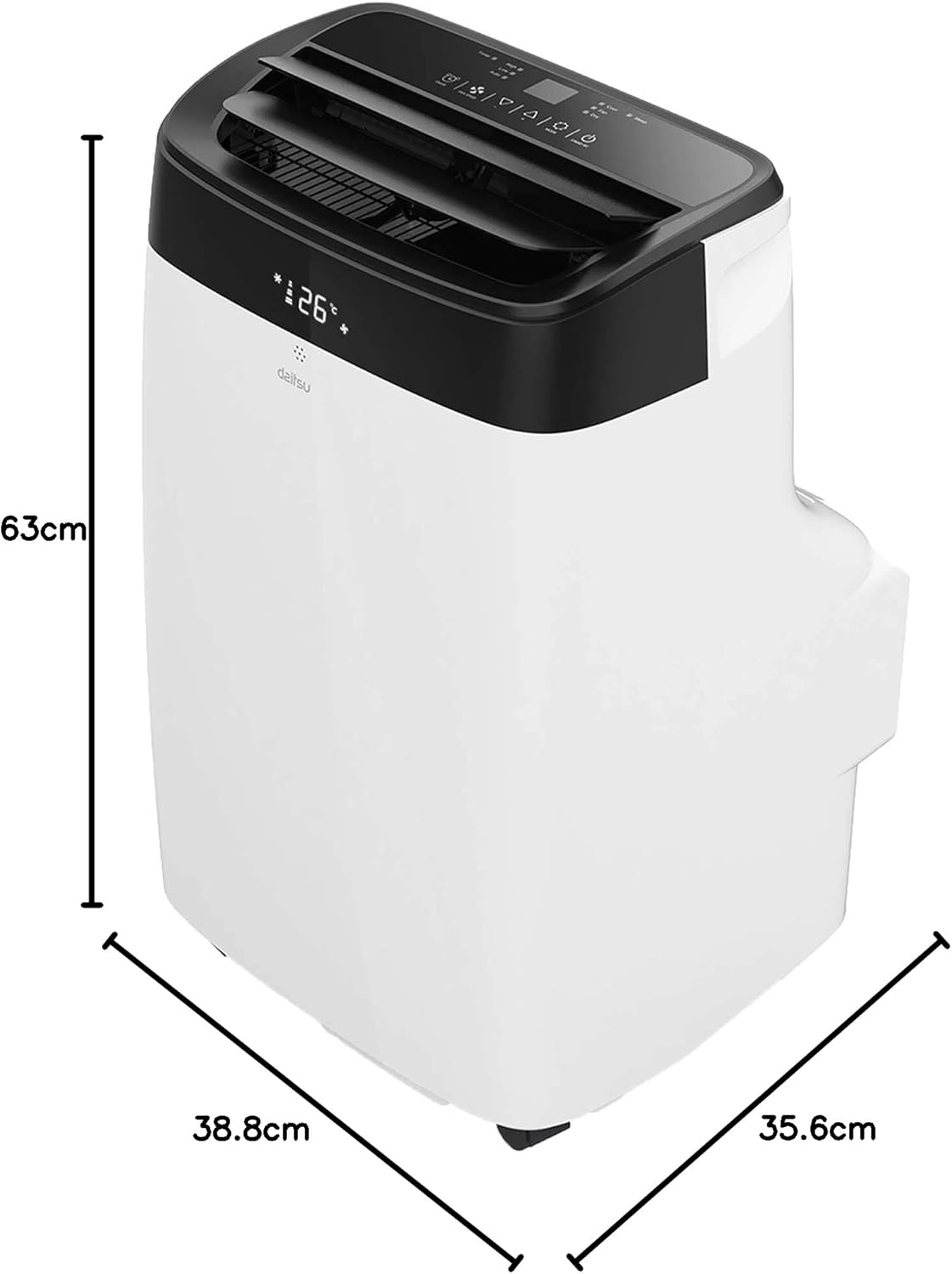
| Feature | Detail |
|---|---|
| Model Number | APD09FX2 |
| Cooling Capacity | 2.6 Kilowatts |
| Coverage Area | Up to 22 m² |
| Refrigerant | R-290 |
| Energy Efficiency (SEER) | 3.5 |
| Noise Level | 53 Decibels |
| Dimensions (D x W x H) | 35.6 x 38.8 x 63 cm |
| Weight | 25 Kilograms |
| Power Supply | 230 Volts (Wired Electric) |
| Control Method | App, Remote Control, Touch |
| Special Features | Remote control, Dehumidifier, Silent mode, Wi-Fi enabled |
8. Warranty and Support
The Daitsu Alisios Premium APD09FX2 comes with a two-year manufacturer's warranty.
- For warranty claims or technical support, please contact Daitsu customer service or your retailer.
- Keep your proof of purchase for warranty validation.
- Refer to the full warranty terms and conditions provided in the separate warranty document.


