
EUQQ YYKQ16-02
EUQQ Open Ear Bluetooth 5.4 Earbuds User Manual
Model: YYKQ16-02
Introduction
This manual provides detailed instructions for the EUQQ Open Ear Bluetooth 5.4 Earbuds, Model YYKQ16-02. Please read this manual carefully before using the product to ensure proper operation and to maximize your listening experience.
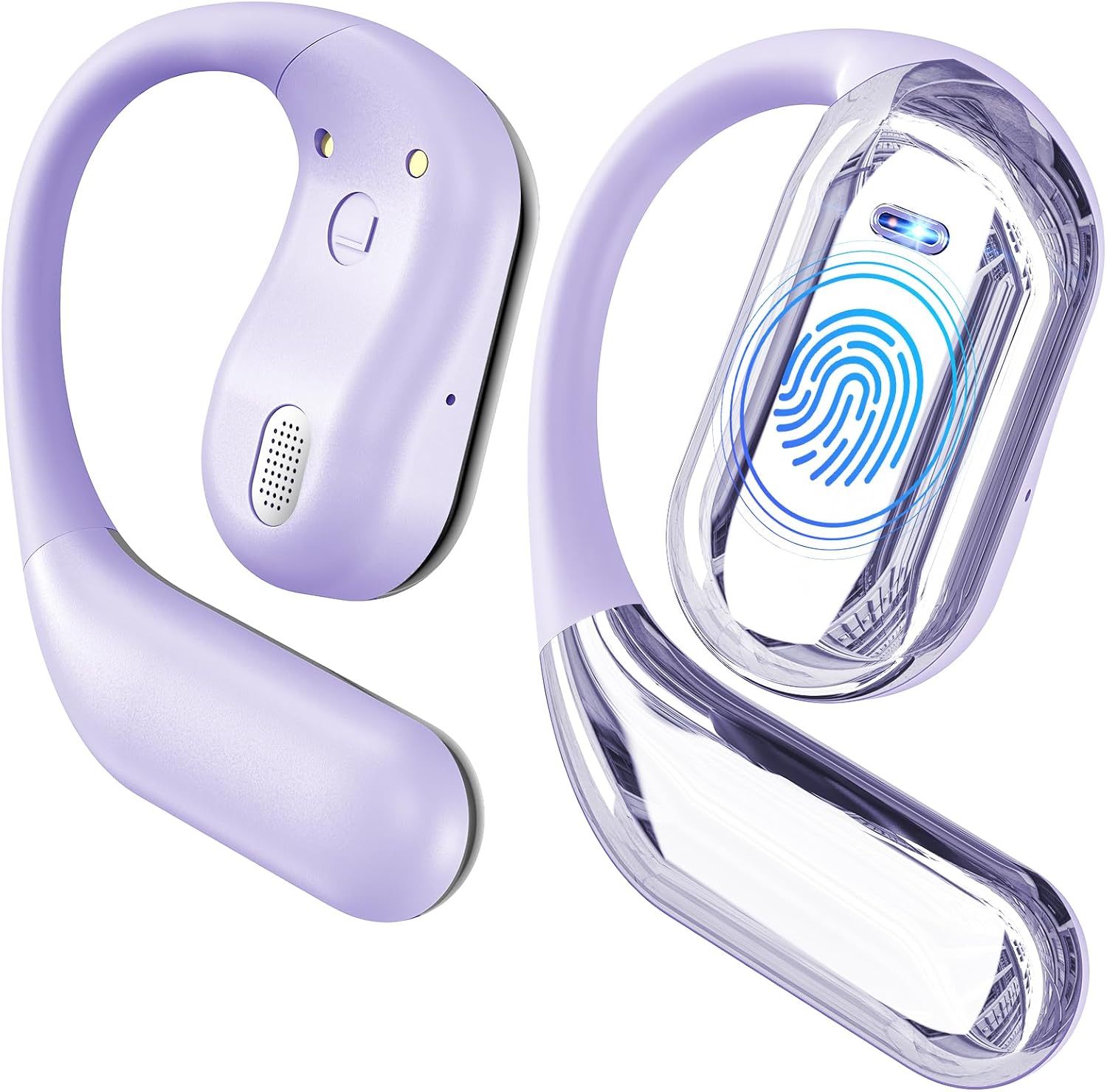
Image: The EUQQ Open Ear Bluetooth 5.4 Earbuds in light purple, showcasing their unique open-ear design and charging case.
What's in the Box
- 2 * Over Ear Open Headphones
- 1 * Charging Case
- 1 * User Manual
- 1 * Type-C Charging Cable

Image: A visual representation of the product packaging and its contents, including the earbuds, charging case, USB-C cable, and user manual.
Product Features
- Comfortable, Open Over Ear Design: Made from soft silicone for comfort and stability, dispersing ear pressure.
- Extended Playtime & LED Digital Display: Up to 10 hours on a single charge, 50 hours total with charging case. LED display shows battery levels.
- Bluetooth 5.4 & Multi-point Connection: Seamless pairing, low latency, and ability to connect to two devices simultaneously.
- Premium Sound Quality & Clear Calls: Features a 16.2mm dynamic speaker for clear notes, stable mid-tones, and deep bass.
- Lightweight Design: Each earbud weighs approximately 0.25 oz, with a memory-flex titanium alloy frame for comfortable, all-day wear.

Image: An exploded diagram illustrating the internal components of the earbud, highlighting the upgraded Bluetooth 5.4 technology for stable and low-power connection.

Image: A close-up diagram of the earbud's 14.2mm dynamic speaker, emphasizing its high-fidelity audio and crystal-clear call capabilities.

Image: The earbuds and charging case, illustrating the 50-hour total playtime and the LED digital display for battery levels of both the case and individual earbuds.
Setup
Charging the Earbuds and Case
Before first use, fully charge the earbuds and the charging case. Connect the provided Type-C charging cable to the charging case and a USB power source. The LED digital display on the case will indicate the charging status and battery level.
- A full charge for the case takes approximately 1.5 hours.
- The earbuds provide up to 10 hours of playtime on a single charge.
- The charging case extends total playtime to 50 hours.
Pairing with Your Device
- Ensure the earbuds are charged.
- Open the charging case. The earbuds will automatically enter pairing mode.
- On your device (smartphone, tablet, computer), go to Bluetooth settings and turn Bluetooth on.
- Search for "YYK-Q16" or "EUQQ Earbuds" in the list of available devices.
- Select the device name to connect. A voice prompt will confirm successful pairing.
- For multi-point connection, after pairing with the first device, disconnect Bluetooth on the first device, then pair with the second device. Reconnect Bluetooth on the first device, and the earbuds should connect to both.
Wearing Instructions
The EUQQ Open Ear Earbuds are designed for a secure and comfortable fit. Follow these steps for optimal wearing:
- Step 1: Take out the earphones from the charging case.
- Step 2: Hang the end of the earphones on the ear bone, positioning the speaker near your ear canal.
- Step 3: Turn the earphones and slide them behind the ear, ensuring the ear hook wraps around the back of your ear.
- Step 4: Adjust the ear hook and gently pull down for a secure and comfortable fit.

Image: A visual four-step guide demonstrating the correct way to wear the open-ear earbuds, from taking them out to adjusting for a secure fit.

Image: A woman wearing the EUQQ open-ear earbuds, illustrating their lightweight and ergonomic design for ultimate comfort.
Operating Instructions (Touch Controls)
The EUQQ Open Ear Earbuds feature intuitive touch controls on each earbud. Refer to the table below for common functions:
| Action | Left Earbud (L) | Right Earbud (R) |
|---|---|---|
| Volume Up | Double Tap (x2) | |
| Volume Down | Double Tap (x2) | |
| Play/Pause | Single Tap (x1) | Single Tap (x1) |
| Answer Call | Single Tap (x1) | Single Tap (x1) |
| Reject Call/Hang Up | Single Tap (x1) | Single Tap (x1) |
| Previous Song | Triple Tap (x3) | |
| Next Song | Triple Tap (x3) | |
| Activate Voice Assistant (Siri/Google Assistant) | Long Press (2s) | Long Press (2s) |
| Reset Earbuds | Press and hold both earbuds for 2 seconds (while disconnected). Alternatively, disconnect from phone and quickly press both buttons 5 times simultaneously. | |

Image: A detailed graphic illustrating the touch control functions for both the left and right earbuds, including single tap, double tap, triple tap, and long press actions.
Maintenance
- Cleaning: Use a soft, dry, lint-free cloth to clean the earbuds and charging case. Do not use abrasive cleaners, alcohol, or chemical solvents.
- Storage: When not in use, store the earbuds in their charging case to protect them and keep them charged. Store in a cool, dry place away from extreme temperatures.
- Water Resistance: The earbuds are IPX7 waterproof, meaning they can withstand immersion in water up to 1 meter for 30 minutes. However, the charging case is not waterproof. Avoid exposing the charging case to liquids.
- Battery Care: To prolong battery life, avoid fully discharging the battery frequently. Charge regularly, even if not used for extended periods.
Troubleshooting
| Problem | Possible Solution |
|---|---|
| Earbuds not pairing/connecting |
|
| No sound or low volume |
|
| Charging case not charging |
|
| Earbuds not charging in case |
|
Specifications
| Feature | Detail |
|---|---|
| Model Number | YYKQ16-02 |
| Bluetooth Version | 5.4 |
| Playtime (Single Charge) | Up to 10 hours |
| Total Playtime (with Case) | Up to 50 hours |
| Charging Time (Case) | Approx. 1.5 hours (Type-C) |
| Waterproof Rating | IPX7 (earbuds only) |
| Earbud Weight | Approx. 0.25 oz (per earbud) |
| Speaker Driver Size | 16.2mm (racetrack-shaped custom driver) |
| Compatible Devices | Almost all Bluetooth devices (smartphones, tablets, laptops, etc.) |
| Item Weight | 4.8 ounces (total package) |
| Package Dimensions | 6 x 4 x 1.1 inches |

Image: A comparative table highlighting the differences between Air-Conduction (EUQQ earbuds), Bone-Conduction, and Traditional TWS earbuds across various features like sound quality, comfort, and Bluetooth version.
Warranty and Support
EUQQ products are designed for reliability and performance. For warranty information and customer support, please refer to the contact details provided on the product packaging or visit the official EUQQ website. Keep your purchase receipt as proof of purchase for warranty claims.
For further assistance, you may also contact the seller directly through the platform where the product was purchased.
Related documentsYYKQ16-02


Ask a question about this manual
Ask about setup, troubleshooting, compatibility, parts, safety, or missing instructions. Manuals+ will review the question and use this page’s manual context to help answer it.