
Introduction
The Godox V1-N Round Head Camera Flash is a high-performance speedlite designed for Nikon cameras, offering advanced lighting capabilities for various photography scenarios. This manual provides essential information for setting up, operating, maintaining, and troubleshooting your V1-N flash.

Image: Godox V1-N Round Head Camera Flash mounted on a Nikon camera, illustrating its compact design and round flash head.
Setup
1. Package Contents
Before beginning, ensure all items are present in the package:
- 1x V1-N Flash Body
- 1x Battery (7.2V/2980mAh Lithium)
- 1x Battery Charger (with cable)
- 1x Protection Bag
- 1x H-type Bracket
- 1x Cleaning Cloth
- (Note: V1-S specific accessories like Color Filter may not be included with V1-N)

Image: The complete set of items included with the Godox V1-N flash, showing the flash unit, battery, charger, and other accessories.
2. Battery Installation and Charging
The Godox V1-N uses a 7.2V/2980mAh lithium battery.
- Insert the fully charged lithium battery into the battery compartment of the flash unit. Ensure it clicks securely into place.
- To charge the battery, connect the battery to the provided charger and plug the charger into a power outlet. The charger's indicator light will show charging status.

Image: A visual representation of the Godox V1-N's high-performance lithium battery being charged, highlighting its quick recycling time and high shot capacity.
3. Mounting the Flash on Camera
The V1-N flash is compatible with Nikon cameras and i-TTL autoflash systems.
- Slide the flash's hot-shoe into your camera's hot-shoe mount.
- Secure the flash using the rapid lock hot-shoe mechanism. This ensures a stable and secure connection.
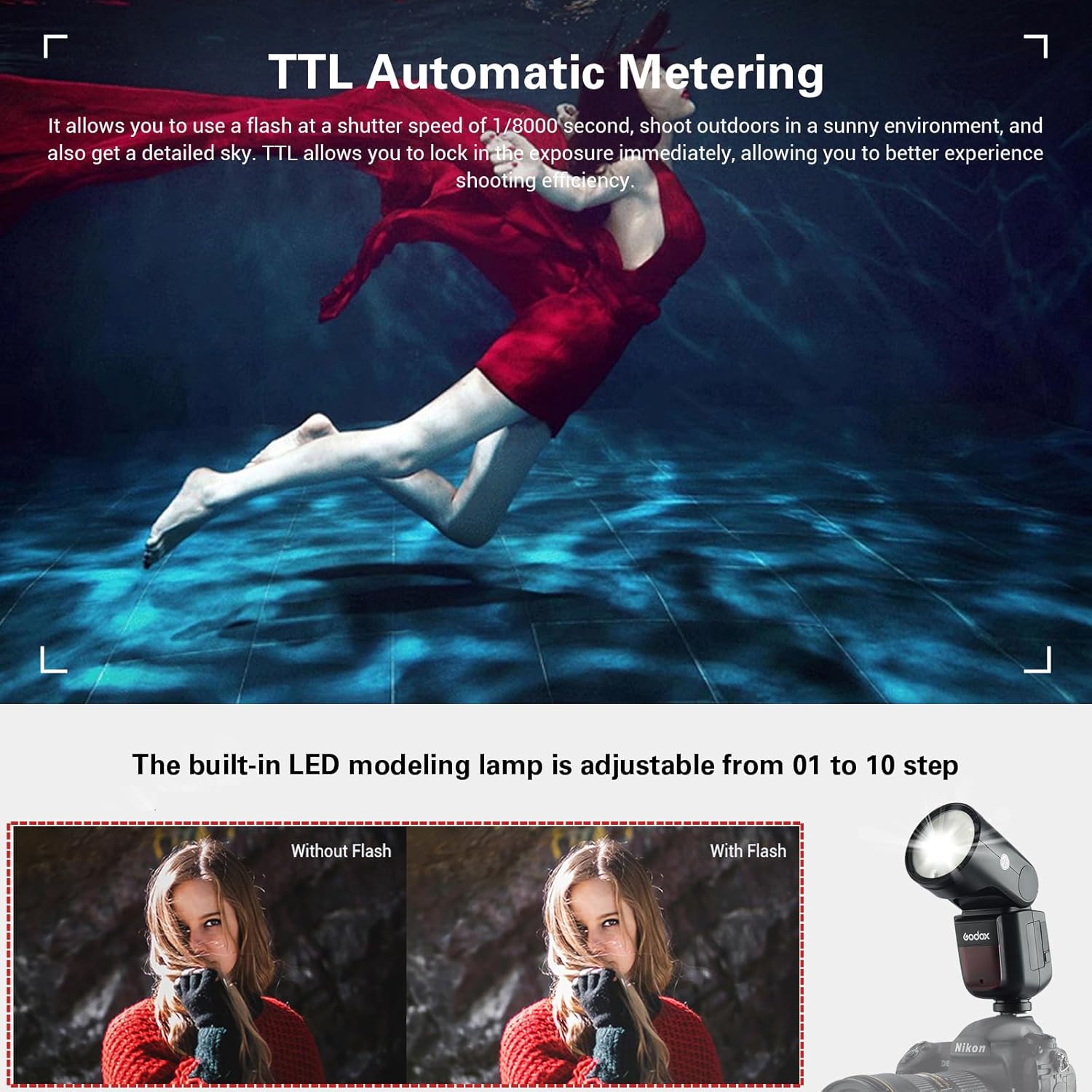
Image: A detailed view of the quick lock hot-shoe on the Godox V1-N, demonstrating its ease of setup and dismantling.
Operating Instructions
1. Power On/Off and LCD Display
To power on the flash, press and hold the power button. The clear dot-matrix LCD panel will illuminate, displaying current settings.

Image: The control panel of the Godox V1-N flash, showing the clear LCD screen and various buttons for easy setting adjustments.
2. Round Fresnel Head and LED Modeling Lamp
The V1-N features a round fresnel head that distributes light evenly from center to edges, producing soft and natural light effects. The built-in LED modeling lamp can be adjusted from 01 to 10 steps, allowing you to preview light fall-off on your subject.

Image: A visual comparison demonstrating the excellent light effects and smoother, more even light distribution achieved with the Godox V1N's round flash head compared to a traditional rectangular speedlight.
3. Wireless Control and Flash Modes
The Godox V1-N integrates a 2.4G wireless X system, enabling stable output and remote control. It can function as a master or slave flash and is compatible with Godox 2.4G series flash triggers (e.g., X2T, XPRO, X1T) for triggering and remote control.
The flash supports various modes including TTL autoflash, manual flash, 1/8000s High-Speed Sync (HSS), and Flash Exposure Compensation/Lock. These functions provide comprehensive control over your lighting.

Image: The Godox V1-N demonstrating its wireless control capabilities, showing compatibility with various Godox 2.4G wireless X system triggers and other flash units.
Video: An introductory video showcasing the Godox V1 Flash, its features, and display. This video provides a visual guide to the flash's functionality and design.
4. Flexible Rotation and Zooming Head
The flash head offers wide angle adjustment from 0° to 330° horizontally and -7° to 120° vertically, improving efficiency for bounce flash. The zooming head (28-105mm) automatically adjusts to match your lens's focal length, ensuring optimal light coverage.

Image: A diagram illustrating the extensive rotation (330 degrees) and tilt (120 degrees) capabilities of the Godox V1-N flash head, allowing for flexible light positioning and bounce flash techniques.
5. Magnetic Accessory Port
The V1-N features a magnetic accessory port, allowing for swift installation of various light modifiers (e.g., from the AK-R1 accessory kit, sold separately) to achieve diverse lighting effects.

Image: The Godox V1-N flash head demonstrating its user-friendly magnetic accessory port, allowing for quick attachment and detachment of various light modifiers to achieve desired lighting effects.
Maintenance
1. Cleaning
Use the provided cleaning cloth to gently wipe the flash body and lens. Avoid using harsh chemicals or abrasive materials that could damage the surface.
2. Battery Care
To prolong battery life, store the lithium battery in a cool, dry place when not in use. Avoid fully discharging the battery frequently. Recharge the battery regularly, even if not in active use, to maintain its capacity.
Troubleshooting
If you encounter issues with your Godox V1-N flash, refer to the following common troubleshooting steps:
- Flash Not Firing:
- Ensure the flash is securely mounted on the camera's hot-shoe.
- Check if the battery is fully charged and correctly inserted.
- Verify that the flash is powered on and in the correct operating mode (e.g., TTL, Manual).
- Confirm that the camera's flash settings are correctly configured.
- Wireless Triggering Issues:
- Ensure both the flash and the trigger are set to the same channel and group.
- Check battery levels on both the flash and the trigger.
- Confirm that the trigger is compatible with the Godox 2.4G wireless X system.
- Flash Overheating:
- Excessive rapid firing can cause overheating. Allow the flash to cool down if the overheating protection activates.
- Physical Damage:
- Inspect the hot-shoe mount for any signs of damage. While designed for durability, physical impacts can affect components.
- For internal component failures (e.g., capacitor issues), professional repair is recommended.
If problems persist after attempting these steps, please contact Godox customer support for further assistance.
Specifications
| Feature | Specification |
|---|---|
| Brand | GODOX |
| Model Number | V1N for Nikon |
| Compatible Mountings | Nikon Camera and TTL Autoflash |
| Camera Flash Type | Hotshoe |
| Connectivity Technology | 2.4G Wireless |
| Battery Type | 1 Nonstandard Battery (included) |
| Item Weight | 2.14 pounds |
| Package Dimensions | 8.88 x 8.13 x 3.88 inches |
Warranty and Support
For warranty information and technical support, please refer to the official Godox website or contact their customer service directly. Keep your purchase receipt as proof of purchase for any warranty claims.
You can visit the official GODOX Store for more information and product updates: GODOX Store.