
1. Introduction
This manual provides essential information for the safe and efficient operation of your Goiaey GO2 Projector. Please read it thoroughly before using the device and retain it for future reference. The Goiaey GO2 is a high-performance projector designed for versatile entertainment and presentation, featuring 2000 ANSI lumens brightness, native 1080P resolution with 4K decoding support, and smart automatic image adjustments.
2. Package Contents
Verify that all items listed below are included in your package. If any items are missing or damaged, please contact customer support.
- 1x Goiaey GO2 Smart Projector
- 1x Remote Control
- 1x HDMI Cable
- 1x User Manual
- 1x Cleaning Kit
3. Product Overview
Familiarize yourself with the components of your Goiaey GO2 Projector.

Figure 3.1: Front view of the Goiaey GO2 Projector, showing the projection lens and integrated stand.
3.1 Front and Side Components
- Projection Lens: Emits the image.
- Auto-Focus Sensor: Detects projection surface for automatic focus adjustment.
- Ventilation Grills: For heat dissipation. Ensure these are not obstructed.
- Integrated 360° Rotatable Stand: Allows for flexible projection angles, including wall and ceiling.
3.2 Rear Panel Connections

Figure 3.2: Rear panel of the Goiaey GO2 Projector, illustrating available input and output ports.
- HDMI Ports (x2): Connect to external devices such as laptops, gaming consoles, or TV sticks.
- USB Ports (x2): Connect USB drives for media playback or external devices.
- 3.5mm Audio Jack: Connect external speakers or headphones.
- Power Input: Connect the power adapter.
4. Setup
4.1 Placement
The Goiaey GO2 Projector offers flexible placement options due to its 360° rotatable stand and compact size. Ensure the projector is placed on a stable, flat surface or mounted securely.
- Tabletop: Place the projector on a table.
- Tripod Mount: Use the standard M4 screw hole on the bottom for tripod installation.
- Ceiling Mount: The M4 screw hole also supports ceiling mounting.
- Wall Projection: Adjust the stand to project onto a wall.
- Ceiling Projection: Adjust the stand to project onto the ceiling.

Figure 4.1: Various mounting and placement options for the Goiaey GO2 Projector.
4.2 Power Connection
- Connect the power adapter to the projector's power input port.
- Plug the power adapter into a suitable electrical outlet.
- Press the power button on the projector or remote control to turn on the device.
5. Operating Instructions
5.1 Initial Setup and Automatic Adjustments
Upon powering on or moving the projector, the Goiaey GO2 automatically adjusts the image for optimal viewing.
- Auto Focus: The projector automatically sharpens the image within approximately 3 seconds.
- Auto Keystone Correction: Automatically corrects trapezoidal distortion to ensure a rectangular image.
- Auto Screen Fit: Adjusts the image size to fit the boundaries of your projection screen or wall.
- Auto Obstacle Avoidance: Detects and adjusts the projection to avoid obstacles in the projection path.
Ensure these automatic functions are enabled in the settings menu for seamless operation.

Figure 5.1: Visual representation of the automatic image adjustment features.
5.2 Using Built-in Applications
The projector comes with pre-installed licensed streaming applications.
- Navigate to the home screen using the remote control.
- Select the desired application (e.g., Netflix, YouTube, Prime Video, Disney+, Hulu).
- Log in with your account credentials to access content.

Figure 5.2: Home screen interface showing available streaming applications.
6. Connectivity
6.1 Wired Connections
Connect external devices using the available ports on the rear panel.
- HDMI: Use an HDMI cable to connect laptops, PCs, gaming consoles (PS5, Switch), or TV sticks.
- USB: Insert USB flash drives for direct media playback.
- 3.5mm Audio: Connect external speakers or headphones for enhanced audio.
6.2 Wireless Connections
The Goiaey GO2 supports advanced wireless technologies for seamless connectivity.
- WiFi 6: Connect to your wireless network for internet access and content streaming. WiFi 6 provides faster, more stable connections for ultra-HD content and screen mirroring.
- Two-Way Bluetooth 5.2:
- Bluetooth Transmitter Mode: Connect wirelessly to external Bluetooth speakers or headphones for an immersive audio experience.
- Bluetooth Receiver Mode: Turn the projector into a powerful Bluetooth speaker by pairing it with your smartphone or other Bluetooth-enabled devices.

Figure 6.1: Illustration of the two-way Bluetooth function.

Figure 6.2: Enhanced streaming experience with WiFi 6 and MEMC.
7. Image and Audio Features
7.1 Display Quality
- Brightness: 2000 ANSI Lumens for clear viewing in various lighting conditions.
- Resolution: Native 1080P, supporting 4K decoding for sharp and detailed images.
- Contrast Ratio: 50,000:1 for deep blacks and bright whites.
- HDR10: Enhances detail in dark and bright scenes.
- Display Size: Adjustable from 50 inches to 500 inches (recommended 100 inches for optimal viewing).
- Throw Ratio: 1:1, projecting a 100-inch image from approximately 8 feet.
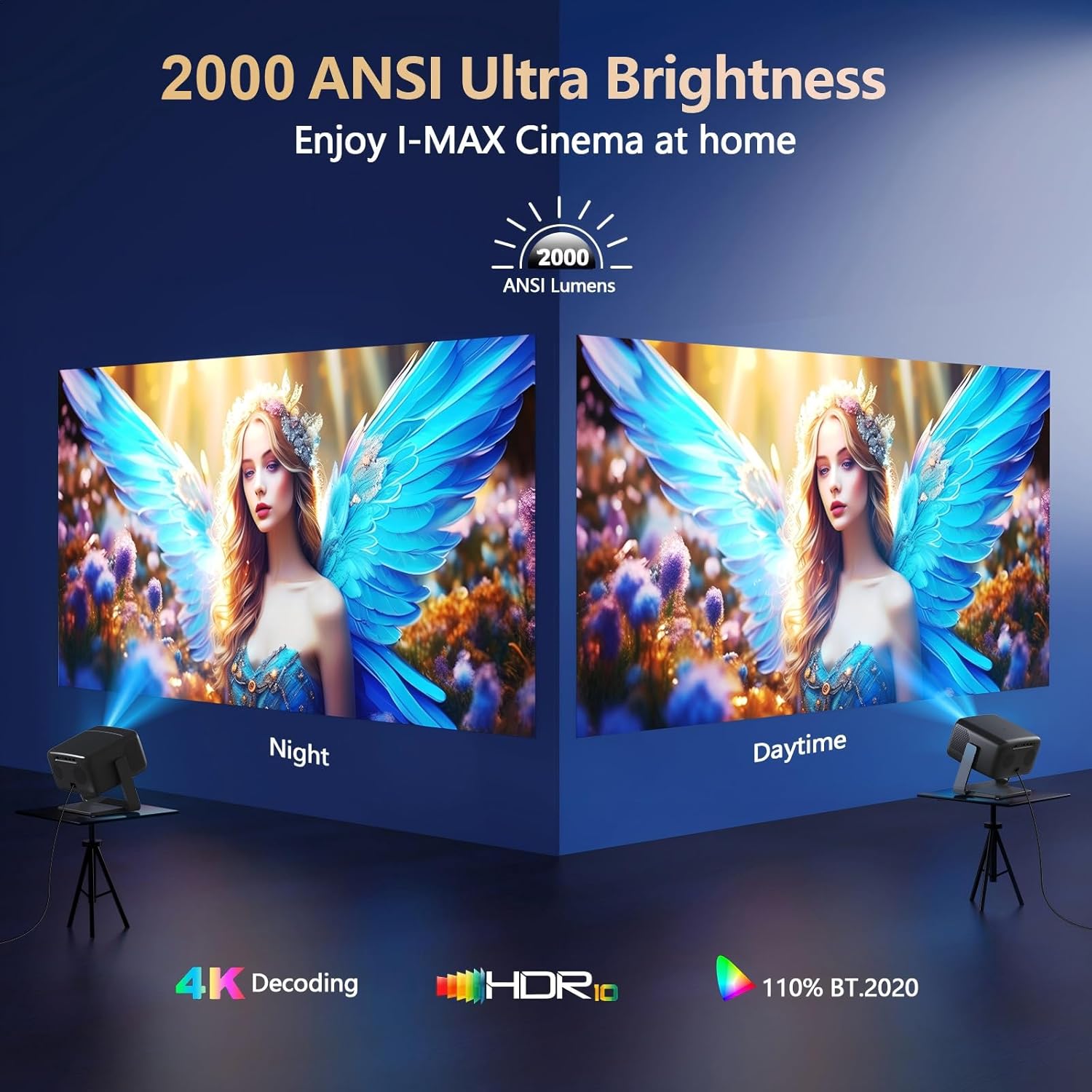
Figure 7.1: Brightness performance in different lighting conditions.

Figure 7.2: Projection distance versus screen size.
7.2 Audio System
Experience high-quality audio with the integrated sound system.
- Speakers: 36W Dolby-supported stereo speakers.
- Sound Features: One-touch surround sound activation for an immersive audio experience with deep bass and clear highs.

Figure 7.3: Immersive audio experience with 36W Dolby stereo sound.
8. Maintenance
Proper maintenance ensures the longevity and optimal performance of your projector.
- Ventilation: Ensure proper airflow around the projector. Do not block the ventilation grills.
- Cleaning: Regularly clean the lens with the provided cleaning kit. Gently wipe the exterior with a soft, dry cloth. The sealed engine design helps prevent dust accumulation internally.
- Shutdown: Always power off the projector correctly using the remote or power button to allow for proper cooling.
- Power Supply: Use a stable power supply to prevent damage.
- Storage: When not in use for extended periods, store the projector in a cool, dry place, protected from dust.
9. Troubleshooting
This section addresses common issues you might encounter.
9.1 Common Issues and Solutions
| Problem | Possible Cause | Solution |
|---|---|---|
| No image or blurry image | Power not connected, lens cap on, out of focus, auto-focus disabled. | Ensure power is connected. Remove lens cap. Check if auto-focus is enabled in settings. Move projector slightly to trigger auto-focus. |
| Image is distorted (trapezoid shape) | Projector not perpendicular to screen, auto-keystone disabled. | Ensure auto-keystone correction is enabled in settings. Reposition the projector. |
| No sound | Volume too low, external audio device not connected or selected, Bluetooth not paired. | Increase volume. Check audio output settings. Ensure Bluetooth device is correctly paired. |
| Fan noise is noticeable | High brightness operation generates heat, requiring faster fan speed. | This is normal for high-brightness projectors. Maintain a distance of at least 3.5 feet from the projector for optimal viewing and listening comfort. Ensure ventilation is not obstructed. |
| Cannot connect to WiFi/Bluetooth | Incorrect password, out of range, device interference. | Verify WiFi password. Ensure devices are within range. Restart projector and router/Bluetooth device. |
For further assistance, please refer to the Warranty and Support section.
10. Specifications
| Feature | Detail |
|---|---|
| Brand | Goiaey |
| Model | GO2 |
| Brightness | 2000 ANSI Lumens |
| Native Resolution | 1920 x 1080 (1080P) |
| Supported Resolution | 4K Decoding |
| Contrast Ratio | 50,000:1 |
| HDR Support | HDR10 |
| Display Size | 50" - 500" (Recommended 100") |
| Throw Ratio | 1:1 |
| Connectivity (Wired) | 2x HDMI, 2x USB, 1x 3.5mm Audio Jack |
| Connectivity (Wireless) | WiFi 6, Two-way Bluetooth 5.2 |
| Audio | 36W Dolby-supported Stereo Speakers |
| Automatic Features | Auto Focus, Auto Keystone, Auto Screen Fit, Auto Obstacle Avoidance |
| Dimensions | 7.87 x 5.12 x 9.45 inches |
| Item Weight | 3.96 pounds |
| LED Lifespan | 100,000 hours |
11. Warranty and Support
Goiaey is committed to providing high-quality products and customer satisfaction.
- Replacement Policy: 1-year replacement for eligible issues.
- Repair Service: 3-year repair service.
- Technical Support: Lifetime technical support.
- Response Time: Solutions provided within 24 business hours.
For any questions, issues, or to claim warranty service, please contact Goiaey customer service via the official address provided in your product packaging or on the official Goiaey website. Please have your model number (GO2) and purchase details ready when contacting support.

Figure 11.1: Summary of Goiaey's customer support and warranty terms.


