
Sennheiser 700430
Sennheiser ACCENTUM Open Wireless Earbuds User Manual
Model: 700430
Introduction
The Sennheiser ACCENTUM Open Wireless Earbuds are engineered to provide a balanced audio experience while maintaining awareness of your surroundings. Their open-ear design ensures comfort and eliminates the pressure often associated with traditional in-ear headphones. Equipped with 11mm dynamic drivers, these earbuds deliver clear and detailed sound. They feature Bluetooth 5.3 for stable connectivity, IPX4 splash resistance for durability during workouts or in light rain, and a battery life of up to 28 hours with the charging case. The earbuds also support multipoint connectivity and intuitive touch controls for seamless daily use.

The Sennheiser ACCENTUM Open Wireless Earbuds in their charging case, ready for use.

Highlighting the audio quality with Sennheiser's signature tuning, rich detail, and powerful 11mm dynamic drivers.
Setup
1. Charging the Earbuds and Case
Before first use, fully charge the earbuds and the charging case. Connect the provided USB-C cable to the charging case and a power source. The LED indicator on the case will show the charging status.
- A full charge provides up to 28 hours of total playtime with the charging case.
- Charging time for the earbuds is approximately 1 hour.

Key features of the earbuds, including 28 hours of battery life, fast charging capability, and IPX4 splash resistance.
2. Pairing with a Bluetooth Device
- Open the charging case. The earbuds will automatically enter pairing mode.
- On your device (smartphone, tablet, laptop), go to Bluetooth settings and select "Sennheiser ACCENTUM Open" from the list of available devices.
- Once connected, a voice prompt will confirm successful pairing.
The earbuds support Bluetooth 5.3 and multipoint connectivity, allowing simultaneous connection to two devices.
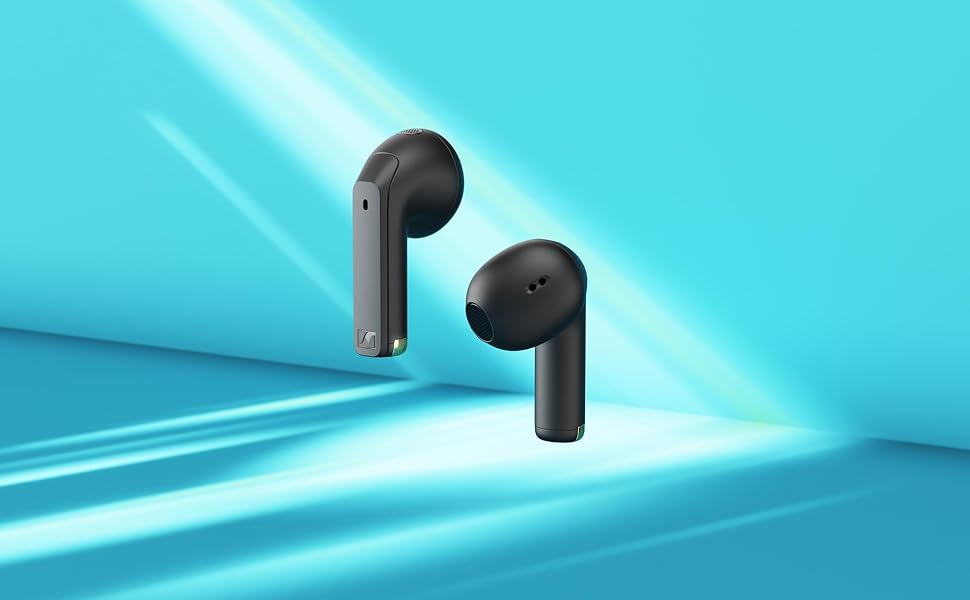
The earbuds offer convenient features such as touch controls, multipoint device connection, and smart pause functionality.
Operating Instructions
The ACCENTUM Open earbuds feature intuitive touch controls on each earbud.
Music Playback Controls
- Play/Pause: Single tap on either earbud.
- Next Track: Double tap on the right earbud.
- Previous Track: Double tap on the left earbud.
Volume Adjustment
- Increase Volume: Hold the right earbud.
- Decrease Volume: Hold the left earbud.
Call Management
- Answer/End Call: Single tap on either earbud.
- Reject Call: Double tap on either earbud.
- Crystal-clear call quality is supported by the integrated microphones.
Smart Pause Function
The earbuds feature a Smart Pause function that automatically pauses audio when an earbud is removed and resumes when re-inserted. This feature can be enabled or disabled:
- Disable/Enable Smart Pause: Triple tap on the left earbud.
Single Earbud Listening
You can use either the left or right earbud independently for audio playback or calls. Simply remove one earbud and the other will continue to function.
Maintenance
Cleaning
- Regularly clean the earbuds and charging case with a soft, dry cloth.
- Avoid using abrasive materials or harsh chemicals.
- Ensure charging contacts are free from dust and debris for optimal charging.
Water and Sweat Resistance
The earbuds are rated IPX4 for splash resistance, meaning they are protected against splashing water from any direction. This makes them suitable for workouts and use in light rain. However, they are not designed for submersion in water.
The earbuds and charging case, indicating IPX4 splash resistance.
Troubleshooting
No Sound or Intermittent Audio
- Ensure the earbuds are charged.
- Check Bluetooth connection on your device. Try re-pairing if necessary.
- Ensure the earbuds are within the Bluetooth range of your device.
- Clean the charging contacts on both earbuds and the case.
Earbuds Not Charging
- Verify the USB-C cable is securely connected to both the case and the power source.
- Check if the charging case itself has power.
- Clean the charging contacts on the earbuds and inside the case.
Difficulty with Touch Controls
- Ensure your fingers are clean and dry when using touch controls.
- Practice the tap and hold gestures to get accustomed to the sensitivity.
- If Smart Pause is causing issues, try disabling it (triple tap on the left earbud).
Poor Fit or Comfort
The ACCENTUM Open earbuds feature an open-ear design that rests outside the ear canal. If you experience discomfort or an unstable fit:
- Adjust the position of the earbuds in your outer ear.
- Ensure the earbuds are correctly oriented (Left/Right).

Illustration demonstrating the difference between open-earbud fit, which allows ambient sound, and closed-earbud fit, which provides isolation.

A visual guide to the ergonomic open-ear fit of the ACCENTUM Open earbuds, designed for comfort and natural awareness.
Specifications
| Model Name | ACCENTUM Open |
| Model Number | 700430 |
| Brand | Sennheiser |
| Connectivity | Wireless (Bluetooth 5.3) |
| Ear Placement | Open-ear (In-ear style) |
| Driver Type | Dynamic Driver (11mm) |
| Impedance | 0.02 Ohm |
| Sensitivity | 109 dB |
| Battery Life | Up to 28 hours (with charging case) |
| Charging Time | Approx. 1 hour |
| Water Resistance | IPX4 (Splash-proof) |
| Weight | 38 grams |
| Included Items | Earbuds, Charging Case, USB-C Cable, Instruction Manual |
| UPC | 810091273357 |
Warranty Information
This product comes with a 1-year manufacturer's warranty for domestic genuine new products. Please retain your proof of purchase for warranty claims. The warranty covers defects in materials and workmanship under normal use.
For detailed warranty terms and conditions, please refer to the official Sennheiser website or contact customer support.
Support
For further assistance, technical support, or to download the full user manual, please visit the official Sennheiser support website:
You may also contact Sennheiser customer service directly for any inquiries.
Related documents700430


Ask a question about this manual
Ask about setup, troubleshooting, compatibility, parts, safety, or missing instructions. Manuals+ will review the question and use this page’s manual context to help answer it.