
1. Product Overview
The ILIFE V2 Robot Vacuum Cleaner is designed for efficient and convenient floor cleaning, particularly effective on hard floors and for picking up pet hair. Its tangle-free suction port prevents hair from wrapping around brushes, ensuring consistent performance. The slim design allows it to clean under furniture, and its intelligent features include automatic charging and multiple cleaning modes.

Image: The ILIFE V2 Robot Vacuum Cleaner in white, accompanied by its remote control, showcasing its compact design.
2. What's in the Box
Please check the contents of your package upon unboxing to ensure all components are present:
- ILIFE V2 Robot Vacuum Cleaner
- Charging Dock
- Charging Adapter
- Remote Control
- Side Brushes (typically two pairs, one for immediate use, one spare)
- High-Performance Filter (pre-installed or spare)
- Cleaning Tool
3. Setup Guide
3.1 Initial Charging
Before first use, fully charge the robot vacuum. Place the charging dock against a wall in an open area, ensuring there are no obstacles within 1 meter (3 feet) to the sides and 2 meters (6 feet) in front. Connect the charging adapter to the dock and a power outlet. Place the V2 robot onto the charging dock, ensuring the charging contacts align. The indicator light on the robot will show charging status.

Image: The ILIFE V2 Robot Vacuum Cleaner automatically returning to its charging dock, illustrating the self-charging feature.
3.2 Preparing the Cleaning Area
For optimal cleaning performance, remove any large obstacles, loose cables, or small items from the floor before the robot begins cleaning. The V2 is equipped with anti-bump and anti-fall sensors to navigate around furniture and avoid stairs.

Image: The ILIFE V2 Robot Vacuum Cleaner demonstrating its ultra-slim design by cleaning effectively under a low-clearance sofa.
4. Operating Instructions
4.1 Starting a Cleaning Cycle
The ILIFE V2 can be started in two ways:
- One-Button Touch: Press the 'CLEAN' button on the top of the robot.
- Remote Control: Use the remote control to select a cleaning mode and start the robot.

Image: The ILIFE V2 Robot Vacuum Cleaner with its remote control, highlighting features like scheduled cleaning, suction adjustment, cleaning modes, and auto recharge.
4.2 Cleaning Modes
The V2 offers multiple cleaning modes to suit different needs:
- Auto Clean: The robot automatically navigates and cleans the entire floor area.
- Spot Clean: The robot cleans a specific concentrated area in a spiral pattern.

Image: Visual representation of the four cleaning modes: Auto Mode for general cleaning, Edge Mode for corners, Spot Mode for concentrated areas, and Max Mode for increased suction.
4.3 Scheduling Cleaning
To set a daily cleaning schedule:
- Ensure the V2 robot is on its charging station.
- Double press the "Home" button on the remote control.
- You will hear two beeps, indicating the schedule has been successfully set. The V2 will clean daily at this time.
To change the schedule, double press the "Home" button at your new desired time. This will replace the previous schedule.
To cancel the schedule, triple-press the "Home" button until you hear one beep.
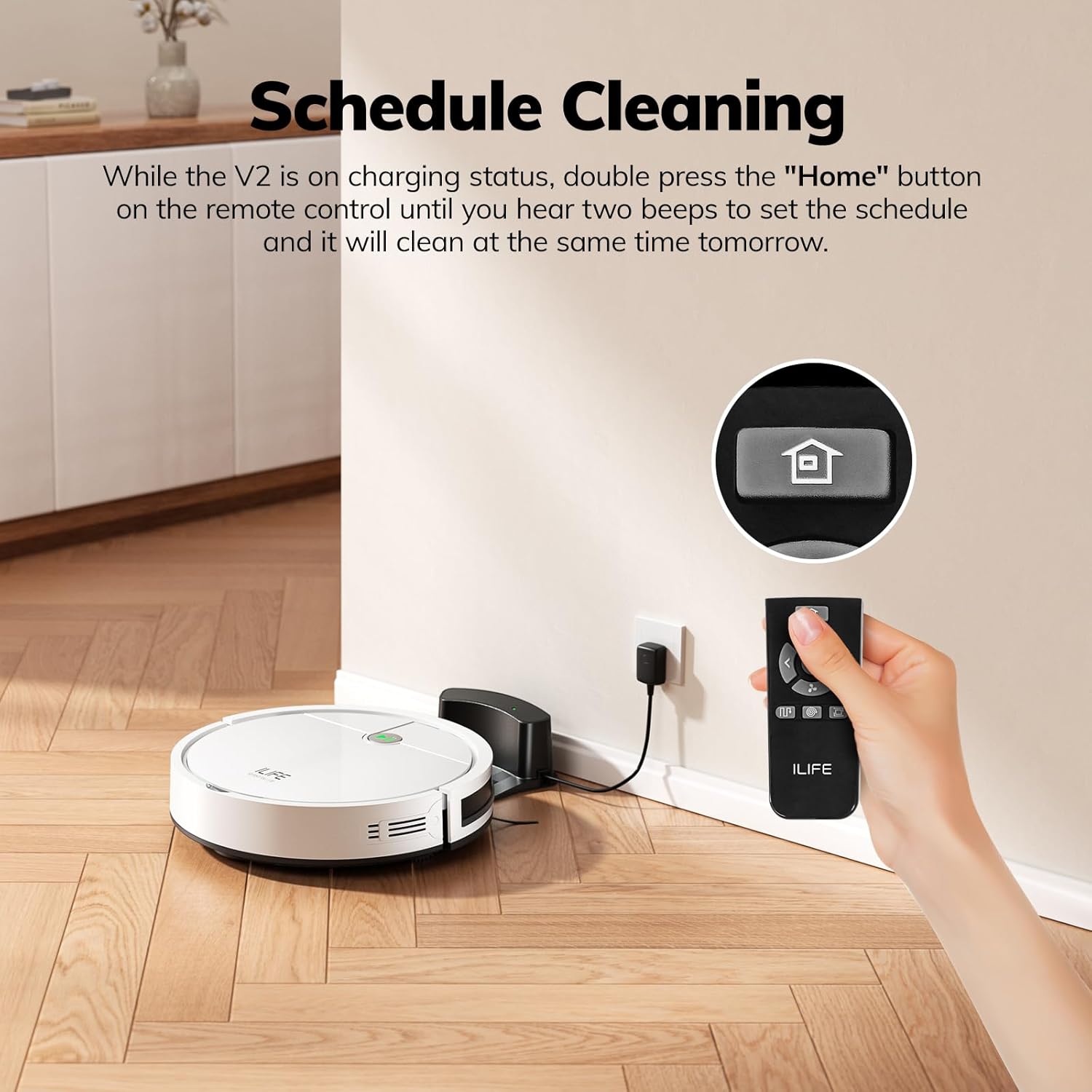
Image: A hand using the remote control to set a cleaning schedule for the ILIFE V2 Robot Vacuum Cleaner, which is docked at its charging station.
4.4 Automatic Recharging
The V2 robot vacuum cleaner is designed to automatically return to its charging dock when its battery level is low, ensuring it is always ready for the next cleaning cycle. It can clean for up to 120 minutes on a single charge.

Image: The ILIFE V2 Robot Vacuum Cleaner operating in a living room, with an overlay indicating its 120-minute runtime.
5. Maintenance
Regular maintenance is crucial for the optimal performance and longevity of your ILIFE V2 Robot Vacuum Cleaner. The V2 features a tangle-free suction port, which simplifies maintenance by reducing hair entanglement.

Image: An illustration of the ILIFE V2's underside, highlighting its tangle-free suction port designed to pick up debris and pet hair without tangling.
5.1 Dustbin and Filter
The V2 is equipped with a 300ml large dustbin, minimizing the frequency of emptying.

Image: The ILIFE V2 Robot Vacuum Cleaner with its top cover open, revealing the 300ml large dustbin, designed for less frequent emptying.
| Accessory | Maintenance Frequency | Replacement Interval |
|---|---|---|
| Dustbin | After each use | N/A |
| High performance filter (Sponge type) | Weekly (Twice a week for families with pets) | 3-5 months interval |
| Spinning side brush | Weekly | Depends on wear |
| Charging dock contacts | Weekly | N/A |
* Regular cleaning of the dustbin and filter helps maintain suction power.
6. Troubleshooting
If your ILIFE V2 experiences issues, please refer to the following common troubleshooting tips. For more detailed solutions, consult the official user manual PDF linked in the Support section.
- Robot not charging: Ensure the charging dock is properly connected to power and the robot's charging contacts are aligned with the dock's. Clean the charging contacts on both the robot and the dock.
- Robot not starting: Check if the robot is fully charged. Ensure the power switch on the side of the robot is in the 'ON' position.
- Reduced suction power: Empty the dustbin and clean the high-performance filter. A clogged filter can significantly reduce suction.
- Robot getting stuck frequently: Clear the cleaning area of loose cables, small rugs, or other obstacles. Clean the anti-drop and anti-collision sensors on the robot's underside.
- Side brushes not spinning: Remove and clean the side brushes, ensuring no hair or debris is wrapped around their axles. Reinstall them securely.
7. Product Specifications
| Feature | Specification |
|---|---|
| Brand | ILIFE |
| Model Name | ILIFE V2 |
| Color | White |
| Product Dimensions | 12.2"L x 12.2"W x 2.99"H |
| Item Weight | 7.06 pounds |
| Battery Life | 120 minutes |
| Dustbin Capacity | 300 Milliliters |
| Filter Type | Sponge |
| Control Method | Remote |
| Special Features | Anti-Collision, Auto-Docking, Easy to Use, Ideal for pet hair, Ultra-Slim Design |
| Power Source | Battery Powered |
| Voltage | 110 Volts |
8. Warranty and Support
The ILIFE V2 Robot Vacuum Cleaner comes with a 12-month warranty. For any product-related inquiries, technical support, or warranty claims, please contact the U.S. customer service team.
For a comprehensive guide and additional information, you can download the official User Manual (PDF) from the following link: Download User Manual (PDF)


