1. Introduction
Thank you for choosing the EF ECOFLOW WAVE 3 Portable Air Conditioner and Heater. This versatile unit provides powerful cooling (1800W/6100 BTU) and heating (2000W/6800 BTU) for various environments, including camping, RVs, and vanlife. With its optional 1024Wh add-on battery, fast charging capabilities, and smart app control, the WAVE 3 offers reliable climate control wherever you need it. This manual provides essential information for safe and efficient operation.
2. Safety Information
- Read all instructions before using the appliance.
- Keep the appliance away from water and moisture.
- Ensure proper ventilation during operation to prevent overheating.
- Do not block air inlets or outlets.
- Use only manufacturer-approved accessories and parts.
- Avoid tilting or laying the unit on its side for more than 10 minutes. If tilted, allow it to stand upright for at least 2 hours before use.
- The device may produce water. Ensure proper drainage to prevent overflow.
- Keep out of reach of children and pets.
3. Package Contents
3.1. EF ECOFLOW WAVE 3 Unit
- EF ECOFLOW Wave 3 Portable Air Conditioner and Heater
- Insulated Exhaust Duct (2)
- Exhaust Duct Adapter Covers (A, B, C)
- Drain Pipe
- Winder
- Duct Size Template
- Safety Instructions, Quick Start Guide, Service Card
3.2. Add-on Battery (if included)
- EcoFlow WAVE 3 Add-on Battery
- Add-on Battery Cable
- Car Charging Cable
- Safety Instructions, Quick Start Guide, Service Card

Figure 1: EF ECOFLOW WAVE 3 and Add-on Battery Package Contents
4. Setup and Installation
4.1. Attaching Hoses
The WAVE 3 comes with insulated exhaust ducts and adapter covers for directing airflow. Attach the appropriate adapter covers to the air inlets/outlets on the unit, then connect the insulated ducts. Ensure a secure fit to maximize efficiency.
4.2. Attaching Add-on Battery
If using the add-on battery, align it with the base of the WAVE 3 unit and slide it into place until it clicks securely. Connect the add-on battery cable between the unit and the battery. This provides extended cordless operation.
Video 1: Demonstrating the setup and use of the EcoFlow Wave 3 with its add-on battery, including hose attachment and basic operation.
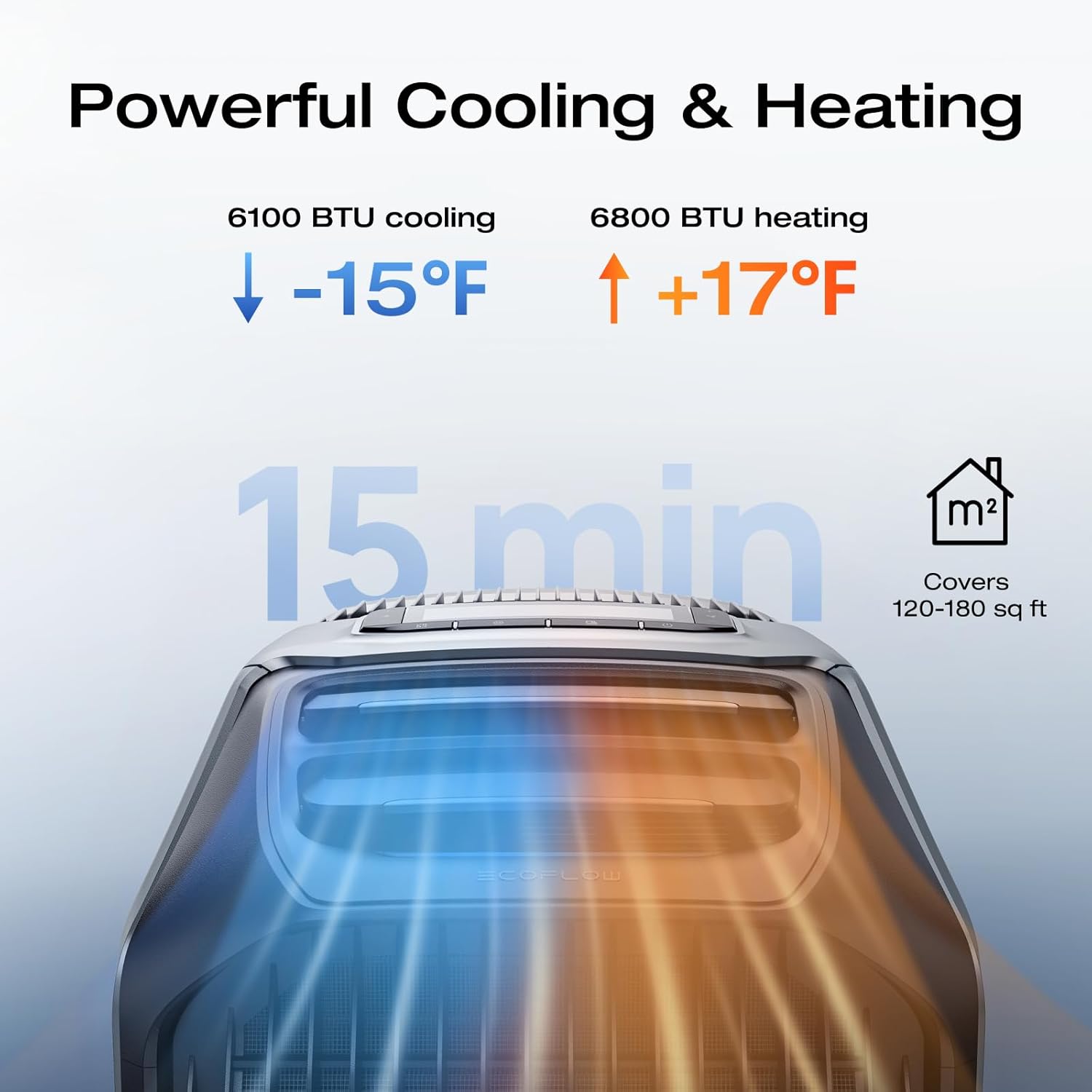
Figure 2: Attaching an insulated exhaust duct to the WAVE 3 unit.
5. Operating Instructions
5.1. Powering On/Off
Press and hold the power button on the unit's control panel to turn the WAVE 3 on or off. The display will illuminate, showing current settings.
5.2. Mode Selection (Cooling, Heating, Fan, Dehumidification)
Use the mode button on the control panel or the EcoFlow app to cycle through available modes: Cooling, Heating, Fan, and Dehumidification. The unit features an automatic function that maintains optimal temperature by switching between cooling and heating as needed.

Figure 3: Powerful Cooling and Heating Performance
5.3. Temperature and Fan Speed Adjustment
Adjust the desired temperature and fan speed using the dedicated buttons on the control panel. The display will show the set temperature and current fan level.
5.4. App Control
Download the EcoFlow app to remotely control the WAVE 3. The app allows you to monitor real-time power consumption, adjust temperature and modes, set timers, and receive water and power alerts.

Figure 4: Seamless Control with the EcoFlow App
5.5. Charging Options
The WAVE 3 and its add-on battery can be charged via multiple methods:
- AC Outlet: Fast charging (1000W) in approximately 75 minutes.
- EcoFlow Alternator Charger: Efficient charging while on the go.
- Car Power Outlet: Convenient charging from your vehicle.
- Solar Panels: Environmentally friendly charging using solar energy.

Figure 5: Various Charging Options for the WAVE 3
5.6. Special Features
- Sleep Mode: Operates at a quiet 44dB for peaceful rest.
- Pet Care Mode: Automatically activates cooling if the cabin temperature exceeds a set limit, protecting pets left in vehicles.
- Dehumidification Function: Adjusts humidity to your desired level.

Figure 6: Multi-Modes for Every Adventure
6. Maintenance
6.1. Water Drainage
The WAVE 3 may produce condensation during operation. When the internal water tank is full, a water drain alert will be triggered (via app or unit display). Connect the provided drain pipe to the drainage port and direct the water away from the unit.
6.2. Cleaning
Regularly clean the air filters and exterior of the unit to ensure optimal performance. Refer to the detailed cleaning instructions in the full user manual for specific procedures.
7. Troubleshooting
If you encounter issues with your EF ECOFLOW WAVE 3, please refer to the following common troubleshooting steps:
- Unit Not Powering On: Ensure the unit is properly connected to a power source or that the add-on battery is charged and securely attached. Check the power button.
- Insufficient Cooling/Heating: Verify that air inlets and outlets are not obstructed. Ensure the unit is in the correct mode (Cooling/Heating) and the temperature setting is appropriate. Check for proper hose installation.
- Water Leakage/Drainage Issues: Confirm the drain pipe is correctly attached and not blocked. Ensure the unit is on a level surface.
- App Connectivity Problems: Check your device's Bluetooth/Wi-Fi connection and ensure the EcoFlow app is updated to the latest version.
- Unusual Noises: If the unit produces abnormal sounds, power it off immediately and contact customer support.
Video 2: An overview of the EF ECOFLOW WAVE 3's features and performance, which may assist in understanding normal operation versus potential issues.
8. Specifications
| Feature | Specification |
|---|---|
| Manufacturer | EcoFlow |
| Model Number | Wave 3 + EB |
| Item Weight | 33.7 pounds |
| Product Dimensions | 20 x 13 x 12 inches (51.8D x 33.5W x 29.7H cm) |
| Color | Gray |
| Voltage | 120 Volts |
| Wattage | 1159 watts |
| Cooling Capacity | 6100 British Thermal Units (1800W) |
| Heating Capacity | 6800 British Thermal Units (2000W) |
| Floor Area Coverage | 120-180 sq ft (11-17 m²) |
| Sound Level | 44 Decibels (Sleep Mode) |
| Battery Type (Add-on) | 1024Wh LFP (LiFePO4) |
| Battery Cycle Life | 4,000 cycles to 80% capacity |
| Special Features | Remote Controlled (App), Sleep Mode, PetCare, Dehumidification |
9. Warranty and Support
9.1. Warranty Information
The EF ECOFLOW WAVE 3 comes with a 2-Year Manufacturer Warranty. Please retain your proof of purchase for warranty claims.
9.2. Customer Support
For technical assistance, warranty inquiries, or further information, please visit the official EF ECOFLOW website or contact their customer support team. You can find contact details on the service card included in your package or on the brand's official website.


