
1. Safety Information
Please read and understand all safety instructions before using this product. Keep this manual for future reference.
- Do not expose the device to water or excessive moisture.
- Avoid placing the device near heat sources or in direct sunlight.
- Use only the provided power adapter or a certified USB-C power source.
- Do not attempt to disassemble or repair the device yourself. Contact qualified service personnel.
- Keep out of reach of children.
2. Product Overview
The JALL Digital Alarm Clock CH09 is designed to provide timekeeping, alarm functions, FM radio, ambient lighting, and device charging capabilities. It features a large LED display with adjustable brightness and color options.
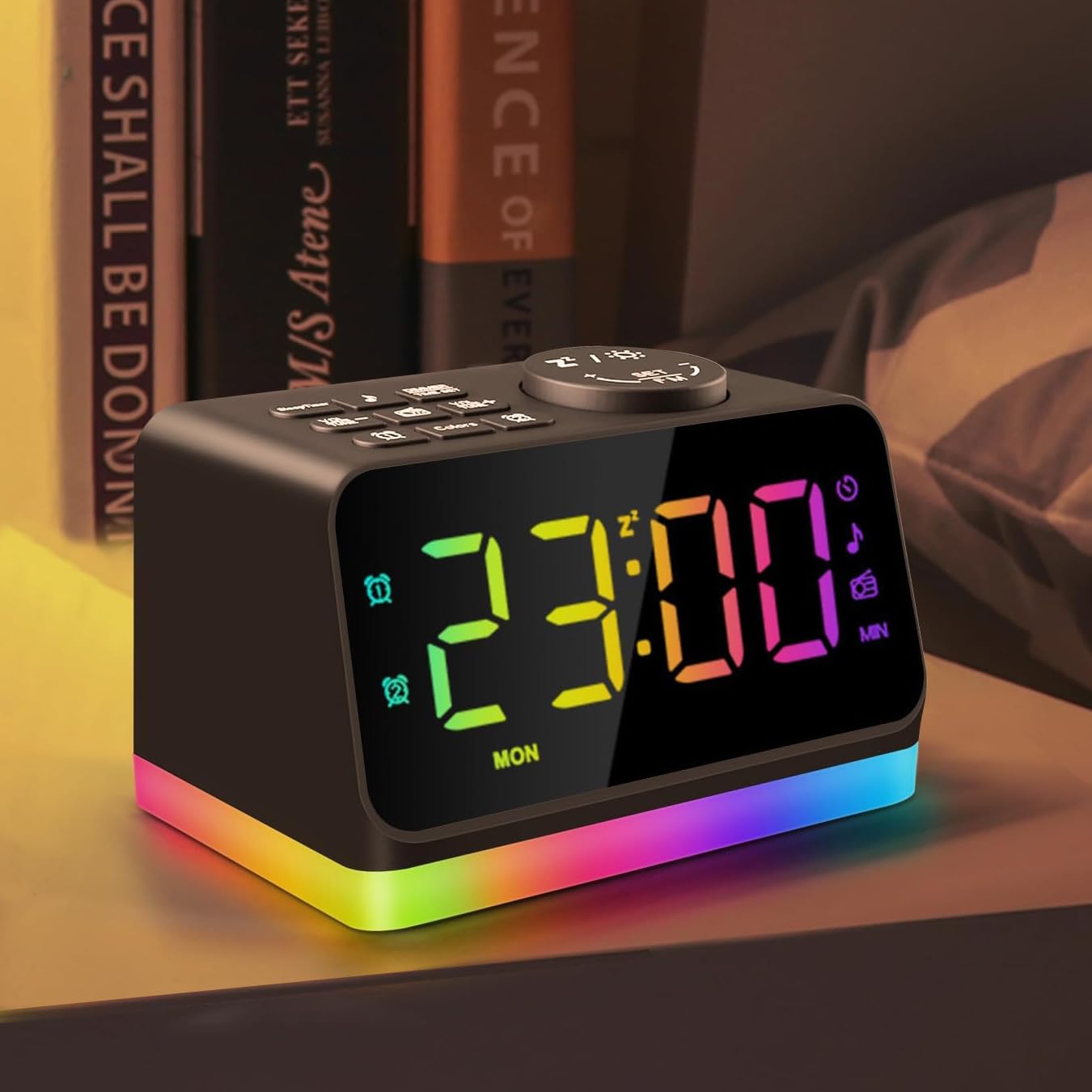
Figure 2.1: Front view of the JALL Digital Alarm Clock, displaying the time and the vibrant multi-color night light at its base.
Key Features:
- Large 5-inch LED display with adjustable brightness (0-100 levels).
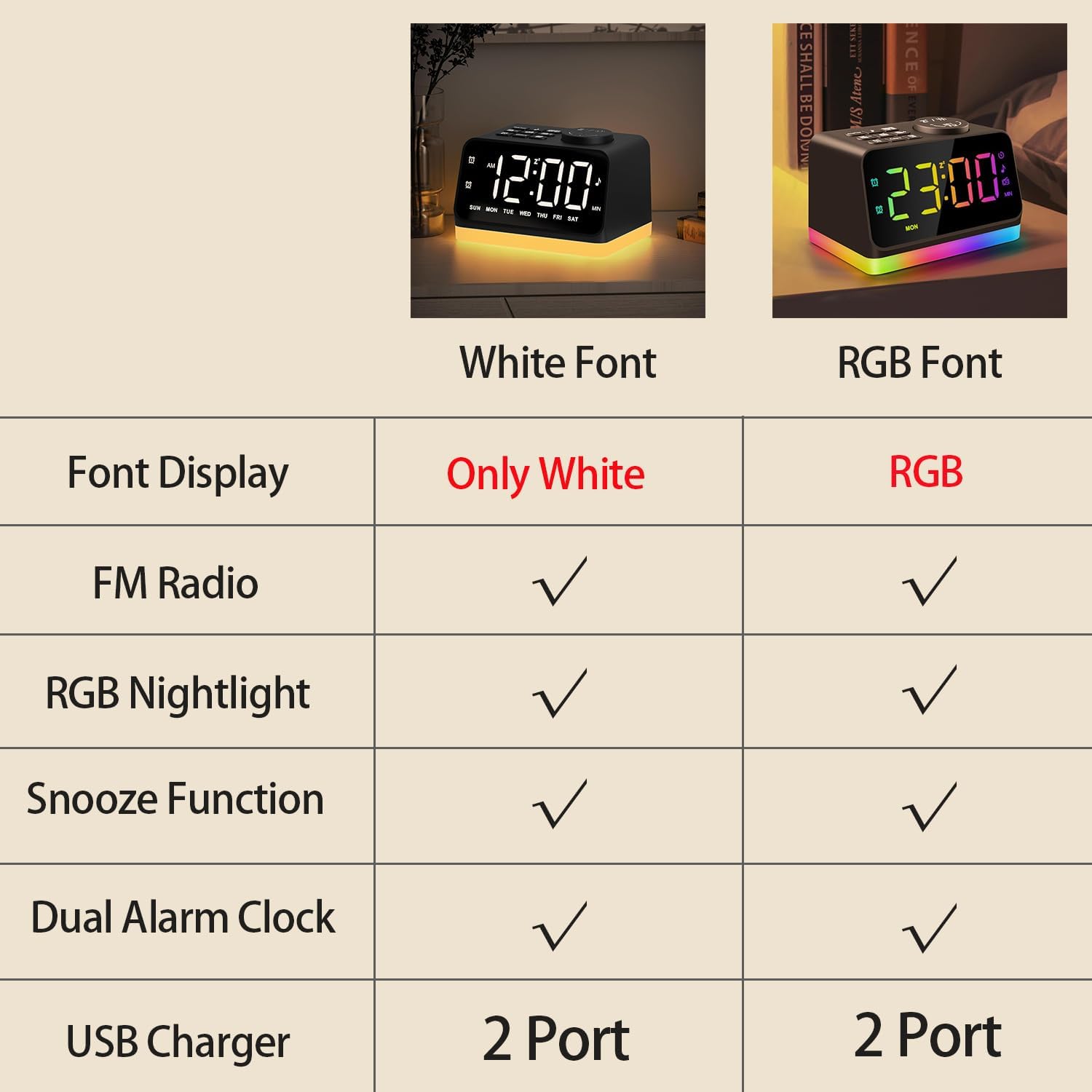
- Customizable display font colors (White, Warm white, Red, Green, Blue, Mixed colored).
- Dual alarms with separate settings for weekdays, weekends, or all 7 days.
- Choice of 7 built-in alarm tones or FM radio as wake-up sound.
- Snooze function for an additional 9 minutes of sleep.
- Integrated FM Radio (76.0-108.0 MHz) with auto-scan and manual tuning.
- 8-color night light / bedside lamp / mood light with adjustable brightness.
- Sleep timer function (10-480 minutes) for falling asleep to sounds.
- Two USB charging ports for mobile devices.
- 3.5mm headphone jack for private listening.

Figure 2.2: Top-down view of the alarm clock, highlighting the various control buttons for setting time, alarms, adjusting volume, and accessing FM radio functions.
3. Setup
3.1 Power Connection
Connect the provided USB-C cable to the power input port on the back of the alarm clock and plug the adapter into a standard wall outlet. The display will illuminate, indicating the device is powered on.
3.2 Initial Time Setting
- Press and hold the TIME SET button located on the top panel. The hour digits will begin to flash.
- Use the VOL +/- or TUNE +/- buttons to adjust the hour.
- Press TIME SET again to confirm the hour and move to minute adjustment.
- Use the VOL +/- or TUNE +/- buttons to adjust the minutes.
- Press TIME SET once more to save the time.
4. Operating Instructions
4.1 Setting Alarms (Alarm 1 and Alarm 2)
The clock supports two independent alarms. The process is identical for both.
- Press and hold the Alarm 1 (
 ) or Alarm 2 () button. The alarm hour will flash.
 - Use the VOL +/- or TUNE +/- buttons to set the desired alarm hour.
- Press the respective alarm button again to confirm the hour and move to minute adjustment.
- Use the VOL +/- or TUNE +/- buttons to set the desired alarm minutes.
- Press the alarm button again to select the alarm sound source (7 built-in tones or FM radio). Use VOL +/- or TUNE +/- to cycle through options.
- Press the alarm button again to select the alarm mode (MON-FRI, SAT-SUN, or ALL 7 DAYS).
- Press the alarm button one last time to save the alarm settings.
4.2 Snooze Function

Figure 4.1: A hand pressing the large snooze button on top of the alarm clock for an additional 9 minutes of sleep.
When an alarm sounds, press the large Snooze / Night Light button on top of the clock to temporarily silence the alarm for 9 minutes. The alarm will sound again after 9 minutes.
4.3 FM Radio Operation

Figure 4.2: The FM Radio function of the alarm clock, showing a person listening to music with the radio frequency displayed on the screen.
- Press the FM Radio button to turn on the FM radio.
- To auto-scan and save available stations, press and hold the FM Radio button for 2 seconds. The clock will scan frequencies from 76.0-108.0 MHz.
- To manually tune, turn the Snooze / Night Light button to adjust the frequency.
- Use the VOL +/- buttons to adjust the radio volume.
4.4 Night Light / Bedside Lamp / Mood Light

Figure 4.3: The 8-color night light feature of the alarm clock, displaying different color options for ambient lighting.
Press the Snooze / Night Light button to cycle through the 8 available night light colors. To adjust the brightness of the night light, use the easy turn wheel located on the back of the clock.
4.5 Sleep Sound Machines
The clock includes 7 built-in natural sounds to aid sleep. Press the Music Note button to cycle through the available sounds. Use the VOL +/- buttons to adjust the volume of the sleep sound.
4.6 Adjustable Brightness Dimmer and Font Color

Figure 4.4: The adjustable brightness dimmer feature of the alarm clock, illustrating how the display brightness can be customized from 0% to 100%.
Press the DIMMER button to adjust the brightness of the main time display from 0 to 100 levels. You can also choose the font color displayed (White, Warm white, Red, Green, Blue, Mixed colored) by pressing the Colors button.
4.7 USB Charging Ports

Figure 4.5: The two USB charging ports located at the back of the alarm clock, allowing users to charge their mobile devices.
The alarm clock is equipped with two USB ports on the back, allowing you to charge your phone or other mobile devices conveniently.
5. Maintenance
To ensure the longevity and optimal performance of your JALL Digital Alarm Clock, follow these maintenance guidelines:
- Cleaning: Use a soft, dry cloth to clean the surface of the clock. Do not use abrasive cleaners, waxes, or solvents as they may damage the finish.
- Storage: If storing the device for an extended period, unplug it from the power source and store it in a cool, dry place.
- Power Cord: Regularly inspect the power cord for any signs of damage. If damaged, discontinue use and replace with an approved power adapter.
6. Troubleshooting
If you encounter any issues with your JALL Digital Alarm Clock, refer to the following common problems and solutions:
| Problem | Possible Cause | Solution |
|---|---|---|
| Display is blank or not working. | Power adapter not connected or faulty. | Ensure the power adapter is securely plugged into the clock and the wall outlet. Try a different outlet. |
| Alarm does not sound. | Alarm not set or volume too low. | Verify alarm settings (time, days, sound source) and ensure alarm volume is not set to 0. |
| Poor FM radio reception. | Antenna not extended or interference. | Fully extend the FM antenna. Try repositioning the clock to reduce interference from other electronic devices. |
| USB charging not working. | Device not compatible or cable faulty. | Ensure your device is compatible with USB charging. Try a different USB cable. |
7. Specifications
| Feature | Detail |
|---|---|
| Brand | JALL |
| Model Number | CH09 |
| Color | Black With RGB Font |
| Display Type | Digital LED |
| Power Source | Corded Electric (USB-C) |
| Product Dimensions | 4.7"W x 2.7"H |
| Item Weight | 11.7 ounces (0.33 Kilograms) |
| FM Radio Frequency | 76.0-108.0 MHz |
| USB Charging Ports | 2 (Output only) |
| Night Light Colors | 8 Colors |
| Sleep Sounds | 7 Built-in Tones |
8. Warranty and Support
JALL offers a lifetime warranty for this product. For warranty registration or support inquiries, please refer to the contact information provided with your purchase or visit the official JALL website. Our customer service team is available to assist you with any questions or issues you may have.


