
Product Overview
The JALL Digital Alarm Clock is a versatile device designed for bedroom use, featuring a large LED display, FM radio, multiple night light colors, and dual alarm functionality. It also includes a sleep timer and two USB charging ports for convenience.
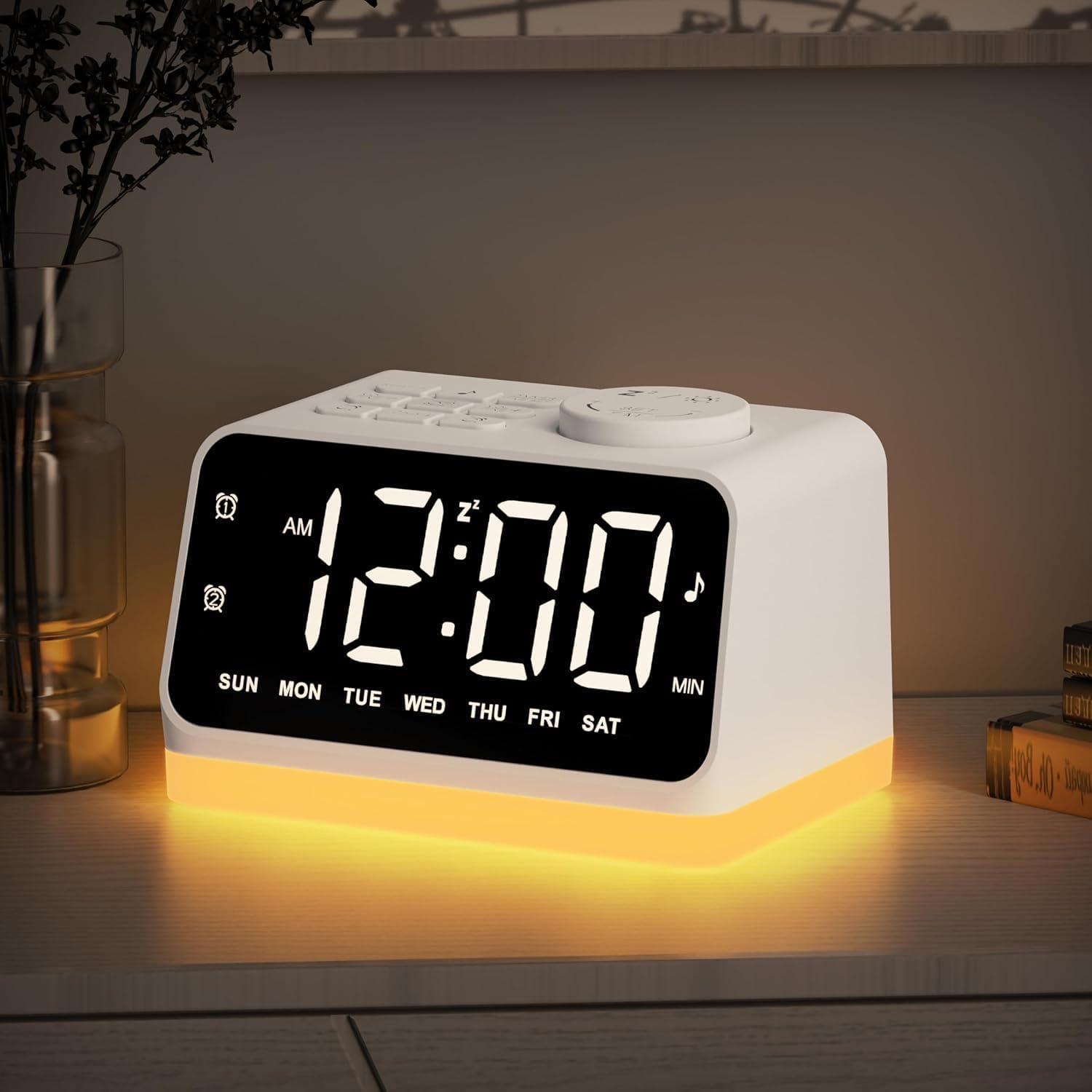
Figure 1: Front view of the JALL Digital Alarm Clock with its display and ambient light.
Setup Instructions
- Power Connection: Connect the provided USB cable to the alarm clock's power input port and plug the adapter into a standard electrical outlet. The clock is powered by corded electric only.
- Initial Display: Upon connecting power, the LED display will illuminate.
- Time Setting: Press and hold the 'DIMMER/TIME SET' button. Use the '+' or '-' buttons to adjust the hour, then press 'DIMMER/TIME SET' again to confirm. Repeat for minutes.
- Display Brightness: Adjust the display brightness (0-100 level) using the dimmer control.

Figure 2: Rear view of the alarm clock, highlighting the two USB charging ports.
The clock features two USB ports for charging external mobile devices. These are located on the back of the unit.
Operating Instructions
Alarm Functionality
- Setting Alarms: The clock supports dual alarms. Press the 'Alarm 1' or 'Alarm 2' button to enter alarm setting mode. Use the '+' or '-' buttons to set the desired alarm time.
- Alarm Sound: Choose from 7 built-in tones or FM radio as your wake-up sound. The volume gradually increases.
- Alarm Modes: Set alarms for weekend, weekday, or all 7 days.
- Snooze Function: Press the 'Snooze' button for an additional 9 minutes of sleep.

Figure 3: The clock's display indicating options for setting dual alarms for specific days (Mon-Sun, Mon-Fri, Sat-Sun).
FM Radio
- Activating Radio: Press the 'FM Radio' button to turn on the radio.
- Auto Scan: Press and hold the 'FM Radio' button for 2 seconds to automatically scan and save all available stations within the 76.0-108.0 MHz frequency range.
- Manual Tuning: Use the 'Snooze' button (rotary dial) to manually tune to specific frequencies.

Figure 4: Features related to FM Radio, including auto-search and sleep timer functionality.
Night Light / Bedside Lamp / Mood Light
- Activation: Press the 'Snooze / Night Light' button to activate the light.
- Color Selection: The clock offers 8 colors (4 solid, 4 mood lights). Use the 'Colors' button to cycle through the options.
- Brightness Adjustment: Adjust the light level brightness using the easy turn wheel at the back of the clock.
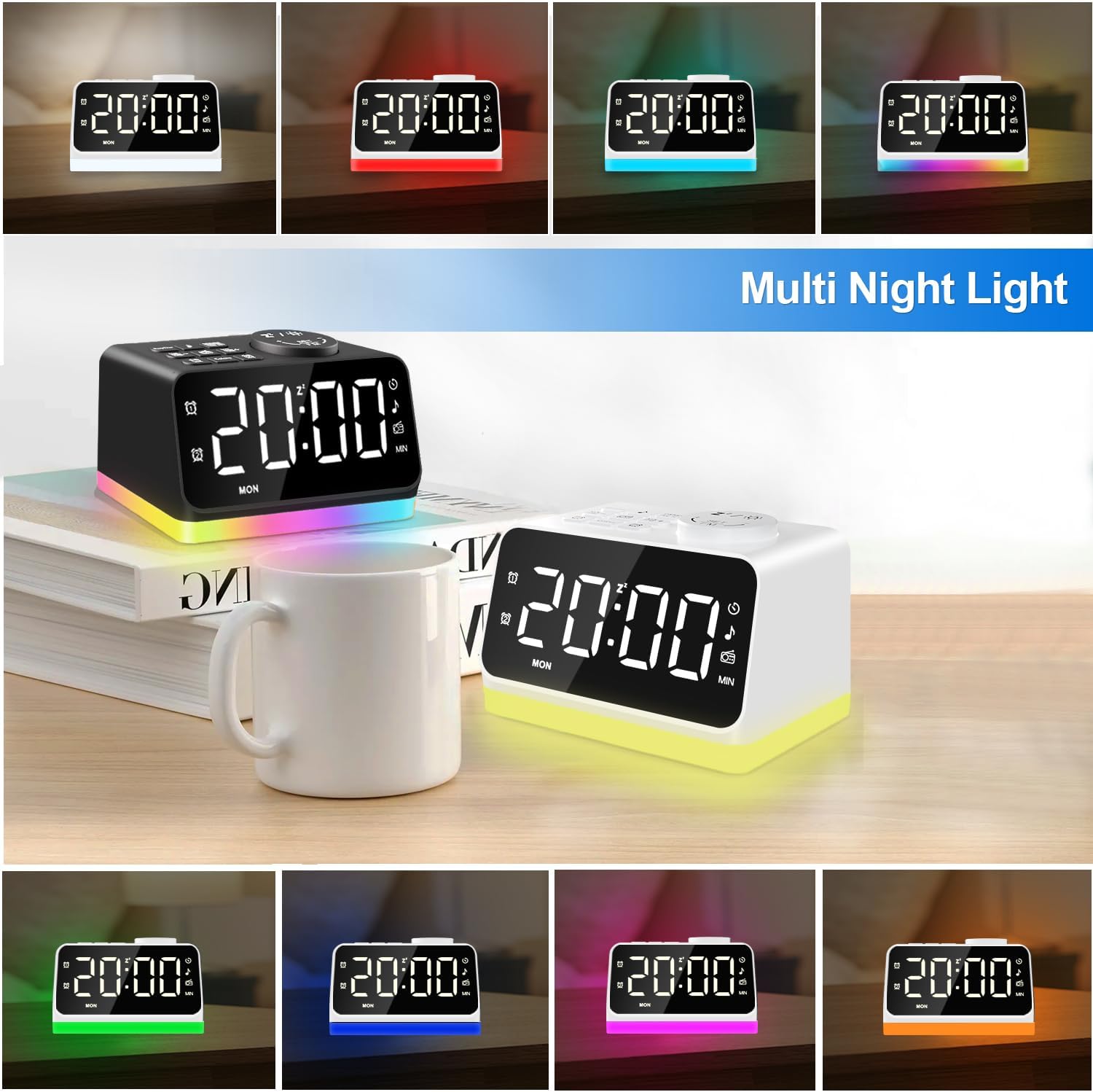
Figure 5: Examples of the multi-color night light feature of the alarm clock.
Sleep Timer
- Setting Timer: The sleep timer function allows you to fall asleep to your favorite station or sound. It can be set from 10 to 480 minutes.
- Headphone Jack: A 3.5mm headphone jack is available for private listening.
Maintenance
- Cleaning: Use a soft, dry cloth to clean the surface of the alarm clock. Avoid abrasive cleaners or solvents.
- Placement: Place the clock on a stable, flat surface away from direct sunlight, heat sources, and excessive moisture.
Troubleshooting
- No Power/Display Off: Ensure the power adapter is securely plugged into both the clock and the wall outlet. Check if the power outlet is functional.
- Alarm Not Sounding: Verify that the alarm is enabled and set to the correct time. Check the alarm volume level.
- Poor FM Reception: Extend the antenna fully. Try repositioning the clock to improve signal reception.
- Buttons Unresponsive: Disconnect the power for a few seconds and then reconnect it to reset the device.
Specifications
| Feature | Detail |
|---|---|
| Brand | JALL |
| Model Number | CH09 |
| Display Type | Digital |
| Power Source | Corded Electric |
| Product Dimensions | 4.7"W x 2.7"H |
| Item Weight | 13.9 ounces |
| Special Features | FM Radio, Night Light, Dual Alarm, USB Charging Ports, Sleep Timer |
| Color | White With White Font |
Warranty and Support
The product may come with a lifetime warranty. For detailed warranty information and customer support, please refer to the documentation included with your product or visit the official JALL website. For general inquiries, you may also contact the seller directly through the platform where the product was purchased.
Note: No official product videos from the seller were available for embedding in this manual.


