
1. Product Overview
The Black Shark BIGBIG WON Aether Wireless Gaming Controller is designed for precision and performance across multiple gaming platforms. It features an integrated LCD Smart Screen for real-time adjustments, Hall Effect joysticks and triggers for enhanced durability and accuracy, and a high 1000Hz polling rate for minimal latency. This controller is compatible with PC, Nintendo Switch, Android, and iOS devices, offering flexible connectivity options and a long-lasting battery for extended gaming sessions.
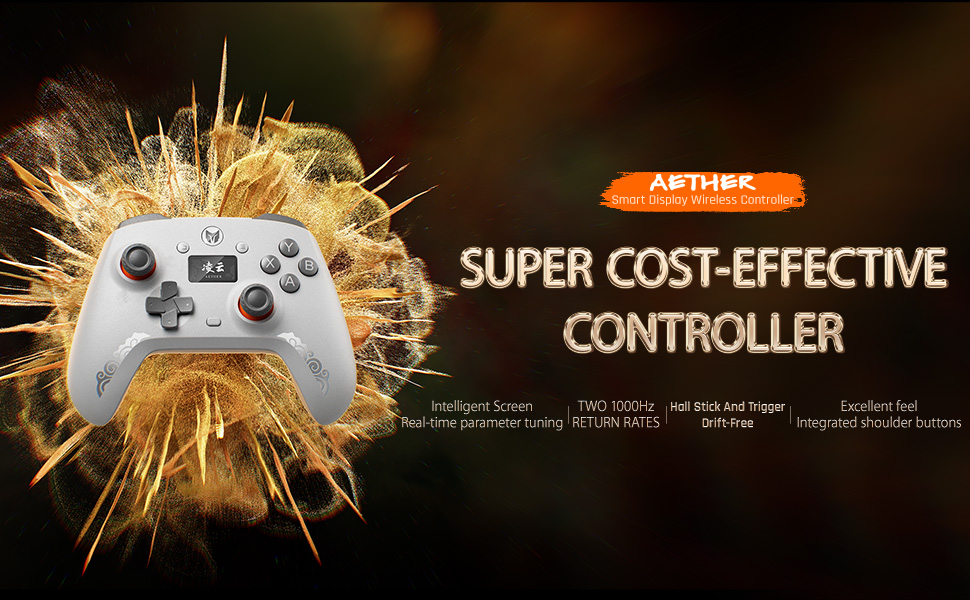
Image 1: Overview of the Black Shark BIGBIG WON Aether Controller highlighting its powerful configuration and cost-effectiveness.
2. Setup and Connectivity
The Aether controller offers versatile connectivity to suit your gaming needs. It supports wired, Bluetooth, and 2.4GHz wireless connections.
2.1 Package Contents
- Black Shark BIGBIG WON Aether Controller
- USB-C Charging Cable
- 2.4G Wireless Adapter (USB Receiver)
- User Manual

Image 2: The Black Shark BIGBIG WON Aether Controller and its included accessories: USB-C cable and 2.4G wireless adapter.
2.2 Connecting Your Controller
- 2.4GHz Wireless Connection (Recommended for PC/Switch):
Insert the included 2.4G wireless adapter into an available USB port on your PC or Nintendo Switch dock. Power on the controller. The controller should automatically pair with the adapter. - Bluetooth Connection (for Android/iOS/Switch):
Ensure Bluetooth is enabled on your device. Put the controller into Bluetooth pairing mode (refer to the included user manual for specific button combinations). Select 'BIGBIG WON Aether' from your device's Bluetooth list. - Wired Connection (for PC/Switch):
Connect the controller to your PC or Nintendo Switch using the provided USB-C cable. The controller will function as a wired device.
For advanced configuration and customization, download the official BIGBIG WON app available for mobile and desktop platforms. This app allows you to fine-tune settings directly.
3. Operating Instructions
The Aether controller is equipped with advanced features to enhance your gaming experience. Familiarize yourself with its key components and functionalities.
3.1 LCD Smart Screen
The built-in LCD Smart Screen provides real-time feedback and allows for on-the-fly adjustments without needing external software during gameplay. You can customize:
- Back button assignments (M1, M2, M3, M4)
- Joystick sensitivity curves and dead zones (including zero and negative dead zones)
- Trigger response (Linear Trigger Mode for racing, Quick Trigger Mode for rapid-fire in FPS)
- Vibration intensity
- Activate Turbo mode for rapid-fire actions
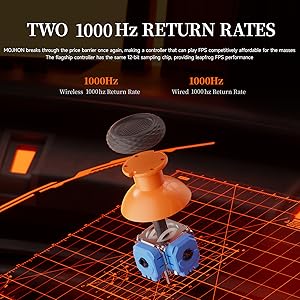
Image 3: The multi-functional Smart Display on the controller, showing various settings and customization options.
3.2 Hall Effect Joysticks and Triggers
Experience superior control and longevity with Hall Effect technology. These components use magnetic sensors instead of physical contacts, eliminating joystick drift and trigger wear.
- Hall Effect Joysticks: Offer ultra-smooth and precise movements with 4096-level joystick sampling.
- Hall Effect Triggers: Provide rapid and accurate response. Easily switch between Linear Trigger and Quick Trigger modes for optimal performance in different game genres.
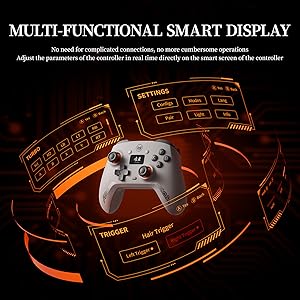
Image 4: Detailed view of the Hall Effect joystick mechanism, ensuring no drift and ultra-smooth control.
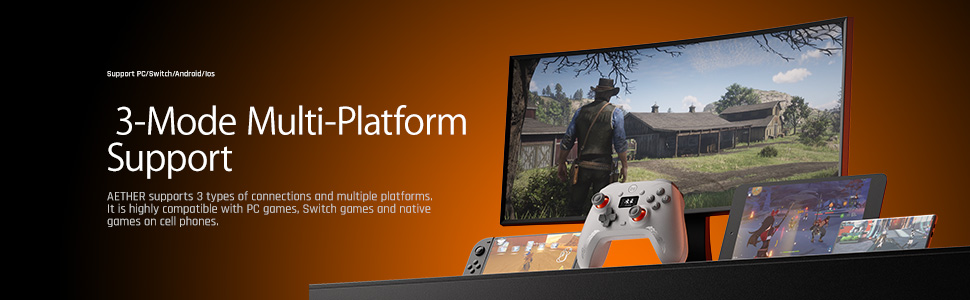
Image 5: Illustration of the Hall Magnetic Trigger, offering precise 256-level stroke and switchable modes.
3.3 High Polling Rate
The controller features an ultra-fast 1000Hz polling rate in both wired and wireless modes, ensuring near-instant response times critical for competitive gaming. This is supported by a high-precision 12-bit sampling chip.
Image 6: Visual representation of the two 1000Hz return rates for both wireless and wired connections.
3.4 Additional Features
- Dual Back Buttons: Allow for quick actions with customizable key mapping. Note: Macro functions are not supported.
- HD Rumble: Provides realistic haptic feedback for enhanced immersion.
- Upgraded D-Pad: Designed for effortless combos and precise input.
- Silent Compression ABXY Buttons: Feature silent foam for a soft, cloud-like feel and reduced noise.
4. Maintenance and Battery Life
To ensure the longevity and optimal performance of your Aether controller, follow these maintenance guidelines:
4.1 Battery Management
The controller is equipped with a 600mAh battery, designed for extended gaming sessions. Charge the controller using the provided USB-C cable. A full charge typically provides hours of uninterrupted play.

Image 7: Illustration of the 600mAh long-lasting battery within the controller.
4.2 Cleaning and Storage
- Wipe the controller with a soft, dry cloth. Avoid using harsh chemicals or abrasive materials.
- Store the controller in a cool, dry place away from direct sunlight and extreme temperatures.
- The upgraded grip with large-area rubber coating provides enhanced comfort and durability, but should still be kept clean.
5. Technical Specifications
| Feature | Detail |
|---|---|
| Model | Aether |
| ASIN | B0F4CX6PHZ |
| Polling Rate | 1000Hz (Wired & Wireless) |
| Joystick Technology | Hall Effect, 4096-level sampling, 12-bit ADC |
| Trigger Technology | Hall Effect, 256-level stroke (Linear/Quick modes) |
| Buttons | 16 Mechanical Buttons, Dual Back Buttons (M1, M2, M3, M4) |
| Vibration | HD Rumble, 4 levels of customization |
| Battery | 600mAh Nonstandard Battery (included) |
| Charging Port | USB Type-C |
| Compatibility | PC, Nintendo Switch, Android, iOS |
| Connectivity | Wired, Bluetooth, 2.4GHz Wireless |
| Item Weight | 10.5 ounces |
| Package Dimensions | 6.06 x 5.08 x 2.91 inches |
| Manufacturer | MOJHON |
| Date First Available | April 10, 2025 |
6. Troubleshooting
If you encounter any issues with your Black Shark BIGBIG WON Aether controller, please consider the following common solutions:
- Connection Issues: Ensure the controller is fully charged. For 2.4GHz wireless, verify the USB adapter is securely plugged in. For Bluetooth, ensure your device's Bluetooth is on and the controller is in pairing mode. Try re-pairing the device.
- Input Lag/Unresponsiveness: Check for interference if using wireless connection. Ensure the controller's firmware is up to date via the BIGBIG WON app. For wired connection, ensure the USB-C cable is properly connected.
- Button/Joystick Malfunction: Perform a factory reset if available (refer to the full user manual for instructions). If the issue persists, it may indicate a hardware problem.
- LCD Screen Not Displaying: Ensure the controller is powered on and charged. If the screen remains blank, contact customer support.
For more detailed troubleshooting steps or persistent problems, please refer to the comprehensive user manual or contact customer support.
7. Warranty and Customer Support
The Black Shark BIGBIG WON Aether Wireless Gaming Controller comes with a 1-year manufacturer warranty. For warranty claims, technical assistance, or any product-related inquiries, please contact our customer service department.
You can find contact information and additional resources on the official Black Shark or BIGBIG WON website, or by scanning the QR code provided in the product packaging for the user manual and app download.
Online Resources: Visit the Black Shark Store on Amazon for product information and support.
8. Product Video Review
Watch an independent review of a related model, the MOJHON BLITZ2 Wireless Controller (formerly BIGBIG WON), by the manufacturer. This video demonstrates key features and functionality that are also present in the Aether model.
Video 1: Review of the MOJHON BLITZ2 Wireless Controller, showcasing its features and performance. Note: MOJHON is the manufacturer, formerly known as BIGBIG WON, and this video highlights features relevant to the Aether model.