
1. Introduction
Thank you for choosing the DOINOW T80 Portable Tire Inflator. This device is designed for convenient and efficient inflation of tires for cars, motorcycles, bicycles, and various balls. Please read this manual thoroughly before use to ensure safe and optimal operation.
2. Safety Information
- Always operate the inflator in a well-ventilated area.
- Do not leave the inflator unattended while in operation.
- Keep out of reach of children.
- Avoid prolonged continuous operation to prevent overheating. Allow the device to cool down if it becomes hot.
- Ensure the correct pressure setting for the item being inflated to prevent over-inflation, which can cause damage or injury.
- Do not expose the device to rain or moisture.
- Use only the provided accessories and charging cables.
3. Package Contents
Verify that all items are present in your package:
- 1 x DOINOW T80 Cordless Air Pump
- 1 x 9.8" Air Hose
- 1 x Type-C Charging Cable
- 1 x Cigarette Lighter Power Cord
- 4 x Multifunctional Air Nozzles
- 1 x Waterproof Storage Bag

Image: Contents of the DOINOW T80 package, including the inflator, various cables, air hose, nozzles, and storage bag.
4. Product Overview
The DOINOW T80 features a compact design with a dual LCD display and intuitive controls.
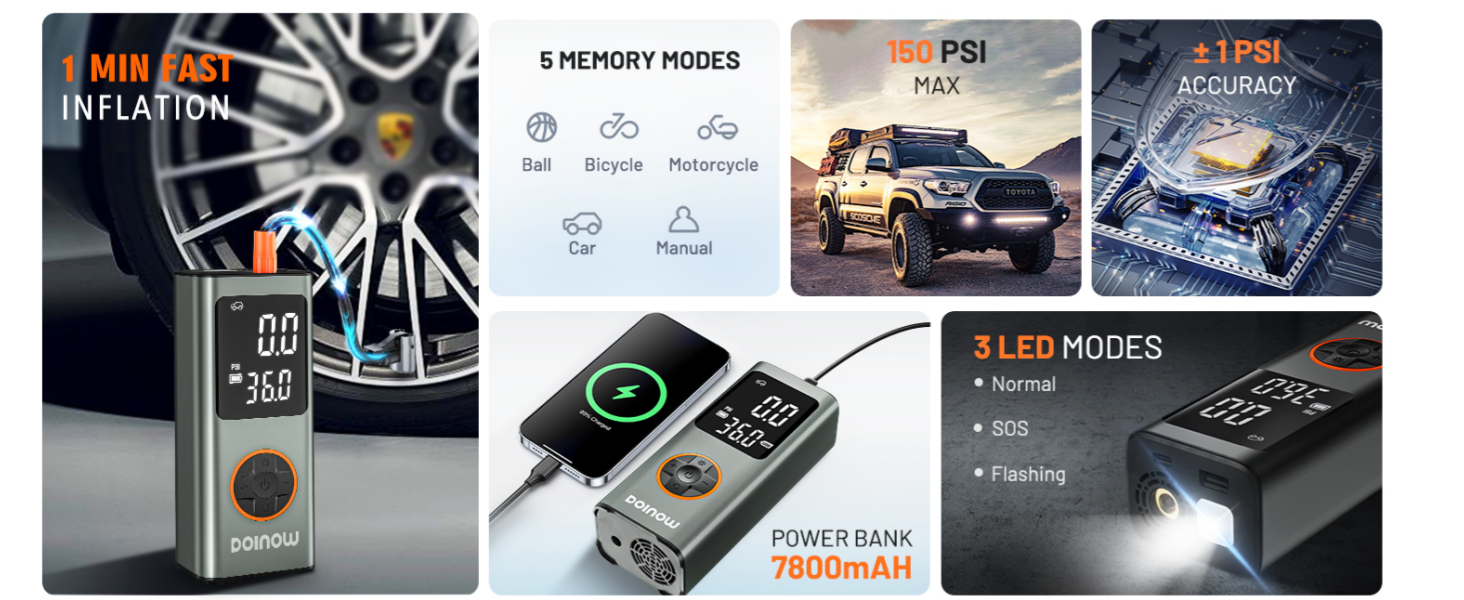
Image: Close-up of the DOINOW T80's dual LCD display showing real-time and preset tire pressure, along with unit indicators (PSI, BAR, KPA, kg/cm²) and a USB port indicator.
Key Features:
- Dual LCD Display: Shows both real-time and preset pressure values.
- Control Panel: Buttons for power, mode selection, unit switch, LED light, and pressure adjustment.
- Air Hose Connection Port: For attaching the inflation hose.
- USB-C Input: For charging the inflator.
- USB-A Output: Functions as a power bank to charge other devices.
- LED Light: Integrated light with multiple modes (lighting, warning, SOS).
5. Charging the Device
Before first use, fully charge the DOINOW T80. The device is equipped with a high-capacity lithium-ion battery.
- Connect the provided Type-C charging cable to the USB-C input port on the inflator.
- Connect the other end of the Type-C cable to a suitable USB power adapter (not included) or a computer USB port.
- The battery indicator on the LCD display will show charging status.
- Once fully charged, disconnect the charging cable.
The device can also be powered directly via the cigarette lighter power cord for corded operation, which does not charge the internal battery but allows for continuous use.
6. Operating Instructions
6.1. Cordless Inflation (4 Steps)
- Connect to the Tire Valve: Screw the air hose onto the inflator's output port, then firmly attach the other end to the tire valve stem. Ensure a secure connection to prevent air leakage.
- Choose Mode: Press the power button to turn on the inflator. Press the mode button (often indicated by a car/bike icon) to cycle through the preset inflation modes: Car, Motorcycle, Bicycle, Ball, or Manual.
- Preset Pressure: Use the '+' and '-' buttons to adjust the target pressure to your desired PSI, BAR, KPA, or kg/cm². The device will display the preset value.
- Start Inflation: Press the power button again to start inflation. The inflator will automatically shut off once the preset pressure is reached.
Image: Visual guide showing the four steps for cordless inflation: connecting to valve, choosing mode, presetting pressure, and starting inflation.
6.2. Corded Inflation
For extended use or when the internal battery is low, you can power the inflator using your vehicle's cigarette lighter socket.
- Start your car engine.
- Insert the cigarette lighter power cord into your car's 12V socket.
- Connect the air hose to the tire valve.
- Press the power button to turn on the inflator and select the desired mode.
- Set the target pressure and press the power button to start inflation.
Image: Visual guide demonstrating the steps for corded inflation using the car's cigarette lighter socket.
6.3. Using Preset Modes
The T80 offers 4 preset inflation modes and a manual mode:
- Car Mode: Typically 26-50 PSI.
- Motorcycle Mode: Typically 26-44 PSI.
- Bicycle Mode: Typically 30-145 PSI.
- Ball Mode: Typically 4-16 PSI.
- Manual Mode: Allows setting pressure from 3-150 PSI.

Image: Illustration of the 5-in-1 inflation modes (Car, Motorcycle, Ball, Bicycle, Manual) with their typical pressure ranges.
6.4. LED Light Functions
The integrated LED light provides illumination for various situations:
- Press 1 time: Constant Lighting (for general illumination).
- Press 2 times: Slow Blinking Warning Light (for roadside visibility).
- Press 3 times: Fast Blinking SOS Light (for emergency signaling).

Image: Depiction of the three LED light modes: constant light, slow blinking warning, and fast blinking SOS.
6.5. Power Bank Function
The DOINOW T80 can also serve as a power bank to charge your electronic devices.
- Connect your device's charging cable to the USB-A output port on the inflator.
- The inflator will begin charging your device.
7. Maintenance
7.1. Cleaning and Storage
- Wipe the exterior of the inflator with a soft, dry cloth. Do not use harsh chemicals or abrasive cleaners.
- Ensure the air hose and nozzles are free from dirt and debris before storage.
- Store the inflator and all accessories in the provided waterproof storage bag in a cool, dry place, away from direct sunlight and extreme temperatures.
7.2. Battery Care
- To prolong battery life, charge the device at least once every three months, even if not in regular use.
- Avoid fully discharging the battery frequently.
7.3. Fuse Replacement (for Cigarette Lighter Power Cord)
If the cigarette lighter power cord stops working, the fuse may need replacement.
- Unscrew the nut on the car charging cable head.
- Carefully remove the old fuse.
- Replace it with a new fuse of the same rating.
- Screw the nut back on securely.
Image: Diagram illustrating how to unscrew the nut on the cigarette lighter power cord to access and replace the fuse.
8. Troubleshooting
| Problem | Possible Cause | Solution |
|---|---|---|
| Inflator does not turn on. | Low battery; Power button not pressed correctly. | Charge the inflator; Press and hold the power button for a few seconds. |
| Slow inflation or no air output. | Air hose not securely connected; Blockage in hose/nozzle; Low battery. | Ensure secure connections; Check for obstructions; Charge the inflator. |
| Inaccurate pressure reading. | Loose connection to valve; Sensor issue. | Ensure tight connection; Recalibrate by turning off/on; Contact support if persistent. |
| Device overheats and shuts off. | Prolonged continuous use. | Allow the device to cool down for at least 10-15 minutes before resuming use. |
| Cigarette lighter cord not working. | Blown fuse in the plug. | Replace the fuse as described in Section 7.3. |
9. Specifications
| Feature | Specification |
|---|---|
| Model | T80 |
| Maximum Operating Pressure | 150 PSI |
| Voltage | 11.1 Volts |
| Power Source | Battery Powered (Lithium Ion) |
| Noise Level | 80 Decibels |
| Inflation Speed (Car Tire 30-36PSI) | Approx. 1 minute |
| Inflation Speed (Car Tire 0-36PSI) | Approx. 5 minutes |
| Pressure Accuracy | ±0.5 PSI |
| Item Weight | 1.83 pounds (29.27 Ounces) |
| Dimensions (Package) | 8.07 x 5.2 x 2.44 inches |
| Special Features | Cordless, Dual LCD Display, Auto Shut-Off, Power Bank Function, LED Light (3 modes) |
10. Warranty and Support
The DOINOW T80 Portable Tire Inflator comes with a 2-year warranty, providing peace of mind for your purchase.
For any technical assistance, questions, or support needs, our customer service team is available 24/7. Please refer to your purchase documentation or the DOINOW official website for contact information.