1. Introduction
The Realpower Selfie MagFree is a multifunctional device designed to enhance your smartphone photography and charging experience. It integrates a secure selfie holder, a powerful 4800 mAh power bank, and an adjustable MagSafe-compatible selfie light into a compact and portable design.
Key features include:
- Secure and ergonomic grip for stable photos and videos.
- Integrated 4800 mAh power bank for wireless charging.
- Adjustable LED ring light for optimal illumination.
- Bluetooth connectivity for remote camera control.
- MagSafe compatibility for easy and secure smartphone attachment.
- Durable ABS and PU construction.
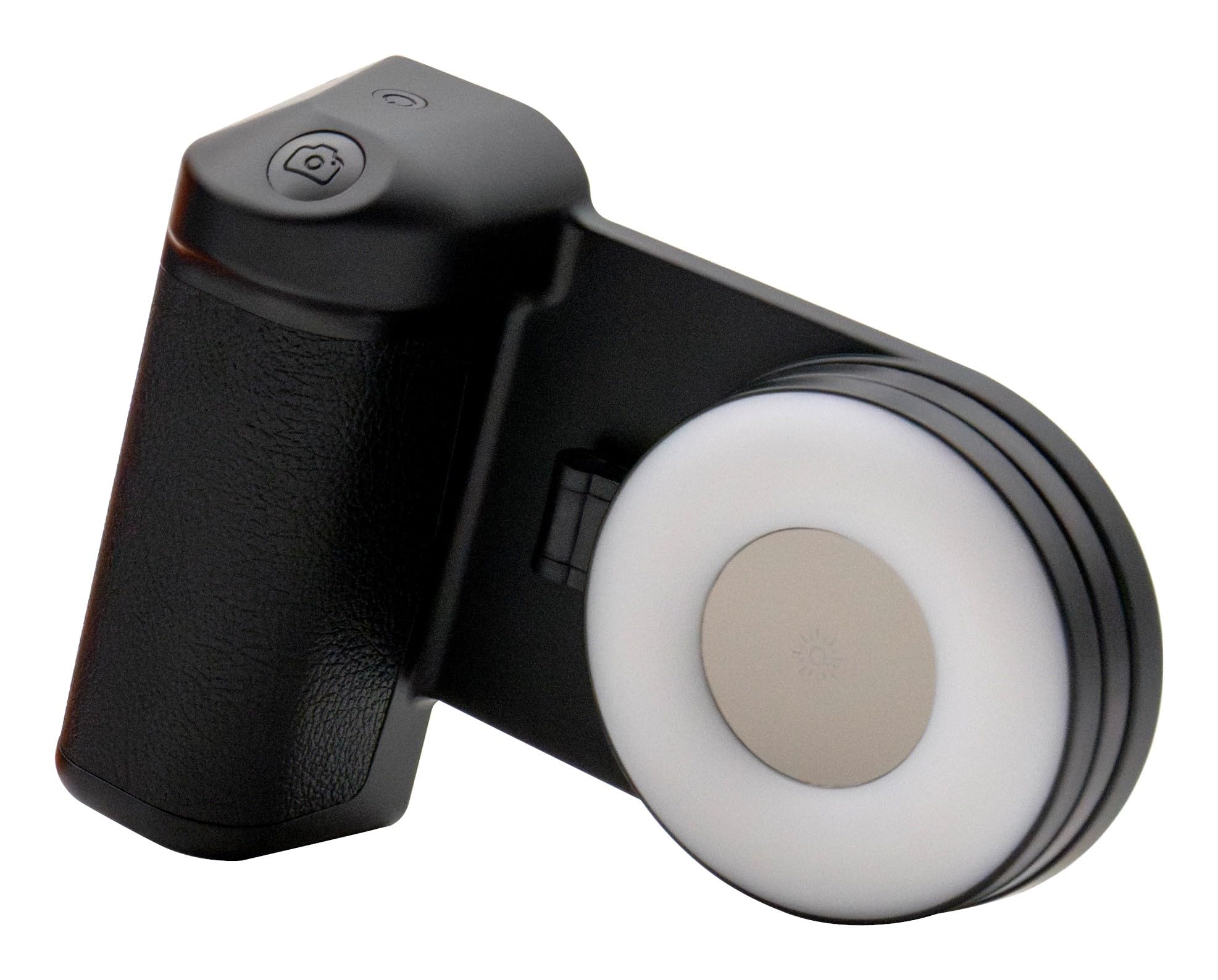
Figure 1: Realpower Selfie MagFree with a smartphone attached, demonstrating the secure grip and illuminated selfie light.
2. Setup
2.1 Unpacking
Carefully remove the Realpower Selfie MagFree and all accessories from its packaging. Inspect for any damage.
2.2 Charging the Device
Before first use, fully charge the Realpower Selfie MagFree. Connect a compatible USB-C charging cable (not included) to the charging port on the device and to a USB power adapter. The charging indicator will show the charging status.
2.3 Attaching Your Smartphone
The Selfie MagFree is designed for MagSafe-compatible smartphones. For other smartphones, use the included magnetic ring for secure attachment.
- For MagSafe-compatible phones: Simply align your smartphone with the magnetic surface of the holder. The magnets will securely attach the phone.
- For non-MagSafe phones: Attach the provided magnetic ring to the back of your smartphone or phone case, ensuring it is centered for optimal balance and charging. Then, attach the phone to the holder using the magnetic ring.

Figure 2: Front view of the Realpower Selfie MagFree, showing the ergonomic grip and the integrated selfie light in its off state.
2.4 Bluetooth Pairing
To use the integrated camera button, pair the Selfie MagFree with your smartphone via Bluetooth.
- Turn on the Realpower Selfie MagFree by pressing and holding the power button.
- Activate Bluetooth on your smartphone.
- Search for available devices and select "Realpower Selfie MagFree" from the list.
- Once paired, the indicator light on the device will confirm the connection.
3. Operating
3.1 Taking Photos and Videos
With your smartphone securely attached and Bluetooth paired, open your phone's camera application. Press the integrated camera button on the Selfie MagFree to capture photos or start/stop video recording.
3.2 Using the Selfie Light
The Selfie MagFree features an integrated LED ring light for enhanced illumination. Press the dedicated light button to cycle through different brightness levels or turn the light off. The light can be adjusted to suit various lighting conditions.
3.3 Wireless Charging Function
The device supports wireless charging for compatible smartphones. When your phone is attached to the holder, ensure it is properly aligned with the charging coil to initiate wireless charging. The 4800 mAh internal battery acts as a power bank, providing power to your phone.

Figure 3: Rear view of the Realpower Selfie MagFree with the selfie light ring flipped open, revealing product specifications and charging details.
4. Maintenance
4.1 Cleaning
Wipe the device with a soft, dry cloth. Do not use abrasive cleaners, solvents, or harsh chemicals, as these may damage the surface or internal components.
4.2 Storage
Store the Realpower Selfie MagFree in a cool, dry place away from direct sunlight, extreme temperatures, and high humidity. Keep it away from children and pets.
4.3 Battery Care
To prolong the life of the internal battery, avoid fully discharging the device frequently. Charge the device regularly, even if not in use for extended periods.
5. Troubleshooting
- Device not turning on: Ensure the device is sufficiently charged. Connect it to a power source and attempt to power it on again.
- Bluetooth pairing issues: Verify that Bluetooth is enabled on your smartphone and the Selfie MagFree is in pairing mode. Try unpairing and re-pairing the device. Ensure no other Bluetooth devices are causing interference.
- Wireless charging not working: Confirm that your smartphone is MagSafe compatible or that the magnetic ring is correctly applied and centered. Ensure proper alignment of the phone on the charging pad. Remove any thick phone cases that might obstruct wireless charging.
- Selfie light not working: Check if the device is powered on. Press the light button to activate the LED light.
- Camera button not responding: Verify that the Bluetooth connection is active. Ensure your phone's camera application is open and in an active state.
6. Specifications
| Model Number | 495511 |
| Brand | Realpower |
| Dimensions (L x W x H) | 15 x 8 x 3 cm |
| Weight | 336 g |
| Power Bank Capacity | 4800 mAh |
| LED Light Power | 2W |
| LED Light Battery Capacity | 300 mAh |
| Charging Input | 5V-500mA |
| Material | ABS, PU |
| Compatibility | iOS and Android smartphones (MagSafe compatible or with magnetic ring) |
7. Warranty
The Realpower Selfie MagFree comes with a 2-year manufacturer's warranty. This warranty covers defects in materials and workmanship under normal use. For warranty claims, please retain your proof of purchase and contact your retailer or Realpower customer support.
8. Support
For further assistance, technical support, or to inquire about product information, please visit the official Realpower website or contact their customer service department. Contact details can typically be found on the product packaging or the Realpower website.


